
How to hand a conversation to a teammate
Assign an inbox thread to a teammate so a person takes over, and learn the automatic hand-off to a support team with the Live Agent step.
Before you start
- A teammate who holds a seat in your workspace
- A conversation in your inbox
Make sure your teammate has a seat
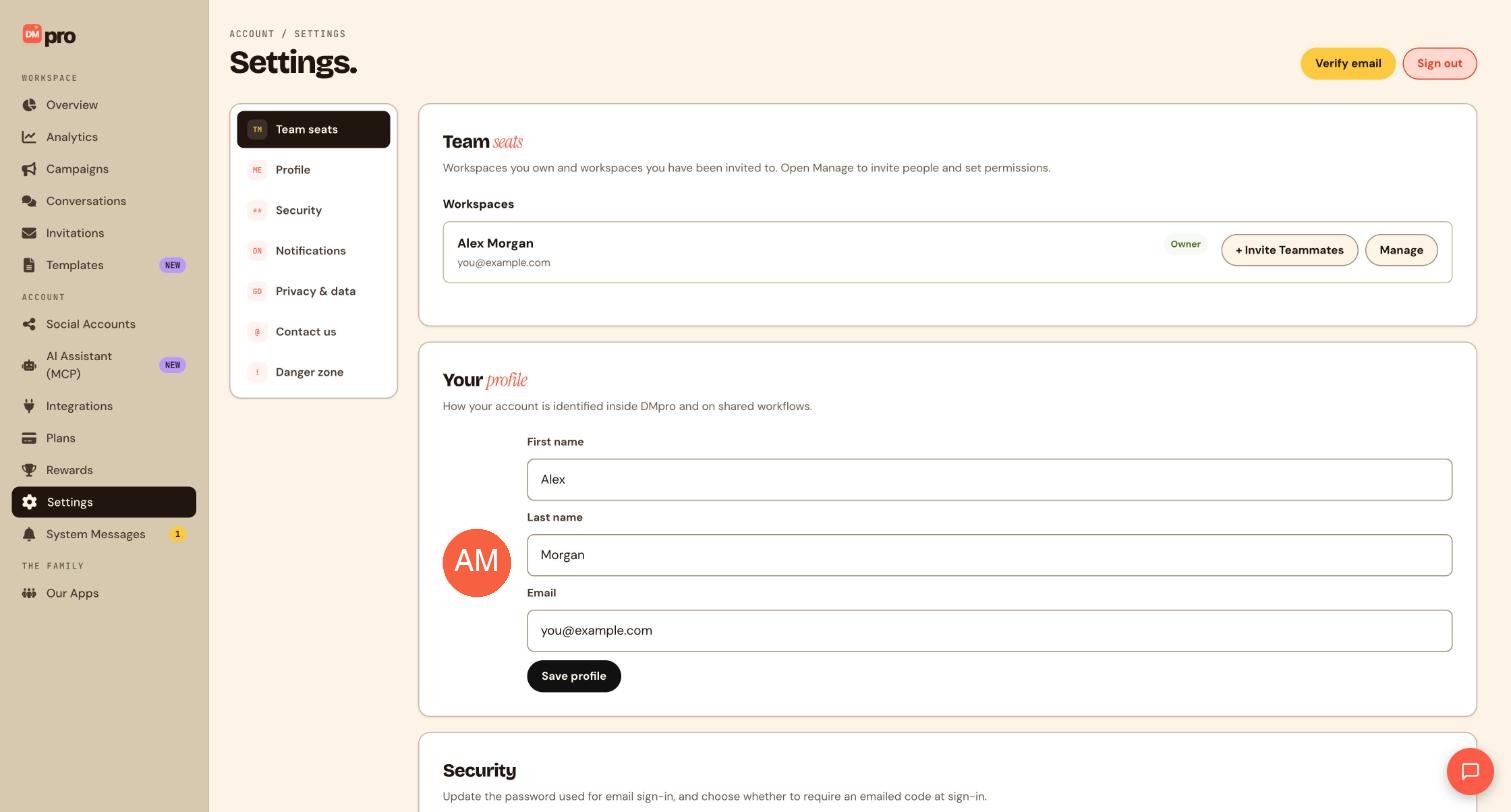
A thread can only be handed to someone who is a member of your workspace. In Settings, open Team seats and use + Invite Teammates if they are not there yet. The Free plan has 1 seat, so you need Pro to add more people.
Open the thread you want to pass on
Click Conversations, then pick the thread in the list on the left. Read the history and the trigger details first so you know what the fan wants, which campaign they came from and what DMpro has already sent them. Doing this first saves your teammate from asking the fan to repeat themselves.
Assign it to your teammate
Use the thread’s assign option and choose your teammate. Only people with a seat appear as choices. The teammate receives a notification about the thread, so you do not need to message them separately. If the person you want is not listed, go back to the first step.
Leave a note with context
Add a note to the thread so your teammate does not have to guess, for example Asked for a bulk price on 50 units. Offered a call. Please follow up today. A note is separate from a reply, so it is not a message to the fan.
Find assigned threads later
Open Filters in the inbox and filter by the person a thread is assigned to. Your teammate can use this to see their queue, and you can use it to check nothing is stuck.
Automate the hand-off with Live Agent
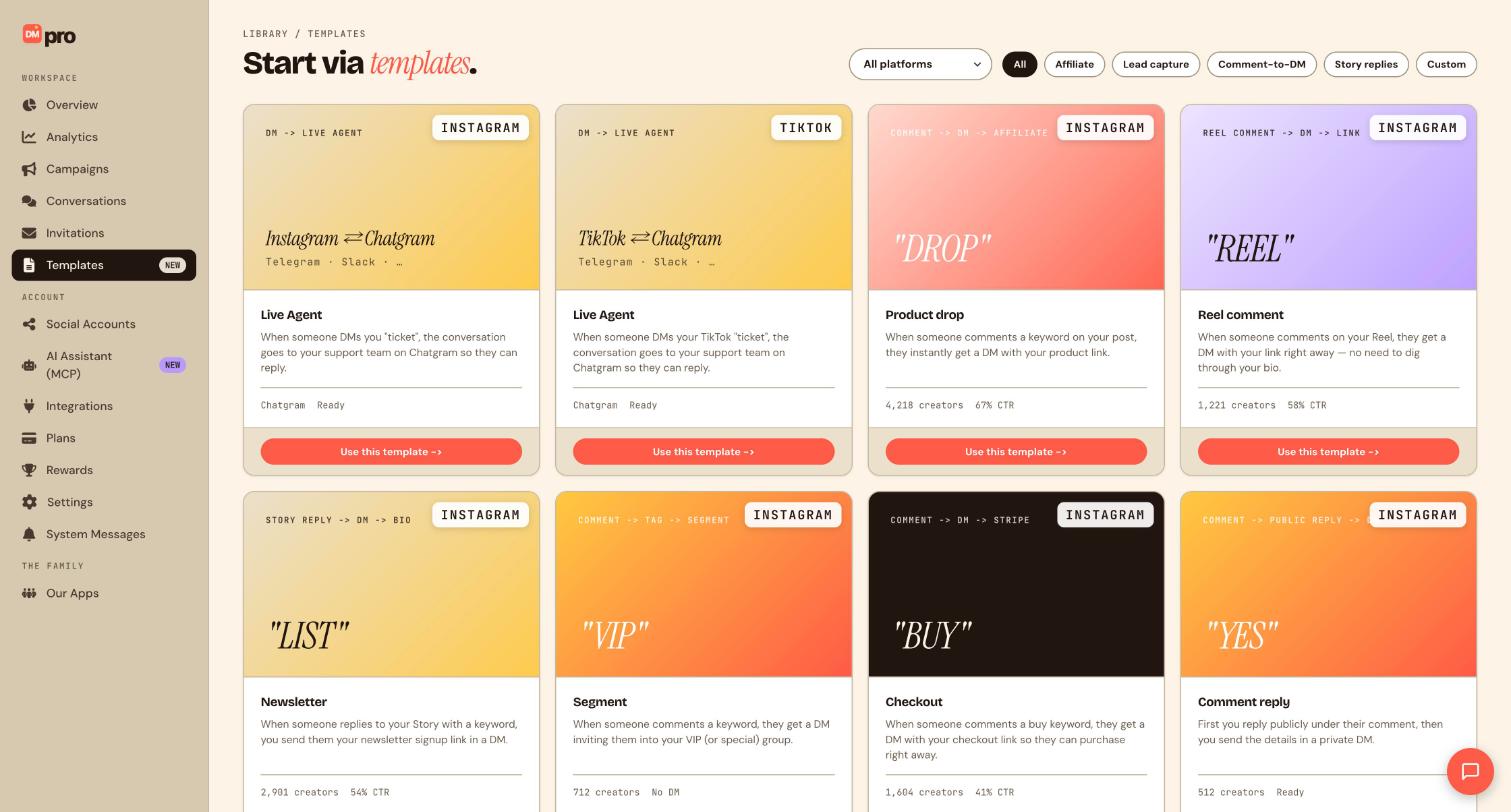
If you want certain chats to go to a support team without you choosing each time, use the Live agent step in a campaign. It sends the conversation to your team in Chatgram. The Templates page has ready-made Live Agent cards for Instagram and TikTok, where a fan DMs a keyword such as ticket and the conversation goes to your support team. This needs Chatgram connected, and the block is hidden in the builder when it is not.
Tips
- Tell the teammate in the note what you already promised the fan, so nobody repeats or contradicts it.
- Hand over quickly. Messaging windows close (24 hours on Instagram, 48 hours on TikTok), after which you cannot reply until the fan writes again.
If something goes wrong
My teammate is not in the list of people I can assign.
They need to have accepted the invitation and hold a seat in your workspace. A pending invite is not a member yet. Check Settings, then Team seats.
I cannot invite anyone on the Free plan.
Free includes 1 team seat. Pro offers unlimited seats; see the Plans page.
I do not see the Live agent block in the builder.
The block only appears when Chatgram is connected. Connect it under Integrations and reopen the builder.
Related how-to guides
Still stuck? We’re happy to help.
Create your DMpro account, see pricing, or reach out to support directly.




