
Settings & Public Help
Profile settings, connected accounts, notifications, privacy, danger zone, System Messages support chat, and the public /help center.
Route: /settings, sidebar item Settings.
Profile (/settings#profile)
- Edit Display name, Email, and profile photo.
- Changing your email sends a confirmation link to the new address (the change only takes effect once you click it).
- Default avatar uses
dmpro-avatar-coral-circle.svgwhen no photo uploaded. - Click Save changes.
Connected accounts (/settings#accounts)
- View all linked platforms: Instagram, TikTok, LinkedIn, Facebook, WhatsApp, Telegram, Discord.
- Click + Connect Instagram (or platform equivalent) to add accounts.
- Click account row →
/settings/accounts/{id}for detail, permissions, disconnect. - Disconnect removes OAuth token, active campaigns using that account pause.
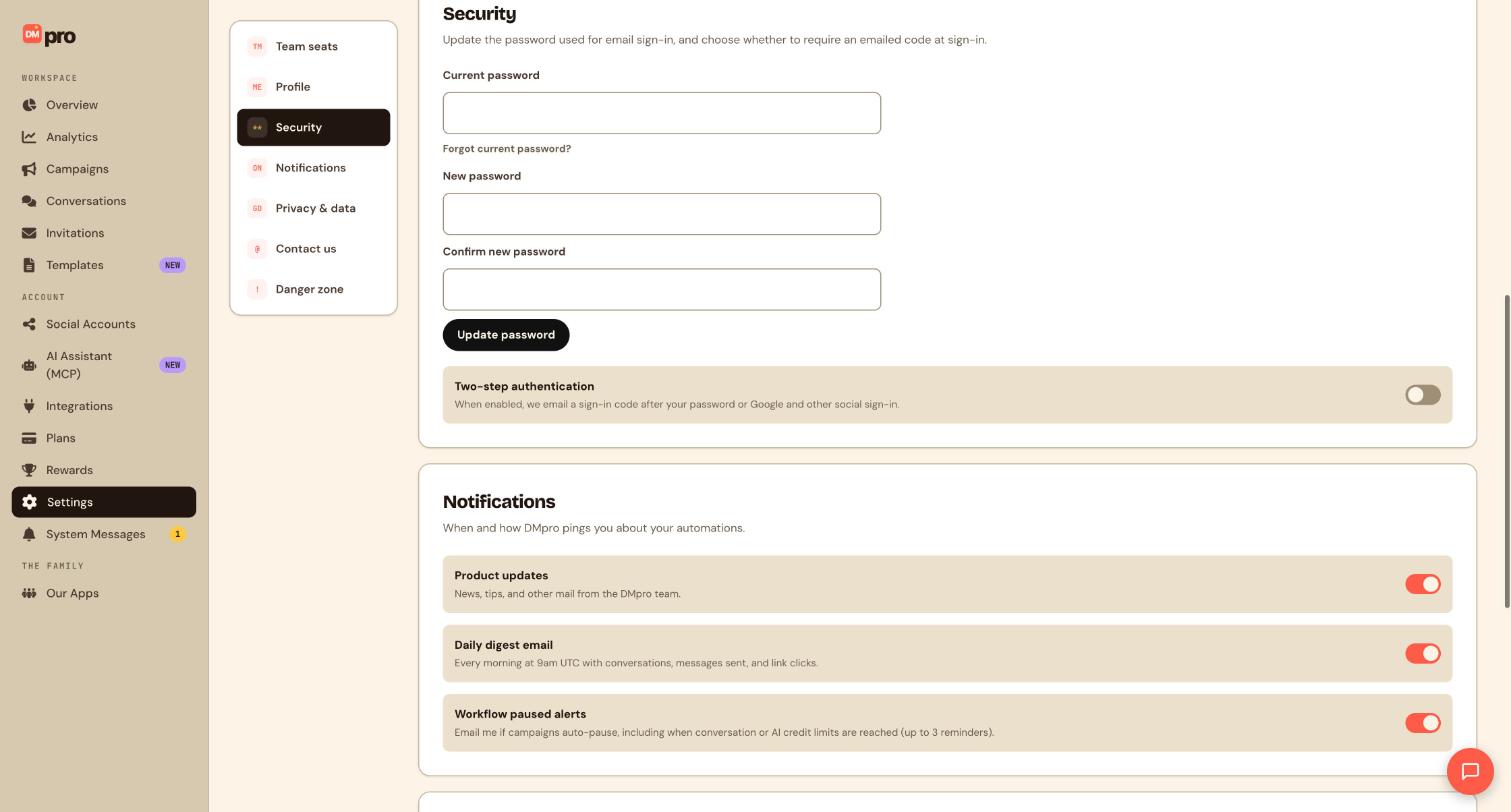
Security (/settings#security)
- Change password or enable Magic link sign-in preference.
- Turn on two-step verification (2FA) for extra login security.
- View active sessions.
- Revoke access per device if needed.
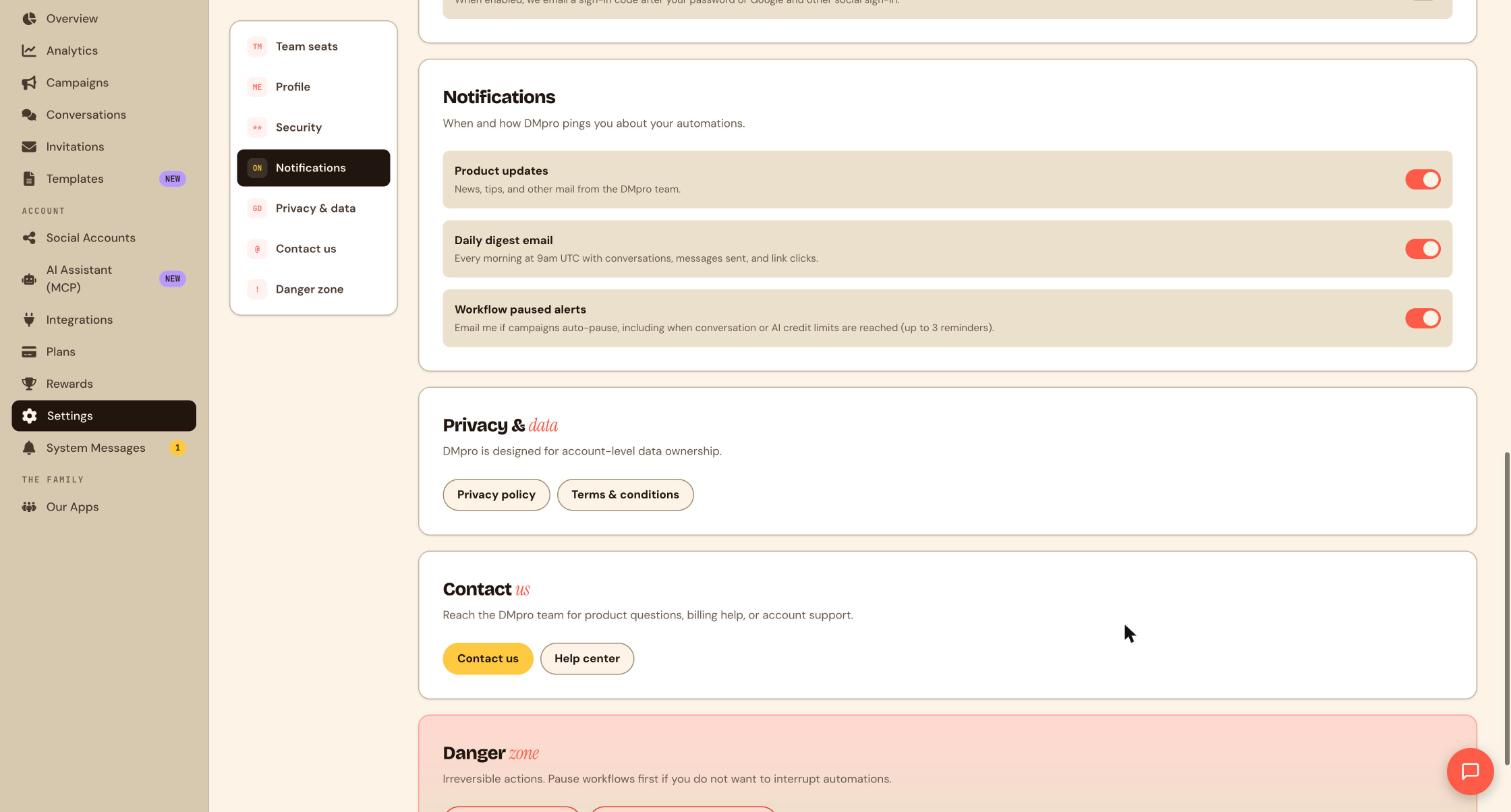
Notifications (/settings#notifications)
- Toggle Daily digest email, summary of conversations and clicks.
- Toggle Campaign pause alerts: email when campaign auto-pauses (validation, AI limit, OAuth expiry).
- Toggle Usage threshold alerts at 80% and 100% conversation cap.
Privacy & data (/settings#privacy)
- Download your data export (JSON).
- Review data retention policy, links to
/privacy-policy. - Manage marketing email preferences.
Contact us (/settings#contact)
- Email [email protected].
- Link to Help center (
/help). - Link to brandID contact form: https://brandid.app/contact-us/
Danger zone (/settings#danger)
- Deactivate account (pauses your account without deleting your data; sign back in anytime to reactivate).
- Delete account: type confirmation phrase.
- All campaigns, conversations, and connected accounts permanently removed.
- Active Stripe subscription cancelled.
- Irreversible, export data first from Privacy section.
—
Route: /system-messages, sidebar item System Messages.
Start a support conversation
- Click System Messages in sidebar.
- Type message in composer, DMpro support team receives it in real time during business hours.
- Attach screenshots of validation banners or OAuth errors for faster resolution.
- Most Free plan replies within 5 minutes during business hours; Pro/Enterprise get priority queue.
When to use System Messages vs email
| Channel | Best for |
|---|---|
| System Messages | Quick how-to, publish errors, billing questions, screenshot sharing |
| [email protected] | Formal requests, data export, legal/privacy |
Help center /help | Self-service guides (this document) |
—
Route: /help, accessible without signing in at https://dmpro.brandid.app/help.
Browse articles
- Open
/helpin any browser, no login required. - Search bar filters articles by title and content.
- Categories mirror this document: Getting Started, Platforms, Campaigns, Billing, Troubleshooting.
- Featured articles show
dmpro-pill-badge.svgFeatured label.
Deep link to articles
- Article URLs:
/help/{slug}, e.g./help/connect-instagram,/help/affiliate-link-tracking,/help/onboarding-walkthrough. - Share links externally, recipients need no DMpro account.
- Social previews use
dmpro-open-graph-card.svg.
Access from logged-in app
- Settings → Contact us (
/settings#contact) links to Help center. - Validation banners in campaign builder link to relevant
/help/{slug}articles. - Direct navigation: type
/helpin browser address bar while logged in.
Help center branding
- Favicon:
dmpro-favicon.svg - Header logo:
dmpro-logo-coral-bg.svg - Loading state:
dmpro-loading-splash.svg
—
# 3. Comprehensive FAQ
Below are frequently asked questions grouped by category.
Still stuck? We’re happy to help.
Create your DMpro account, see pricing, or reach out to support directly.




