
How to send a bulk message
Send one message to many fans from the Conversations inbox, check who it will reach first and understand the limits before you press send.
Before you start
- A plan that includes bulk sending (the Free plan does not)
- Fans in your inbox who have written to you recently
Check that your plan includes bulk sending
The Free plan does not include bulk sending. If you are on Free, the feature stays unavailable until you move to a plan that includes it. Look at the Plans page for what each plan gives you before you plan a broadcast.
Open Conversations and find the button
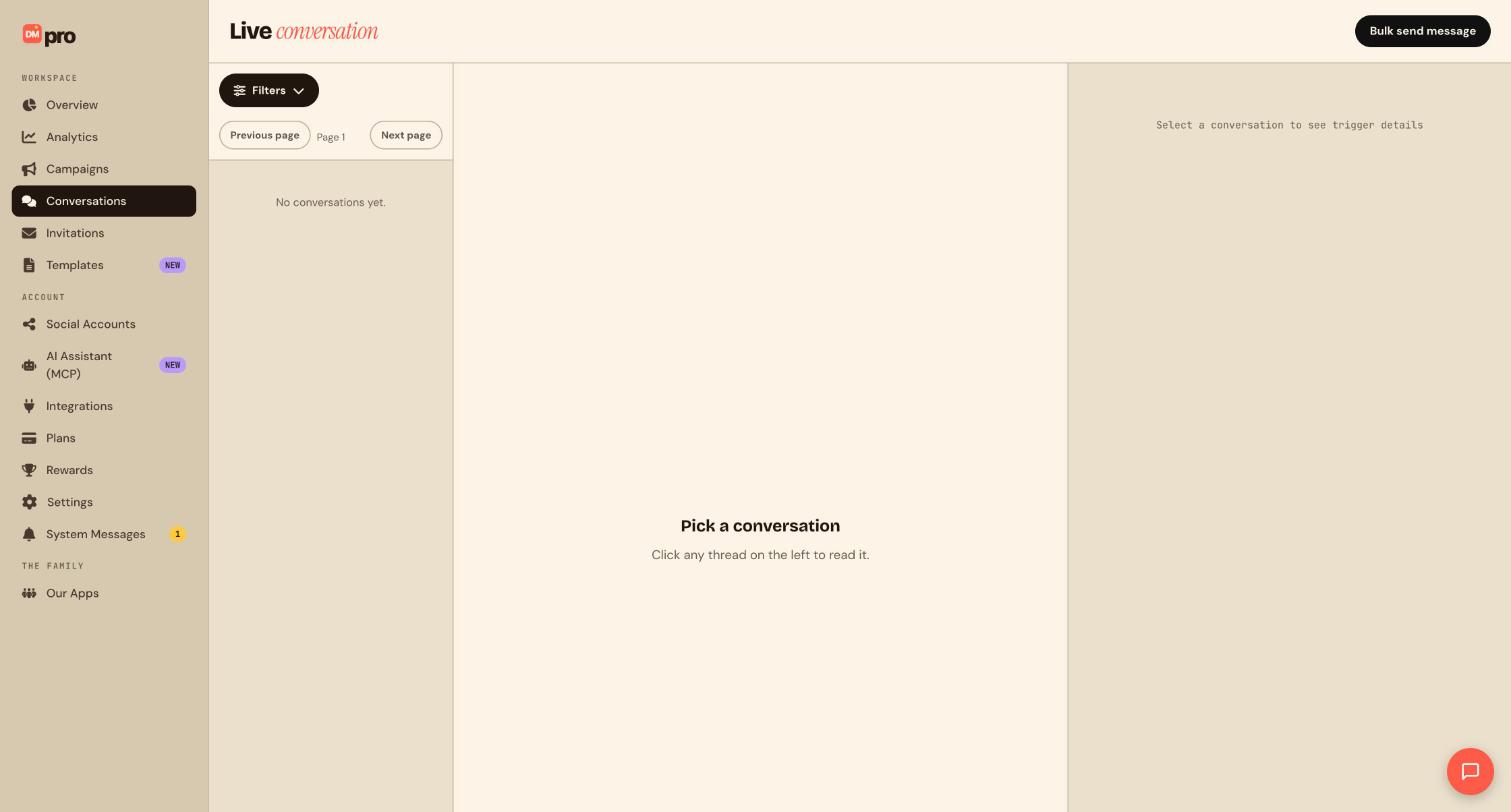
Click Conversations in the sidebar. At the top right of the Live conversation page is the black Bulk send message button.
Choose who should get it
Click Bulk send message and set who the message goes to, using the targeting options on screen. DMpro shows how many fans match before anything is sent, so you can check the number against what you expected.
Write the message
Write something a person would be glad to receive, for example Hi, our new guide is live. Reply YES and I will send you the link. Make it relevant to the audience you picked, short, and clear about what you want them to do. Do not invent offers, prices or deadlines; only promise what you will honor. Read it once more as if you were the fan receiving it unprompted.
Understand the limits
Before you confirm, review what DMpro tells you about the send:
- One send has a ceiling on how many fans it can reach.
- Fans whose messaging window has closed are skipped (24 hours on Instagram, 48 hours on TikTok), because platforms only allow messages inside that window.
- Delivery is paced in waves rather than all at once.
- Discord is not part of a bulk send.
Send it
When the count and the text are right, confirm the send.
Check how it went
DMpro keeps a record of past bulk sends and what happened to each recipient. Review it, and answer the replies that come back in Conversations. Replies reopen the conversation window, so a quick personal follow-up is possible while the fan is still engaged.
Tips
- For a small group, you can also select several threads in the inbox and send one batch reply instead of a full bulk send.
- Send to fans who asked for it. Unwanted messages lead to blocks and hurt your account.
If something goes wrong
I do not see bulk sending, or it will not let me send.
Bulk sending is not part of the Free plan. Open the Plans page to see which plan includes it.
Fewer people received it than I expected.
Fans whose messaging window has closed are skipped. Platforms only allow a message within a set time after the fan’s last message.
My Discord community did not get it.
Discord is not part of a bulk send.
Related how-to guides
Still stuck? We’re happy to help.
Create your DMpro account, see pricing, or reach out to support directly.




