
Templates & Integrations
Browse the templates library, save custom templates, and connect Shopify, WooCommerce, Etsy, 62 stores, affiliate networks, and creator tools, or upload a custom catalog.
Route: /templates, sidebar item Templates (badge: New).
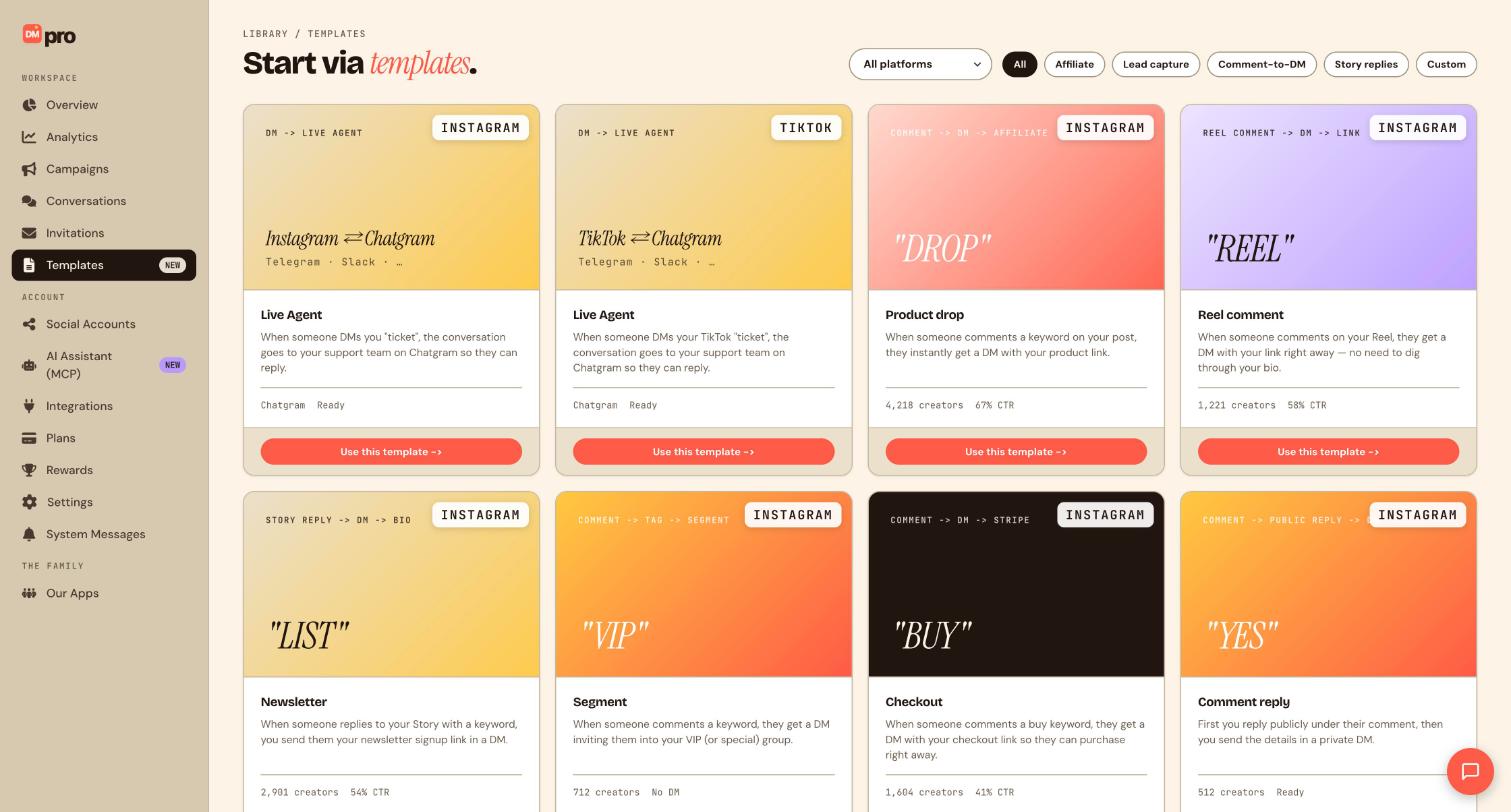
Browse templates
- Click Templates in sidebar.
- Filter by platform tabs: All, Instagram, TikTok, LinkedIn, Facebook, WhatsApp, Telegram.
- Each card shows template name, platform icon, trigger type, and Popular badge (
dmpro-pill-badge.svg) when featured. - Click a card to preview flow diagram and description.
Use a template
- Click Use template on any card.
- DMpro opens
/campaigns/{platform}/newwith nodes pre-loaded. - Customize keyword, account, affiliate source, and message copy.
- Click Publish campaign when ready.
Save a custom template
- In the campaign builder, configure your flow.
- Click Save template in the header.
- Enter Template name and optional description.
- Template appears in My templates section on
/templates. - Delete custom templates via ⋯ menu → Delete.
Onboarding template picker
- After connecting an account on
/onboarding, click Continue. - Arrive at
/templates?source=onboarding. - Templates filtered for your connected platform appear first.
- Select Product drop, Reel comment-to-DM, FAQ bot, or Start from scratch.
—
Route: /integrations, sidebar item Integrations.
Browse integration catalog
- Click Integrations in sidebar.
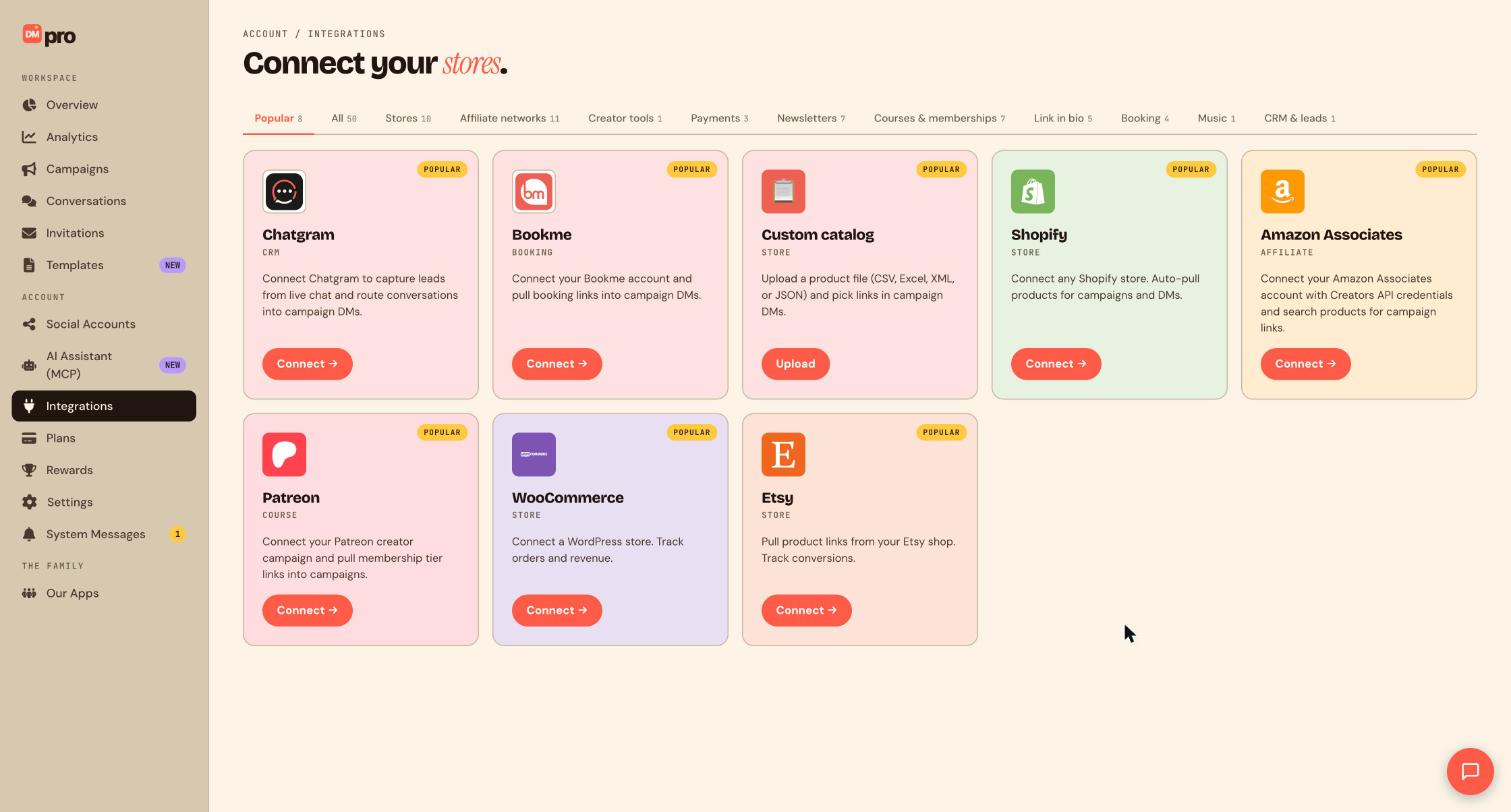
- Filter tabs: All, Stores, Affiliate networks, Creator tools, Payments, Newsletters, Courses & memberships, Link in bio, Booking, Music, CRM & leads.
- 62 integrations including Shopify, WooCommerce, Etsy, Squarespace, Wix, Gumroad, BigCommerce, Magento, Printful, Amazon Associates, ShareASale, Impact, Stripe, Beehiiv, Patreon, and more.
All 62 integrations, by category: e-commerce (Shopify, WooCommerce, Etsy, BigCommerce, Magento, Squarespace, Wix, Gumroad, Printful, Spring), payments (Stripe, PayPal, Square, Venmo Pay, Lemon Squeezy), affiliate networks (Amazon Associates, ShareASale, Impact, Rakuten Advertising, CJ Affiliate, Awin, ClickBank, PartnerStack, FlexOffers, Skimlinks, Levanta), creator tools (ShopMy, Howl, MagicLinks), newsletters (Beehiiv, Mailchimp, Substack, Kit, Klaviyo, Flodesk, Brevo), courses & memberships (Patreon, Teachable, Thinkific, Kajabi, Podia, Memberstack, Circle), link in bio (Linktree, Beacons, Stan Store, Koji, Snipfeed), booking (Calendly, Cal.com, Acuity Scheduling, SavvyCal, TidyCal, Bookme), music (Spotify, Apple Music, SoundCloud, Bandcamp), and CRM & leads (Notion, Airtable, HubSpot, Salesforce). Use the filter tabs on /integrations to jump to any category, or upload a custom catalog if your platform isn’t listed.
Connect Shopify
- On
/integrations, click Shopify card → Connect. - Enter store domain, redirect to Shopify OAuth.
- After approval, return to
/integrations/shopifywith sync status. - Products appear in campaign Send products and Send cards pickers.
Connect WooCommerce or Etsy
- Click WooCommerce or Etsy on
/integrations. - Follow OAuth or API key instructions in the connection modal.
- Catalog syncs on schedule, Sync now button forces refresh.
Custom CSV catalog upload
- On
/integrations, click Custom catalog. - Upload CSV with columns: title, URL, image URL, price (optional).
- Map columns in the import wizard.
- Use uploaded products in Send products steps and
{{affiliate_link}}source picker (custom_catalog).
Meta Commerce catalog
- Connect Instagram/Facebook via
/settings#accounts. - On
/integrations, open Meta Commerce section. - Link your Meta product catalog from Commerce Manager.
- Products available in Instagram/Facebook/WhatsApp Send products actions (up to 10 per message).
Disconnect a store
- On
/integrations, find connected store row. - Click ⋯ → Disconnect.
- Existing campaigns retain last-synced product IDs until edited.
—
Still stuck? We’re happy to help.
Create your DMpro account, see pricing, or reach out to support directly.




