

Calendly made one-link scheduling mainstream, yet 2026 looks very different for anyone on its free plan. That plan now allows a single event type and one calendar connection, payment collection sits behind the Standard tier, and round-robin routing is locked inside the $16 Teams plan. That steady squeeze is why so many professionals are hunting for Calendly alternatives that do more without charging per seat for the basics.
A booking link rarely lives alone. It sits in your email signature, your LinkedIn headline, and usually on a link-in-bio page beside everything else you share, so the tool you choose shapes more than your calendar. The right choice depends on whether you want free unlimited bookings, paid appointments, team routing, or an AI assistant that runs your calendar for you.
Below, 14 Calendly alternatives are ranked by the job you are hiring them for, with current pricing, the single feature each does best, and the catch worth knowing before you switch.
Key Takeaways
- Why Calendly alternatives exist: Calendly’s free plan now caps you at one event type and one calendar, while payments and round-robin sit behind paid tiers.
- Best all-in-one pick: brandID bookme bundles free bookings, paid appointments, group sessions, and an AI assistant you run from Claude or ChatGPT.
- Cheapest over time: TidyCal swaps the monthly subscription for a one-time $29 lifetime license, and Koalendar keeps bookings unlimited for free.
- Best for developers: Cal.com is open-source, self-hostable, and ships a native MCP server for AI booking.
- Best for teams: SavvyCal, YouCanBook.me, and HubSpot Meetings handle round-robin without jumping to Calendly’s Teams price.
- Best AI automation: Reclaim and Motion auto-schedule tasks and focus time, a different job from a plain booking page.
- Bottom line: the strongest alternatives to Calendly pair a real free tier with payments and AI, which is where brandID bookme leads.
Why Professionals Switch From Calendly in 2026
Calendly still works well. What changed is how little you get before the paywall. Three shifts push steady users toward alternatives to Calendly this year.
- A thinner free plan. Free accounts get one event type and one calendar connection, so a second meeting style means paying.
- Per-seat math. Teams at $16 per seat per month adds up fast next to flat-rate rivals or a one-time $29 license.
- Core features gated. Taking payments needs Standard, round-robin needs Teams, and the new AI assistant needs a separate add-on plan.
What Calendly charges in 2026:
Free $0 (one event type, one calendar, no payments). Standard $10 per seat per month. Teams $16 per seat per month, where round-robin and lead routing live. Enterprise starts at $15,000 per year with a 50-seat minimum. Those gates define the openings every tool below tries to fill.
Calendly Alternatives at a Glance
Here is the quick comparison, with the full analysis on each tool below.
| Tool | Free Plan | Paid From | Best For | Payments |
|---|---|---|---|---|
| brandID bookme | Yes, 10 bookings/mo | $4.99/mo | All-in-one plus AI booking | Yes |
| Koalendar | Yes, unlimited | $6.99/mo | Free unlimited bookings | Yes |
| TidyCal | Yes | $29 once | Lifetime budget pick | Yes |
| Google Appointment Schedule | Yes, 1 page | Paid Workspace | Google-native users | Paid plan |
| Cal.com | Yes, 1 user | $15/user/mo | Developers, self-hosting | Yes |
| Acuity Scheduling | Trial only | $16/mo | Service businesses | Yes |
| Setmore | Yes, up to 4 users | $5/user/mo | Small service teams | Yes |
| SavvyCal | Trial only | $10/user/mo | Premium booking experience | Premium |
| YouCanBook.me | Yes, 1 page | $9/mo | Customizable team pages | Yes |
| HubSpot Meetings | Yes, in CRM | Sales Hub (paid) | HubSpot CRM users | Paid tier |
| Microsoft Bookings | With Microsoft 365 | M365 Business | Microsoft 365 organizations | Limited |
| Reclaim.ai | Yes, Lite | $10/seat/mo | AI focus-time blocking | No |
| Motion | Trial only | $19/seat/mo | AI task and calendar automation | No |
| Doodle | Yes, ad-supported | $11/seat/mo | Group meeting polls | No |
Pricing reflects annual-billed headline rates as of October 2026 and shifts often, so confirm the current figure on each provider’s page before you commit.
14 Best Calendly Alternatives, Grouped by Use Case
Ranking schedulers in one straight line hides what matters, since a solo coach and a 20-person sales floor need different things. Below, each tool sits in the job it does best, starting with the most complete all-in-one option.
#1 Best All-in-One Calendly Alternative
1- brandID bookme

brandID bookme is an all-in-one meeting, scheduling, and webinar platform built for professionals who want more than a time picker. It runs as its own standalone product and also comes built into the brandID link-in-bio, so your booking page can stand alone or sit beside your other links. For most people leaving Calendly, it is the best Calendly alternative because it covers the free, paid, and AI gaps in one place.
Where most alternatives to Calendly stop at a calendar, bookme adds paid appointments through Stripe and PayPal in 135-plus currencies, two-way sync with Google and Outlook, 12 distinct booking templates, group and collective sessions for webinars and panel interviews, intake forms, and a built-in contact CRM. Automated reminders cut no-shows by up to 80 percent.
The standout is its AI layer. You can connect bookme to Claude, ChatGPT, or any MCP app in about a minute and run your schedule in plain words, asking it to create an event with booking questions, block a day, or pull a no-show report. It asks before anything reaches a guest, never touches payments or passwords, and logs every action with a 30-day undo, so the convenience never costs you control.
- Pricing: Free forever (10 bookings/mo, unlimited event types, 4 calendars). Pro $4.99/mo. Elite $29.99/mo for unlimited bookings and teams.
- Standout: run scheduling from Claude or ChatGPT, plus paid bookings on an affordable free-to-cheap ladder.
- Verdict: bookme is the most complete pick here for professionals who want bookings, payments, and AI in a single tool rather than a stack of add-ons.
#2 Best Free and Budget Calendly Alternatives
2- Koalendar
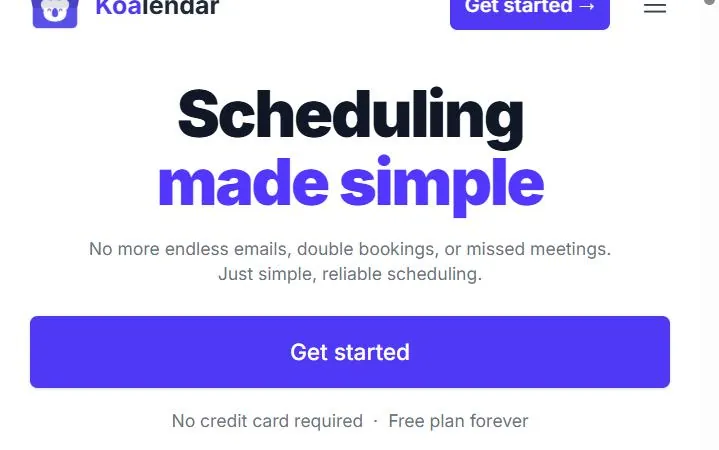
Koalendar is a lightweight booking tool aimed at solo users who want the essentials without a subscription. Its free forever plan keeps bookings and scheduling links genuinely unlimited, which makes it the most honest free alternative to Calendly for anyone tired of hitting the one-event-type wall.
Paid plans start at $6.99 per seat per month and strip the Koalendar branding while adding integrations. It leans on Google Calendar, so heavy Outlook users and teams needing advanced routing will feel the ceiling.
- Pricing: Free forever. Pro from $6.99/mo.
- Verdict: Koalendar is a clean, no-cost swap for individuals who only need reliable one-on-one booking links.
3- TidyCal
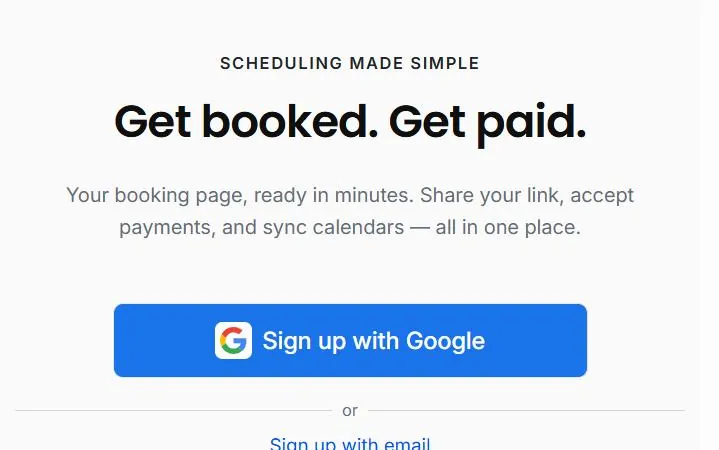
Born on AppSumo, TidyCal built its name on a one-time price. A $29 lifetime license covers unlimited booking types and bookings, with Stripe and PayPal payments included, so the cost stops after a single payment. As a Calendly alternative, it wins purely on long-run math.
The trade-off is polish and breadth. Integrations are fewer, calendar connections are capped, and some extras like round-robin sit on higher tiers. For freelancers who resent recurring fees, none of that outweighs paying once.
- Pricing: Free plan. Lifetime from $29 once. Pro $12/mo if you prefer monthly.
- Verdict: TidyCal is the cheapest long-term option for subscription-averse solopreneurs who still want payments.
4- Google Appointment Schedule

If your whole day already lives in Google Calendar, the built-in appointment schedule turns it into a booking page with no new app. That native convenience is why it earns a spot among Calendly alternatives for Google-first users who want one less login.
The free version is bare, limited to a single booking page with no reminders, payments, or co-hosts. Stripe payments, email reminders, and multiple pages require a paid Google Workspace plan, and there is no round-robin for teams.
- Pricing: Free for one page. Full features need a paid Workspace plan.
- Verdict: A sensible default for simple personal booking if you live inside Google and skip payments.
#3 Best Open-Source Scheduling Tool
5- Cal.com
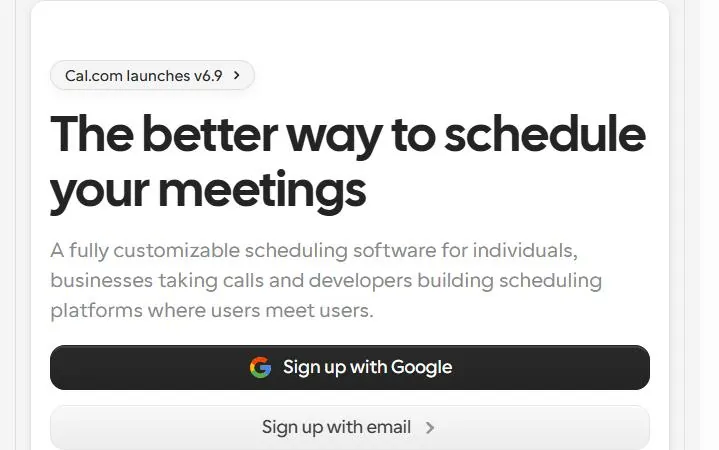
Cal.com is the open-source answer to Calendly, and its free individual plan is unusually generous: unlimited event types, unlimited calendar connections, Stripe payments, and video all included. Teams and branding removal are the paid upgrades. For technical users it is the obvious open-source Calendly alternative.
It also leads the field on AI. Cal.com ships an official MCP server, so Claude and other assistants can check availability and book directly. Self-hosting and deeper configuration carry a real learning curve, which is the price of that flexibility.
- Pricing: Free for individuals. Teams from about $15/user/mo.
- Verdict: Cal.com is the top choice for developers and privacy-minded teams who want control and can handle setup.
#4 Best Calendly Alternatives for Service Businesses
6- Acuity Scheduling
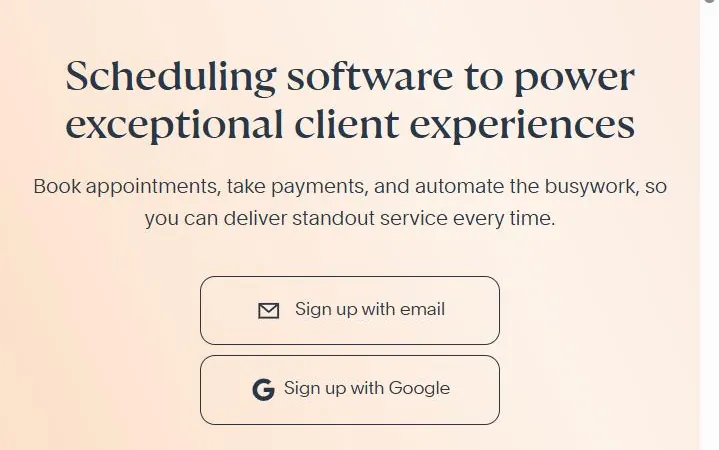
Owned by Squarespace, Acuity is built for businesses that sell time: salons, clinics, coaches, and studios. It handles intake forms, packages, memberships, and classes natively, which is why service operators pick it as a Calendly alternative over lighter booking links. Coaches selling programs alongside sessions can pair it with a plan to sell fitness programs online.
There is no permanent free plan, only a 7-day trial, and pricing climbs with staff and features. For a single practitioner the entry tier is reasonable; for multi-staff shops it gets pricier than flat-rate rivals.
- Pricing: 7-day trial, then from $16/mo.
- Verdict: Acuity is the strongest fit for appointment-driven businesses that need packages and intake, not just a link.
7- Setmore
Setmore stands out for a free tier that covers up to four staff members, which is rare among free Calendly alternatives aimed at small service teams. It supports class and group bookings and connects to Stripe, Square, and PayPal for payments.
The free plan caps appointment volume and keeps the fancier integrations and customization for paid tiers. Even so, a four-person team booking clients at zero cost is a genuinely strong starting point.
- Pricing: Free for up to 4 users. Pro from $5/user/mo.
- Verdict: Setmore is the budget team pick for small shops that want multiple staff calendars without paying up front.
#5 Best Calendly Competitors for Teams and Round-Robin
8- SavvyCal
SavvyCal rethinks the booking experience by letting invitees overlay their own calendar on your availability, which makes picking a time feel collaborative rather than one-sided. It also offers scheduling polls, and round-robin is included from the entry tier. As a Calendly competitor, its edge is courtesy toward the person booking.
There is no standing free plan, only a trial and a money-back window, and the integration catalog is smaller than Calendly’s. Teams that value a premium feel over a long add-on list tend not to mind.
- Pricing: Trial, then Basic from $10/user/mo.
- Verdict: SavvyCal suits consultants and client-facing teams who want the booking experience to feel considerate.
9- YouCanBook.me
YouCanBook.me is a veteran scheduler known for deep customization of the booking page and strong notification and SMS workflows. Teams, education, and support desks lean on it, and its team tier handles round-robin distribution. Among alternatives to Calendly, it offers the most control over how each page looks and behaves.
The free tier is a single booking page, and the interface can feel dated next to newer tools. The payoff is how far you can bend it once you learn the settings.
- Pricing: Free for 1 page. Individual from $9/mo, Teams from $18/member/mo.
- Verdict: YouCanBook.me rewards teams that want heavy customization and do not mind a steeper setup.
10- HubSpot Meetings
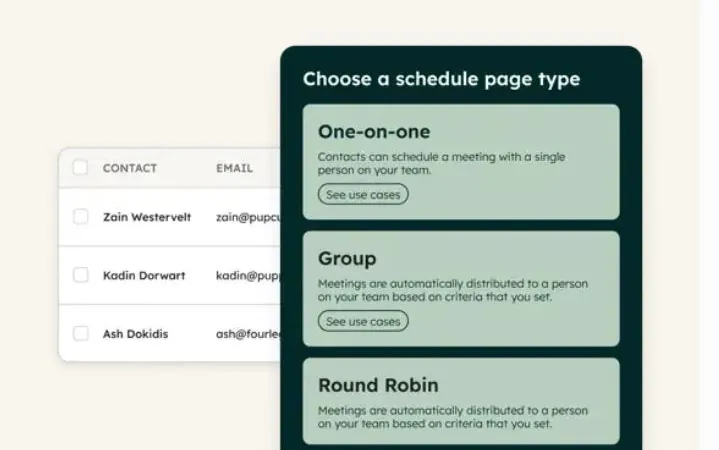
For sales teams, HubSpot Meetings earns its place because every booking flows straight into the HubSpot CRM as a contact or deal. The scheduler is free inside the free CRM with one personal link, which makes it one of the few Calendly competitors that doubles as a pipeline tool. It pairs naturally with other B2B sales tools and LinkedIn outreach tools in a rep’s stack.
Round-robin, group links, and branding removal require a paid Sales Hub plan, and the real value only shows up once you commit to HubSpot. Outside that ecosystem, lighter tools make more sense.
- Pricing: Free in HubSpot CRM. Round-robin needs paid Sales Hub.
- Verdict: HubSpot Meetings is the right call for teams already building on HubSpot, and overkill for anyone who is not.
#6 Best Calendly Alternative for Microsoft 365 Users
11- Microsoft Bookings
Microsoft Bookings comes bundled with eligible Microsoft 365 business subscriptions, so organizations already paying for Outlook and Teams get a scheduler at no extra cost. That bundled pricing is its whole case as a Calendly alternative for Microsoft shops, along with tight Outlook and Teams integration and staff scheduling.
It needs a qualifying Microsoft 365 plan to appear, the booking pages look plainer than dedicated tools, and native payment processing is limited. For a company standardized on Microsoft, those are easy trade-offs.
- Pricing: Included with Microsoft 365 Business Standard and above.
- Verdict: Microsoft Bookings is the default for organizations that already run on Microsoft 365 and want staff scheduling.
#7 Best AI-Powered Scheduling Tools
12- Reclaim.ai
Reclaim.ai, now part of Dropbox, is less a booking page and more an AI calendar optimizer. It automatically defends focus time, schedules habits and tasks around your meetings, and arranges smart one-on-ones. People list it among Calendly alternatives, though it solves a different problem: protecting your time rather than selling it.
It is Google Calendar centric, with weaker Outlook parity, and it does not take payments for bookings. Think of it as a companion to a booking tool, not a replacement for one.
- Pricing: Free Lite plan. Paid from $10/seat/mo.
- Verdict: Reclaim is for people who want AI to guard their calendar, best used alongside a real booking page.
13- Motion

Motion blends project management, task planning, and scheduling into one AI-driven app that continuously rebuilds your day as priorities change. For busy operators who want automation across tasks and meetings, it ranks among the best Calendly alternatives that go beyond a booking link.
It is also the priciest option here, with no free plan and a card-required trial, and the breadth is overkill if all you need is a way to get booked. The learning curve matches the ambition.
- Pricing: No free plan. From about $19/seat/mo on annual billing.
- Verdict: Motion fits professionals who want AI to run tasks and calendar together, not those after a simple scheduler.
#8 Best Tool for Group Scheduling Polls
14- Doodle
Doodle built its reputation on group polls, the fastest way to find one time that works across many people who do not share a calendar system. When your real problem is coordinating a crowd rather than taking bookings, Doodle is the Calendly alternative that fits. For teams that find Doodle itself too limiting, the full comparison of doodle alternatives covers twelve replacements grouped by use case.
Its free plan is ad-supported and poll-limited, it is a weaker one-on-one booking page than dedicated tools, and it has no built-in payments. For committees, panels, and family-style coordination, none of that is the point.
- Pricing: Free with ads. Pro from about $11/seat/mo.
- Verdict: Doodle is the specialist for group polling, not a day-to-day booking replacement.
How to Switch From Calendly in 5 Steps
Moving booking tools sounds risky, but a clean switch takes an afternoon if you work in order. The goal is to never drop a booking while you change links. If your old links sit on a website, bookme lets you embed your booking page there.
- 1- Recreate your event types. List every Calendly event type and rebuild each in your new tool with the same duration, buffers, and questions.
- 2- Reconnect your calendar. Link the same Google or Outlook calendar so availability stays accurate and double-bookings cannot slip through.
- 3- Rewire payments and reminders. Reconnect Stripe or PayPal, set your prices, and switch on pre and post-meeting reminders before you send anyone the link.
- 4- Update the link everywhere. Replace your Calendly URL in your email signature, social profiles, and booking page, and point the old link to the new one if the tool allows a redirect.
- 5- Run a test, then cancel. Book a meeting yourself end to end, confirm the payment and calendar sync fire, and only then close your Calendly subscription.
If you capture leads from calls, this is also a good moment to connect your booking flow to your list. A tool that lets you build an email list without a website keeps every booked contact reachable afterward.
Why AI-Native Scheduling Is a Calendly Blind Spot
Most scheduling tools still treat AI as a label rather than a feature you use daily. Across this entire list, only a handful let you actually talk to your calendar in plain language.
Cal.com ships an MCP server for developers, and Calendly recently added its Callie assistant behind a separate paid add-on. Everyone else offers suite-level AI that does not touch booking, or auto-schedulers like Reclaim and Motion that rearrange your tasks but cannot create an event type for you on request.
This is where brandID bookme pulls ahead for non-technical users. Connecting it to Claude or ChatGPT takes about a minute with no API keys, and from there you can create events, block days, add booking questions, or pull reports by asking. Because it confirms anything that reaches a guest and never touches money, you get the speed of an assistant without handing over the keys. For professionals building a reputation, that same control extends to personal branding work where every client touchpoint matters.
Set Up brandID bookme in 3 Minutes
bookme is designed to get you booked quickly, with no credit card and no setup fee. The free plan is enough to run real appointments from day one. See our bookme review with screenshots for a closer look.
- 1- Create your page. Sign up free, set your weekly hours, add your events whether free or paid, and pick one of 12 templates.
- 2- Share your link. Drop it in your bio, email signature, or LinkedIn, or use it inside your brandID link-in-bio next to your other links.
- 3- Get booked and paid. Invitees pick a time, complete your intake form, and pay instantly while your calendar syncs automatically.
Because bookme is both standalone and built into brandID, course and membership sellers can run bookings beside the rest of their business, much as they would weigh Kajabi alternatives for selling what they teach.
Start Booking Free
Trade Calendly’s one-event-type free plan for a scheduler with paid appointments, group sessions, and an AI assistant you run from Claude or ChatGPT. Free forever, no credit card.
Choosing a Calendly Alternative That Fits
There is no single winner, only the right tool for your job. Pick Koalendar or TidyCal if free or lifetime pricing matters most, Cal.com if you want open-source control, Acuity or Setmore for appointment businesses, and SavvyCal, YouCanBook.me, or HubSpot for teams that need routing. If your needs reach beyond meetings into client appointments, a wider range of best appointment scheduling software covers booking pages, payments, and staff calendars too.
If you want one tool that covers bookings, payments, and AI without a stack of add-ons, brandID bookme is the most complete of these Calendly alternatives, and it stays free to start. Match the tool to how you actually meet people, move your links in an afternoon, and you will wonder why you waited.
FAQs
1- What is the best free alternative to Calendly?
Koalendar offers genuinely unlimited free bookings, which makes it the cleanest free alternative to Calendly for solo users. brandID bookme adds a free tier that also includes paid appointments and an AI assistant, and TidyCal is cheapest over time at a one-time $29 license.
2- Are there Calendly alternatives that accept payments on a free plan?
Yes. brandID bookme, Cal.com, and TidyCal all let you collect Stripe or PayPal payments at the time of booking without forcing you onto a paid tier first. Calendly, by contrast, reserves payment collection for its Standard plan and above.
3- Which Calendly competitors are best for teams?
SavvyCal, YouCanBook.me, and HubSpot Meetings handle round-robin and collective scheduling well. brandID bookme includes team and collective sessions on its paid plans, and Microsoft Bookings is a strong fit for organizations already running on Microsoft 365.
4- Is there a Calendly alternative that works with AI like Claude or ChatGPT?
brandID bookme connects to Claude, ChatGPT, and any MCP app so you can run your schedule in plain language, with every guest-facing change held for your approval. Cal.com also ships an official MCP server for developers. Native AI booking like this is still rare across scheduling tools.
5- How much does Calendly cost in 2026?
Calendly Free is $0 but limited to one event type and one calendar connection. Standard is $10 per seat per month, Teams is $16 per seat per month, and Enterprise starts at $15,000 per year with a 50-seat minimum. Payments require Standard and round-robin requires Teams.
6- Can I move my existing bookings off Calendly?
Yes. Recreate your event types in the new tool, connect the same calendar so availability stays accurate, reconnect payments and reminders, then update your booking link everywhere it appears. Run one test booking end to end before you cancel Calendly so nothing slips through the gap.
 Summarize this article with:









