
Every missed call, double-booked slot, and back-and-forth email is a client you nearly lost. Picking the best appointment scheduling software fixes that by handing the calendar to your customers: they see your real availability, book themselves in, pay if you want them to, and get a reminder so they actually show up. The hard part is that no two tools are built for the same job.
A barber, a sales team, a yoga studio, and a freelance consultant all need something different. Some want a public booking website with payments and staff calendars, others just want a clean link to drop into an email. This comparison ranks 18 scheduling tools by the job you are hiring them for, with current pricing, the one feature each does best, and the catch worth knowing before you commit.
To build it, we read the top-ranking roundups for this category and cross-checked pricing on each vendor’s own page, then grouped every tool by who it actually serves rather than forcing one ranking onto very different products.
Key Takeaways
- There is no single best appointment scheduling software: the right pick depends on whether you take client appointments, book meetings, or run a salon, clinic, or studio.
- Best all-in-one plus AI: bookme bundles free bookings, paid appointments, group sessions, and an assistant you run from Claude or ChatGPT.
- Best for service businesses: Acuity, Square Appointments, and SimplyBook.me handle payments, staff calendars, and a public booking page.
- Best free options: Setmore, Google Appointment Schedule, Appointlet, and Picktime all run real bookings at zero cost.
- Best for meetings and teams: Calendly and Cal.com lead, and both now connect to Claude and ChatGPT through an official MCP server.
- Watch the true cost: free salon tools like Fresha and Square recover their cost through payment processing, SMS, and marketplace fees.
- Bottom line: match the tool to your business, and for an all-in-one booking page with payments and AI, bookme is the strongest starting point.
What Is Appointment Scheduling Software?
Appointment scheduling software is an online booking system that lets clients or colleagues book time with you without the phone tag. You set your availability, services, and rules once, share a booking link or embed it on your site, and the tool shows open slots, collects the details you need, syncs the booking to your calendar, and sends reminders.
Good scheduling software goes further than a shared calendar. It can take payments or deposits at booking, manage multiple staff and locations, run classes or group sessions, and cut no-shows with automated email and SMS reminders. The category splits into two broad types: client-booking tools built for service businesses, and meeting schedulers built for sales calls and team coordination. A few, including bookme, do both.
Appointment Scheduling Software Compared at a Glance
Here is the quick comparison, with the full analysis on each tool below.
| Tool | Best For | Free Plan | Paid From | Payments |
|---|---|---|---|---|
| bookme | All-in-one plus AI | Yes, 10 bookings/mo | $4.99/mo | Yes |
| Acuity Scheduling | Service businesses | Trial only | $16/mo | Yes |
| Square Appointments | In-person payments | Yes, 1 location | $49/mo per location | Yes |
| SimplyBook.me | Branded booking site | Yes, 50 bookings | ~$12/mo | Yes |
| Setmore | Free small teams | Yes, 4 users | $5/user/mo | Yes |
| Google Appointment Schedule | Google users | Yes, 1 page | Paid Workspace | No |
| Appointlet | Website embeds | Yes, 25/mo | $9/member/mo | Yes |
| Picktime | Free multi-location | Yes | from ~$3/user/mo | Yes |
| Calendly | Meetings and sales | Yes, 1 event type | $10/seat/mo | Yes |
| Cal.com | Open-source teams | Yes, unlimited | $12/user/mo | Yes |
| YouCanBook.me | Branded team pages | Yes, 1 page | $9/mo | Yes |
| HubSpot Meetings | CRM users | Yes, in CRM | Sales Hub (paid) | Via integrations |
| Microsoft Bookings | Microsoft 365 orgs | With M365 | M365 Business | Limited |
| Zoho Bookings | Zoho ecosystem | Yes, 1 user | ~$6/user/mo | Yes |
| Fresha | Salons and spas | Trial only | ~$19.95/mo | Yes |
| Booksy | Beauty and barbers | Trial only | ~$29.99/mo | Yes |
| Mindbody | Fitness and wellness | Demo only | from ~$79/mo | Yes |
| Doodle | Group polls | Yes, ad-supported | ~$11/seat/mo | No |
Pricing reflects annual-billed headline rates as of October 2026 and shifts often, so confirm the current figure on each provider’s page before you commit. Some vendors price in euros or per location.
18 Best Appointment Scheduling Tools, Ranked by Use Case
Ranking schedulers in one straight line hides what matters, since a salon owner and a sales team are not shopping for the same thing. Below, each tool sits in the job it does best, starting with the most complete all-in-one option.
#1 Best All-in-One Appointment Scheduling Software
1- bookme
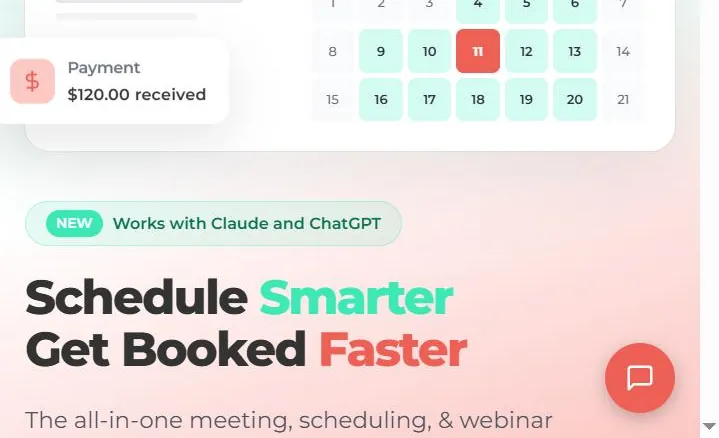
bookme is an all-in-one meeting, scheduling, and webinar platform that works for both sides of this category: client bookings and team meetings. It runs as its own product and also comes built into the brandID link-in-bio, so your booking page can stand alone or sit beside your other links. For most businesses, it is the best appointment scheduling software to start with because it covers the free, paid, and AI gaps in one place.
Where many tools stop at a calendar, bookme adds paid appointments through Stripe and PayPal in 135-plus currencies, two-way sync with Google and Outlook, 12 booking templates, group and collective sessions for classes and panels, intake forms, and a built-in contact CRM. Automated reminders cut no-shows by up to 80 percent, so it works as a true online booking system, not just a link.
The standout is its AI layer. You connect bookme to Claude, ChatGPT, or any MCP app in about a minute and run your schedule in plain words, asking it to create an event with booking questions, block a day, or pull a no-show report. It asks before anything reaches a guest, never touches payments, and logs every action with a 30-day undo. Our hands-on bookme review walks through the app screen by screen.
- Pricing: Free forever (10 bookings/mo, unlimited event types, 4 calendars). Pro $4.99/mo. Elite $29.99/mo for unlimited bookings and teams.
- Standout: run scheduling from Claude or ChatGPT, plus paid bookings on an affordable free-to-cheap ladder.
- Verdict: bookme is the most complete pick for anyone who wants bookings, payments, and AI in a single tool rather than a stack of add-ons.
#2 Best Appointment Scheduling Software for Service Businesses
2- Acuity Scheduling
Owned by Squarespace, Acuity is built for businesses that sell time: coaches, clinics, studios, and consultants. It handles client intake forms, packages, memberships, gift certificates, and classes natively, with a HIPAA option for healthcare. As booking software for appointment-driven businesses, it is one of the most complete tools on this list.
There is no permanent free plan, only a 7-day trial, and pricing climbs as you add features. For a single practitioner the entry tier is reasonable, and coaches selling programs alongside sessions can pair it with a plan to sell fitness programs online.
- Pricing: 7-day trial, then from $16/mo (annual). No per-user fees.
- Standout: deep client management with a new natural-language Booking Assistant.
- Verdict: Acuity is the strongest fit for service businesses that need packages, intake, and payments, not just a link.
3- Square Appointments
If you take payment in person, Square Appointments is hard to beat because booking and the Square point of sale are the same system. A solo provider can run the whole thing free, with online booking, a card reader, and client records in one place. It is the best scheduling app for small business owners in beauty, barbering, and wellness who already live on Square.
The catch is cost at scale. Paid plans are priced per location, and payment processing fees are the real price of the free tier, so a busy multi-chair shop pays more than the sticker suggests.
- Pricing: Free for solo use. Plus $49/mo per location. Payment processing applies.
- Standout: free booking fused with a full Square POS and payments.
- Verdict: Square Appointments is ideal for in-person service businesses that want booking and checkout in one app.
4- SimplyBook.me
SimplyBook.me gives you a complete, custom-branded booking website rather than a plain link, plus a library of 70-plus modular features you switch on as needed: memberships, classes, intake forms, coupons, and more. For a business that wants its online booking system to feel like part of its own brand, few tools go further.
The flexibility is also the downside. Plans cap the number of bookings per month and the number of custom features you can enable, so growth pushes you up the tiers, and the interface can feel busy at first.
- Pricing: Free (50 bookings/mo, 1 provider). Paid from about $12/mo, priced in euros.
- Standout: a fully branded booking site with modular add-on features.
- Verdict: SimplyBook.me suits service businesses that want a standalone branded booking site with room to customize.
5- Setmore
Few tools give away as much as Setmore, whose free plan covers up to four staff members with unlimited appointments. That makes it a rare free appointment booking app that still works for a small team rather than a single user, with payments through Square, Stripe, and PayPal.
SMS reminders, two-way calendar sync, and branding removal move to the paid Pro tier, and the AI feature set is minimal. For a budget team booking clients at no cost, those are easy trade-offs.
- Pricing: Free for up to 4 users. Pro from $5/user/mo (annual).
- Standout: the most generous free plan with multi-staff calendars.
- Verdict: Setmore is the budget team pick for small shops that want multiple staff calendars for free.
#3 Best Free Appointment Booking Apps
6- Google Appointment Schedule
If your day already lives in Google Calendar, its built-in appointment schedule turns it into a booking page with no new app to learn. That native simplicity makes it a natural free appointment booking app for Google users who want one less login.
The free version is bare, limited to a single booking page with no payments and only basic reminders. Multiple pages, email reminders, and co-hosts require a paid Google Workspace plan, and there is no multi-staff booking.
- Pricing: Free for one page. Full features need a paid Workspace plan.
- Standout: zero-friction booking built straight into Google Calendar.
- Verdict: a sensible default for simple personal booking if you live inside Google and skip payments.
7- Appointlet
Appointlet earns its spot as a clean online scheduling tool built to embed directly on websites and landing pages. Its free plan allows up to five members and a set number of meetings a month, which is plenty for a small team testing booked demos or consultations.
The free tier caps monthly meetings, and the feature set is lighter than a full business suite like Acuity. For simple embedded booking, that focus is the point.
- Pricing: Free (5 members, 25 meetings/mo). Premium from $9/member/mo (annual).
- Standout: clean, embeddable booking for sites and landing pages.
- Verdict: Appointlet fits teams that mainly need booking embedded on a website without extra complexity.
8- Picktime
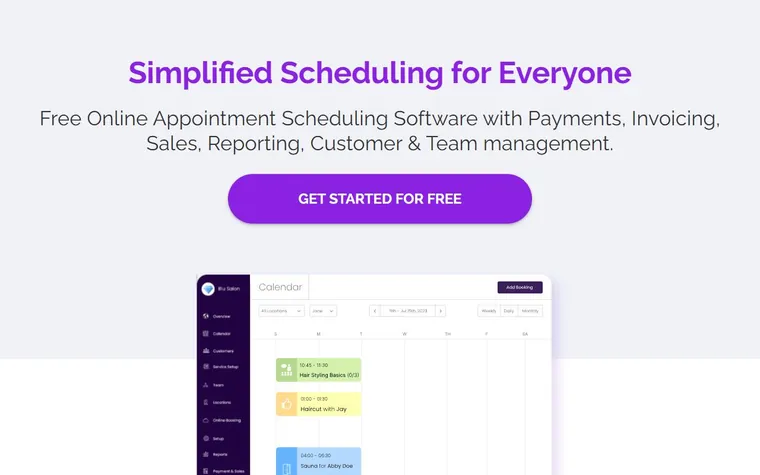
Picktime stands out for how much it gives away: a free scheduling app that handles staff, rooms, equipment, and multiple locations without a hard cap. Businesses that juggle resources, such as studios renting rooms or clinics booking equipment, get features here that rivals reserve for paid tiers.
Support and polish are lighter than the big names, and the long-term monetization model is less clear, so weigh it for mission-critical use. For budget resource scheduling, it is remarkably capable.
- Pricing: Free core plan. Paid tiers reportedly from about $3/user/mo.
- Standout: free multi-location booking with rooms and equipment.
- Verdict: Picktime is the budget pick for resource and multi-location scheduling at no cost.
#4 Best Scheduling Apps for Meetings and Teams
9- Calendly
Calendly made one-link meeting scheduling mainstream, and it remains the default scheduling app for sales calls, demos, and 1:1s thanks to the deepest integration catalog in the category. It also shipped an official MCP server in 2026, so you can book and reschedule from Claude or ChatGPT.
It is built for meetings, not storefront booking, so it is weak for salons, classes, or multi-service retail. The free plan now allows just one event type and one calendar, and payments need a paid tier. Those limits are exactly why many people weigh Calendly alternatives before committing.
- Pricing: Free (1 event type). Standard $10/seat/mo, Teams $16/seat/mo.
- Standout: frictionless meeting booking with a huge integration ecosystem and MCP.
- Verdict: Calendly is the go-to for meeting and sales scheduling, less so for client-service booking.
10- Cal.com
Cal.com is the open-source answer for teams that want control, with an unusually generous free plan: unlimited event types, Stripe payments, and video all included for one user. Developers can self-host it, and it ships an official MCP server so AI assistants can book directly.
The flexibility carries a learning curve, and setup is more technical than Calendly. For engineering-minded teams, that control is the appeal.
- Pricing: Free for individuals. Teams from $12/user/mo (annual).
- Standout: open-source, self-hostable, with native MCP for AI booking.
- Verdict: Cal.com is the top choice for developers and teams that want control and can handle setup.
11- YouCanBook.me
YouCanBook.me is a veteran scheduler known for deeply customizable, branded booking pages and strong team scheduling. It is a favorite among the top appointment scheduling software picks for teams that want their pages to look fully on-brand without a big budget.
The free tier is a single booking page, SMS always costs extra, and it leans more toward booking pages than full business management. The payoff is how far you can bend the page design.
- Pricing: Free for 1 page. Individual from $9/mo, Team from $18/member/mo.
- Standout: heavy branding and customization of the booking page.
- Verdict: YouCanBook.me rewards teams that want highly branded pages and do not mind a steeper setup.
12- HubSpot Meetings
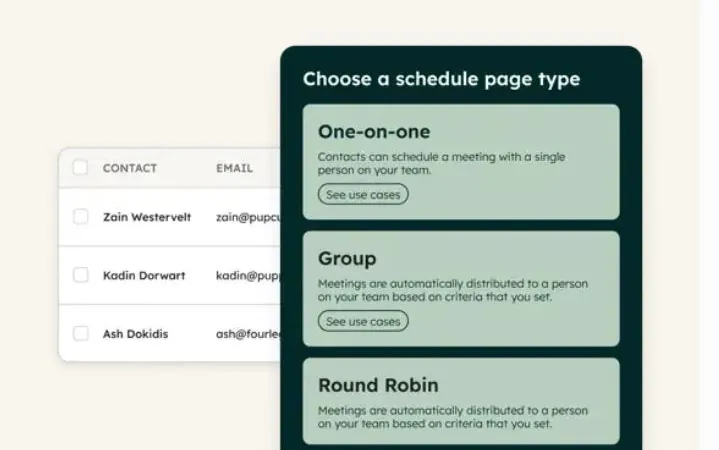
For sales teams, HubSpot Meetings earns its place because every booking flows straight into the HubSpot CRM as a contact or deal. The scheduler is free inside the free CRM, which makes it one of the few online scheduling tools that doubles as a pipeline tool, and it pairs naturally with other B2B sales tools in a rep’s stack.
Round-robin and advanced routing need a paid Sales Hub plan, and the real value only appears once you commit to HubSpot. Outside that ecosystem, lighter tools make more sense.
- Pricing: Free in HubSpot CRM. Advanced routing needs paid Sales Hub.
- Standout: native CRM integration so bookings become pipeline.
- Verdict: HubSpot Meetings is the right call for teams already building on HubSpot.
13- Microsoft Bookings
Microsoft Bookings comes bundled with eligible Microsoft 365 business subscriptions, so organizations already paying for Outlook and Teams get a scheduler at no extra cost. Tight Teams and Outlook integration plus staff scheduling make it a practical appointment scheduling app for Microsoft shops.
It needs a qualifying Microsoft 365 plan to appear, the booking pages look plainer than dedicated tools, and native payment processing is limited. For a company standardized on Microsoft, those are easy trade-offs.
- Pricing: Included with Microsoft 365 Business Standard and above.
- Standout: free to use if you already pay for Microsoft 365.
- Verdict: Microsoft Bookings is the default for organizations already running on Microsoft 365.
14- Zoho Bookings
Zoho Bookings is the obvious scheduling app for businesses already inside the Zoho ecosystem, connecting cleanly to Zoho CRM, Meeting, and Finance. It is affordable, supports staff and services, and handles payments, which makes it a tidy pick for small business owners who want everything under one vendor.
Most of its value shows up when you use the wider Zoho suite, and as a standalone product it is less distinctive than specialists. Inside Zoho, the integration is the draw.
- Pricing: Forever free (1 user). Paid from about $6/user/mo.
- Standout: tight integration with the broader Zoho suite.
- Verdict: Zoho Bookings is the natural pick for teams already standardized on Zoho.
#5 Best Booking Software for Beauty, Wellness and Fitness
15- Fresha
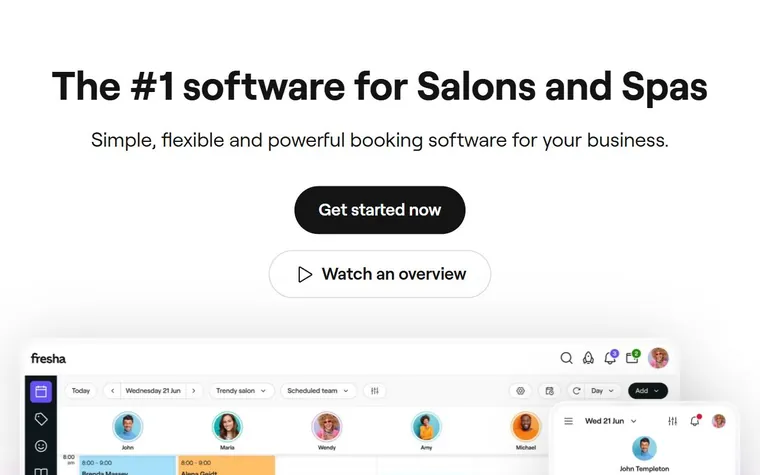
Fresha is purpose-built for salons, spas, and barbers, pairing appointment booking with integrated payments and a consumer marketplace that sends new clients your way. For beauty and wellness, it is some of the most tailored booking software available.
Fresha ended its fully free era in 2026, and the real cost goes beyond the subscription: payment processing, per-message SMS, and a one-time commission on new marketplace clients all add up. Read the fee schedule before you switch.
- Pricing: From about $19.95/mo, plus processing, SMS, and marketplace fees.
- Standout: a beauty marketplace that brings in new clients.
- Verdict: Fresha is a strong fit for salons and spas that value the marketplace and integrated payments.
16- Booksy
Booksy is a booking and marketplace app aimed squarely at independent beauty and barber professionals, where clients discover and rebook you through the Booksy consumer app. As an appointment scheduling app for personal-care pros, its discovery network is the main draw.
Pricing adds up with extra staff seats, payment processing, and an optional marketing boost that takes a cut of a new client’s first visit. For a solo stylist focused on rebookings, the convenience can justify it.
- Pricing: From about $29.99/mo for the first user, plus per-seat and processing fees.
- Standout: a consumer marketplace that drives discovery and rebookings.
- Verdict: Booksy is best for independent beauty and barber pros who want marketplace exposure.
17- Mindbody
Mindbody is a full business platform for gyms, studios, and larger wellness brands, combining class scheduling, memberships, payments, and a consumer marketplace for discovery. For an established fitness or wellness business, it does far more than book appointments.
That breadth comes at a price: plans are expensive, pricing is not transparent, and a sales call is usually required, which makes it overkill for solo instructors. Coaches who also sell programs can pair it with a way to sell digital products online.
- Pricing: Not public; reportedly from about $79/mo per location and up.
- Standout: a complete fitness and wellness platform with marketplace discovery.
- Verdict: Mindbody suits established studios and gyms that need full business management, not solos.
#6 Best App for Group Scheduling
18- Doodle
Doodle built its reputation on group polls, the fastest way to find one time that works across many people who do not share a calendar. When your real problem is coordinating a crowd rather than taking client bookings, Doodle is the scheduling app that fits. For teams outgrowing Doodle itself, a side-by-side look at the 12 best doodle alternatives walks through the free poll tools, 1-on-1 booking pages, and open-source options worth testing first.
Its free plan is ad-supported and poll-limited, it is a weaker one-on-one booking tool than dedicated options, and it has no built-in payments. For committees, panels, and group coordination, none of that is the point.
- Pricing: Free with ads. Pro from about $11/seat/mo (annual).
- Standout: group polling to find a time across many people.
- Verdict: Doodle is the specialist for group coordination, not day-to-day client booking.
How to Choose Appointment Scheduling Software
The best tool is the one that matches how you actually book. Run your shortlist through these six questions before you pay for anything.
- Clients or meetings? Service businesses need payments, staff calendars, and a public page; sales teams need round-robin and CRM links. Few tools do both equally well.
- Do you need payments or deposits? Taking money at booking cuts no-shows. Confirm whether payments are on the free plan or locked behind a paid tier.
- Which calendars must it sync? Two-way Google and Outlook sync prevents double-booking. Some tools only sync one way or only with Google.
- How will you cut no-shows? Automated email is standard, but SMS reminders are often a paid add-on, so price them in if you rely on texts.
- Staff, locations, and resources? Multi-staff and multi-location pricing can multiply fast, so count seats and sites before comparing headline prices.
- Link, embed, or booking site? Decide whether you need a shareable link, an embed for your own website, or a full branded booking page. Service businesses that also run local marketing software usually want the embed or booking site.
True Cost of Free Scheduling Apps
Free is rarely free in this category. The tools that cost nothing up front usually recover it somewhere else, and knowing where protects your margins.
- Payment processing. Square, Fresha, and Booksy are cheap to start but take a percentage of every transaction, which is the real cost for a busy shop.
- SMS reminders. Text reminders cut no-shows the most, and they are a paid add-on in nearly every tool, billed per message or per plan.
- Marketplace commissions. Discovery apps like Fresha, Booksy, and Mindbody can charge a cut of a new client’s first visit in exchange for sending them.
- Per-seat and per-location fees. A free solo plan can become expensive the moment you add staff or a second site, so model your real headcount.
The honest way to compare is total cost for a full month of real bookings, not the headline price. Capturing those clients into a list also helps, so a tool that lets you build an email list without a website keeps every booked customer reachable later.
AI and Natural-Language Scheduling
The newest divide in this category is AI. Most tools still treat it as a label, but a few now let you manage bookings in plain language instead of clicking through menus.
Among this list, only bookme, Calendly, and Cal.com expose an official way to run scheduling from Claude or ChatGPT through an MCP connection. Acuity and Square add native AI assistants that help clients book, while the rest rely on suite-level AI that does not touch the booking flow directly.
This is where bookme pulls ahead for non-technical users. Connecting it to Claude or ChatGPT takes about a minute with no API keys, and from there you can create events, block days, add booking questions, or pull reports by asking. Because it confirms anything that reaches a guest and never touches money, you get the speed of an assistant without handing over control. For professionals building a reputation, that same care extends to personal branding work where every client touchpoint matters.
Get Started With bookme in 3 Minutes
bookme is designed to get you booked quickly, with no credit card and no setup fee. The free plan is enough to run real appointments from day one.
- 1- Create your page. Sign up free, set your weekly hours, add your services whether free or paid, and pick one of 12 templates.
- 2- Share your link. Drop it in your bio, email signature, or website, or use it inside your brandID link-in-bio next to your other links.
- 3- Get booked and paid. Clients pick a time, complete your intake form, and pay instantly while your calendar syncs automatically.
Start Booking Free
Get an all-in-one booking page with paid appointments, group sessions, and an AI assistant you run from Claude or ChatGPT. Free forever, no credit card required.
Choosing Your Appointment Scheduling Software
There is no universal winner, and the best appointment scheduling app for you is simply the right fit for your business. Pick Acuity, Square, or SimplyBook.me for client services, Calendly or Cal.com for meetings, Fresha, Booksy, or Mindbody for beauty and fitness, and Setmore, Google, or Picktime when free matters most.
If you want one tool that covers bookings, payments, and AI without a stack of add-ons, bookme is the most complete of this best appointment scheduling software lineup, and it stays free to start. Match the tool to how you actually book, price in the real costs, and you will spend less time on the calendar and more time with clients.
FAQs
1- What is the best appointment scheduling software?
There is no single best appointment scheduling software for everyone. bookme is the strongest all-in-one pick for bookings, payments, and AI; Acuity and Square lead for service businesses; Calendly and Cal.com lead for meetings; and Fresha, Booksy, and Mindbody are best for beauty and fitness. Match the tool to how you book.
2- What is the best free appointment booking app?
Setmore offers the most generous free plan with up to four staff, and bookme, Google Appointment Schedule, Appointlet, and Picktime all run real bookings for free. The best free appointment booking app depends on whether you need multiple staff, payments, or a public booking page.
3- Which scheduling app is best for small business?
For a small service business, Square Appointments and Setmore are strong free starting points, Acuity and SimplyBook.me add deeper client management, and bookme suits those who want payments and AI in one place. The best scheduling app for small business comes down to whether you take in-person payments and how many staff you book.
4- Do appointment scheduling apps take payments?
Many do. bookme, Acuity, Square, SimplyBook.me, Cal.com, and most service-focused tools let you collect payment or a deposit at booking through Stripe, PayPal, or their own processor. Note that some tools reserve payments for paid plans and that processing fees apply per transaction.
5- Can appointment scheduling software sync with Google and Outlook?
Most modern tools offer two-way sync with Google Calendar, and many also sync with Outlook or Microsoft 365, so new bookings appear on your calendar and busy times block your availability. Check whether a tool syncs both ways and with both providers, since some free tiers sync only with Google.
6- Is there appointment scheduling software with AI or Claude and ChatGPT support?
Yes. bookme, Calendly, and Cal.com connect to Claude, ChatGPT, and other MCP apps so you can book, reschedule, or manage availability in plain language. Acuity and Square also add native AI booking assistants, though those do not connect to external AI tools the same way.
 Summarize this article with:









