

Choosing cold email software is primarily a deliverability and workflow decision. The cheapest platform is not always the most affordable option if it requires separate lead data, additional inboxes, paid warmup, or manual CRM cleanup.
The right tool depends on your outbound motion. Some platforms are built for sending high volumes across multiple inboxes.
Others combine prospect databases with email sequences, support multichannel outreach, or focus on personalization and deliverability.
A few provide a different route altogether by helping businesses reach companies through contact-form automation tools instead of email.
In this guide, we compare the 11 best cold email software platforms in 2026 for B2B founders, sales teams, agencies, and marketers. We evaluate each tool across seven criteria:
- Deliverability and sender-reputation controls
- Sequence automation and follow-up logic
- AI and personalization features
- Prospect data, enrichment, and verification
- CRM integrations and reporting
- Pricing and total cost at realistic usage levels
- Compliance and opt-out controls
Key takeaways
- Instantly: best overall for agencies and SDR teams needing multi-mailbox scale. Unlimited warmup, flat pricing regardless of mailbox count.
- Smartlead: closest Instantly alternative with the deepest deliverability suite and API in the category.
- Lemlist: personalization specialist. Dynamic images, custom videos, LinkedIn multichannel, 2–3× reply rates on high-consideration outbound.
- ContactID by brandID: the alternative to cold email. Submits to website contact forms instead of the inbox, skips spam filters entirely, 8–15% reply rates.
- Apollo: all-in-one bundling a 275M-contact database with email, dialer, and CRM. Best when you also need the data.
- Reply.io: multichannel category leader. AI-powered email + LinkedIn + calls + SMS in one sequence.
- Woodpecker: deliverability-first for SMBs and EU agencies. Per-slot pricing that reassigns between clients.
- Mailshake: the beginner-friendly choice. Reliable, well-integrated, best for teams migrating from a legacy SDR tool.
- Saleshandy: best value at $25/mo. Unlimited sending, real warmup, the pick for solo founders and bootstrapped startups.
- QuickMail: deepest automation logic (conditional sequences, sub-sequences). Best for deliverability-obsessed agencies running 20+ campaigns.
- GMass: cheapest option that lives entirely inside Gmail. Requires a standalone warmup service to scale.
Comparison of the Best Cold Email Software in 2026
| Tool | Best For | Starting Price | Standout Strength | Main Drawback |
|---|---|---|---|---|
| Instantly | High-volume senders & agencies | $37/mo | Unlimited inboxes + AI warmup | Lead credits cost extra; spam risk as inboxes age |
| Smartlead | Agencies, deliverability at scale | $39/mo | Unlimited mailboxes, master inbox, whitelabel | Basic UI; you supply and warm up domains |
| lemlist | Multichannel personalization | $79/user/mo | Dynamic image/video + LinkedIn steps | Pricey as seats grow; warmup on you |
| ContactID (brandID) | Reaching inboxes without email | $9.99/mo or $0.15/site | Submits via contact forms, skips spam filters | B2B company-level, not 1:1 email |
| Apollo | Data + outreach in one tool | Free / $49/user/mo | 275M+ B2B contact database built in | Deliverability lags; sending caps; billing gripes |
| Reply.io | AI multichannel sequences | $59/user/mo | Jason AI SDR across email, LinkedIn, calls | Cost rises fast; warmup still required |
| Woodpecker | Deliverability-first SMBs & agencies | ~$29/mo | Built-in verification, GDPR, agency panel | Warmup capped; many paid add-ons |
| Mailshake | Beginners & simplicity | $25/user/mo | Clean UI, fast setup, SHAKEspeare AI | Per-seat; no free trial; demo required |
| Saleshandy | Budget-conscious teams | $25/mo | Unlimited inboxes/warmup, cheap | Database & verification are add-ons |
| QuickMail | Deliverability-obsessed agencies | $49/mo | Inbox-level analytics + free warmup | Email-only; few integrations; pricier |
| GMass | Gmail-based outreach | $25/mo | Sends inside Gmail with Sheets mail merge | No warmup; Gmail limits; reputation risk |
How We Selected and Tested These Tools
We evaluated each platform based on the factors that most directly affect the performance and cost of a cold outreach campaign. We did not rank tools solely by database size, feature count, or brand recognition.
| Criterion | Weight | What we evaluated |
|---|---|---|
| Deliverability | 25% | Warmup, inbox rotation, domain-health monitoring, inbox-placement testing, authentication support, bounce controls, and sending safeguards |
| Automation | 15% | Sequence builders, follow-up scheduling, conditional logic, reply detection, and automatic campaign stopping |
| Data and lead generation | 15% | Built-in databases, contact search, enrichment, verification, data freshness, and export limits |
| Personalization and AI | 15% | Custom fields, dynamic content, AI research, AI-generated copy, personalization depth, and multichannel steps |
| Integrations and reporting | 10% | CRM integrations, APIs, webhooks, analytics, attribution, and workflow compatibility |
| Pricing and total cost | 10% | Subscription price, seats, inboxes, contacts, credits, warmup, verification, add-ons, and likely scaling costs |
| Compliance and controls | 10% | Unsubscribe handling, suppression lists, consent or lawful-basis controls, auditability, and regional compliance support |
The 11 Best Cold Email Software Tools
1. Instantly
Best for High-Volume Sending at Scale

Instantly is a purpose-built cold email software for outbound teams that need to send at scale without wrecking domain reputation.
Where most cold email platforms cap you at a handful of mailboxes per seat, Instantly lets you connect unlimited sending accounts into one dashboard, warms each one automatically with real inbox traffic, and rotates volume across the pool so no single address ever trips the spam filter.
On top of the sending engine sit a 450M+ lead database (SuperSearch), an AI sequence generator that writes first-touch emails from your offer, and a unified inbox (UniBox) that consolidates replies across every account.
A built-in CRM and AI reply agent round out a cold email automation software that agencies and SDR teams keep converging on because it removes the deliverability and workflow bottlenecks that break most legacy sales engagement tools.
Instantly Key Features
- AI sequence generator writes a full first email plus follow-ups based on your offer.
- Unlimited inboxes + inbox rotation spread volume safely across many accounts.
- Automated warmup protects sender reputation and inbox placement.
- SuperSearch finds and verifies leads from a 450M+ database.
- AI inbox manager and reply agent sort and draft responses.
- Integrations: HubSpot, Salesforce, Zapier/Make, and API.
Instantly Pros & Cons
| Instantly Pros | Instantly Cons |
|---|---|
|
|
Instantly Pricing
- Growth: from $37/mo (annual): 1,000 contacts and 5,000 emails
- Hypergrowth: $77/mo (25,000 contacts, 100,000 emails)
- Light Speed: $286/mo
Unlimited accounts and warmup on every plan.
Best for: High-volume senders, lead-gen companies, and agencies emailing across many domains.
2. Smartlead
Best for Agencies & Deliverability at Scale
Smartlead is a deliverability-first cold email platform designed for agencies and outbound teams running many client accounts or sending domains in parallel.
Unlike lighter cold email tools that treat inbox placement as a nice-to-have, Smartlead builds the entire product around it, unlimited mailbox connections, AI warmup on every account, inbox rotation across pools, and SmartDelivery testing that flags whether your next campaign will land in Primary, Promotions, or Spam before you press send.
A master inbox (Masterbox) unifies replies from every account and campaign into one triage view, while whitelabel and client-management layers let agencies operate multiple clients cleanly without spinning up separate logins.
It is one of the most complete cold email automation software stacks on the market for teams whose real bottleneck is sender reputation rather than copy.
Smartlead Key Features
- Unlimited mailboxes + AI warmup at a flat rate, ideal for many inboxes.
- Master inbox (Masterbox) tracks replies across all accounts and campaigns.
- SmartDelivery tests inbox placement before a campaign goes live.
- Whitelabel + client management keep agency campaigns separated.
- SmartInfra dedicated sending servers (add-on) protect deliverability at scale.
- Integrations: native HubSpot, Salesforce, Pipedrive, plus API and webhooks.
Smartlead Pros & Cons
| Smartlead Pros | Smartlead Cons |
|---|---|
|
|
Smartlead Pricing
- Basic: $39/mo (2,000 active leads, unlimited inboxes)
- Pro: $94/mo (30,000 leads, API access)
- Custom: $174/mo
- Agency client slots add: $29/client/month
Best for: Lead-gen agencies and high-volume senders managing multiple client campaigns.
3. lemlist
Best for Multichannel Personalization
Lemlist is a multichannel cold outreach tool that leans hard into personalization as the way to break through inbox fatigue.
Where most cold email software stops at first-name and company-name variables, lemlist lets you drop each prospect’s screenshot, logo, or profile image into the email as a dynamic image, embed a video thumbnail with their name on it, or route them to a per-recipient custom landing page.
Sequences run across email, LinkedIn, calls, and WhatsApp from a single dashboard, so a single cadence can touch a prospect wherever they are most likely to respond.
A 600M+ lead database and lemwarm, the built-in warmup pool, make it one of the more complete cold email marketing software options for high-consideration, high-ACV outbound where reply quality matters more than raw volume. If seat pricing pushes you off, see our roundup of the best lemlist alternatives.
lemlist Key Features
- Multichannel sequences across email, LinkedIn, and calls.
- Dynamic image and video personalization for 1-to-1 feel.
- 600M+ lead database + enrichment finds verified contacts.
- lemwarm warmup + inbox rotation protect deliverability.
- AI sequence and copy generation speed up writing.
- Integrations: popular CRMs and Zapier.
lemlist Pros & Cons
| lemlist Pros | lemlist Cons |
|---|---|
|
|
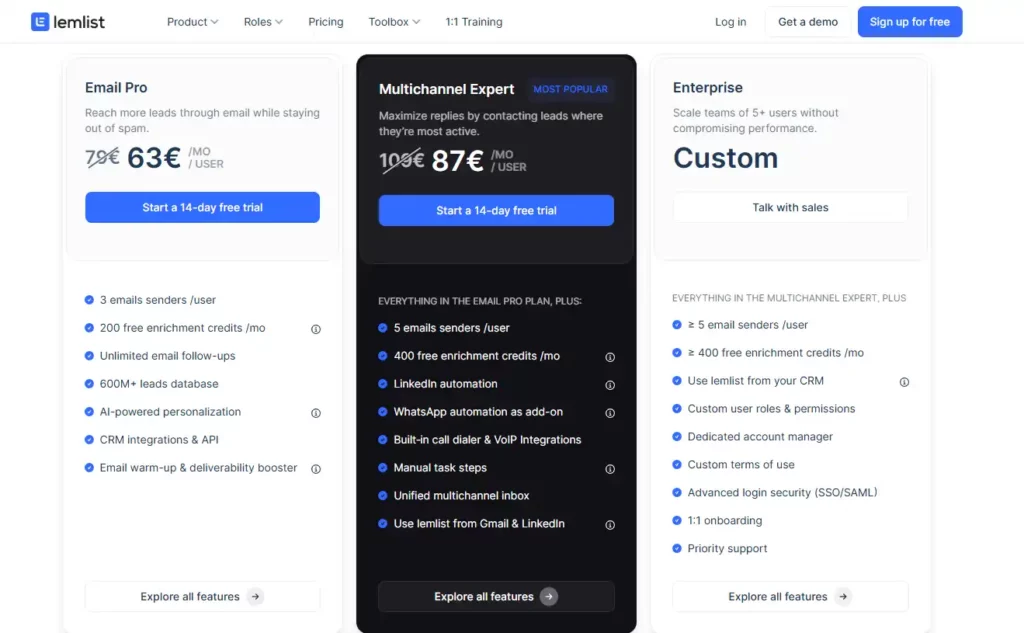
lemlist Pricing
- Email Pro: $79/user/mo ($63 billed yearly)
- Multichannel Expert: $109/user/mo ($87 yearly)
Enterprise is custom. Includes a 14-day trial, warmup, and the lead database; enrichment uses credits.
Best for: Teams that want highly personalized, multichannel campaigns.
4. ContactID by brandID
Best Alternative to Cold Email (Contact-Form Outreach)
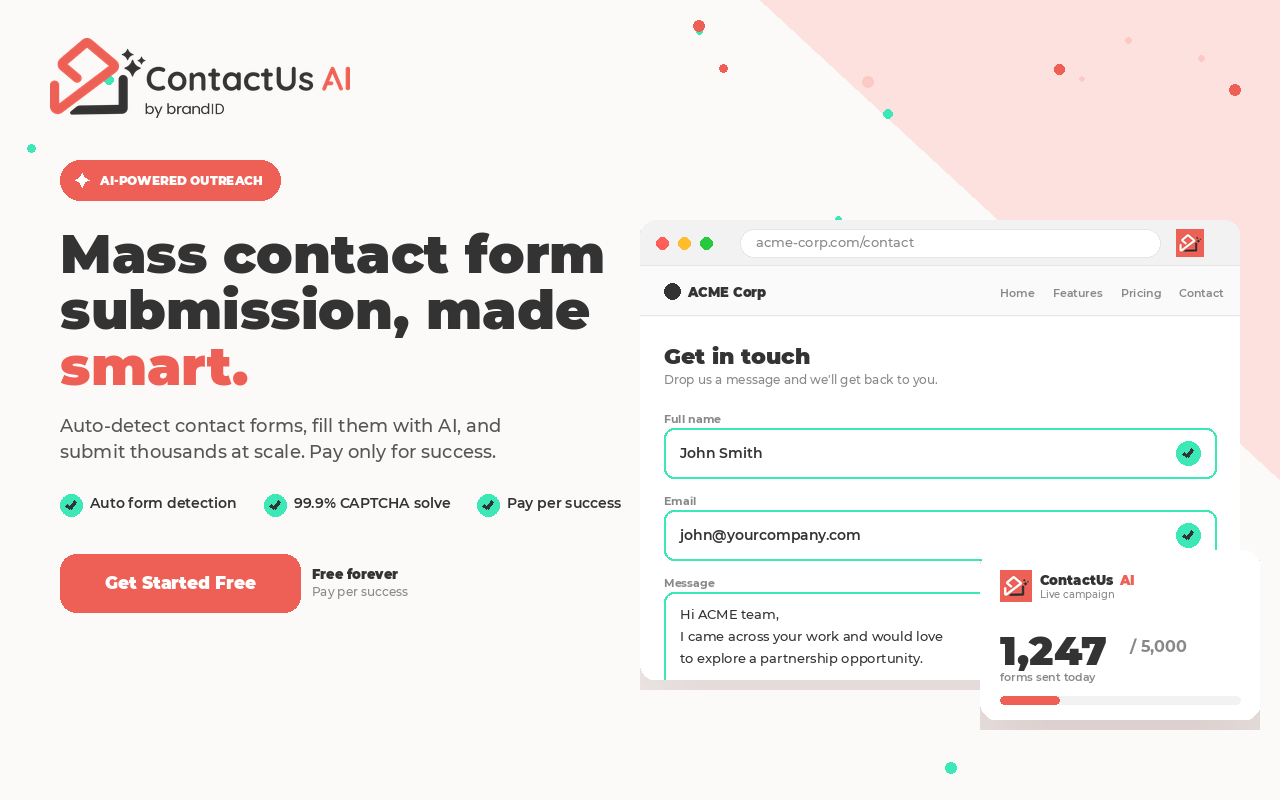
ContactID is an AI-powered contact-form outreach platform, the alternative to traditional cold email software for teams whose deliverability has eroded under Gmail’s 2026 sender rules.
Rather than pushing more messages into a spam-filtered inbox, ContactID runs an AI Chrome extension that finds every prospect company’s Contact Us form, fills it with a personalized pitch, solves CAPTCHAs, and submits at the same scale a cold email tool would send, 10,000 to 20,000 forms per day.
The message lands in whichever inbox or CRM the business actually monitors for customer inquiries, which sidesteps the entire deliverability arms race that now defines modern cold email platforms.
It is not a cold email automation tool in the classical sense; it is what a lot of teams switch to when their cold email programs stop clearing 1% reply rates and every warmup tweak in the world stops moving the number.
ContactID Key Features
- AI contact-form detection + auto CAPTCHA solver keeps submissions running at scale.
- Delivers pitches through Contact Us forms instead of the inbox, a high-intent contact form marketing channel that lands in the company’s main inbox or CRM.
- High volume: submit 10,000 to 20,000 forms a day with one click.
- AI-personalized messages with multiple agent profiles and percentage distribution, plus A/B testing.
- Automatic website-list cleaning removes sites that lack a contact form.
- Auto language detection fills each form in the site’s native language.
- Full dashboard control with success and fail tracking and CSV or TXT export.
ContactID Pros & Cons
| ContactID Pros | ContactID Cons |
|---|---|
|
|
ContactID Pricing
Submit AI-personalized messages through thousands of contact forms a day, with A/B testing and list cleaning built in. No domains, warm-ups, or spam filters. Start with 30 free credits.
Try ContactID free
Install the Chrome extension and start submitting personalized pitches through contact forms today. Every new account gets 30 free credits to test on real websites.
New to contact-form outreach? Read how to use ContactID or visit the ContactID product page.
5. Apollo
Best All-in-One (Data + Outreach)
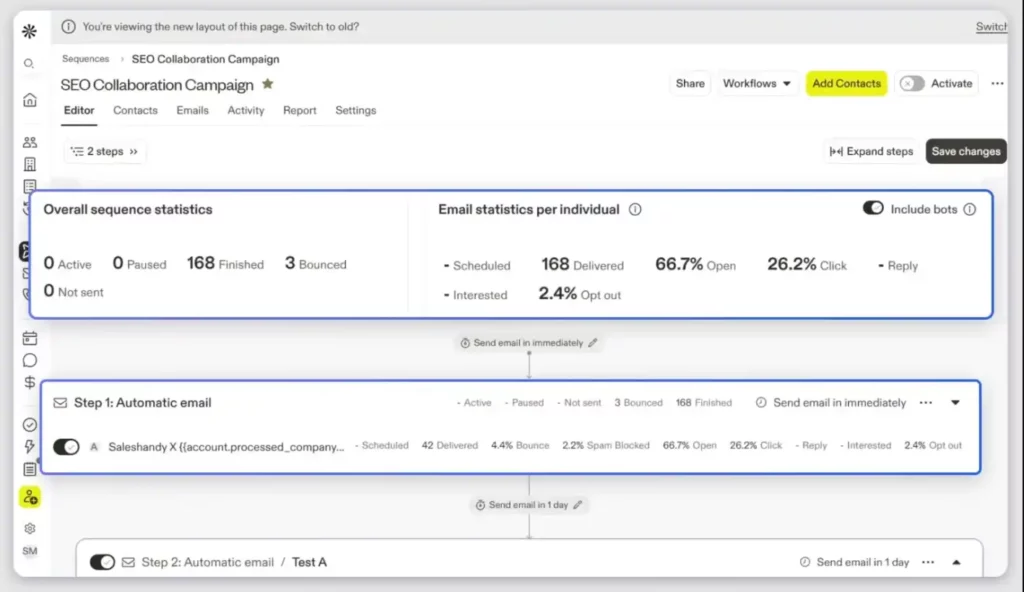
Apollo.io is an all-in-one sales intelligence and cold email software that combines a 275M+ B2B contact database with sequences, a dialer, and a lightweight CRM.
Instead of paying for a prospecting tool and a separate cold email platform, Apollo lets you filter contacts by 65+ firmographic and technographic criteria, drop them straight into an email or multichannel sequence, and track replies without a data export.
The email outreach side is competent rather than category-leading, warmup and deliverability tooling are lighter than dedicated cold email tools like Instantly or Smartlead, but the tradeoff makes sense for teams starting from zero on prospect data.
The free tier alone (10,000 email credits per month) is generous enough that many small teams use Apollo as their first cold email automation software before graduating to a specialist sender once volume grows.
Apollo Key Features
- 275M+ contact database with 65+ search filters.
- Email sequences + multichannel (email, LinkedIn, calls).
- Email verification and enrichment reduce bounces.
- AI personalization tailors messages at scale.
- Buyer intent data surfaces ready-to-buy accounts.
- Integrations: HubSpot, Salesforce, Pipedrive, and more.
Apollo Pros & Cons
| Apollo Pros | Apollo Cons |
|---|---|
|
|
Apollo Pricing
- Free plan ($0)
- Basic: $49/user/mo, Professional $79/user/mo, Organization $119/user/mo
Credit-based enrichment and exports; higher tiers include more credits.
Best for: Teams that want prospecting data and cold email in one platform.
6. Reply.io
Best for AI-Powered Multichannel Sequences
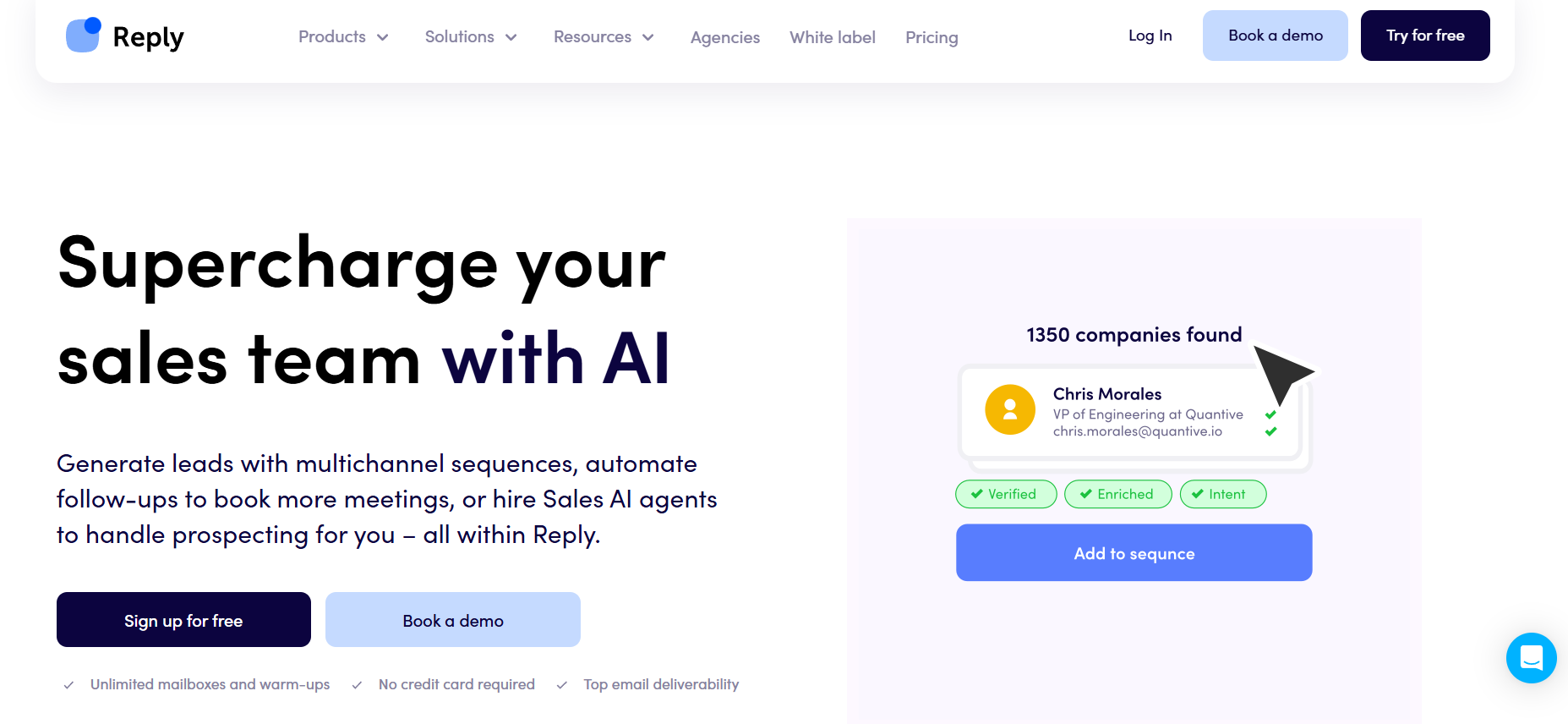
Reply.io is an AI-driven sales engagement platform that treats cold email as one channel inside a broader multichannel cadence, email, LinkedIn, calls, SMS, and WhatsApp all orchestrated from one sequence builder.
Its differentiator is Jason AI, a built-in AI SDR that researches each prospect, drafts the full cadence, and can even respond to inbound replies inside guardrails you set.
As a cold email tool in isolation Reply.io is competent, warmup, inbox rotation, and analytics are all present, but teams pick it over a pure cold email platform because one operator can run outbound across every channel a prospect might respond on.
For sales teams whose ICP is spread across the inbox and LinkedIn, it is one of the few cold email automation software options that treats multichannel as first-class rather than an add-on.
Reply.io Key Features
- Multichannel sequences with conditional branching.
- Jason AI SDR researches prospects and builds sequences.
- Built-in email warmup protects deliverability.
- Contact and data finder for prospecting.
- Detailed analytics across every channel.
- Integrations: major CRMs and Zapier.
Reply.io Pros & Cons
| Reply.io Pros | Reply.io Cons |
|---|---|
|
|
Reply.io Pricing
- Email plans: from $59/user/mo
- Multichannel: from $99/user/mo
AI SDR plans are priced higher. Free trial available.
Best for: Teams running genuine multichannel cadences with AI assistance.
7. Woodpecker
Best for Deliverability-First SMBs & Agencies
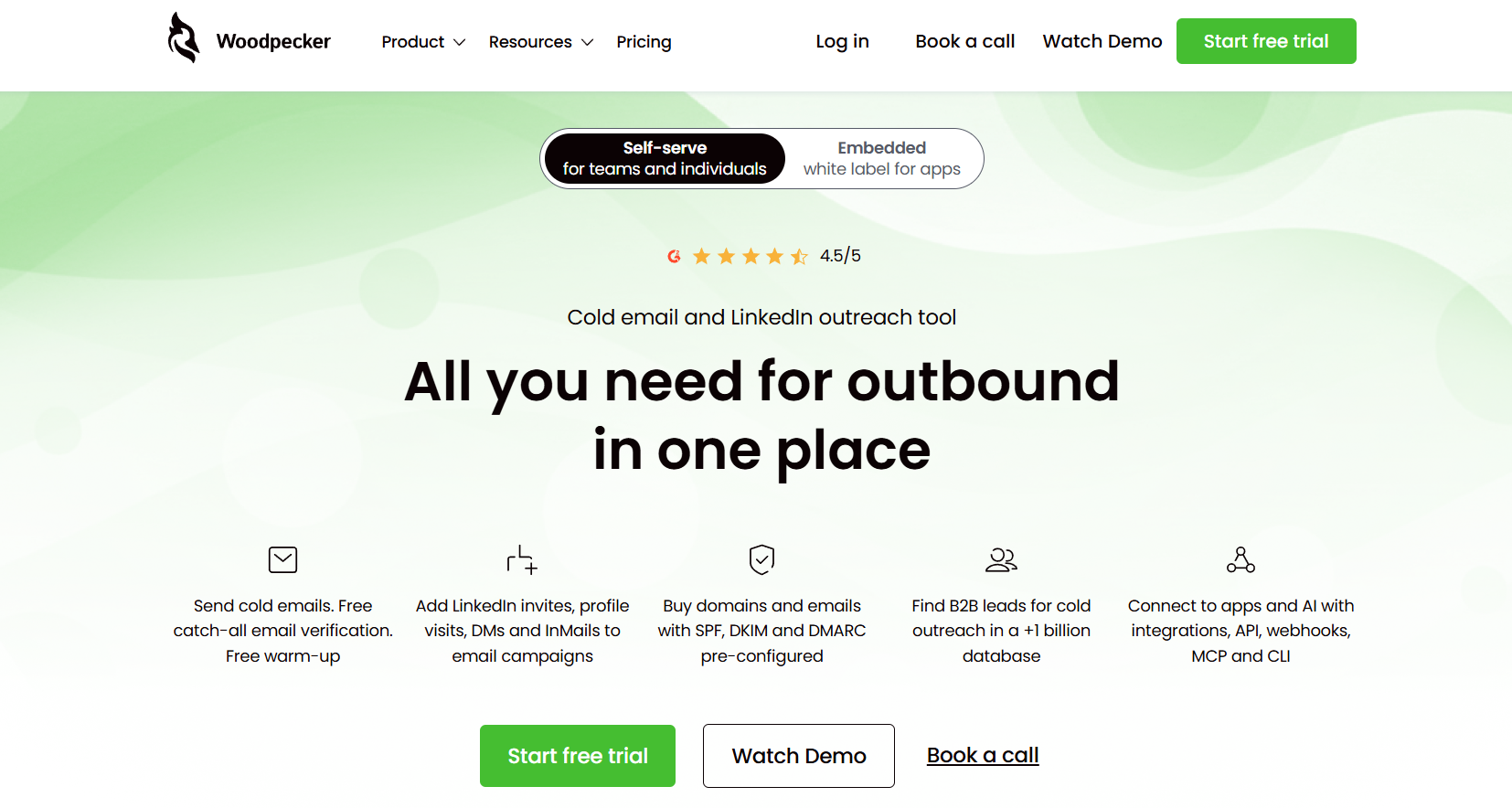
Woodpecker is a compliance-forward cold email software built in Poland and heavily adopted across European SMBs and agencies where GDPR, opt-out handling, and sender-reputation hygiene are non-negotiable.
Unlike volume-first cold email platforms that leave compliance to the operator, Woodpecker bakes in email verification at the point of send, enforces per-domain sending caps that keep new mailboxes from being flagged, and includes native consent and opt-out flows that satisfy EU rules out of the box.
The agency panel with whitelabel reporting and per-client segmentation is one of the cleanest in the category.
It is not the cheapest cold email tool on this list, but it is the one that gets picked when the buyer has been burned by a domain blacklist before, the cold email marketing software you switch to after an incident, not before.
Woodpecker Key Features
- Warmup, inbox rotation, and domain audit for deliverability.
- Built-in email verification reduces bounces.
- GDPR and compliance guardrails (opt-outs, consent, limits).
- Agency panel + whitelabel reporting for client work.
- Conditional sequences adapt to prospect behavior.
- Integrations: HubSpot, Zapier, Hunter, and more (LinkedIn is an add-on).
Woodpecker Pros & Cons
| Woodpecker Pros | Woodpecker Cons |
|---|---|
|
|
Woodpecker Pricing
- Cold email from about: $29/mo, scaling by prospects contacted (around $49/mo for 1,500 prospects and 2 inboxes)
- Agency: from $64/mo per client slot
Best for: SMBs and agencies that put inbox placement and compliance first.
8. Mailshake
Best for Beginners & Simplicity
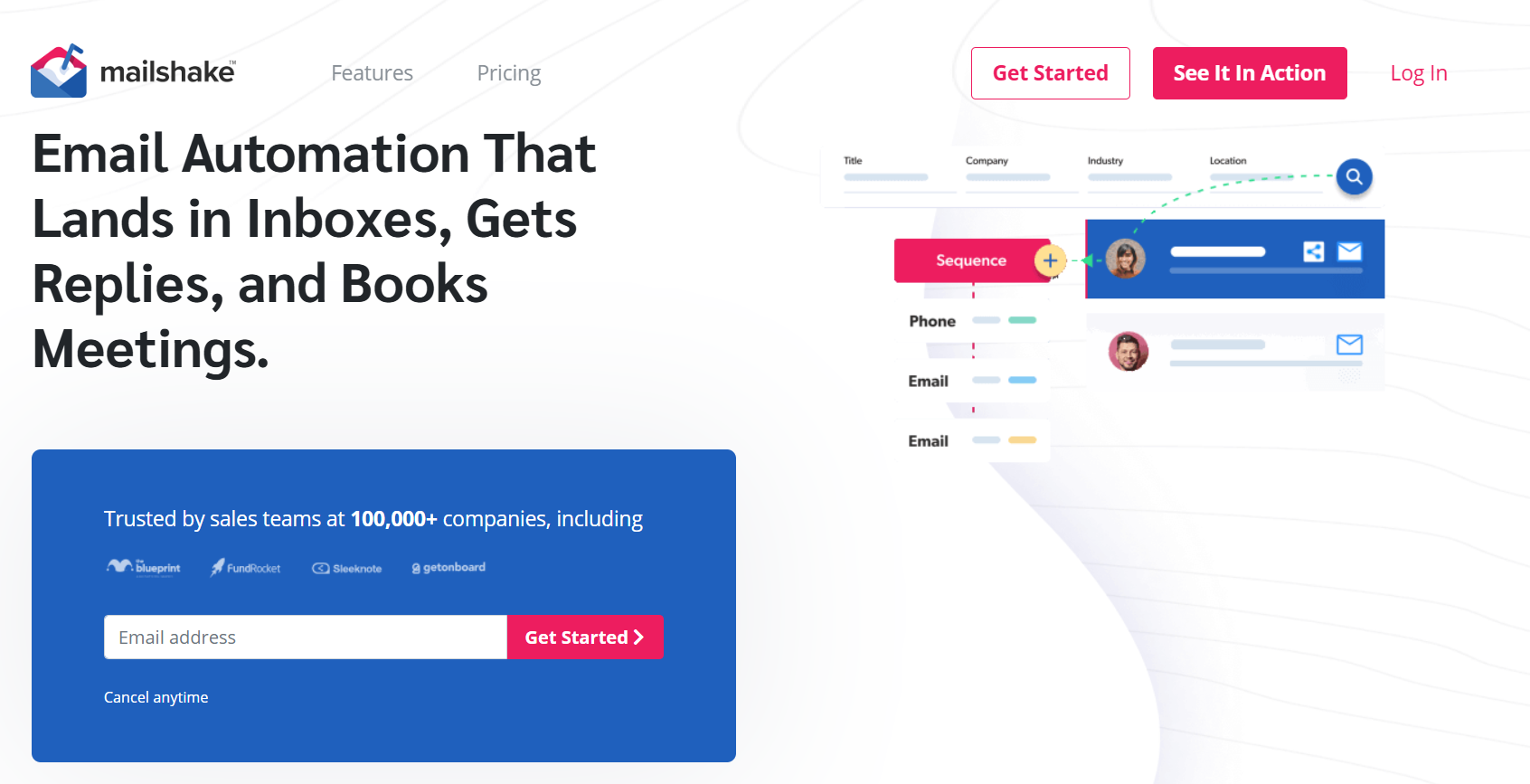
Mailshake is an entry-level cold email software and sales engagement tool built for individuals and small teams who want to send outbound without becoming deliverability experts.
It plugs directly into Gmail or Outlook, and the campaign builder is deliberately opinionated, pick a sequence template, load your list, and Mailshake handles cadence, throttling, and warmup automatically in the background.
Higher tiers add a power dialer, LinkedIn task automation, and SHAKEspeare, an AI writer that generates first-touch cold emails from a short prompt.
It is not the deepest cold email platform on this list, but it is the friendliest cold email tool for a founder or SDR sending their first outbound campaign, and one of the fastest cold email automation software options to onboard a small team onto in under a day.
Mailshake Key Features
- Email sequences + A/B testing with a clean editor.
- Unlimited email warmup included.
- SHAKEspeare AI writer drafts personalized copy from a prompt.
- LinkedIn automation + power dialer on Sales Engagement.
- Unified inbox + lead temperature tracking.
- Integrations: top CRMs and Zapier.
Mailshake Pros & Cons
| Mailshake Pros | Mailshake Cons |
|---|---|
|
|
Mailshake Pricing
- Starter: from $25/user/mo
- Email Outreach about: $45 to $58/user/mo (sequences, A/B testing, AI writing)
- Sales Engagement about: $83/user/mo adds phone outreach
- Scale: $149/user/mo
Best for: Individuals and small teams that want simple cold email without complexity.
9. Saleshandy
Best for Budget-Conscious Teams
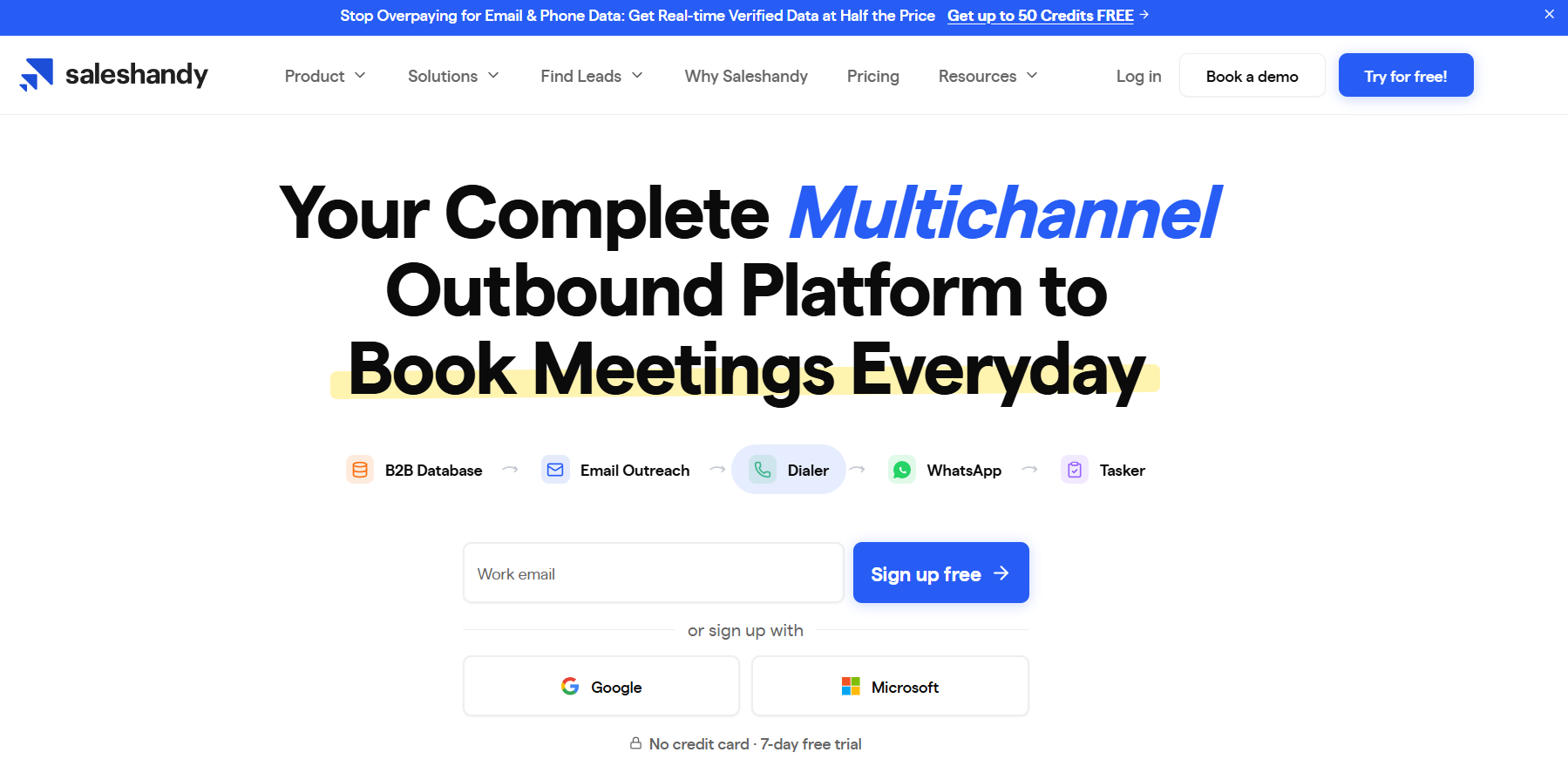
Saleshandy is a budget-friendly cold email software that undercuts almost every direct competitor by offering unlimited sending mailboxes and unlimited warmup on every plan, including the $25/month starter tier.
Most cold email platforms in this bracket charge per inbox or per seat and force you to buy warmup as an add-on, so a solo founder or bootstrapped startup running 5–10 mailboxes typically pays 3–5× more elsewhere.
Saleshandy pairs the sending engine with an 852M+ Lead Finder database (add-on credits), built-in email verification, sequences with A/B testing, and a lightweight outbound CRM to manage the pipeline end-to-end.
It is one of the more complete cold email marketing software offerings under $100/month, though the sticker price grows once verification and data credits enter the mix at higher volumes.
Saleshandy Key Features
- Unlimited inboxes + unlimited warmup on every plan.
- Sequences + A/B testing and a unified inbox.
- Built-in outbound CRM manages your pipeline.
- 852M+ Lead Finder and verification (add-ons).
- Inbox-placement and deliverability tools included.
- Integrations: major CRMs and Zapier; unlimited clients.
Saleshandy Pros & Cons
| Saleshandy Pros | Saleshandy Cons |
|---|---|
|
|
Saleshandy Pricing
- Starter: $25/mo annual ($36 monthly): 2,000 prospects, 6,000 emails
- Pro: $69/mo annual ($99 monthly): 30,000 prospects
- Scale: $139/mo, Scale Plus $209/mo
7-day free trial.
Best for: Budget-conscious teams that want unlimited sending without per-inbox fees.
10. QuickMail
Best for Deliverability-Obsessed Agencies
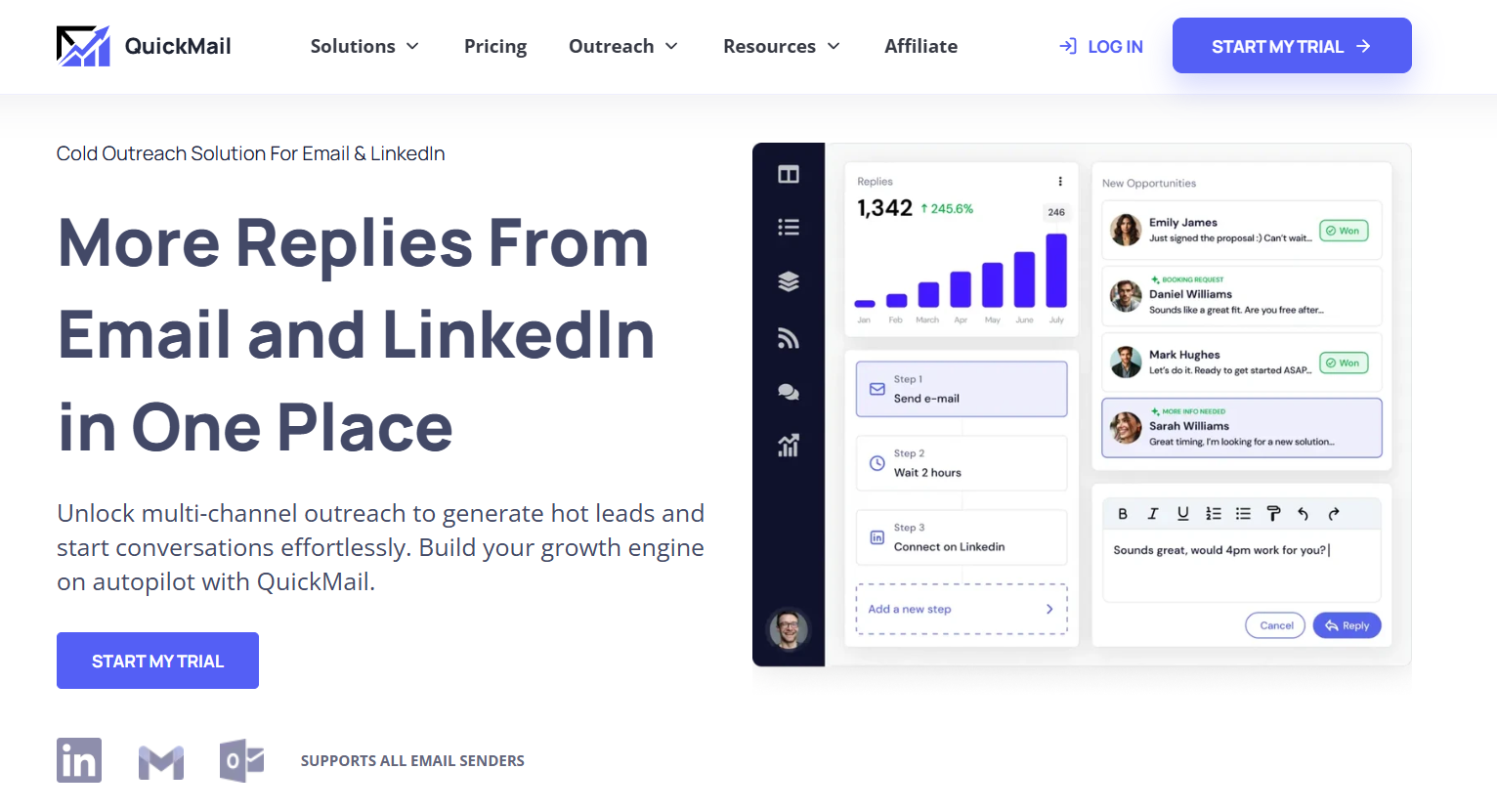
QuickMail is a cold email automation software for operators who run 20+ mailboxes and treat deliverability as a data problem rather than a settings screen.
Its defining feature is inbox-level analytics, instead of showing you the campaign’s aggregate open rate, QuickMail breaks performance down per sending account, so you can see exactly which mailbox is dragging the average down and pull it out of rotation before it hurts the rest.
The MailFlow warmup tool is free and included regardless of plan, sub-campaigns and conditional journey logic let one campaign branch on opens or replies, and unlimited sending on the base plan means volume never becomes the pricing lever.
It is one of the few cold email tools built explicitly for agencies whose margin depends on catching deliverability drift early, and one of the longest-running cold email platforms still actively developed.
QuickMail Key Features
- Inbox-level analytics pinpoint which account hurts deliverability.
- Free Auto Warmer (MailFlow) builds sender reputation.
- Unlimited sending on the base plan.
- Conditional journey logic adapts emails to opens and replies.
- Shared inbox + sub-campaigns for team collaboration.
- Integrations: API and Zapier.
QuickMail Pros & Cons
| QuickMail Pros | QuickMail Cons |
|---|---|
|
|
QuickMail Pricing
- Basic: $49/mo (30,000 emails, 10,000 prospects, up to 5 inboxes)
- Pro: $89/mo
- Expert: $129/mo
Free Auto Warmer.
Best for: Agencies and power users who obsess over deliverability and inbox analytics.
11. GMass
Best for Gmail-Based Outreach
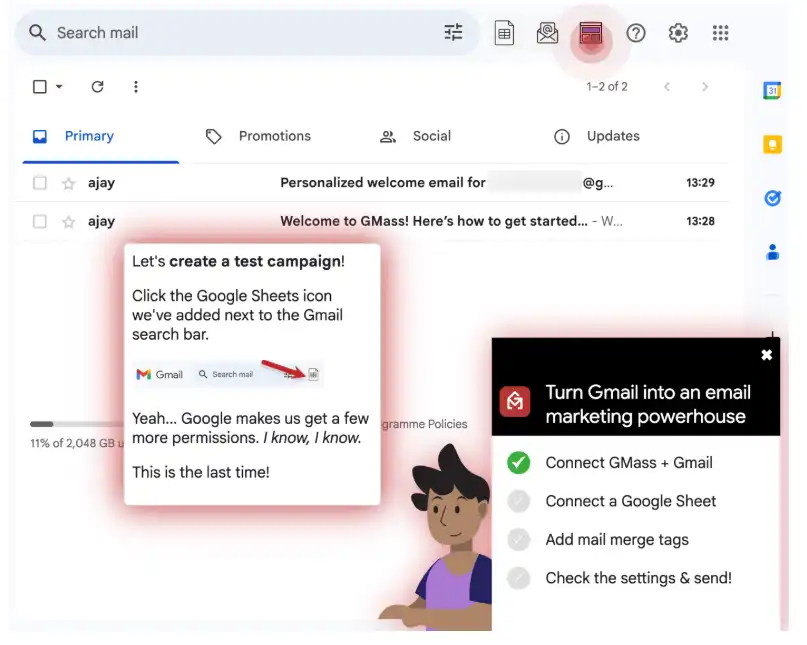
GMass is a Gmail-native cold email software that installs as a Chrome extension and turns your existing Gmail account into a cold outreach tool without a separate dashboard.
You draft the email in Gmail, pull recipients from a Google Sheet, hit Send, and GMass runs the mail merge, personalizing each message with the columns you mapped, throttling delivery to respect Gmail’s daily limits, and scheduling automated follow-ups on the same thread if a recipient does not reply.
It is the cheapest, lowest-friction cold email tool on this list for anyone already living in Gmail, but it is the one cold email platform here without native warmup, which caps how much volume you can safely push through your primary Gmail before reputation damage sets in.
For serious volume, pair it with a standalone warmup service. Without one, it works less as a cold email automation software and more as a scheduled mail-merge tool.
GMass Key Features
- Works inside Gmail, with no new app to learn.
- Google Sheets mail merge fills in each prospect’s details.
- Automated follow-ups run on your schedule.
- A/B testing on subject lines and copy.
- Open, click, and reply tracking in a simple dashboard.
- SMTP routing + Spam Solver ease Gmail’s daily limits.
GMass Pros & Cons
| GMass Pros | GMass Cons |
|---|---|
|
|
GMass Pricing
- Standard: $29.95/mo, Premium $39.95/mo, Professional $59.95/mo
- Team Premium from about: $175/mo
Free trial (up to 50 emails/day).
Best for: Solo senders and small teams who want to send cold email from Gmail.
What Is the Best Cold Email Software? Our Editor's Pick
For most sales teams and agencies running high-volume outbound, Instantly is the strongest all-round pick, unlimited warmup, flat multi-mailbox pricing, and the deepest sender-reputation infrastructure in the category.
But if you’re being honest about why cold email is getting harder, deliverability, spam filters, sender reputation, Gmail’s 2026 rules, the more interesting pick is ContactID by brandID.
Why ContactID is our top pick for outreach that actually reaches decision-makers
- Skips the inbox entirely. No warmup, no spam-folder gamble, no domain reputation to protect.
- Reaches business owners directly. Messages arrive through their own contact form, the channel they check because customers use it.
- 3–5× higher reply rates than typical cold email on well-targeted campaigns.
- Compliant by design. No unsolicited email means no CAN-SPAM / GDPR exposure the way cold email creates it.
- Fits every outbound stack. Use it as a replacement for cold email or a parallel channel, either way it doesn’t compete with your existing sender reputation.
When a traditional cold email tool still wins
- You already have a warmed sender infrastructure and clean lists, you’re optimizing an existing engine, not rebuilding it.
- Your ICP has more presence in the inbox than on their website (e.g., freelancers, community sellers, individuals rather than businesses).
- You need multichannel cadences that pair email with LinkedIn outreach tools, which a contact-form tool cannot replicate.
For everyone else, try ContactID, it fixes the deliverability ceiling that’s bottlenecking most cold email programs in 2026.
Conclusion
Cold email software has consolidated hard in 2026. The tools with real warmup infrastructure and multi-mailbox rotation are pulling away from the ones that treat deliverability as an add-on. Gmail and Outlook’s 2026 sender rules didn’t just raise the bar, they redefined it.
If you’re picking a tool for the first time:
- Agency or multi-mailbox operator: start with Instantly or Smartlead. Unlimited mailboxes on a flat plan is the differentiator.
- Solo founder or bootstrapped startup: Saleshandy at $25/mo is the best price-to-feature ratio in the category.
- Personalization-heavy outbound: Lemlist. Dynamic images and custom videos are what it’s built for.
- True multichannel (email + LinkedIn + calls): Reply.io. Nothing else does this at this price point.
- No prospect data yet: Apollo. The bundled 275M-contact database is the reason to pick it.
- Gmail-native workflow: GMass. Just pair it with a standalone warmup service.
If you’re switching because your current tool is losing deliverability under the new rules, evaluate ContactID before you switch to another email-first tool. Changing the channel often solves the problem a tool swap can’t.
FAQs
What is cold email software?
Cold email software automates sending personalized outreach emails to prospects who haven’t opted in, at scale. Unlike marketing automation platforms (which serve subscribers) or transactional email services (which serve app users), cold email tools are purpose-built for reaching prospects who don’t yet know you exist without landing in spam. Every credible cold email tool in 2026 combines sequence automation, domain warmup, personalization, and reply detection.
What is the best cold email software in 2026?
Instantly is the best overall cold email software for agencies and SDR teams needing multi-mailbox scale. Smartlead is the closest alternative with the deepest API and deliverability suite. Lemlist wins on personalization. For teams evaluating cold email as a channel at all, ContactID by brandID (contact-form outreach) is worth comparing, different mechanism, 3–5× higher reply rates on well-targeted campaigns.
How much does cold email software cost?
Cold email software pricing in 2026 ranges from free (Apollo’s free tier, GMass free tier) to $800+/month for enterprise plans. Most SDR-scale teams land at $97–$297/month across 2–5 sending mailboxes. Tools charging per-user (Mailshake) get expensive fast for teams; tools charging per-mailbox (Instantly, Smartlead) stay flat as you scale.
Is there free cold email software?
Yes. Apollo’s free tier includes 10,000 email credits per month plus contact data, the most generous free tier in the category. GMass has a free tier for small volumes inside your existing Gmail. Neither includes domain warmup, which is required for reliable deliverability past ~50 emails per day.
What is the best cold email software for agencies?
Instantly, Smartlead, and Woodpecker are the top three for agencies. Instantly and Smartlead offer unlimited mailboxes on a flat plan, matching agencies’ need to run many client accounts. Woodpecker uses per-slot pricing that lets agencies reassign slots between clients, useful for strict per-client billing separation.
How is cold email software different from email marketing tools?
Email marketing software (Mailchimp, HubSpot Marketing, Klaviyo) serves subscribers who opted in and sends bulk from your own domain with unified sender reputation. Cold email software (Instantly, Smartlead, Lemlist) sends to prospects who have not opted in, using dedicated sending domains, warmup pools, and per-mailbox reputation isolation to avoid the spam folder. Using email marketing tools for cold outreach usually gets your primary domain flagged within days.
What reply rate should I expect from cold email?
Industry-average reply rate for cold email in 2026 is 1–3% on well-targeted, well-warmed campaigns. Top-decile senders achieve 5–8%. Below 1% usually indicates a deliverability or targeting problem, not a copy problem. Contact-form outreach via tools like ContactID typically delivers 8–15% reply rates because it bypasses the spam-filter competition entirely.
Do I need email warmup for cold email?
Yes, for any sending volume above ~20 emails per day from a new domain. Warmup gradually builds sender reputation by having your mailbox send and receive real conversations before you start sending cold campaigns. Without warmup, new domains land in spam almost immediately in 2026. Every tool in this comparison except GMass includes warmup, pair GMass with a standalone warmup service if you plan to scale.
What is the alternative to cold email?
The two effective alternatives in 2026 are LinkedIn outreach (via tools like Lemlist, Reply.io, or dedicated LinkedIn automation tools) and contact-form submission via ContactID. Contact-form outreach specifically avoids the deliverability arms race and has become the go-to alternative for teams whose cold email programs have degraded under Gmail’s 2026 rules.
 Summarize this article with: