
QuickMail Review 2026: Features, Pricing, Real Complaints
QuickMail has been shipping cold email software since 2014, and it still gets recommended in agency Slack groups for one reason: inbox placement. This QuickMail review covers what the platform delivers in 2026, what paying customers complain about, and whether the 2026 price list still makes sense for your team.
Something important changed this year. QuickMail rebuilt its plans, and most comparison pages still quote prices that no longer exist, making budgeting from them a guess. If you are still shortlisting vendors, our breakdown of the best cold email software for 2026 is a useful companion to this page.
Key Takeaways
- QuickMail pricing changed in 2026. Plans now run $49 (Starter), $99 (Growth), and $299 (Agency) per month; any review still quoting $9, $89 or $129 tiers is out of date.
- Unlimited senders is the headline shift. Every tier includes unlimited email senders, LinkedIn accounts, and users, so contacts and monthly send volume are the real limits.
- Standout QuickMail features. Free MailFlow auto-warmer, Inbox Rotation, Deliverability AI that benches weak mailboxes, Reword with AI, and per-inbox analytics.
- The honest pros and cons. Excellent deliverability and support, but a clunky bucket-and-schedule workflow, thin reporting, and zero built-in prospecting.
- Best QuickMail alternative. contactID skips the inbox entirely by submitting through website contact forms, so there is no warm-up and no spam filter to beat.
- It now builds the list too. contactID's new Find Websites tool hands you verified businesses by niche and city, which is the one thing QuickMail does not do at any price.
What Is QuickMail?
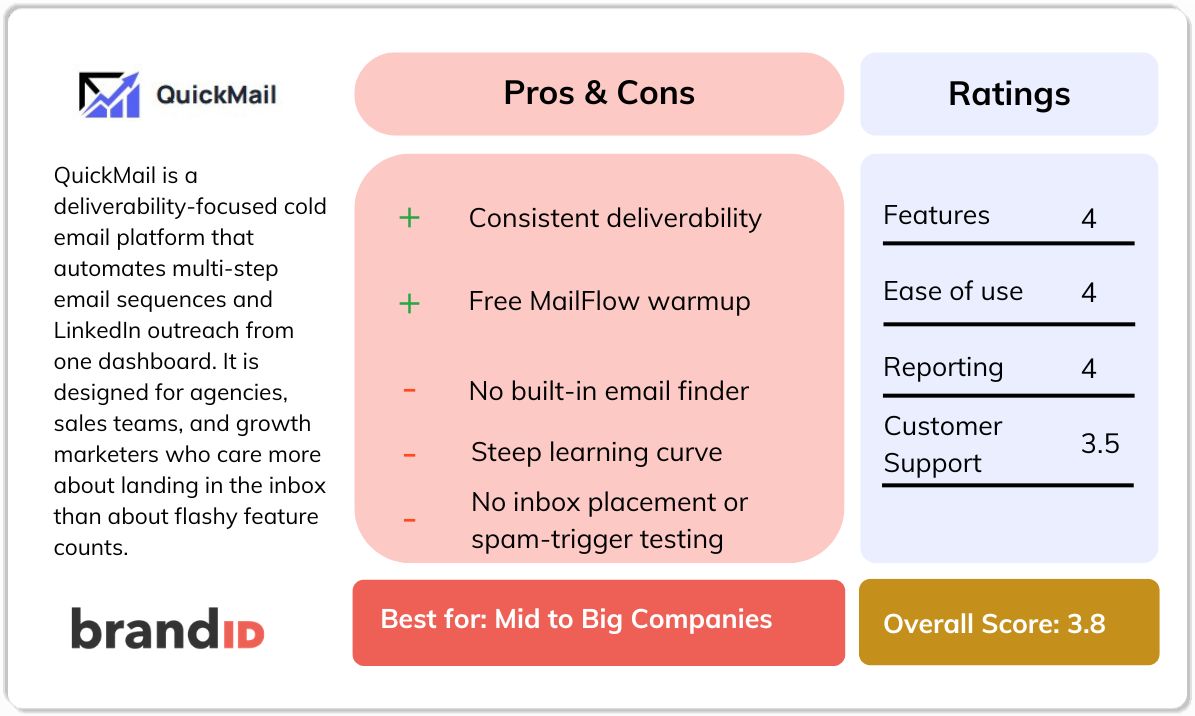
QuickMail is a deliverability-first cold email platform that runs multi-step email and LinkedIn sequences from a single dashboard. Founded in 2014 by Jeremy Chatelaine, it serves agencies, SDR teams, and founders who care more about landing in the primary inbox than about feature counts.
The design choice that defines the product is this: QuickMail does not send from shared proprietary IPs. Your messages leave through your own Google Workspace or custom SMTP connection, so your sender reputation is yours alone rather than pooled with thousands of strangers.
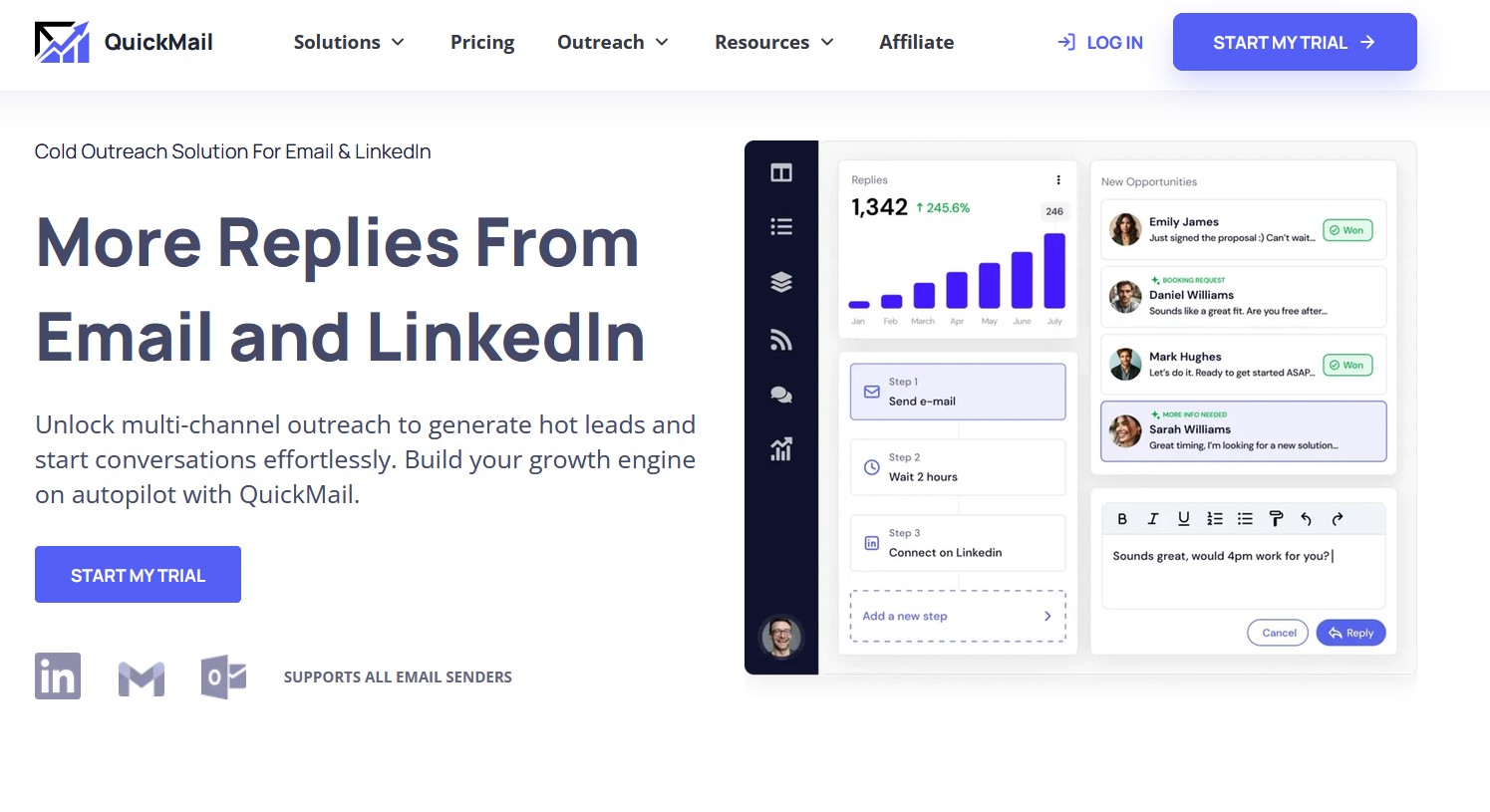
On top of that, it layers Inbox Rotation, which spreads a campaign's volume across every mailbox you connect so no single account carries a suspicious load. That idea is now standard across the category, and QuickMail is one of the tools that popularised it.
What it is not is a prospecting suite. There is no lead database, and no contact finder, so successful cold email outreach with QuickMail assumes you already have clean, verified data from somewhere else.
The chart below maps the four stages of an outbound motion and shows exactly which ones QuickMail covers. It explains most of the complaints you will read later on this page.
QuickMail Features Worth Paying For
The QuickMail features below are the ones that change outcomes rather than pad a comparison grid. Each is available on paid plans in 2026.
Free MailFlow Auto-Warmer
Warmup is bundled into every plan through MailFlow, which builds reputation using real threaded conversations between mailboxes. Rivals routinely charge for warmup per inbox, so bundling it saves real money once you run more than a handful of senders.
Inbox Rotation With Provider Matching
Every lead entering a campaign is assigned a sending mailbox, and all follow-ups stay with that mailbox so the thread reads naturally. You can also match the lead's email provider, so a Google-hosted prospect receives mail from your Google-hosted sender.
Deliverability AI And Smart Sending Groups
Deliverability AI runs daily checks on every connected mailbox, then swaps low-scoring accounts out of a campaign and puts them into recovery while healthy accounts carry the volume. It is the closest thing in this category to autopilot for sender health.
Reword With AI
Identical message bodies repeated across thousands of sends are a classic spam signal. Reword with AI rephrases copy while holding the meaning steady, so each send looks a little different to filtering systems without you writing fifty variants by hand.
Per-Inbox Analytics And A/B/Z Testing
Reply and bounce rates break down by individual sending account, which means you can identify the one bad mailbox dragging a campaign instead of blaming the copy. Variant testing runs without restarting a live campaign, a detail that saves days of lost sending time.
Unified Inbox With LinkedIn Steps
Email replies and LinkedIn messages land in one shared inbox that a team can assign and answer together. If social touches are the centre of your pipeline rather than a garnish, compare it with dedicated LinkedIn outreach tools before you decide.
Authentication And Blacklist Monitoring
QuickMail watches SPF, DKIM and DMARC alongside daily blacklist scans. Those are the same authentication signals enforced by Google's bulk sender requirements, so monitoring them is table stakes rather than a bonus in 2026.
QuickMail Pricing In 2026
QuickMail pricing starts at $49 per month and runs to $299 per month, with a 14-day free trial on every tier and no per-seat charges. The structure changed during 2026, and the change matters: senders, LinkedIn accounts, and users are now unlimited on all three plans.
That makes the comparison with rivals cleaner than it used to be. Your ceiling is no longer how many mailboxes you can afford to connect; it is how many contacts you can upload and how many emails you can send each month.
Here is the current lineup. Check it against whatever figures you were quoted elsewhere, because stale pricing is the single most common error in QuickMail review articles right now.
| Plan | Price | Emails / Month | Uploaded Contacts | Best For |
|---|---|---|---|---|
| Starter | $49/mo | 5,000 | 1,000 | Founders testing a first channel |
| Growth | $99/mo | 100,000 | 25,000 | Working sales teams, adds API |
| Agency | $299/mo | 500,000 | 100,000 | Agencies, adds webhooks and 2 workspaces |
The jump from Starter to Growth is the one to study. For double the money, you get twenty times the sending volume and twenty-five times the contact capacity, which makes Starter look less like a working plan and more like an extended trial.
Agency buyers should price the workspace limit carefully. Two workspaces are included, and each extra one adds $49 per month, so a shop running ten client accounts is looking at roughly $691 per month before any data costs land on top.
QuickMail User Reviews: What Real Customers Say
QuickMail holds a 4.7 out of 5 average across 26 verified Capterra reviews as of The complaints below are the ones worth reading before you commit, pulled from recurring themes on G2, Capterra, and GetApp in 2026.
What the Critical Reviews Say
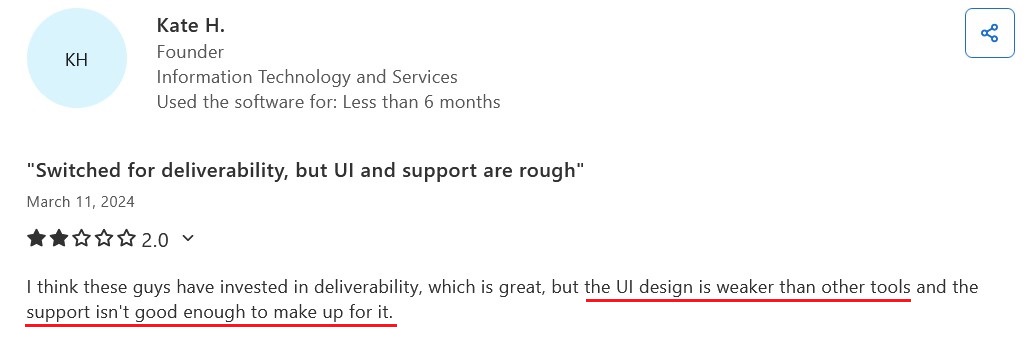
1. The interface is unintuitive
The most repeated gripe: you cannot just drop prospects into a campaign. You add them to a bucket, then attach a schedule to move them across, which reviewers describe as confusing on day one.
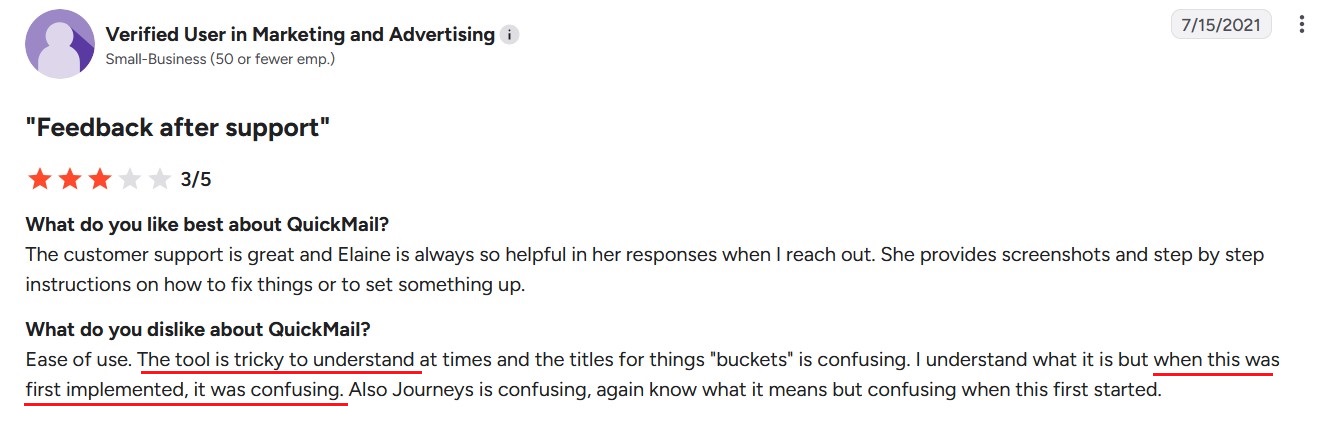
2. The learning curve is steep
Between Deliverability AI, sender rotation, and subcampaigns, new users report feeling overwhelmed and needing a week or more before the workflow clicks and being familiar with the features.
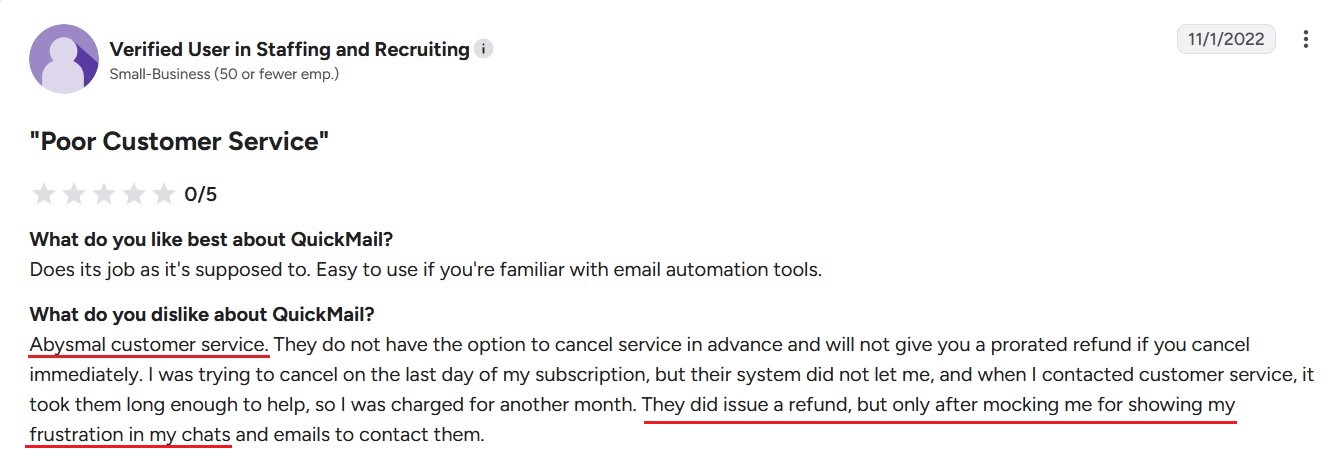
3. Poor Customer Service
Users mention lots of incidents with the customer service and their response to refund requests, which is a normal procedure in many tools nowadays.
QuickMail Pros And Cons
Here are the QuickMail pros and cons condensed from the current feature set, the 2026 price list and verified customer feedback.
Pros
- Deliverability tooling that agencies keep renewing for
- Unlimited senders, LinkedIn accounts and users on every plan
- Free MailFlow warmup bundled, not sold separately
- Per-inbox reply and bounce data that rivals rarely match
- Sends through your own provider, protecting your reputation
- Support team consistently praised across a decade of reviews
Cons
- No lead database, email finder or bundled verification
- Bucket-and-schedule prospect flow confuses new users
- Reporting described as merely sufficient by long-term users
- No real-time support during US business hours
- Starter plan is too thin at $49 to be a working tier
- Agency workspaces billed at $49 each beyond the first two
contactID: The Best QuickMail Alternative
contactID is a Chrome extension that delivers your pitch through each company's website contact form instead of sending a cold email. The message arrives in the primary business inbox or CRM, where inquiries are expected and read, so there is no warmup, no domain rotation, and no spam folder to fight.
New in 2026: contactID also closes the gap QuickMail reviewers complain about most: the missing lead source. Its Find Websites tool builds your target list by niche and city, so you pick a category such as dental clinics, HVAC contractors, or Shopify stores, pick the cities you sell into, and see how many businesses are available and what share of them actually have a working contact form before you spend anything.
Companies you have already contacted are excluded automatically, credits are only charged for a place that comes back with a real website, and finished lists import straight into the send queue. The path from “I sell to roofers in Chicago” to a live campaign has no spreadsheet, no data vendor, and no verification step in between.
Best for: B2B teams and agencies that want to reach companies at scale without inbox deliverability limits, and that need the target list built for them.
contactID Key Features
- Find Websites: niche-plus-city website lists with a visible form rate, duplicate exclusion, and pay-per-delivered-website credits.
- AI form detection: locates the contact page, maps your details to the right fields, and submits, with an automatic CAPTCHA solver behind it.
- High-volume sending: thousands of submissions per run, with no warmup period before you start.
- List cleaning: sites without a usable form are filtered out before a credit is spent.
- A/B testing and agent profiles: multiple sender identities and message variants, with automatic language detection for native-language submissions.
- Transparent dashboard: queued, successful, and failed submissions tracked per website, and you are only charged for a form that was actually filled and submitted.
Pricing: pay-as-you-go from $0.15 per website with no monthly fee, Starter at $6.99 per month, and volume plans down to $0.01 per website on Scale.
Other QuickMail Alternatives Worth Testing
If you want to stay on the email channel, these four cover the gaps in the QuickMail feature set in different ways. Each entry below notes what it is, who it suits and what it costs you in practice.
Saleshandy
Saleshandy is a cold email platform that bundles the prospecting layer QuickMail leaves out. It pairs unlimited email accounts and warmup with a built-in B2B database of roughly 852 million contacts, plus an email finder and verifier, so one subscription covers finding, checking and sending.
- Best for: teams that want leads and sequences on a single invoice.
- Pricing: Starter around $34 per month billed annually for 2,000 prospects and 6,000 emails, Pro around $76 per month for 30,000 prospects.
- Trade-off: lead, AI and verification credits are capped and do not roll over, and mailbox hosting is a separate subscription with a 25-mailbox minimum.
Recommendation: the closest thing to a one-invoice replacement, as long as you model the credit caps before committing annually.
lemlist
lemlist is the personalisation-led QuickMail alternative, built around custom images, dynamic landing pages and its lemwarm warmup engine. Its Multichannel tier adds LinkedIn automation, SMS and a built-in dialer, so a single sequence can mix channels without a second tool.
- Best for: smaller, highly tailored campaigns where reply quality beats raw volume.
- Pricing: Email plan around $55 per month billed annually for 50,000 emails, Multichannel around $87 per user per month.
- Trade-off: enrichment credits are a paid add-on rather than bundled, and the per-user Multichannel pricing scales badly against QuickMail's flat fee.
Recommendation: pick it when your differentiator is the message itself, and budget the credit add-on from day one.
Reply.io
Reply.io is a multichannel sales engagement platform that prices by active contacts rather than mailboxes, with unlimited senders under a fair-use policy. AI handles sequence drafting and reply classification, and a separate AI SDR product sits above the core tool for teams that want outreach fully automated.
- Best for: teams with predictable contact volumes that want AI reply handling built in.
- Pricing: Email Volume from around $49 per month annually for 1,000 active contacts, Multichannel around $89 per user per month.
- Trade-off: LinkedIn, calls, SMS and validation are all paid add-ons, so a real multichannel setup costs far more than the headline figure.
Recommendation: price the add-ons before you compare it with QuickMail pricing, or the comparison will flatter it.
Apollo.io
Apollo.io is a database-first alternative where sequencing is bolted onto a very large B2B contact graph. If the QuickMail feature you miss most is a contact finder, Apollo is the opposite design: prospecting, enrichment, dialer and sequences inside one credit-based workspace.
- Best for: SDR teams that live inside a database and send from it directly.
- Pricing: free tier available, Basic around $49 per seat per month annually, Professional around $79 per seat.
- Trade-off: everything consumes from one credit pool, mobile number reveals cost roughly eight times an email reveal, and unused credits expire. Native LinkedIn automation was removed in 2025.
Recommendation: strong on data, weaker on deliverability discipline, so treat it as a replacement for your data vendor more than for QuickMail itself.
Conclusion
QuickMail earns its reputation. The deliverability stack is genuinely good, warm-up costs nothing extra, unlimited senders and users on every tier is a rare pricing stance, and the support team has been praised consistently for a decade. For an experienced team with clean data, it is a dependable engine.
contactID builds your target list by niche and city, then delivers the message somewhere it will actually be read, with no warm-up, no domains, and no spam filters in the way.