
How to have an AI assistant report on your results
Ask a connected assistant for your performance, link clicks, rankings, funnel and daily numbers, in plain language. Everything here only reads your data.
Before you start
- An assistant connected to DMpro
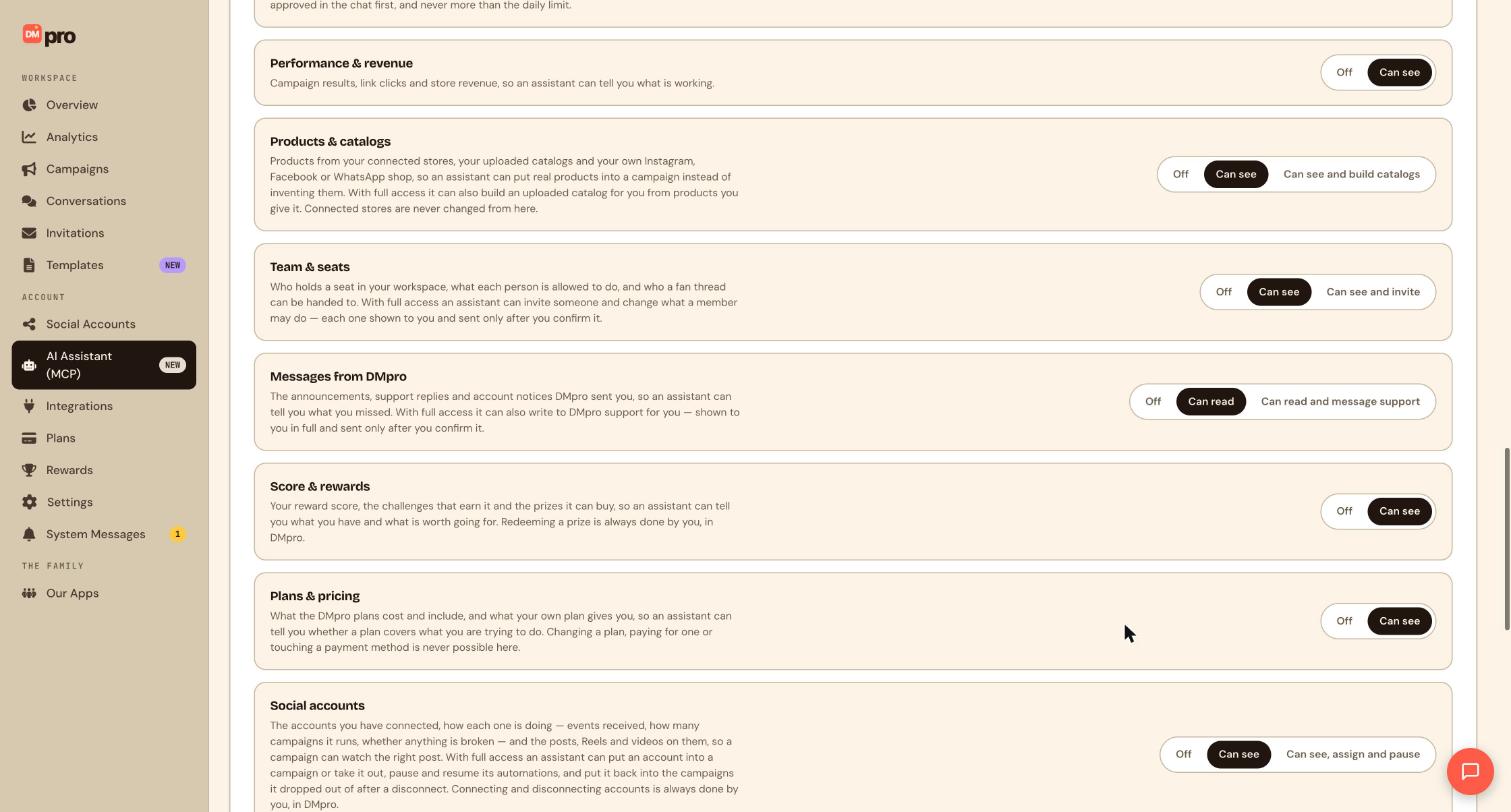
- <strong>Performance & revenue</strong> set to <strong>Can see</strong> under What assistants can touch
Turn on Performance and revenue
On the AI Assistant (MCP) page, find Performance & revenue under What assistants can touch and set it to Can see. This covers campaign results, link clicks and store revenue. It is read-only.
Ask for a performance summary
Name the period you want. Any preset or exact dates work, and all times are UTC.
Give me a summary of my DMpro performance for the last 30 days: messages sent, click-through rate, and how the conversion funnel moved from triggered to sent. Split it by platform.Ask for the money side
If you have connected a store in DMpro, you can ask what revenue your automations brought in and from which campaigns.
How much store revenue did my DMpro automations bring in over the last 30 days? Break it down by campaign.Revenue only counts stores that are connected to DMpro. Ask the assistant to say plainly when it has no data rather than estimating.
Ask which links and keywords work
Rankings and link clicks show what your audience responds to.
Which links were clicked the most in the last 7 days, and which keywords triggered the most conversations?Rank my campaigns by performance this month, and show which ones lost the most fans before the flow finished.Look inside one campaign
Ask for the step funnel to see how many fans reached each step, where they dropped off, and how variants compare.
For my campaign called Spring Guide, show how many fans reached each step, where they dropped off, and compare the two message variants.Ask for the daily digest numbers
The daily digest is three numbers for the last 24 hours: conversations started, messages sent and link clicks. The assistant can also tell you whether the digest email is switched on.
Show me my DMpro daily digest numbers for the last 24 hours and tell me if the digest email is on.To switch the digest email on or off, use Settings. The assistant only reads it.
Check the numbers in DMpro
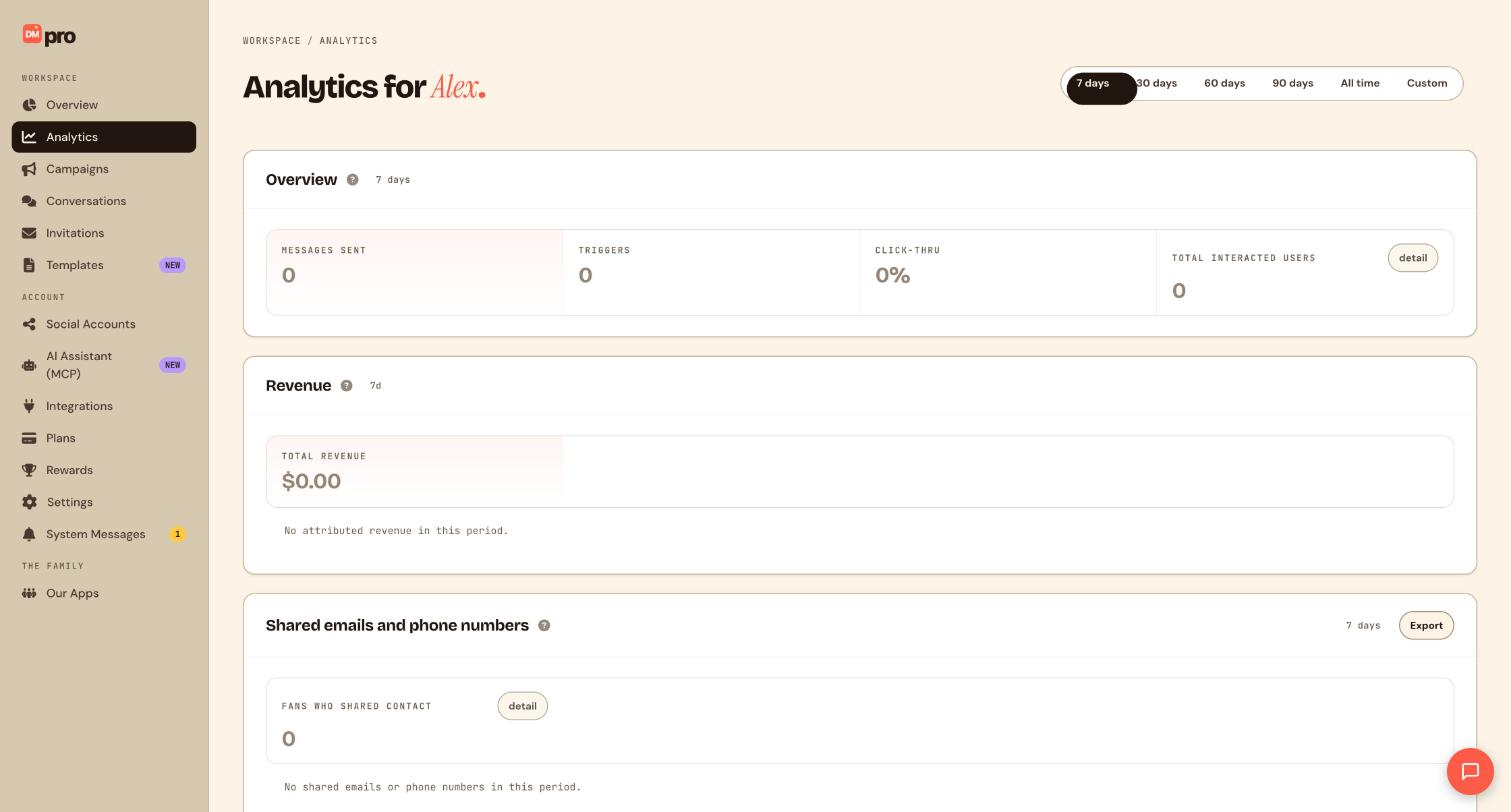
Click Analytics in the sidebar and choose the same period to compare. The Overview card shows messages sent, triggers, click-through and total interacted users, and Revenue shows attributed sales.
Tips
- Revenue figures come only from stores connected to DMpro. If a store is not connected, the assistant has nothing to report.
- Ask for the same period each time so you can compare week by week.
- Emails and phone numbers that fans shared are personal data. Ask for them only when you need them, and do not paste them into messages or campaigns.
- An assistant reports what happened. It cannot promise results.
If something goes wrong
The assistant says it has no data.
Check Performance & revenue is not set to Off and the period you asked for has activity. A new account with no connected social accounts has no results yet.
Numbers differ from my Analytics page.
Compare the same period. The assistant works in UTC, so a day boundary can shift a few messages from one day to the next.
Revenue shows zero.
Only sales from stores you have connected under Integrations are counted. Connect your store first, then ask again.
Related how-to guides
Still stuck? We’re happy to help.
Create your DMpro account, see pricing, or reach out to support directly.




