
How to redeem a coupon code
Apply a promo code for bonus credits, extra trial days, an account upgrade or a discount. About one minute.
Before you start
- The code, copied exactly if you can (DMpro has no public list of codes)
Pick the right place for your code
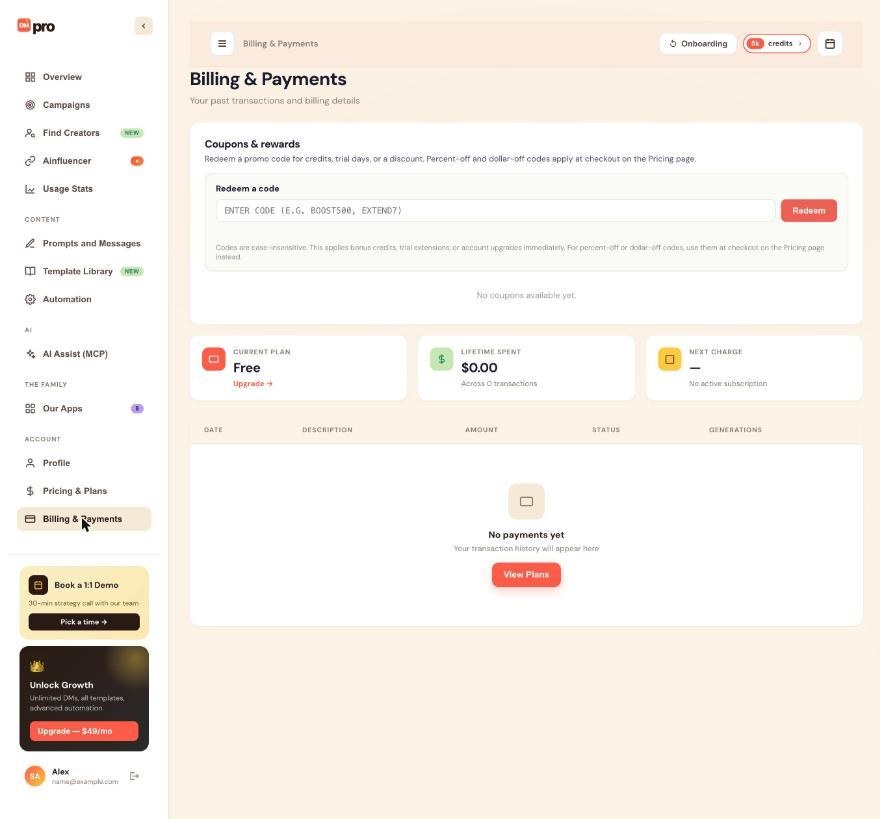
- Bonus credits, trial extensions and account upgrades: the redeem box on Billing & Payments. They apply at once.
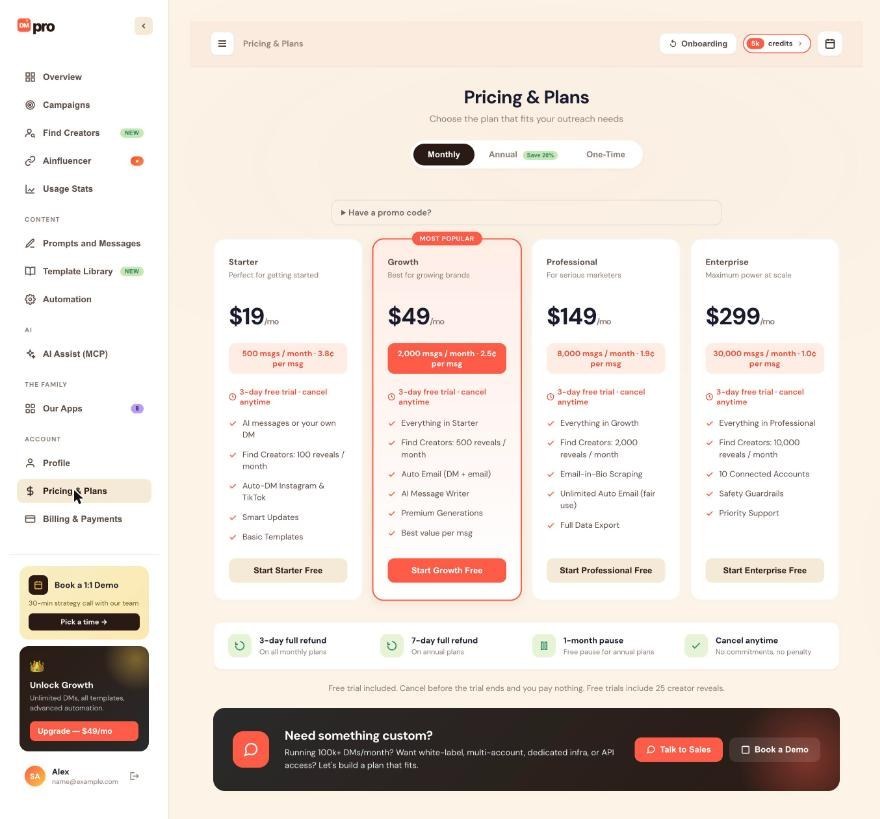
- Percent-off and dollar-off codes: Pricing & Plans, at checkout.
The note on the redeem box says the same. Codes are not case-sensitive. Codes come from DMpro or brandID emails, partner pages, a friend who shared theirs, or support. DMpro does not publish a list of active codes, so keep the email or message the code came from, because it often states the expiry and any limit such as annual plans only.
Redeem a credit, trial or upgrade code
Click Billing & Payments. In Coupons & rewards, find Redeem a code, type your code in the box (the example in it looks like BOOST500 or EXTEND7) and click Redeem.
Redeem a discount code at checkout
Click Pricing & Plans, expand Have a promo code? and enter the code, then pick your plan. On Stripe’s checkout page you may also see an Add promotion code link. Enter it there if the discount is not already shown.
Check that it worked
- Bonus credits: your credits pill and the Remaining card on Overview go up, and the credits never expire.
- Trial extension: your trial end date moves. It works only while you are in a trial.
- Account upgrade: your plan and features change for the period the coupon gives, then go back.
- Discount: the lower price shows on the checkout page.
If the code is rejected
Check these in order: a typo (O and 0, I and 1 are easy to mix up), a code that has expired, a single-use code you already redeemed, a restriction such as a minimum plan or annual-only, and an existing percent-off or dollar-off code, because only one of those can apply at a time. Credit, trial and free-month codes can stack with each other.
Tips
- Coupon credits count as one-time credits, so they stay until you use them.
- Some codes only work in one place. If a code fails at checkout, try the redeem box on Billing & Payments, and the other way around.
If something goes wrong
It says the code is invalid
Copy and paste the code instead of typing it, and make sure there is no space before or after. Capital and small letters do not matter. If it still fails, check the source of the code for an expiry date.
The code says it is already used
Most codes work once per account. If you redeemed it earlier, the effect is already on your account.
My discount code does nothing in the redeem box
Percent-off and dollar-off codes are for checkout. Redeem them on Pricing & Plans when you pick a plan, not in the redeem box.
Related how-to guides
Still stuck? We’re happy to help.
Create your account, or reach out to support.




