
How to redeem a gift link
Claim a paid DMpro plan that someone gave you as a link, with no card needed. About two minutes.
Before you start
- The gift link or its 10-character code
- A new DMpro account, or one that never had a paid subscription
- No other gift already active on the account
Check you can use it
Gift links are for people who are new to DMpro or who never subscribed. You cannot redeem one while you have an active paid subscription or an active gift, and an account flagged for sharing a social handle with another account cannot redeem one. If you have a subscription, ask the sender to keep the link for a friend or use a coupon instead.
Open the link
Click the link. A preview page shows the plan you get, how long it lasts, how many credits it includes, its retail value and a Claim Your Gift button. A gift costs nothing, needs no card and does not renew.
Click Claim Your Gift
What happens next depends on you:
- New to DMpro: you go to sign-up with the gift attached.
- You have an account but are signed out: you go to sign-in.
- Signed in and never subscribed: the gift applies straight away.
Finish sign-up if you are new
Enter your email, then type the 6-digit code DMpro emails to you, and go through onboarding. The gift is added when onboarding ends, and you do not have to enter it again.
From the extension instead: open the extension, click Sign Up or Sign In, expand Have a gift code? on the email screen and type the 10-character code. The extension previews the plan and length as you type: green means valid, red means invalid.
Confirm the gift is active
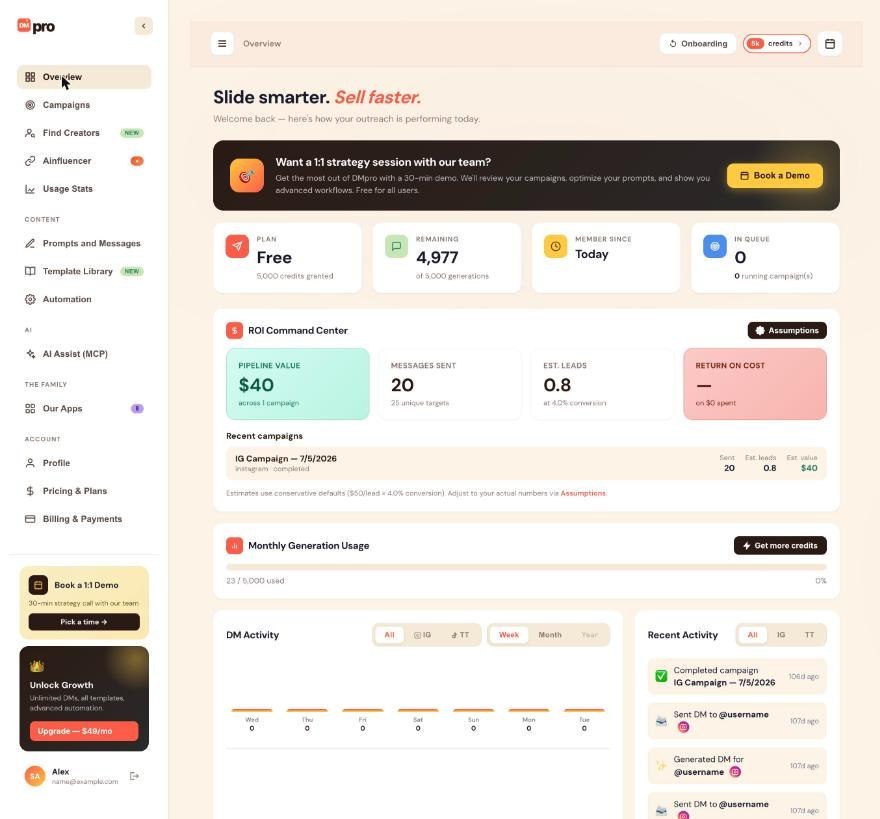
You see a congratulations popup with the plan, length and expiry date, and DMpro emails a confirmation. Open Overview to check that the Plan and Remaining cards show the gifted plan and credits. The Billing & Payments page also shows your active gift and when it ends.
Plan for the end date
DMpro emails you 7 and 3 days before the gift ends. On the end date, your account drops to Free: gift credits and paid features such as Auto Email switch off, but your account, prompts, campaigns and one-time credits stay. A campaign that needs credits then pauses as Out of Credits.
Tips
- Gifts do not renew and you can hold only one at a time. Redeem a second one after the first has ended.
- Never sign up twice with a different email to get a second gift: DMpro matches the Instagram or TikTok handle and blocks it.
If something goes wrong
“Gift links can’t be applied to accounts with active subscriptions”
You already pay for a plan, so the gift cannot be applied. Pass the link to a friend who is new to DMpro, or wait until your subscription ends.
“This gift link has expired” or “All gifts on this link have been claimed”
New redemptions stopped because the link passed its date or reached its cap. Gifts already claimed keep running. Ask the person who sent it for a new link.
I see a multi-account block instead of a gift
The Instagram or TikTok handle on your account is already linked to another DMpro account, so free credits, trials and gifts are not available. Contact support if you think this is a mistake.
Related how-to guides
Still stuck? We’re happy to help.
Create your account, or reach out to support.




