
The best content creation tools in 2026 are the ones that cover your whole workflow: research, writing, design, video, audio, and publishing. AI now sits at the start of most of those steps, which is why this list leads with AI tools and includes free options throughout.
We compared 20 content creation tools across six categories: AI writing, design, video, audio, writing and research, and social media. For each one you will find what it does best, who it is for, what it costs, and where it falls short. Whether you are a solo creator or a small marketing team, use the comparison table to shortlist, then read the breakdowns. And once your content is ready, see how to make money from what you create.
Last updated: October 17, 2026. Pricing is approximate and was last reviewed in October 2026.
Key Takeaways
- Build a stack, not a silver bullet: Most creators and small teams use three to five content creation tools across writing, design, video, and scheduling
- AI is the starting point: ChatGPT, Claude, and Gemini handle ideas and first drafts; Canva, Adobe Express, and Descript speed up production
- Free plans cover most needs: Canva, CapCut, Audacity, ChatGPT, Buffer, and Google Trends all have free tiers
- Match the tool to the job: Each format (design, video, audio, writing, social) has its own best-in-class tool
- Plan the whole workflow: Research, create, edit, publish, and monetize. Pick one tool per stage
Content Creation Tools Compared
Here are all 20 content creation tools side by side so you can build the right stack for your workflow and budget. Full breakdowns of each, by category, follow below.
| Tool | Category | Best for | Free plan | Price |
|---|---|---|---|---|
| ChatGPT | AI writing | Captions, scripts, and ideas | Yes | Free / $20 mo |
| Claude | AI writing | Long-form writing and editing | Yes | Free / $20 mo |
| Google Gemini | AI writing & research | Drafting inside Google apps | Yes | Free / ~$20 mo |
| Jasper | AI writing | On-brand marketing copy at scale | Trial | From $49 mo |
| Canva | Graphic design | Fast, on-brand graphics | Yes | Free / $15 mo |
| Adobe Express | Graphic design | Quick on-brand visuals for Adobe users | Yes | Free / ~$10 mo |
| Adobe Photoshop | Graphic design | Pro photo editing | Trial | From $22.99 mo |
| Adobe Firefly | Graphic design | Commercially safe AI images | Yes | Free / $9.99 mo |
| CapCut | Video | Short-form editing for social | Yes | Free / $10 mo |
| Descript | Video & audio | Transcript-based editing | Yes | Free / $12 mo |
| Riverside | Video & podcast | Studio-quality remote recording | Trial | From $24 mo |
| ElevenLabs | Audio | Realistic AI voiceovers | Yes | Free / $22 mo |
| Audacity | Audio | Free multi-track recording | Yes | Free |
| Grammarly | Writing | Grammar and clarity | Yes | Free / $12 mo |
| Notion | Productivity | Planning and collaboration | Yes | Free / $10 mo |
| Surfer SEO | Writing / SEO | SEO content optimization | No | From $99 mo |
| Google Trends | Research | Finding trending topics | Yes | Free |
| Buffer | Social media | Simple scheduling | Yes | Free / $6 mo per channel |
| Later | Social media | Visual planning for Instagram | Yes | Free / $25 mo |
| Hootsuite | Social media | Managing many accounts | Trial | From $99 mo |
How We Chose These Content Creation Tools
We looked at each tool’s features, pricing, free plan, ease of use, and user reviews, and chose tools that cover a full creator workflow from research to publishing. We favored tools with a free plan or free trial so you can test before you pay, and we note the main trade-off of each one so you know what you are signing up for.
Best Free Content Creation Tools
You do not need a budget to start. These content creation tools have free plans that cover most of what creators need:
- Canva: free design and social graphics
- CapCut: free video editing with captions and templates
- Audacity: free, open-source audio editing
- ChatGPT, Claude, and Gemini: free AI writing and brainstorming
- Buffer: free scheduling for a few channels
- Google Trends: free topic research
- Notion: free planning and content calendars
Free plans usually limit exports, brand kits, AI credits, or the number of connected accounts. Start free, then pay only when a limit slows you down.
What Are Content Creation Tools?
Content creation tools are the software and apps creators use to plan, produce, edit, and publish content, whether that is a blog post, a graphic, a video, a podcast, or a social media post. Modern digital content creation software spans every format, and the best setups combine a few specialized tools rather than relying on a single app to do everything.
Best AI Content Creation Tools (Writing, Image, Video & Voice)
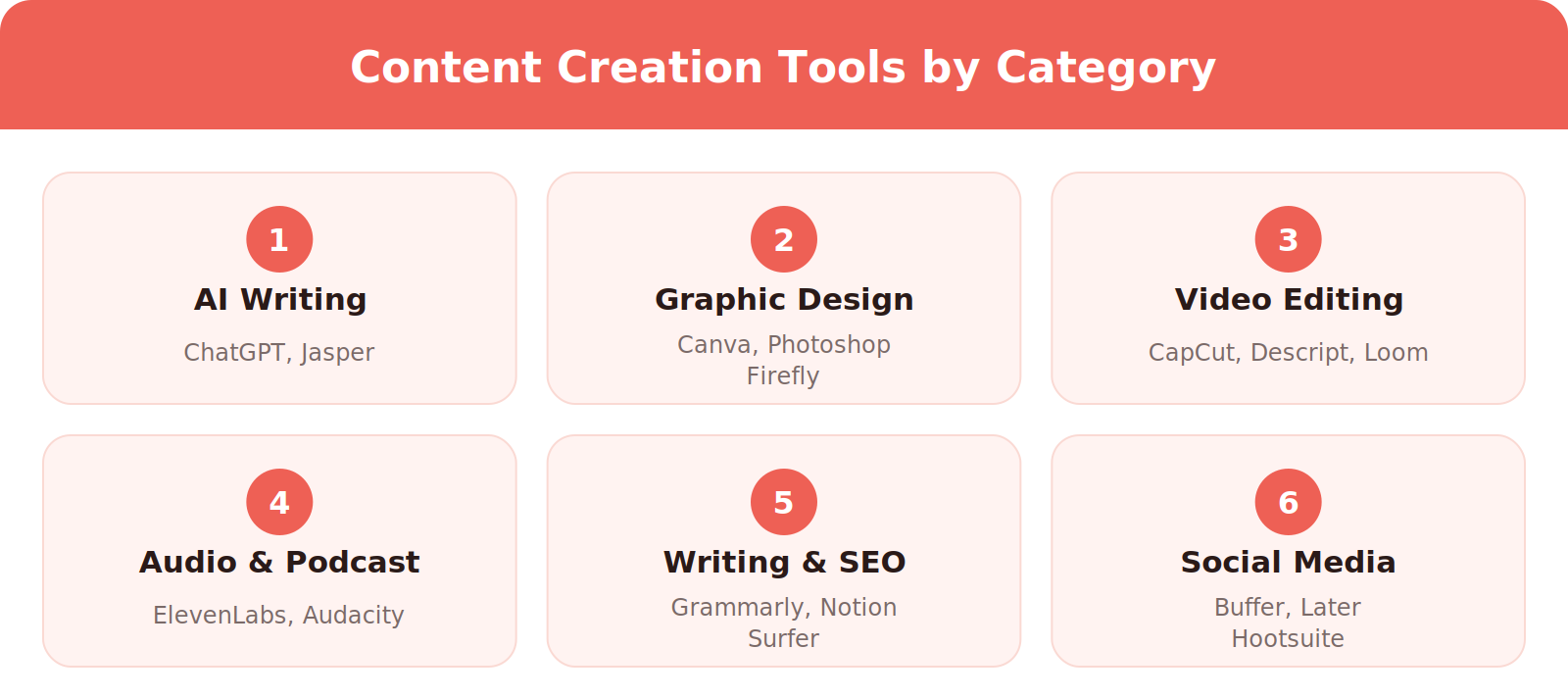
AI tools are now the starting point for most creators, handling ideation, drafts, and repurposing so you spend more time on strategy and less on busywork. They fall into a few groups: writing assistants, image generators, and video and voice tools. Here is how the AI tools in this list map to the job:
- Brainstorming and drafts: ChatGPT, Claude, Gemini
- Brand-voice marketing copy: Jasper
- Images: Adobe Firefly, Canva
- Voiceovers and dubbing: ElevenLabs
- Video and audio editing: Descript
Whichever you pick, keep a human in the loop: edit AI drafts for accuracy, originality, and your own voice before you publish.
1. ChatGPT
ChatGPT is an AI content creation tool that turns plain-language prompts into finished text. Powered by a large language model, it drafts social captions, video scripts, blog outlines, hooks, and content ideas in seconds, then refines them when you ask for a different angle, tone, or length. Because it understands audience and voice, a prompt like “write five viral hooks for my fitness niche” returns usable drafts you can polish in minutes.
Key features:
- Long-form and short-form writing, brainstorming, and repurposing
- Custom instructions and saved GPTs to lock in your brand voice
- Image generation and file analysis in one chat
- Free plan, with ChatGPT Plus around $20 per month for the newest models
Best for: Brainstorming, captions, scripts, and first drafts
Pros: Very flexible across formats; strong free plan
Cons: Output can sound generic without a clear brief; facts need checking
2. Claude
Claude is an AI assistant from Anthropic that is strong at long-form writing, editing, and structured research. Give it a brief, a draft, or a transcript and it returns outlines, scripts, rewrites, and repurposed posts in a natural tone, and it handles long documents well.
Key features:
- Long-form drafting, rewriting, and summarizing
- Projects and custom instructions to keep brand voice consistent
- File and image analysis
- Free plan, with paid plans from about $20 per month
Best for: Long-form writing, editing, and turning transcripts into posts
Pros: Natural-sounding drafts; handles long documents well
Cons: Fewer built-in marketing templates than tools like Jasper
3. Google Gemini
Gemini is Google’s AI assistant for drafting, research, and multimodal work. It fits creators who live in Google Workspace, since it works alongside Docs, Gmail, and Drive, so you can go from research to a finished draft without switching apps.
Key features:
- Drafting and brainstorming inside Google apps
- Image and media generation
- Research and summarizing of long sources
- Free plan, with a paid tier for advanced models
Best for: Creators and teams already using Google Workspace
Pros: Works with Docs, Gmail, and Drive; free plan
Cons: Less focused on marketing templates and brand voice than Jasper
4. Jasper
Jasper is an AI writing tool built for marketing teams that need on-brand copy at scale. You give it a short brief or pick from dozens of templates, and it generates ads, product descriptions, emails, and social posts, learning your brand voice so everything sounds consistent across a full content calendar. It is more structured than a blank chatbot, which makes it a fit for businesses producing high volumes of marketing content.
Key features:
- 50-plus templates for ads, social, and product copy
- Brand voice and style memory for consistency
- Built-in SEO mode and team collaboration
- Jasper Art for on-brand images; plans from about $49 per month
Best for: Marketing teams producing on-brand copy at volume
Pros: Templates and brand voice memory built for marketing
Cons: No permanent free plan and a higher price than general assistants
Best Content Creation Tools for Graphics & Design
Great visuals stop the scroll. These design tools help you create on-brand graphics fast, even without a design background.
5. Canva
Canva is one of the most popular content creation tools for visuals, built around a drag-and-drop editor anyone can use. You start from one of thousands of templates, drop in elements from a huge library of photos, fonts, and icons, and produce social posts, slides, thumbnails, and ads in minutes, no design skills required.
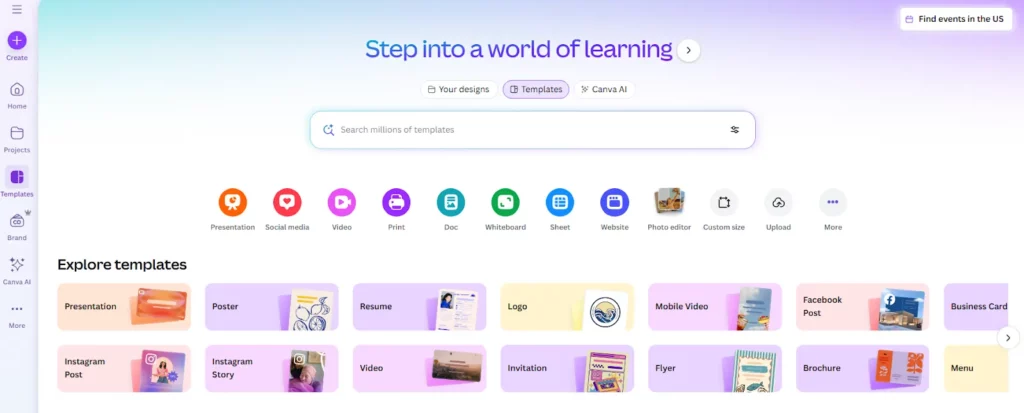
Its Magic Studio AI does the heavy lifting: Magic Design builds layouts from a prompt, Magic Write drafts copy, and Background Remover and Magic Resize adapt assets for every platform. You can even plan and schedule posts from the built-in Content Planner.
Key features:
- Thousands of templates for social, print, and video
- Magic Studio AI for design, writing, and editing
- Brand Kit to keep colors, fonts, and logos consistent
- Free tier, with Canva Pro around $15 per month
Best for: Non-designers who need fast, polished graphics
Pros: Huge template library; easy to learn
Cons: Less precise than Photoshop for detailed work; some AI and brand features need Pro
6. Adobe Express
Adobe Express is Adobe’s lighter, template-based design tool for social graphics, short videos, and quick edits. It sits between Photoshop and a blank canvas, and it connects with the wider Creative Cloud, which makes it the natural pick for creators and teams already using Adobe apps.
Key features:
- Templates for social posts, video, and print
- Generative AI powered by Firefly
- Brand kits and one-click resizing
- Free plan, with paid plans from about $10 per month
Best for: Creators and teams already in the Adobe ecosystem
Pros: Fits Creative Cloud workflows; free plan
Cons: Smaller template community than Canva
7. Adobe Photoshop
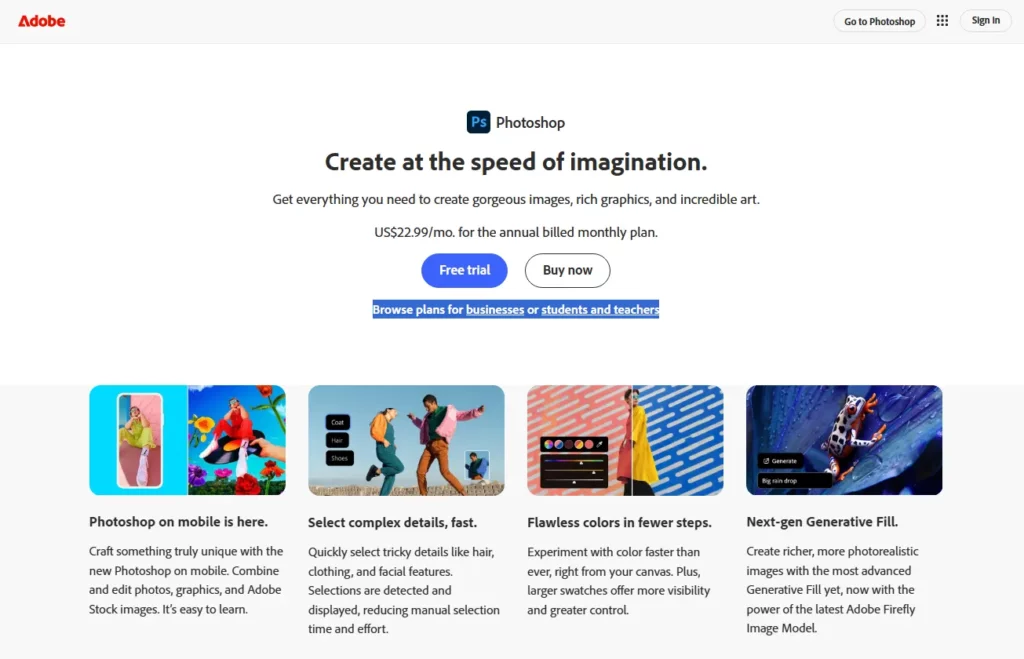
Adobe Photoshop is the professional standard for editing photos and images. You work in layers and masks so every change is non-destructive, letting you adjust color and light, retouch, cut out subjects, and composite multiple images into new scenes. It has the steepest learning curve on this list, so beginners are usually better off starting with Canva or Adobe Express, but nothing matches its precision for detailed work.
Key features:
- Layer and mask-based non-destructive editing
- AI Generative Fill and Generative Expand
- Advanced retouching, selections, and RAW editing
- Part of Creative Cloud from about $22.99 per month
Best for: Professional photo editing and detailed image work
Pros: Unmatched precision and layer control
Cons: Steepest learning curve on this list; subscription only
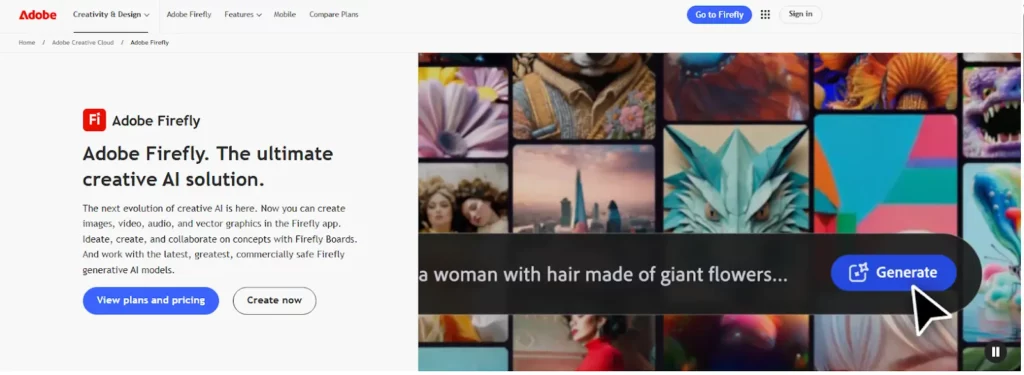
8. Adobe Firefly
Adobe Firefly is Adobe’s generative AI tool for images and video. Type a prompt such as “remove the crowd” or “make it a neon look” and it generates or edits instantly, either on its own or inside Photoshop and Adobe Express. Because it is trained on licensed content, its output is commercially safe, which matters for brand and client work.
Key features:
- Text-to-image and generative fill or expand
- Background swap, object removal, and upscaling
- Text effects, vector art, and short video clips
- Free monthly credits, with paid plans from about $9.99 per month
Best for: Brand and client work that needs commercially safe AI images
Pros: Licensed training data; works inside Photoshop and Express
Cons: Generation credits are limited on lower plans
Also consider: Midjourney for highly stylized AI images and Figma for collaborative brand templates and design systems.
Best Video Content Creation Tools
Video is the highest-performing format on every platform. These video content creation tools help you capture, cut, and publish professional clips in minutes, not days. If you generate footage with AI instead of filming it, realism is what keeps viewers trusting it, which is the whole focus of creating authentic AI videos with Seedance 2.5.
9. CapCut
CapCut is the most-used free video editor in the world and the default for short-form content. You edit on a simple timeline (on mobile or desktop), trimming clips, syncing cuts to the beat, and layering text, stickers, and effects, then export in any aspect ratio for TikTok, Reels, or YouTube Shorts. Its speed and TikTok-native effects make it far faster than traditional editors for social video.
Key features:
- Auto-captions and text-to-speech
- Templates, beat sync, and green screen
- AI background removal and 4K export
- Generous free tier, with Pro around $10 per month
Best for: Fast short-form video for TikTok, Reels, and Shorts
Pros: Quick to learn; strong free tier and templates
Cons: Some effects and exports are Pro-only; less suited to long-form editing
It is a favorite for creators who make money on TikTok and need to publish daily.
10. Descript
Descript is a video and audio editor that works by editing a transcript. It transcribes your recording automatically, and when you delete a word or sentence in the text, the media updates to match, which makes editing feel like working in a document. It is ideal for podcasters, YouTubers, and anyone repurposing long recordings into social clips.
Key features:
- Transcript-based video and audio editing
- One-click filler-word and silence removal
- Overdub AI voice to fix mistakes without re-recording
- Screen recording and captions; free tier, paid from about $12 per month
Best for: Podcasters, YouTubers, and repurposing long recordings
Pros: Edit video by editing text; fast cleanup of filler words
Cons: Less suited to complex multi-layer video effects
11. Riverside
Riverside records video and podcast episodes in studio quality straight from the browser. Each guest is recorded locally, so the final files stay sharp even if the internet connection drops, and built-in editing and AI clips help you turn a long episode into short social posts.
Key features:
- Local recording for every guest, in high quality
- Text-based editing and AI-generated clips
- Screen sharing, captions, and live streaming
- Free trial, with paid plans from about $24 per month
Best for: Interviews, remote podcasts, and talking-head video
Pros: Studio-quality recordings with remote guests; built-in editing
Cons: Free access is limited; priced above simple recorders
Best Audio & Podcast Content Creation Tools
From lifelike voiceovers to free multi-track editing, these tools make it easy to record, polish, and publish audio worth replaying.
12. ElevenLabs
ElevenLabs is an AI voice tool that produces the most realistic synthetic speech available. Paste your script, choose or clone a voice, and it generates studio-quality narration in seconds, adjusting tone, speed, and style to match your brand. It also powers video localization in 70-plus languages, so a single video can reach a global audience.
Key features:
- Ultra-realistic text-to-speech and voice cloning
- Multilingual dubbing and speech-to-speech conversion
- Fine control over tone, pace, and emphasis, plus an API
- Free tier, with Creator plans around $22 per month
Best for: Voiceovers, audiobooks, and dubbing
Pros: Very natural voices; voice cloning and dubbing in one tool
Cons: Free credits run out quickly; cloned voices need clear consent and rights
It suits podcast intros, audiobooks, translated YouTube videos, and multilingual content marketing at scale.
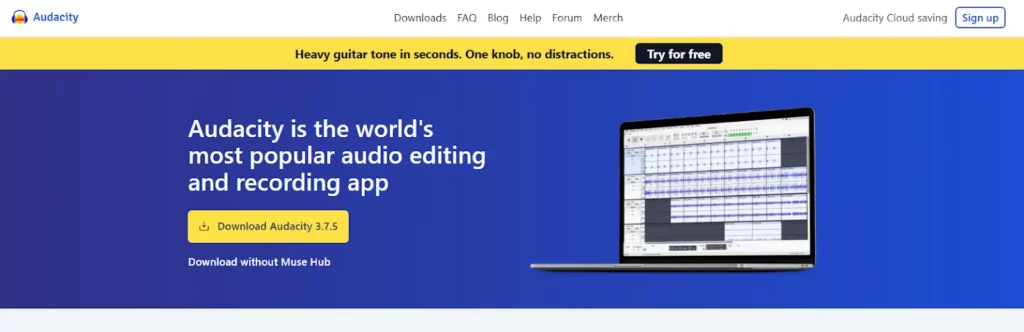
13. Audacity
Audacity is a free, open-source audio recorder and editor that runs on Windows, macOS, and Linux. You record and arrange sound on a multi-track timeline, then clean it up with built-in tools, no subscription required. It is the go-to for creators on a budget who still want dependable, professional results.
Key features:
- Multi-track recording and editing
- Noise reduction, EQ, and level balancing
- Wide format support (MP3, WAV, FLAC) and batch export
- Free, with an active library of community plugins
Best for: Budget-friendly podcast and voice editing
Pros: Free and open source; powerful for the price
Cons: Dated interface; no built-in AI or cloud collaboration
It is a favorite for podcasts and for anyone looking to sell audiobooks.
Best Research, Writing & Productivity Tools for Content Creation
Good content starts with the right topic, and polished writing and an organized workflow keep it consistent and on schedule. These tools for content creation handle research, writing, and planning.
14. Grammarly
Grammarly is an AI writing assistant that checks your text in real time across almost any app, from Google Docs to social platforms. As you type, it fixes grammar, spelling, and punctuation, then coaches tone and clarity so your writing lands the way you intend. It works quietly in the background, which makes it one of the easiest content creation tools to adopt.
Key features:
- Real-time grammar, spelling, and punctuation fixes
- Tone detection and clarity suggestions
- AI rewrite, shorten, and expand tools
- Brand style guides and plagiarism checks; free and paid plans
Best for: Polishing everything you write, in any app
Pros: Works almost everywhere; very easy to adopt
Cons: Advanced tone and AI features need a paid plan
15. Notion
Notion is an all-in-one workspace that keeps your entire content operation in one place. You plan drafts, research, tasks, and calendars in linked pages and databases, and Notion AI can brainstorm, rewrite, and summarize inline, so you stop switching between a dozen apps. For teams, it doubles as a content calendar and knowledge base.
Key features:
- Boards, calendars, and databases for content planning
- Notion AI for drafting, summarizing, and rewriting
- Templates for briefs, SOPs, and checklists
- Comments, version history, and integrations; free and paid plans
Best for: Content calendars, briefs, and team collaboration
Pros: Flexible databases and calendars; usable free plan
Cons: Takes time to set up well
16. Surfer SEO
Surfer SEO is a content optimization tool that helps your writing rank. It analyzes the top-ranking pages for your target keyword, then scores your draft inside a content editor, suggesting headings, terms, and length so you cover a topic as thoroughly as the competition. It is a favorite for creators who treat search as a core traffic source.
Key features:
- Real-time content editor with an optimization score
- SERP analyzer and keyword research
- Content audit for refreshing old posts
- AI outlines and briefs; paid plans
Best for: Creators and teams who rely on search traffic
Pros: Data-driven editor; content audit helps refresh old posts
Cons: Paid only; following the score blindly can make writing formulaic
17. Google Trends
Google Trends shows what people are searching for and how interest changes over time, which makes it the free way to pick topics before you create. Compare terms, spot seasonal spikes, and see which regions and related queries are rising so you publish when demand is highest.
Key features:
- Rising and seasonal topics
- Regional and related-query breakdowns
- Side-by-side comparison of search terms
- Completely free
Best for: Choosing topics and timing your content
Pros: Free; shows seasonal and regional demand
Cons: Shows relative interest, not exact search volumes
Best Social Media Content Creation Tools
Creating content is only half the job; you also need to schedule and publish it consistently. These social media content creation tools help you plan a calendar, post at the right times, and track what works. A simple workflow: create with Canva, CapCut, and ChatGPT, then schedule with Buffer, Later, or Hootsuite. Also explore the native creator tools inside TikTok, YouTube, and Instagram, which add built-in editing, analytics, and monetization features.
18. Buffer
Buffer is a clean, beginner-friendly tool for scheduling content across every major platform. You connect your accounts, queue posts on a visual calendar, and Buffer publishes them automatically at the times you choose. Its simplicity and generous free plan make it a great first social media content creation tool.
Key features:
- Multi-platform scheduling and auto-posting
- AI assistant for captions and post ideas
- Visual calendar and simple analytics
- Free plan for solo creators, with affordable paid tiers
Best for: Solo creators who want simple scheduling
Pros: Beginner-friendly; generous free plan
Cons: Lighter analytics and listening than Hootsuite
19. Later
Later is a visual-first scheduler built for Instagram, TikTok, and Pinterest. You drag and drop media onto a calendar and preview exactly how your feed grid will look before anything goes live, which makes it easy to plan a cohesive aesthetic. It adds reach-boosting extras on top of scheduling.
Key features:
- Drag-and-drop visual planner and feed preview
- Best-time-to-post recommendations
- Link-in-bio and hashtag tools
- Analytics to track performance; free and paid plans
Best for: Visual planning for Instagram, TikTok, and Pinterest
Pros: Feed preview and best-time-to-post suggestions
Cons: Strongest on visual platforms; advanced features need paid plans
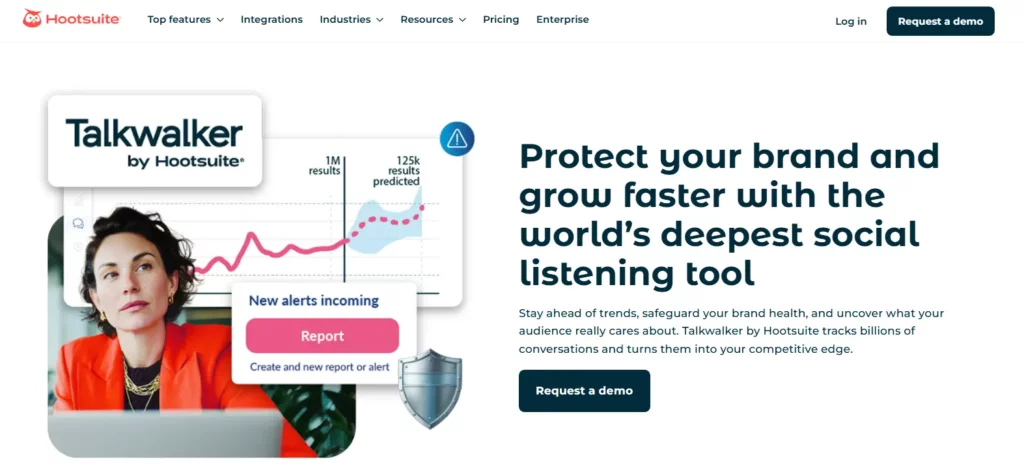
20. Hootsuite
Hootsuite is a powerful platform for managing many social accounts at once, combining scheduling with real-time social listening. From one dashboard you can publish across networks, then monitor mentions, trends, and audience sentiment in live streams and turn those insights into smarter posts and campaigns. It is aimed at brands and teams rather than casual creators.
Key features:
- Bulk scheduling across many accounts
- Real-time social listening and sentiment analysis
- Competitor tracking and share of voice
- Dashboards and reports for teams; paid plans
Best for: Brands and teams managing many accounts
Pros: Social listening and bulk scheduling in one dashboard
Cons: Higher price and more than casual creators need
Choose Content Creation Tools by Workflow Stage
The easiest way to build a stack is to pick one tool for each stage of your workflow:
| Stage | What you need | Tools from this list |
|---|---|---|
| Research | Topic and keyword ideas | Google Trends, Surfer SEO |
| Plan | Calendar and briefs | Notion |
| Write | Drafts, scripts, and captions | ChatGPT, Claude, Gemini, Jasper, Grammarly |
| Design | Graphics and thumbnails | Canva, Adobe Express, Photoshop, Firefly |
| Video | Recording and editing | CapCut, Descript, Riverside |
| Audio | Voice and podcasts | ElevenLabs, Audacity |
| Publish | Scheduling and analytics | Buffer, Later, Hootsuite |
| Monetize | Turn content into income | brandID |
How to Choose the Right Content Creation Tools
You do not need every tool on this list. Use the workflow table above and build a lean stack around what you actually publish:
- Start with your main format. Pick one strong tool for your core output, whether that is video, graphics, writing, or audio.
- Add an AI assistant. A tool like ChatGPT or Claude speeds up ideation and drafting across every format.
- Layer in scheduling. A social media tool like Buffer or Later keeps you posting consistently.
- Lean on free tiers. Canva, CapCut, Audacity, ChatGPT, and Google Trends cover most needs before you pay for anything.
- Close the loop with monetization. Add brandID so the content you create can actually earn.
Make Money From the Content You Create With brandID
Creating content is half the job. brandID is the all-in-one creator store and link in bio platform that sits at the end of your workflow: create with the tools above, then earn with brandID. From one branded page you can sell digital products like ebooks, videos, music, and courses, run subscriptions and memberships, collect tips, and promote products through the brandID affiliate program. Setup takes minutes with no coding.
Build a free brandID store, sell digital products, and earn from affiliates, subscriptions, and tips, all in one place.
Sign Up for brandID FreeConclusion
The best content creation tools are the ones that fit your workflow and get out of your way. Most creators thrive with a small stack: an AI assistant for ideas, a design or video tool for production, a scheduler for consistency, and a monetization platform to turn effort into income.
Start with the free tiers, master a few tools before adding more, and let brandID handle the part that matters most, getting paid for the content you work so hard to create.
Content Creation Tools FAQs
What Are Content Creation Tools?
Content creation tools are software and apps that help you plan, produce, edit, and publish content, including writing, graphics, video, audio, and social media posts. Most creators use a stack of three to five tools across different categories rather than one app for everything.
What Are the Best Free Content Creation Tools?
Several top tools have generous free tiers, including Canva for design, CapCut for video, Audacity for audio, ChatGPT, Claude, and Gemini for writing and ideas, Google Trends for research, and Buffer for scheduling. brandID is also free to start for selling and monetizing your content.
What Are the Best Content Creation Tools for Social Media?
For social media, Canva and CapCut handle graphics and short-form video, ChatGPT writes captions and hooks, and Buffer, Later, or Hootsuite handle scheduling and analytics across platforms. Together they cover the full create-and-publish workflow.
What Are the Best AI Content Creation Tools?
Top AI content creation tools include ChatGPT, Claude, and Gemini for writing and ideas, Jasper for on-brand marketing copy, Canva Magic Studio and Adobe Firefly for images, ElevenLabs for voiceovers, and Descript for video and audio editing.
What Is the Best AI Tool for Content Creation?
It depends on the job. ChatGPT and Claude are strong for ideas and drafts, Jasper for on-brand marketing copy, Canva for design, ElevenLabs for voiceovers, and Descript for editing. Start with one AI assistant and add others as needed.
What Is the Best Free Video Creation Software?
CapCut is the best free video editor for short-form content, and Descript and Riverside both offer a free plan or trial. Free versions limit exports or features, so check the plan before you commit.
What Is the Best Platform for Content Creators?
Creators need a stack rather than one platform: a tool to create, a tool to schedule, and a platform to earn from their audience. brandID covers the last part with a creator store, affiliate products, and tips.
What Are the Best Content Creation Tools for a Small Marketing Team?
A lean team often uses an AI writing tool, Canva or Adobe Express for design, Buffer or Hootsuite for scheduling, and Notion for planning.
What Is Digital Content Creation Software?
Digital content creation software is any program used to make digital media, from design apps like Canva and Photoshop to video editors like CapCut and Descript, audio tools like Audacity, and all-in-one platforms. The best choice depends on the format you create most.
What Tools Do Content Creators Use?
Most content creators run a stack of a few tools: one for their main format (like CapCut for video or Canva for graphics), an AI assistant like ChatGPT or Claude, a scheduler like Buffer or Later, and a monetization platform like brandID to earn from their work.
How Many Content Creation Tools Do I Need?
Start with two or three and master them before adding more. A typical lean stack is one production tool for your main format, one AI assistant, and one scheduler, plus a monetization tool once you are ready to earn.
 Summarize this article with:









