
How to update your payment method
Replace the card DMpro charges before it expires or after a failed payment. About one minute.
Before you start
- A paid subscription, so there is a card on file
- Your new card details (you type them only on Stripe’s page)
Decide when to update
Update your card in any of these cases: it is about to expire, you want a different card charged, your billing address changed, or the bank replaced or cancelled the card. Even if the new card number looks similar, the new details must be added. Do it before the next renewal date, because a failed renewal starts a short grace period and then ends the subscription.
Open your billing page
Click Billing & Payments in the left menu. The Current plan and Next charge cards show what is billed and when. Note the date in Next charge: that is the date your new card has to be in place.
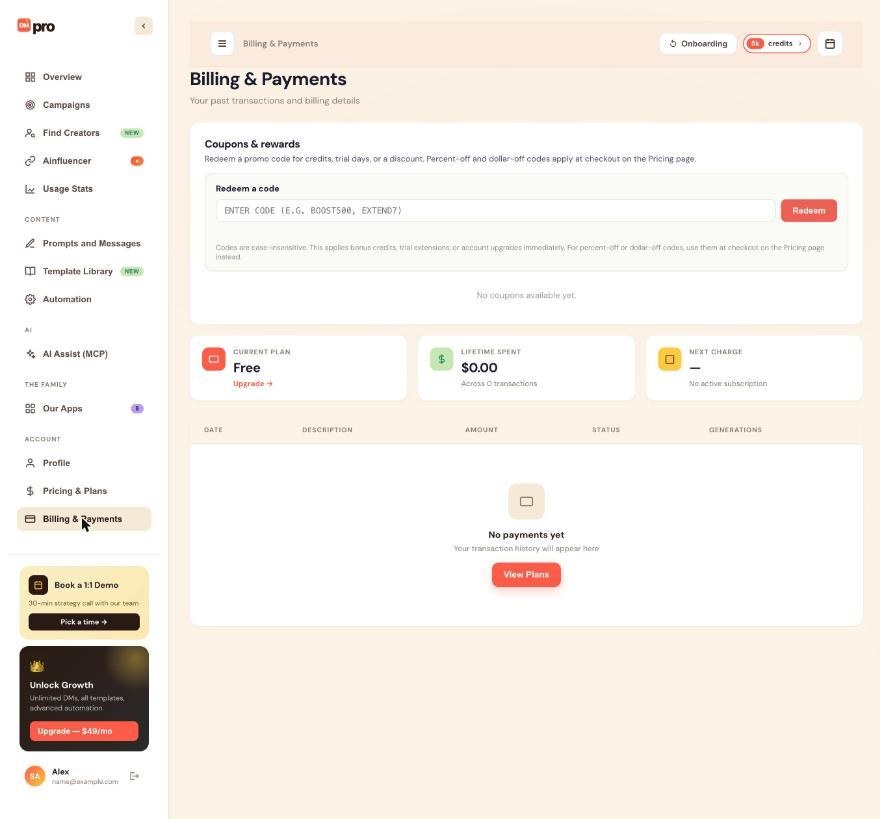
Click Update Payment Method
Click Update Payment Method. Stripe’s billing portal opens in a new tab. DMpro never sees or stores your card number: Stripe keeps the card and gives DMpro a token.
Add the new card in Stripe
In the Stripe tab, add your new card and, if the portal shows more than one card, set the new one as the default. You can also update your billing address here.
Remove the old card only afterwards
Delete the old card once the new one is the default. If you delete your only card, DMpro has nothing to charge, and the subscription eventually cancels.
Close the tab and check the date
Return to the DMpro tab and reload Billing & Payments. The Next charge card still shows your next billing date, and that charge now uses the new card. A scheduled renewal and a trial conversion both use the new card. Past charges are not affected.
Tips
- Update the card before it expires. If a renewal fails, you have a short grace period and DMpro emails you at each retry.
- If your update fails at Stripe (wrong number, wrong security code), the old card stays active. Fix the detail and try again.
If something goes wrong
My renewal payment failed
Your plan stays active for a 3-day grace period while Stripe retries the card. Update your card as above and Stripe retries the charge straight away. If all retries fail, the subscription is cancelled and you drop to Free; one-time credits stay.
I was charged but DMpro shows the payment as failed
Wait 24 hours: a short delay between Stripe and DMpro is common. Then compare the amount and date on your bank statement with the row on Billing & Payments. If they still disagree, contact support with your account email, the amount, the date and a screenshot of the statement. Do not start a chargeback first.
My bank keeps blocking the charge
DMpro is based in Canada, so banks in other countries sometimes flag the charge. Call your bank and ask it to allow it, or use a different card.
Related how-to guides
Still stuck? We’re happy to help.
Create your account, or reach out to support.




