
How to redeem a gift code
Enter a gift code to upgrade your plan or add credits, and check what you received and for how long.
Before you start
- A gift code from an email or a promotion
- To be signed in to the DMpro account that should receive it
Find your code
Gift codes arrive by email or with a promotion. Copy it exactly, or type it carefully. Make sure you are signed in to the DMpro workspace that should get the plan, because the benefit goes to the account you redeem it in.
If the code came in an email, copy it from the email rather than retyping it. Letters like O and 0 or I and l are easy to mix up. If you have several DMpro accounts, for example a personal one and a client one, decide which one should be upgraded before you continue.
Open the gift page
Open dmpro.brandid.app/gift in your browser while signed in. This page is separate from Plans and is not in the sidebar. A shortcut: if you are upgrading anyway, you can enter the code during Stripe checkout on the Plans page instead.
Enter the code and click Redeem
Type the code into the field and click Redeem.
Redeeming applies the gift to your account straight away, and a code usually works once. Check the spelling and the account before you click.
If the page says the code is not valid, do not keep trying variations. Check the expiry date in the original message, then see the fixes below.
Read the confirmation
The confirmation tells you the new plan tier and, if there is one, when it expires. Some gifted plans are one time: they end on the date shown and your account goes back to Free. Others renew automatically, which needs a payment method on file. The confirmation says which one you got.
Check your plan
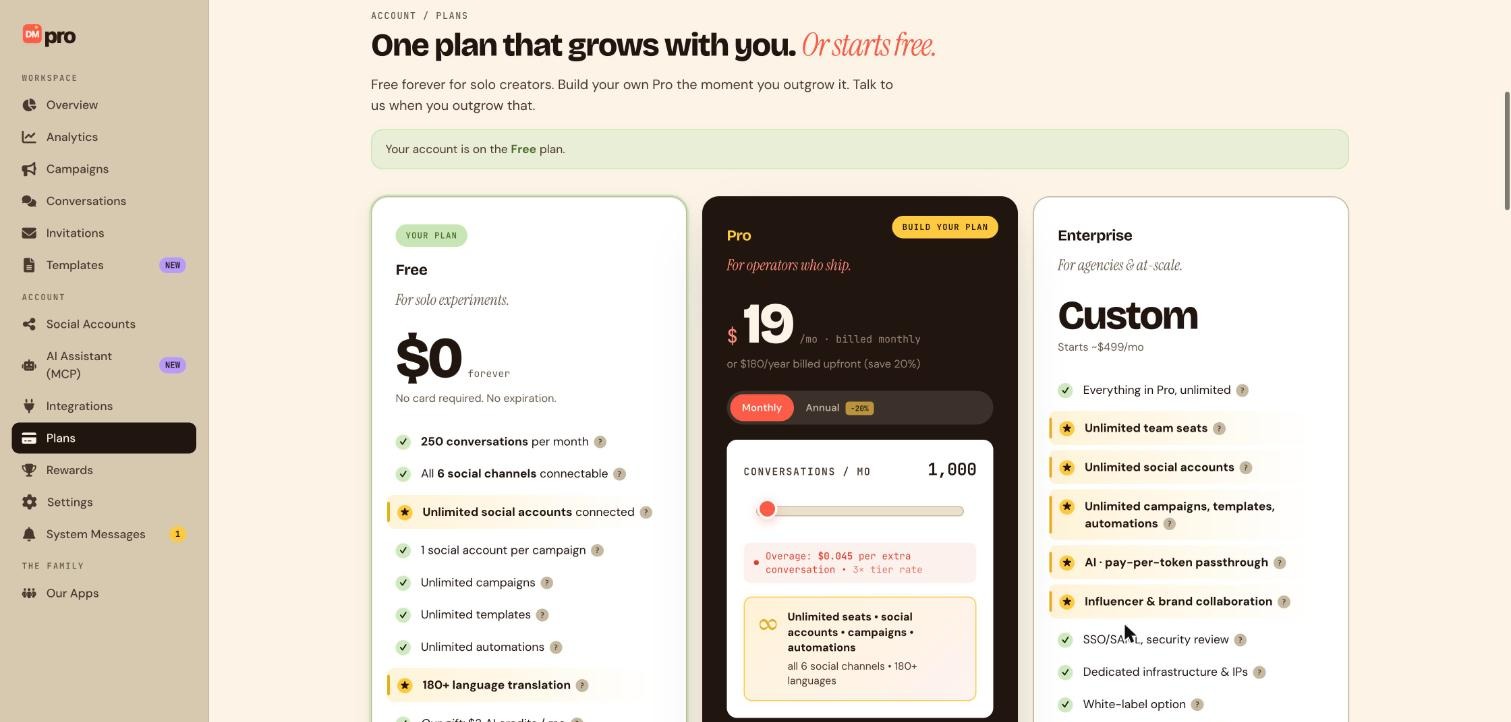
Open Plans in the sidebar. The banner at the top shows which plan your account is on, and the Overview page shows your conversations and AI credits for the month. For example, if a gift moved you from Free to Pro, the banner and the sidebar should name Pro, and the conversation limit on Overview should match your new plan.
Tips
- Gift codes are not the same as reward prizes. Rewards use the score you earn on the Rewards page.
- If your gifted plan is one time, add a reminder before it ends so your campaigns are not surprised by the move back to Free limits.
- Do not share your code in public. Anyone who redeems it first gets the benefit.
If something goes wrong
Redeem fails.
The code may have expired or already been used. Check the spelling and the expiry date, then contact the person who sent it or message support from System Messages.
My account went back to Free.
A one time gifted plan expires on the date in your confirmation and reverts to Free. Upgrade on Plans to stay on Pro.
I want to use the code while upgrading.
On the Plans page start the upgrade, and enter the code on the Stripe checkout page.
Related how-to guides
Still stuck? We’re happy to help.
Create your DMpro account, see pricing, or reach out to support directly.




