
How to connect Claude Code to bookme
Add bookme to Claude Code with one command, sign in once, and run your scheduling from the terminal. The server runs from your computer, and you choose what it may do.
Before you start
- A bookme account (MCP access is listed on Starter, Pro and Elite).
- Claude Code installed and working in your terminal.
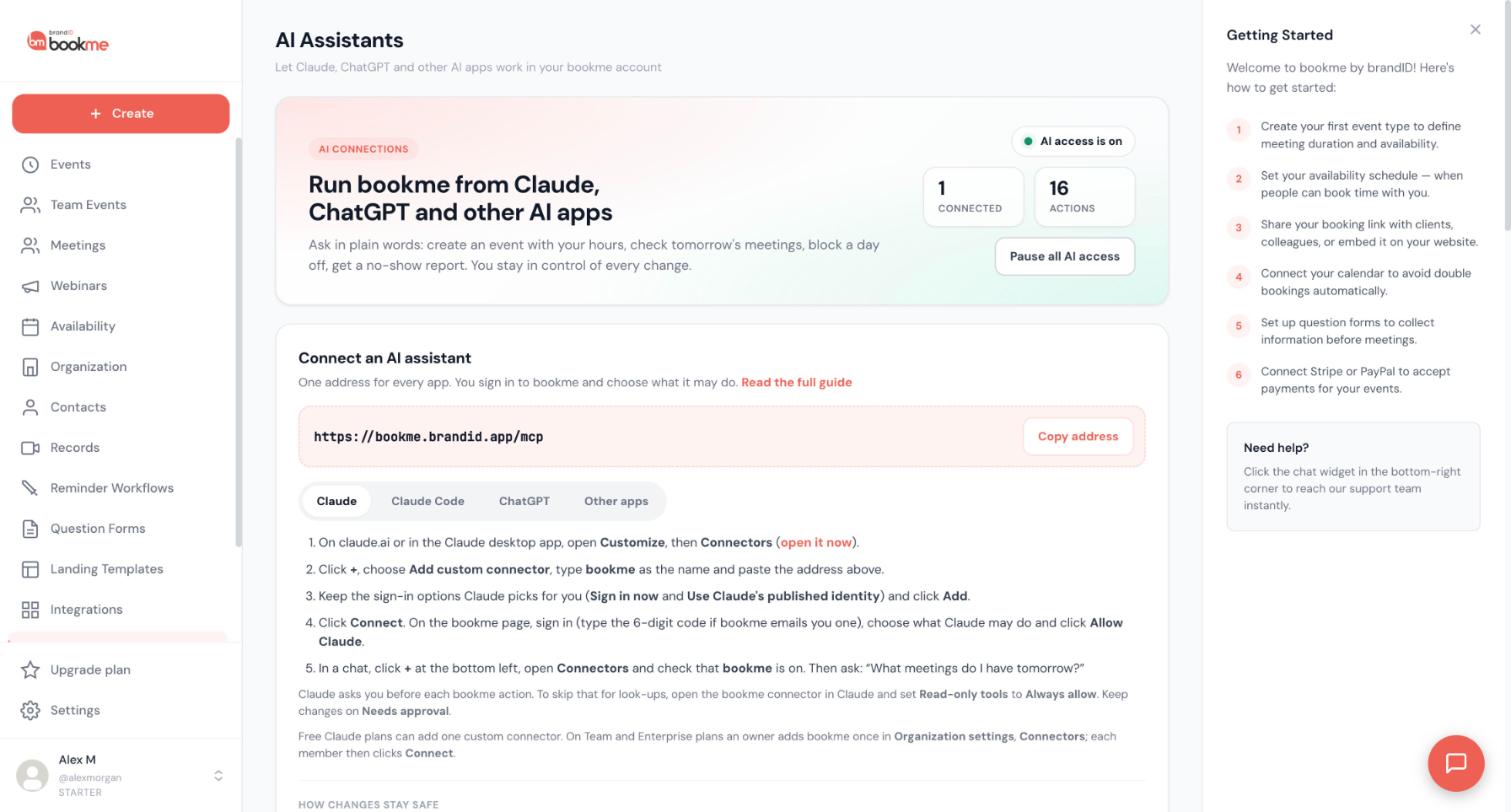
Open the AI Assistants page
In bookme click AI Assistants in the sidebar and select the Claude Code tab under Connect an AI assistant. The address is https://bookme.brandid.app/mcp; the Copy address button copies it.
Add bookme in your terminal
Run this command in your terminal:
claude mcp add --transport http bookme https://bookme.brandid.app/mcpStart Claude Code and open the connection
Start Claude Code, type /mcp, pick bookme and choose to sign in. Your browser opens a bookme page.
Sign in and choose access
Sign in to bookme on that page (type the 6-digit code if bookme emails you one; it does that when your last sign-in is older than 10 minutes). The consent screen says Runs on this computer. Pick View only, View and manage or Custom and allow it.
Try a look-up first
Back in Claude Code, ask something that only reads:
List my event types and tell me which ones are paused. Do not change anything.Use the ready-made commands
bookme gives AI apps ready-made commands. In Claude Code type / and pick one that starts with mcp__bookme__, for example /mcp__bookme__daily_briefing. A command is only a starting message: the assistant still follows your access settings, asks you before it affects other people and waits for approvals in bookme.
Know what stays under your control
Claude Code follows the same rules as every other AI app. Changes to your own settings happen right away and appear in Activity, where most can be undone for 30 days. Changes that reach other people, such as cancelling or moving a meeting, ask you first and wait for your yes. High-impact requests wait for your approval on the AI Assistants page. It can never change payments, plans, billing, refunds or payouts, or your password and sign-in methods.
Tips
- The same address works for every AI app. If you also use Claude on the web, see the guide for that app.
- You can pause or disconnect Claude Code at any time from the AI Assistants page.
If something goes wrong
The /mcp menu does not show bookme.
Claude Code asks me to sign in again.
Related how-to guides
Still stuck? We’re happy to help.
Create your bookme account, see pricing, or reach out to support directly.




