Ko-fi Review: A Complete Guide for Artists & Creators
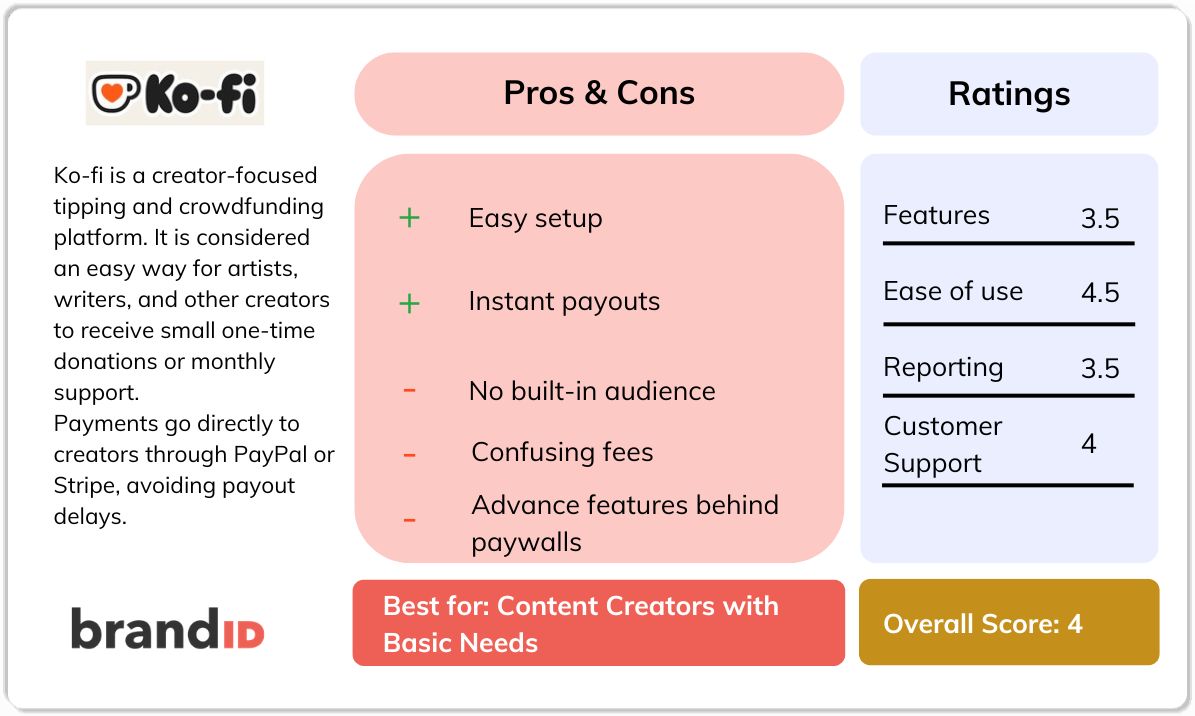
Ko-fi is a creator-focused tipping and crowdfunding platform. It is considered an easy way for artists, writers, and other creators to receive small one-time donations or monthly support.
Ko-fi is one of the well-known names on the market in the creator support space. However, its fee structure and feature limits often catch users off guard. As a platform for collecting tips, this can be off-putting for many people.
In this Ko-fi review, we'll examine Ko-fi's history, how it works, and what the advantages and disadvantages of it are compared to its alternatives.
What Is Ko-fi?
Ko-fi is a creator donation platform where fans can give one-time tips, subscribe monthly, or buy products and custom commissions. Payments go directly to creators through PayPal or Stripe, avoiding payout delays.
While Ko-fi promotes “0% fees on tips,” this mainly applies to certain free-plan donations, while memberships, shop sales, and commissions include a 5% fee plus payment processor charges.
This subscription selling platform is based in the UK and supports multiple currencies and is free to join, though many advanced features require paid upgrades.
Many consider Ko-fi a rival for older names like Buy Me a Coffee or newer ones like brandID. But is it the true alternative for them? Let's find out.
Ko-fi Overview
Here is an overview of Ko-fi for a quick look:
At a Glance
- History: Concept developed in 2012, and the company was incorporated in 2017 by Nigel Pickles and Simon Ellington.
- Headquarters: Based in Cambridge, UK.
- User Base: Popular with artists, writers, podcasters, streamers, and hobbyists who want an online tip jar.
- Access: Works on web and mobile; payments via PayPal or Stripe only. There is no independent credit-card processing beyond those services.
- Company Facts: It was self-funded and claims to remain a small, community-driven service.
Ko-fi Features
One-Time Tips & Donations
Content creation and donations can be a great match. The core feature on Ko-fi is a “tip jar” where fans can give one-off payments. Creators link their PayPal/Stripe accounts, and supporters donate quickly.
Membership Subscriptions
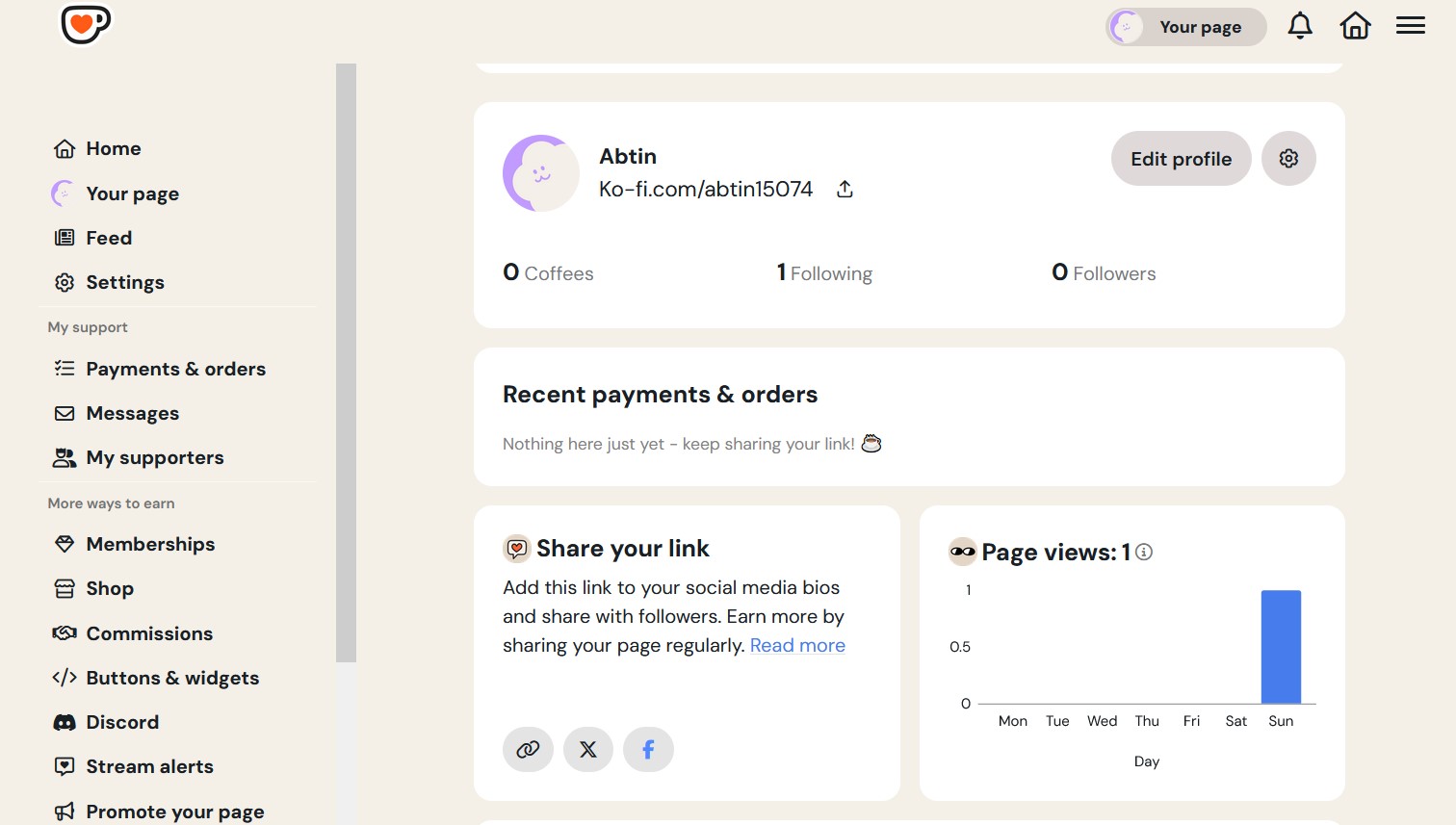
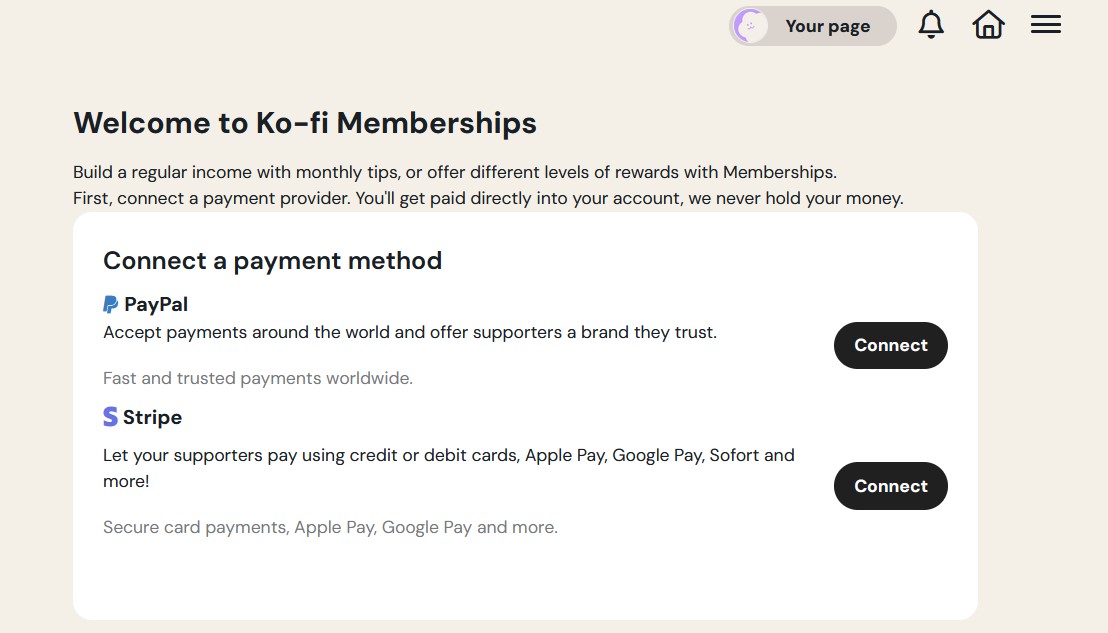
Ko-fi supports recurring monthly memberships with tiered perks. Fans can subscribe to support a creator with fixed payments. However, on the free plan, Ko-fi still takes 5% of those membership payments as a service fee. To get zero fees on memberships, you must subscribe to Ko-fi Gold (about $12/month).
Shop for Digital Items
You, as a creator, can list and sell digital downloads like ebooks, prints, music, and even physical items on Ko-fi. It must be mentioned that this storefront is not the main feature of Ko-fi, and sometimes, selling products on Ko-fi can feel cramped and underpowered compared to dedicated store platforms.
Commissions & Custom Requests
One feature that is unique to Ko-fi is that it lets you open commissions or request forms so fans can pay for custom work like illustrations and voice recordings.
This is handy for many reasons; however, without a formal escrow or project management system, creators must coordinate delivery themselves.
Basic Page Customization
By using this platform, each creator gets a Ko-fi page like a mini-site. You can customize the banner, avatar, background color, and “coffee” icon or change the coffee metaphor if you have a Gold plan.
Live Stream Alerts
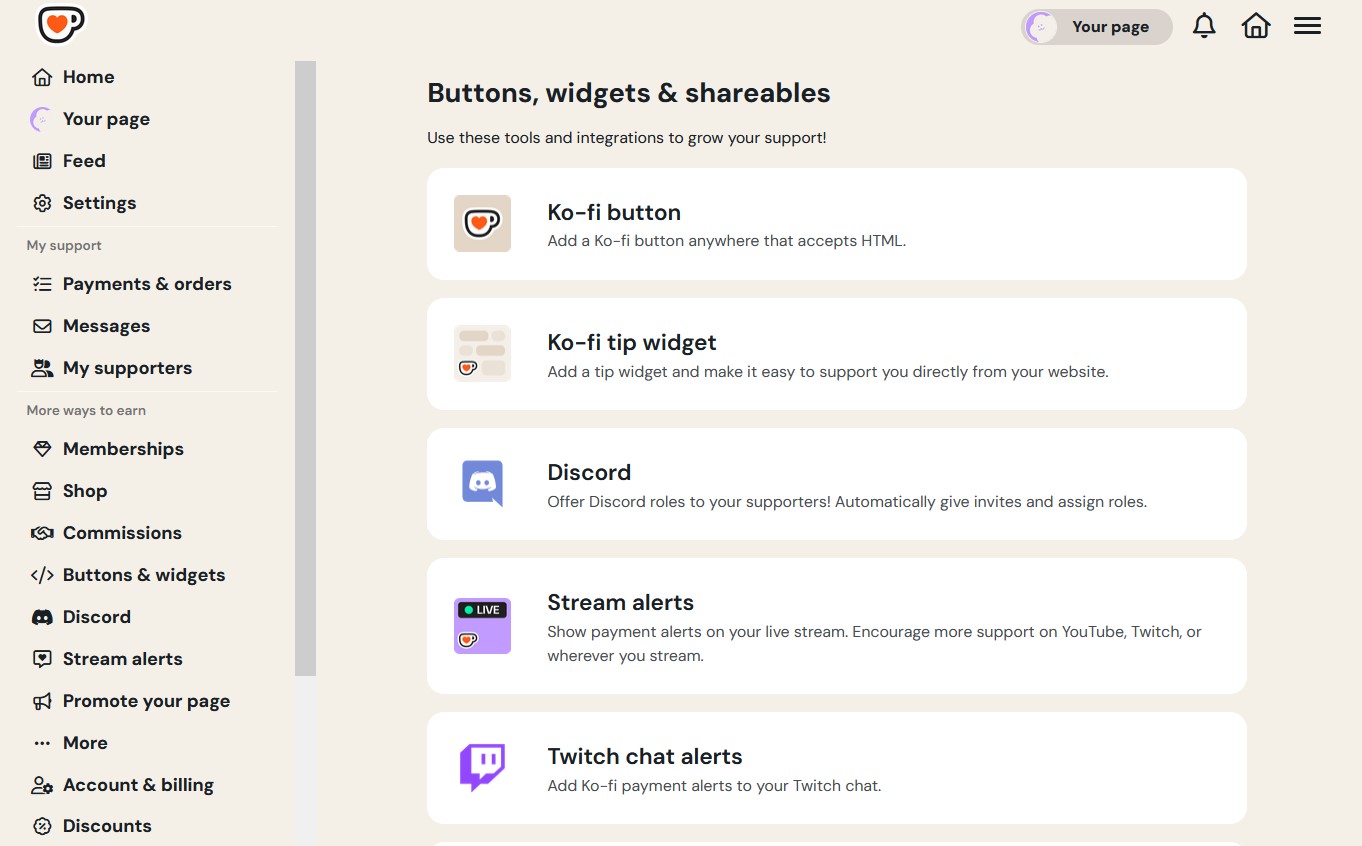
Ko-fi integrates with streaming tools like Twitch, YouTube, OBS, and Streamlabs. You can display tip alerts on live streams so supporters see their donation in real time. This can help streamers monetize.
Unlike Patreon or dedicated streaming services, Ko-fi does not host your stream or offer a subscription video service.
Post Content
Ko-fi also includes a basic blog-like feed. You can post updates, images, or behind-the-scenes content to your page. Posts can be public or supporter-only. Gold subscribers can schedule and monetize posts.
Ko-fi Pricing
Ko-fi pricing can be complex. There are fees that devalue the free plan completely. Let's see how they are processed:
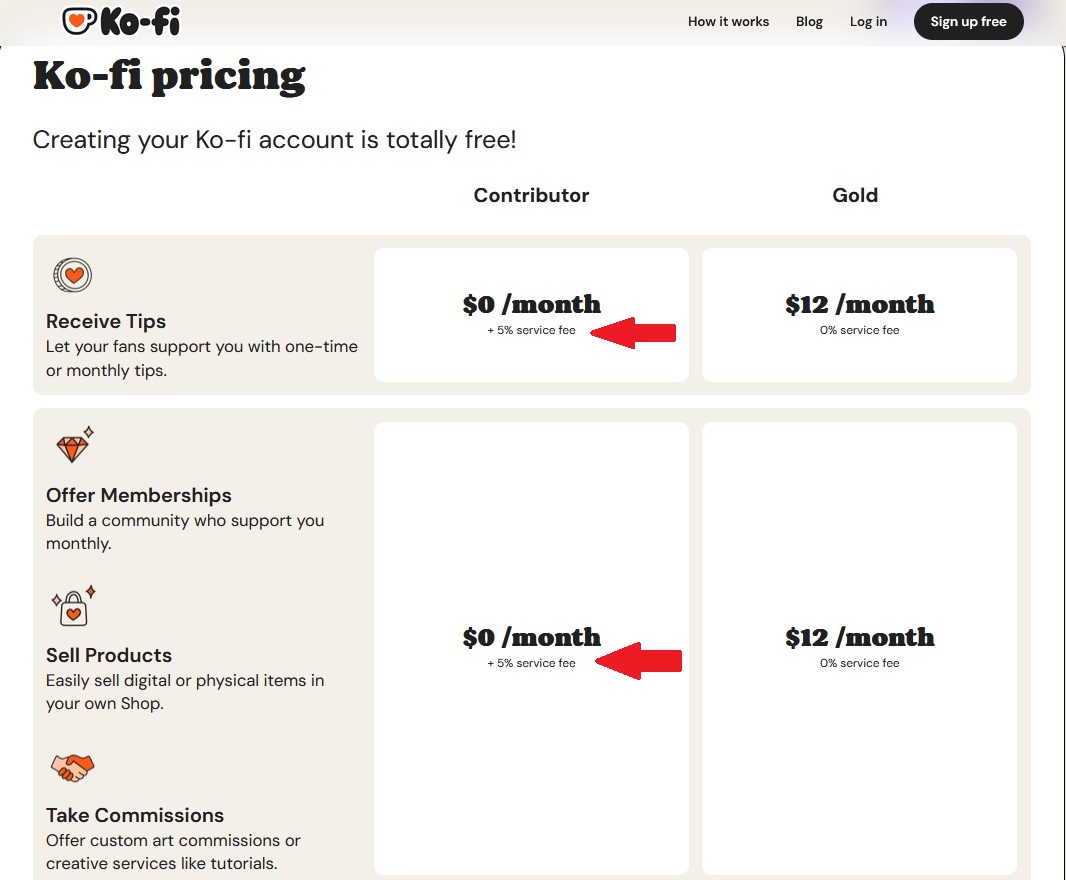
- Free Plan: No monthly subscription. However, Ko-fi charges 5% on shop sales, memberships, and commissions. PayPal/Stripe fees still apply to every transaction. New users start with 5% contributor mode, so you must disable it to get the 0% tip fee.
- Contributor Mode: A “tip jar supporter” option with no cost that takes 5% of all tips to help fund Ko-fi. Many creators switch this off to avoid the fee.
- Ko-fi Gold ($12/month): This plan unlocks 0% platform fees on all transactions, including tips, sales, and subscriptions. Gold also adds features like scheduled posts, supporter-only content, custom page color, and no Gold credit to supporters. Essentially, Ko-fi puts core features behind a $12 Gold plan.
- Payment Processing: Regardless of plan, Stripe and PayPal fees are around 2.9% + 30¢ per transaction on PayPal and similar on Stripe. Ko-fi itself never delays payouts, and funds go immediately to your accounts.
Ko-fi Reviews: Customer Feedback
Ko-fi's community feedback is mixed, and negative complaints are not uncommon, while their score on Trustpilot is 4.6/5. While many users enjoy the simplicity, others highlight real problems:
1. Customer Support Complaints
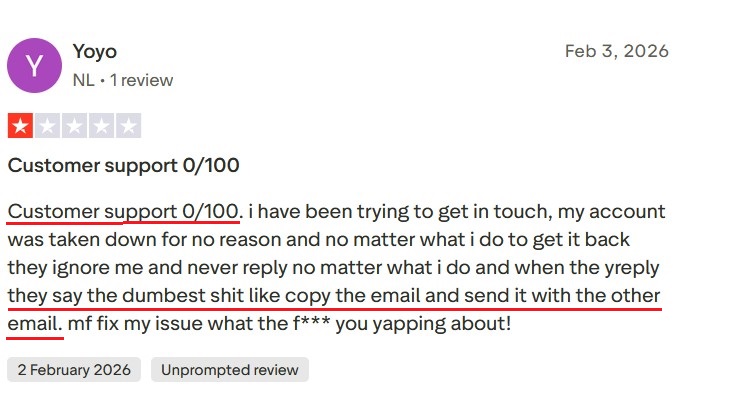
Several creators report Ko-fi's customer support is slow or unhelpful. For example, Yoyo on Trustpilot wrote that Ko-fi took down their account “for no reason” and then ignored all requests to restore it. They said support responses were absurdly useless and felt totally abandoned.
2. Fraud & Deception
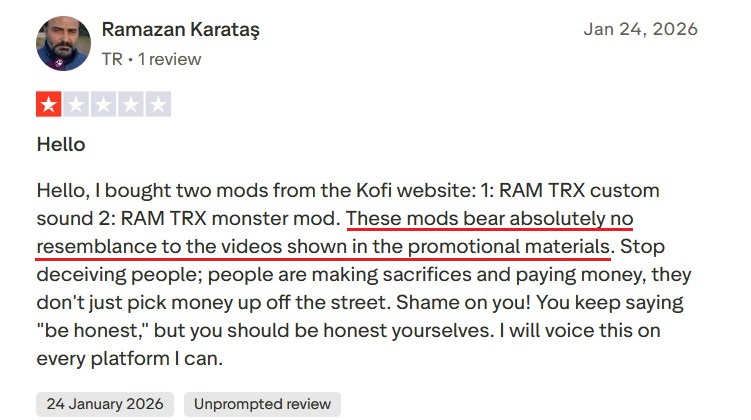
Some buyers have accused Ko-fi of enabling scammers. Ramazan Karataş, on his Ko-fi review, complained that a digital product purchased via Ko-fi was a complete fake. Ko-fi is basically a portal to connect buyer and seller; Ko-fi disclaims any responsibility for these events.
3. Interface and Features
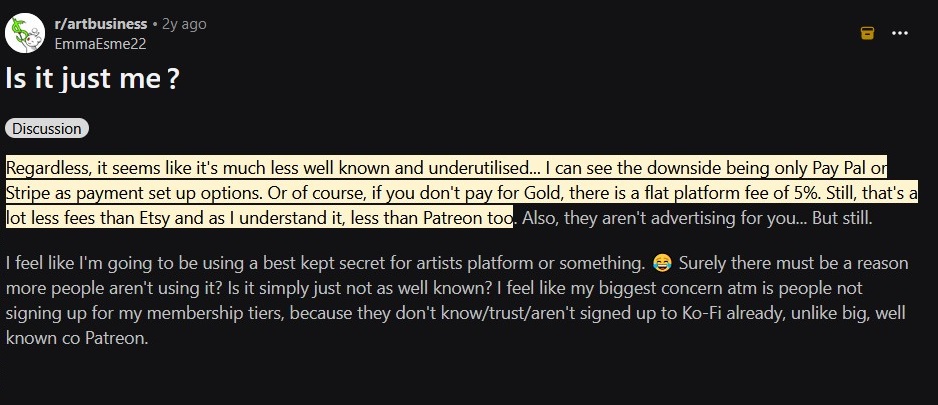
On Reddit and other forums, creators note that Ko-fi's features are hard to find because of confusing menus. And others mention the lack of discoverability. Ko-fi is known as a tip jar and has no built-in audience or marketplace, so you must drive traffic yourself.
Ko-fi Pros and Cons
Let's have an overall look at the positive and negative aspects of Ko-fi:
Pros
- Easy setup: Ko-fi is simple to create and launch a page with no technical skills required.
- Free tips: One-time donations can be free on the free plan if Contributor mode is disabled.
- Multiple income options: Supports tips, memberships, shops, and commissions.
- Instant payouts: Payments go directly to PayPal or Stripe without delays.
- Customizable page: Allows basic branding, links, and personalization.
- Useful integrations: Connects with Discord, Twitch, YouTube, blogs, and link trees.
Cons
- Confusing fees: Many features still charge 5%, and “0% fees” can be misleading.
- Paid feature lock: Important tools and perks require the $12/month Gold plan.
- No built-in audience: Creators must promote themselves elsewhere to get traffic.
- Weak marketing tools: Lacks email campaigns, automation, and CRM features.
- Support complaints: Customer service is often described as slow or unhelpful.
- Very basic design: Good for simple pages, but not a full website or advanced brand presence.
Now let's review some Ko-fi competitors. In contrast to Ko-fi's limitations, brandID offers a much more robust all-in-one solution for creators.
brandID: The Best Ko-fi Alternative
brandID is a free link-in-bio e-commerce platform that allows you to sell virtually any digital product, collect commissions, accept tips, run memberships, and even host a blog from one page.
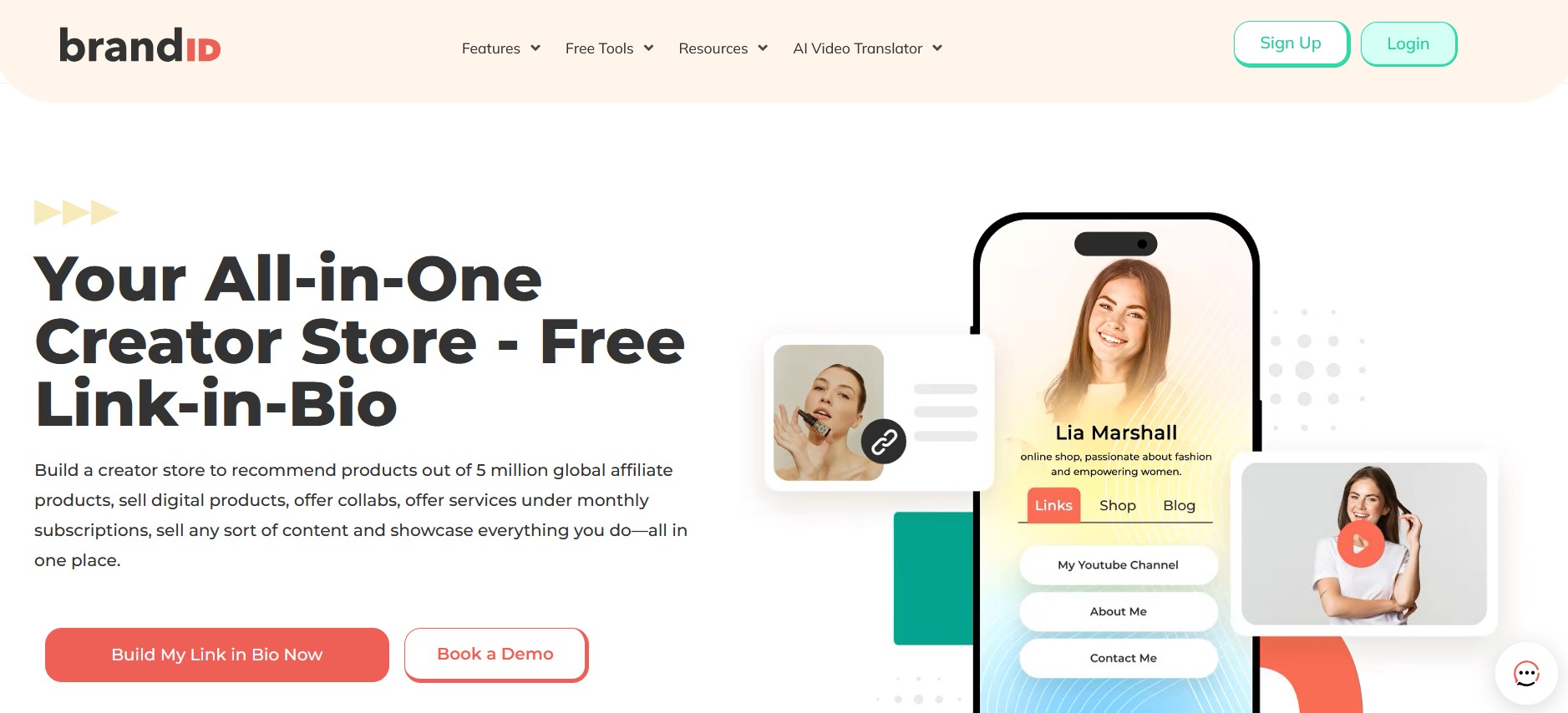
brandID covers the same ground as Ko-fi and then goes considerably further. Before getting to the features Ko-fi simply doesn't offer, here's how the two compare on common ground.
Where brandID Matches Ko-fi (And Does It Better)
These are the core monetization features Ko-fi is known for. brandID offers all of them, but with fewer fees and fewer limits.
1. Tipping
Both platforms let your fans send you one-time tips. The difference is in the fees.
On Ko-fi's free plan, you get 0% fees on tips only if you remember to disable Contributor mode, which is enabled by default and quietly takes 5% of every tip. Many new creators don't realize this for weeks. On the paid Ko-fi Gold plan ($12/month), tips are 0%.
On brandID, tipping is straightforward. The Free plan has a 5% fee with your own Stripe/PayPal or 10% with brandID's gateway. The Creator plan ($9/month) drops that to 0% with your own gateway or 5% with brandID's. No hidden Contributor mode, no confusing default settings.
Also, with brandID's tipping, you can choose various tipping CTA styles like videos, photos, QR Codes, or buttons, each suitable for different types of creators and jobs.
2. Memberships and Subscriptions
Both platforms support recurring monthly subscriptions for fans who want to support you long-term.
Ko-fi takes 5% on all membership payments on the free plan. You need Ko-fi Gold ($12/month) to get 0% on memberships. brandID's Creator plan ($9/month) gives you 0% on subscriptions with your own gateway and lets you run unlimited subscription tiers and sell exclusive content too. Cheaper and more flexible.
3. Digital Storefront
Both platforms let you sell digital products like ebooks, prints, music, and templates.
Ko-fi's shop is functional but limited. The design is fixed, the layout is basic, and the 5% fee applies to the free plan.
brandID's storefront is built into your bio page with full customization, no file size caps, and the same 0% fee option on the Creator plan with your own gateway.
4. Page Customization
Both platforms give you a creator page where fans can find you.
Ko-fi pages all look pretty similar. You can change the banner, avatar, and background color, but the layout is the same for everyone. Custom domains and full branding require Ko-fi Gold.
brandID gives you hundreds of templates, drag-and-drop design, custom branding, advanced backgrounds (image, video, gradient), and sectioned layouts on the Creator plan. Your page actually looks like yours, not a Ko-fi template.
5. Content Posts and Blog
Both platforms let you post updates, images, and behind-the-scenes content for your audience.
Ko-fi includes basic blog-style posts that can be public or supporter-only.
brandID has unlimited blog posts on the Creator plan, plus carousels, podcasts, and embedded media. You're not just sharing text updates; you're publishing real content that can also drive SEO traffic.
6. Payment Processing
Both platforms use Stripe and PayPal for payments, and both pay creators directly without holding funds.
This is one place Ko-fi does well. There are no payout delays on either platform, and your money goes straight to your account. The only difference is that brandID also offers its own gateway as an option for creators who don't want to set up Stripe or PayPal themselves.
What brandID Offers That Ko-fi Doesn't
This is where the platforms diverge. brandID isn't just a tip jar with a few extra features. It's built as a full creator monetization platform, with revenue streams Ko-fi doesn't support at all.
1. Affiliate Marketplace
brandID has a built-in affiliate marketplace with access to over 5 million products from 2,000+ brand partners. Commission rates go up to 65% on qualifying products, with weekly payouts and no minimum withdrawal.
You pick the products that fit your audience, add them to your bio page in one click, and earn commissions when followers buy through your links. Ko-fi has no affiliate features at all.
2. Paid Bookings and Scheduling (brandID bookme)
brandID includes a full booking system for paid 1-on-1 sessions, group events, and webinars. Calendar sync with Google, Outlook, and Apple. Payments collected at booking. Automatic confirmations and reminders.
For creators who also coach, consult, or do paid sessions, this replaces tools like Calendly. Ko-fi has no native booking feature.
3. AI Video Translator
brandID has an AI video translator that dubs your videos into 200+ languages while keeping your original voice. Available on web, iOS, Android, and as a Chrome extension. For creators with international audiences, this turns global expansion into a few clicks. Ko-fi has nothing comparable.
4. Digital Billboards
brandID lets you rent ad space on your bio page directly to brands. You get up to 3 billboard slots, brands submit rental offers, and you approve or reject. It's a built-in sponsorship marketplace for the real estate on your page. Ko-fi has no equivalent.
5. Email Marketing and CRM
brandID has built-in email marketing, lead capture forms, and a CRM (1,000 users on Creator, unlimited on Turbo Creator). You own your audience data and can run campaigns from inside the platform. Ko-fi has no email marketing or CRM tools, so you have to use Mailchimp or ConvertKit separately.
6. Promo Codes, QR Codes, and Giveaways
brandID includes promo code generation, QR codes for offline promotion, and giveaway tools for audience growth. Ko-fi doesn't offer any of these.
7. Secure Inbox
brandID's ‘Email Me’ feature offers a secure inbox for managing brand inquiries, fan messages, and partnership requests in one place. Ko-fi has no equivalent.
Ko-fi vs brandID
| Feature | Ko-fi | brandID |
|---|---|---|
| Starting Price | Free (With Hidden Fee) | Free |
| Affiliate Program | No | Yes (all plans) |
| Link Management | No | Yes |
| Booking & Scheduling | No | Yes |
| Link in Bio Page | No | Yes |
| Secure Inbox | No | Yes |
| Collect Tips | Yes | Yes |
| Giveaways | No | Yes |
| Digital Billboard Rentals | No | Yes |
| CRM & Promo Codes | No | Yes |
Other Ko-fi Alternatives
There are many platforms like Ko-fi, and each may be better or worse depending on your needs. Let's look at some of the top competitors:
Buy Me a Coffee vs Ko-fi
Buy Me a Coffee is a very similar concept to Ko-fi. It offers easy tipping plus memberships. BMC's selling point is simplicity: all features like shop, memberships, and analytics are available for free, whereas Ko-fi locks them behind a paywall.
However, BMC still takes a 5% transaction fee and charges fees on all payments. Some creators find BMC's streamlined design nicer, but it lacks Ko-fi's built-in content posts and has a smaller community of supporters.
Patreon vs Ko-fi
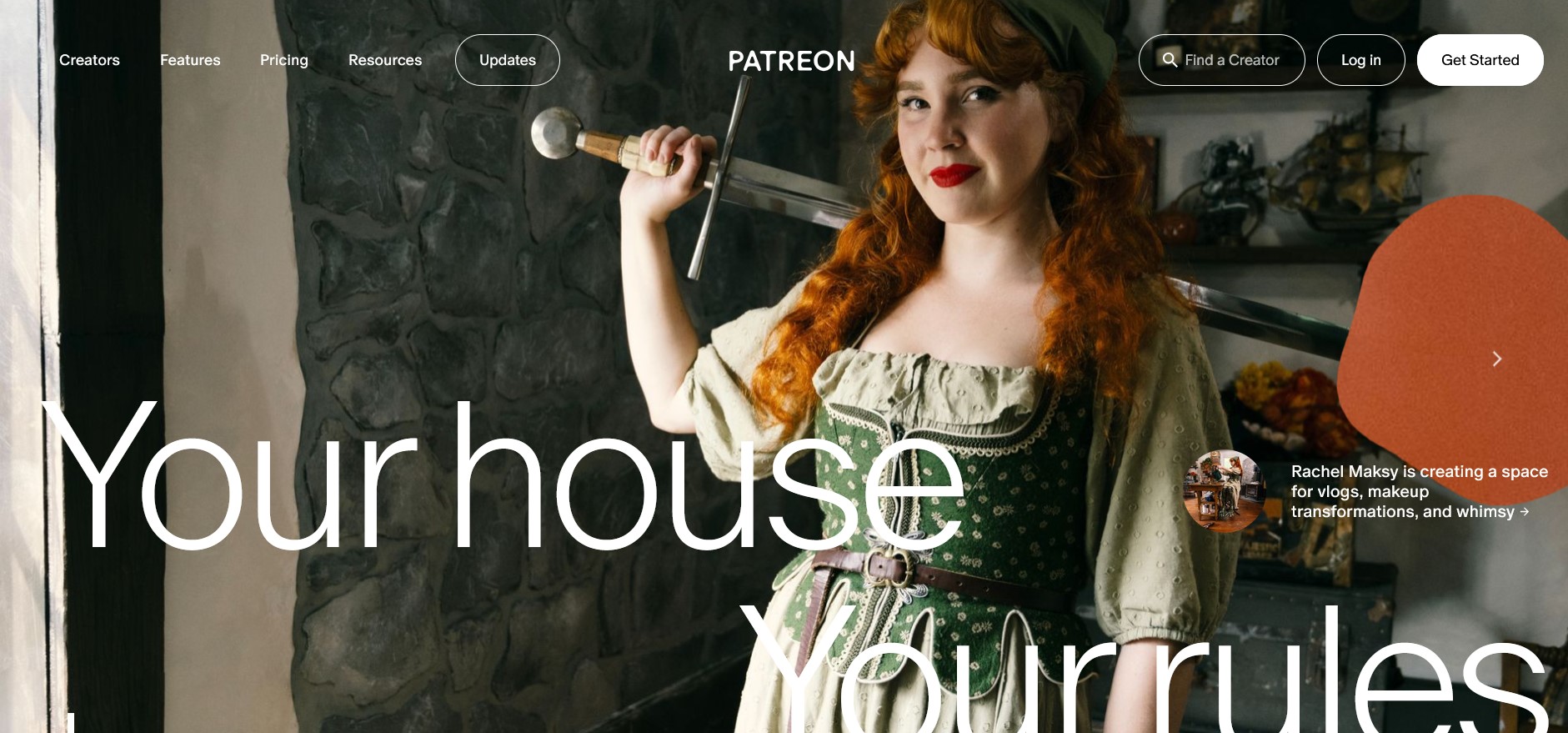
Perhaps the most famous subscription platform for creators. Patreon offers a large audience and robust features like integration, tiered rewards, and community tools. But it's expensive – creators pay between 5% and 12% platform fees, plus payment fees.
Patreon also has rigid payout schedules and strict content policies. Ko-fi aimed to be a low-fee alternative, yet in reality, Patreon provides far more business tools. Many find Patreon better for serious memberships, and Ko-fi is too limited by comparison.
Gumroad
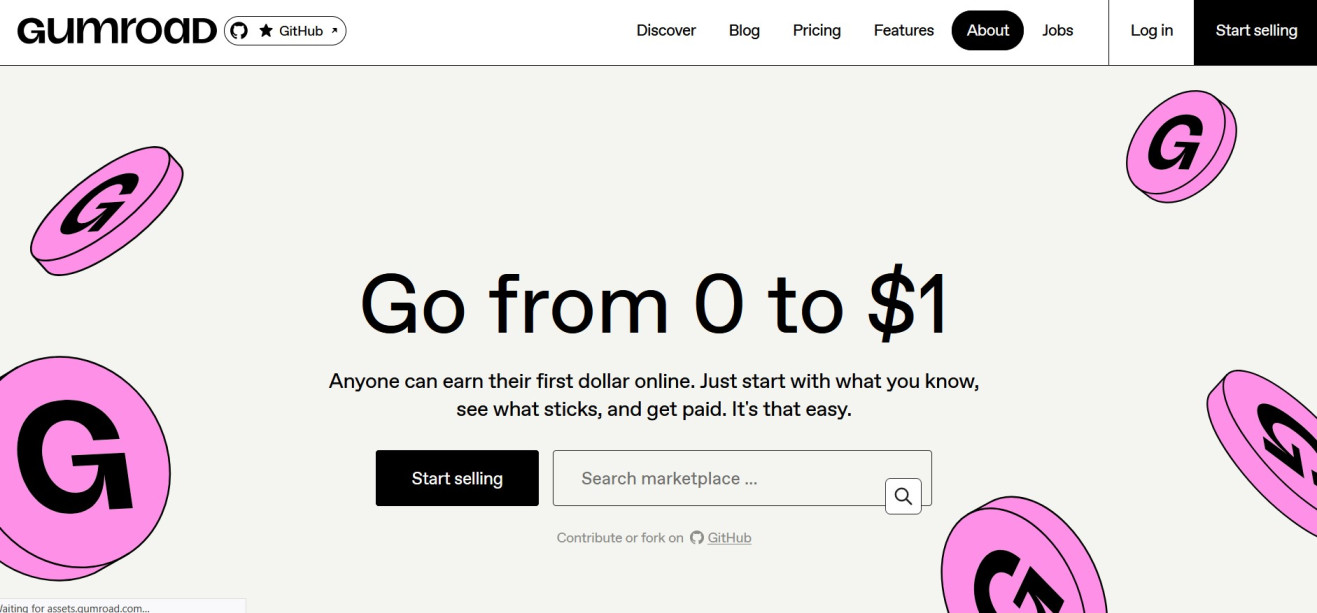
Gumroad is an e-commerce platform designed for selling digital goods and memberships. It lets you sell products, subscriptions, courses, etc., with no monthly fees (Gumroad charges 8.5% down to 3.5%, Payhip has similar pricing). Gumroad has good discoverability with its own marketplace and simple content delivery, but it does not support donations/tips in the casual “buy me a coffee” way.
Creators who just want to sell stuff might prefer Gumroad, but Ko-fi is more community-oriented. Gumroad also lacks Ko-fi's livestream alert features and community posts. You can read further about this platform in our Gumroad review.
Conclusion
Ko-fi promises an easy way for fans to support creators, but its limitations can hurt this interaction. Hidden fees, essential features locked behind a subscription, poor support, and no built-in audience make it a doubtful choice for serious creators.
However, better options exist. Platforms like brandID, Buy Me a Coffee, or Patreon offer more transparency and functionality. In particular, brandID is a unique case by providing an all-in-one, zero-fee store and link-in-bio, solving many of Ko-fi's weak points.
FAQs
Ready to try the all-in-one Ko-fi alternative?
Start with brandID — Free