
Your online tip jar’s CTA (call to action) is the button, image, video, or code your fans see when they visit your tip page. It’s what gets them to actually tap, click, or scan to support you. brandID gives you four formats to choose from, and the right one depends on where and how your fans will find you.
If you haven’t set up your tip jar yet, start with how to set up a tip jar on brandID first, then come back here to choose your CTA style.
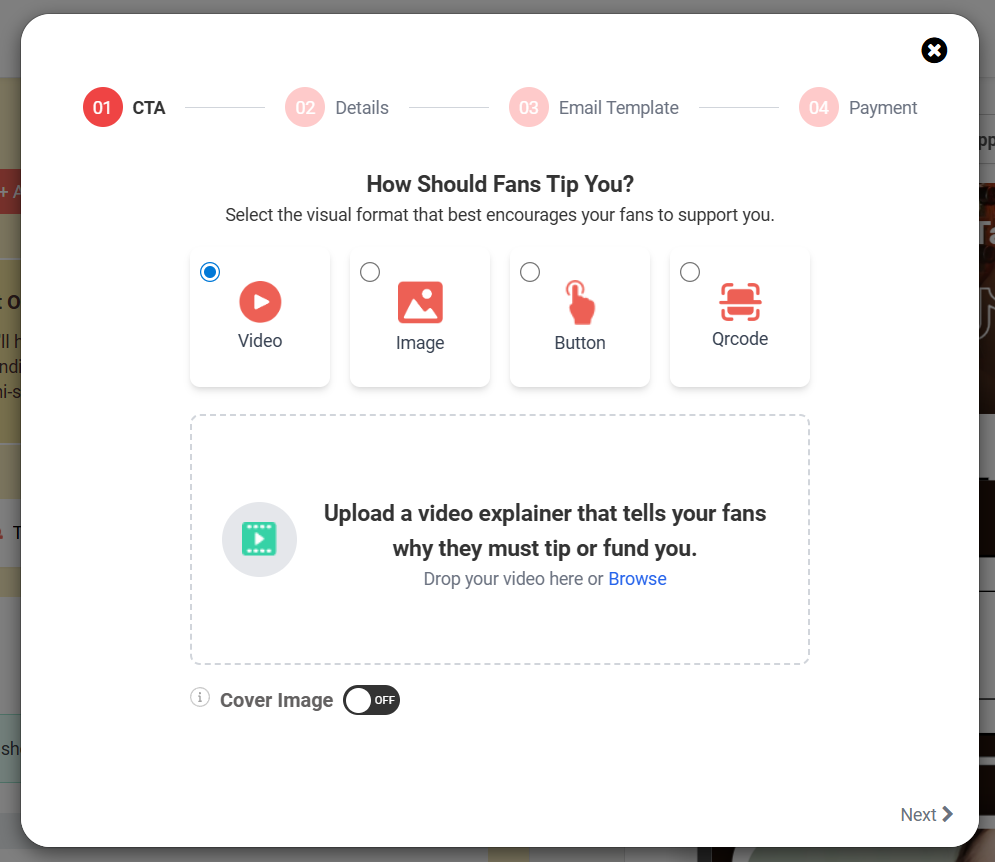
1. Video
A short clip you record explaining what fan tips mean to you and what they help you do: pay rent, fund new equipment, keep your content free, and so on. It plays directly on your tip page before fans decide whether to support you.
Video tends to convert well because it lets fans hear your voice and see your face, which builds trust and emotional connection fast.
Use it if: You’re a personal-brand creator, vlogger, musician, or anyone whose audience follows you as a person, not just for your content.
2. Image
A still photo or graphic that sits at the top of your tip page. It could be a photo of yourself, a shot of your work, or a custom-designed graphic.
Image is the safest all-around choice. It loads quickly even on slow connections and keeps the page clean and focused.
Use it if: You want something simple and reliable that works for any audience, on any device.
3. Button
A straightforward, clickable button that takes fans directly to your tip page. No visual content, no extra steps. Fans see the button, they know what it does, and they click it.
It’s the most familiar CTA pattern on the web, which means less friction and fewer drop-offs.
Use it if: You’re adding the tip jar to a link-in-bio page alongside other links, or you just want the simplest possible setup.
4. QR Code
A scannable code that anyone with a phone camera can point at to go straight to your tip page. No typing, no searching, just scan and go.
It works especially well in physical spaces where handing someone a link isn’t practical.
Use it if: You interact with people in person: street performers, servers, valets, baristas, event staff, gallery artists, fitness instructors. It’s also a great addition to printed materials like business cards, signs, and flyers.
Note: You can create multiple tip campaigns and assign a different CTA style to each one. So if you perform live and also post online, you could use a QR code for in-person tips and a video CTA for your link-in-bio, all from the same brandID account.