
Writing a description for collecting tips from scratch can be tricky. You don’t want to sound pushy, but you also need to give fans a reason to support you. brandID includes 10 ready-to-use templates written for different creator types so you have a solid starting point in seconds.
Step 1 — Get to the Description Field
When setting up your tip jar, you’ll go through a short wizard. On the Details step, you’ll see fields for your campaign name, description, and tip amounts. In the Description section, click the green Templates button.
If you haven’t started your tip jar setup yet, see How to Set Up a Tip Jar on brandID first.
Step 2 — Browse the Templates
The Tipping Description Templates panel lists all 10 options on the left. Click any one to see the full text on the right. The templates cover:
- General Creator (All-Purpose)
- Educator / Tutorial Creator
- Musician / Artist
- Fitness / Wellness Coach
- Comedian / Entertainment Creator
- Podcaster
- Gamer / Streamer
- Photographer / Videographer
- Writer / Blogger
- Non-Profit / Cause Creator
Pick the one that’s closest to what you do — it doesn’t have to be a perfect match, since you’ll be editing it anyway.
Step 3 — Apply and Personalize
Click Use Template in the top right of the preview panel. The text drops straight into your description box, ready to edit.
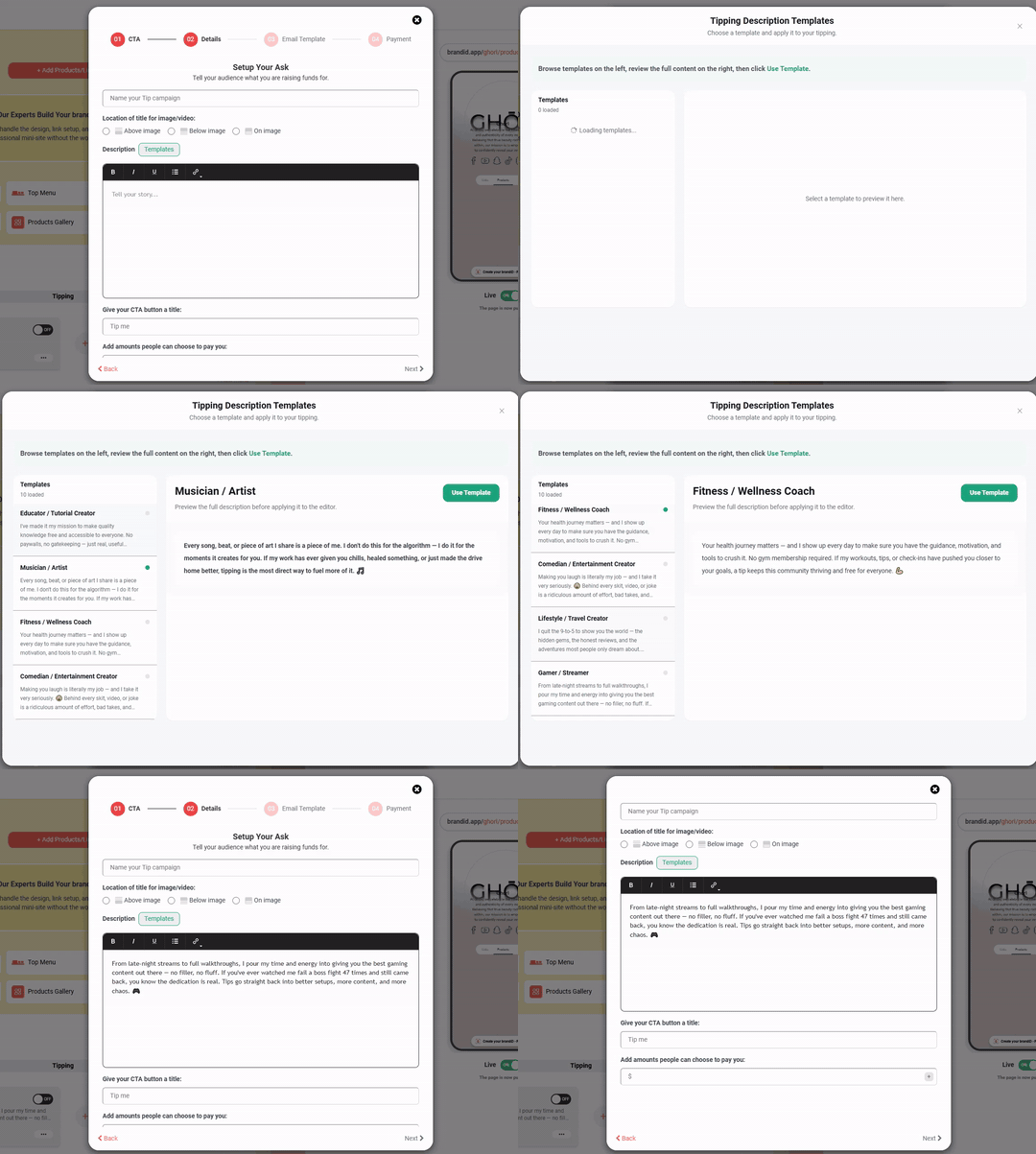
From there, treat it as a first draft. Change a word, swap in your own details, or delete any lines that don’t fit you. The goal is to get something on the page that sounds like you, not to use the template word for word.
Tip: Personalize at least one or two lines before publishing. Even small changes like your name, what you make, what the tips will fund and make the description feel genuine rather than generic. Make sure you choose the right Tipping CTA for your goal.