
How to connect a Discord bot to DMpro
Create a bot in Discord’s Developer Portal, paste its token into DMpro and add the bot to your server.
Before you start
- A Discord account and a server you manage
- Access to Discord’s Developer Portal
Create the bot in Discord
Discord does not use a login popup. In Discord’s Developer Portal, create an application, add a bot to it, and copy the bot token from the Bot tab. If the token was already shown or reset before, regenerate it and copy the new one.
The bot token is like a password. Never share it publicly. DMpro only needs the token, never your Discord account password. It must be a bot token, not a user token, client secret or OAuth code.
Open Social Accounts
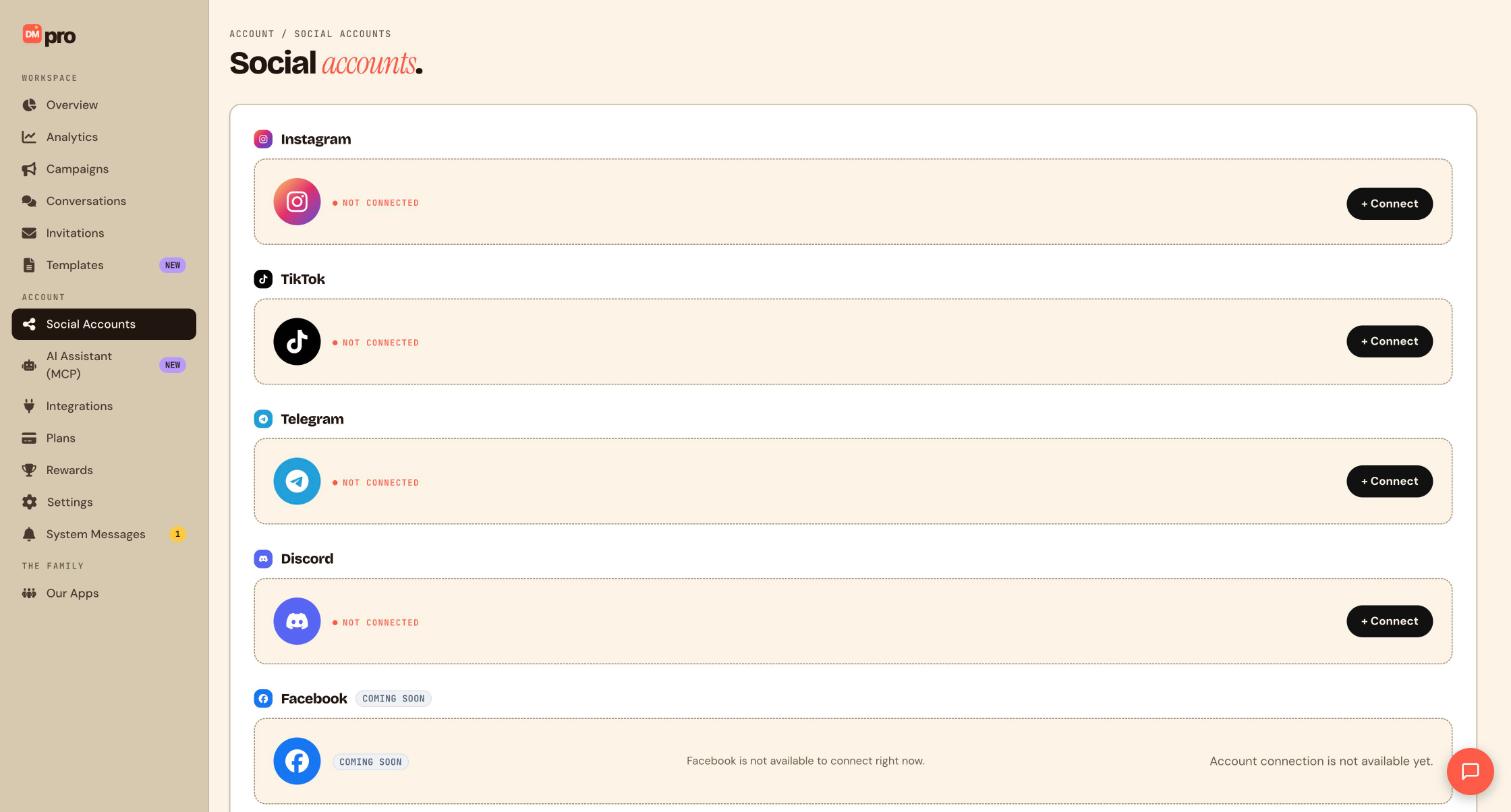
Click Social Accounts in the sidebar. Discord is the fourth card and shows NOT CONNECTED until you link a bot.
Click Connect and paste the token
Click + Connect next to Discord. Paste the token into the Bot token field and save. DMpro checks that it belongs to a real bot application.
Let DMpro finish the setup
After you save a valid token, DMpro sets up the rest for you: it points Discord’s interactions at your account so buttons, menus and slash commands reach your campaigns, registers the /start slash command, and opens a live connection so it can hear keyword messages, new members and voice activity. You do not configure webhooks or commands by hand.
Add the bot to your server
DMpro gives you an invite link for the bot, and a personal-install link if you want members to add it to their own account. Open the invite link, pick your server and approve. Until the bot is in a server it cannot see anything there.
Check that the account is Active
Confirm the account shows Active. Only Active accounts can be attached to campaigns. Inactive means paused, and Disconnected means the connection dropped, often because the token was revoked, so reconnect with a fresh token.
Tips
- Discord triggers include /start command, Message in a server channel, DM to the bot, Member joins the server and voice join or leave. Replies in a channel are seen by everyone in it, so say so before you build one.
- Discord messages can be up to 2,000 characters, shorter than Telegram’s limit.
- Location, contact card, invoice, GIF and album steps are not supported on Discord. Remove them from templates built for other platforms.
If something goes wrong
DMpro rejects my bot token.
DMpro needs a genuine bot token from a Discord application. Open the application in the Developer Portal, copy the token from the Bot tab (regenerate it first if needed) and paste the fresh one.
The /start command and buttons do nothing.
Make sure the account shows Active, then reconnect the bot so the interactions endpoint registers again.
Keyword, new member or voice campaigns never fire, but buttons work.
Those triggers depend on the bot’s live connection, which is separate from slash commands and buttons. Reconnect the account on Social Accounts and check the bot has permission in your server to read messages and see member and voice events.
Related how-to guides
Still stuck? We’re happy to help.
Create your DMpro account, see pricing, or reach out to support directly.




