
How to know your webinar limits on each plan
Webinar limits depend on your plan: how many webinars you can have, how many attendees each can hold and how many invite emails you can send each month.
Before you start
- A bookme account and access to the Webinars and Upgrade plan pages.
Open Webinars and read the counters
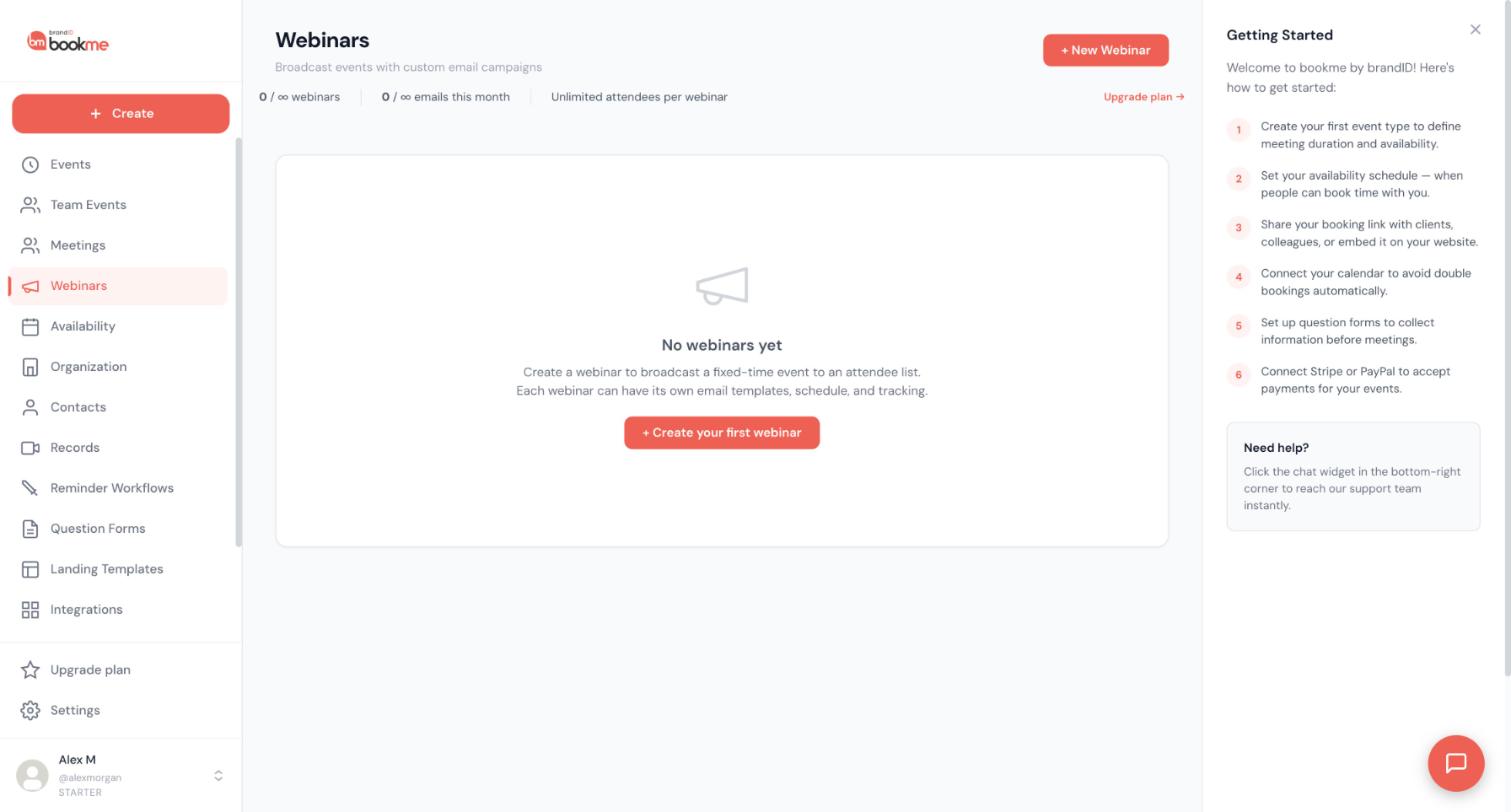
Click Webinars in the sidebar. Under the page title, three counters show your webinars, your emails this month and the attendees per webinar. An Upgrade plan link sits at the right of them.
The plan cards on the Upgrade plan page are the reference for what each plan includes, so use them to check what your own counters should say.
Starter limits
Starter includes:
- 1 webinar
- 10 attendees per webinar
- 100 invite emails per month
Extra use costs $0.20 per extra attendee and $1 per 1,000 extra emails.
Pro limits
Pro ($2.99 per month) includes:
- 2 webinars
- 20 attendees per webinar
- 1,000 invite emails per month
Extra use costs $0.50 per extra attendee and $0.60 per 1,000 extra emails.
Elite limits
Elite ($11.99 per month) includes:
- Unlimited webinars
- Unlimited attendees per webinar
- 5,000 invite emails per month
Extra emails cost $1 per 1,000.
Compare them on the plan cards
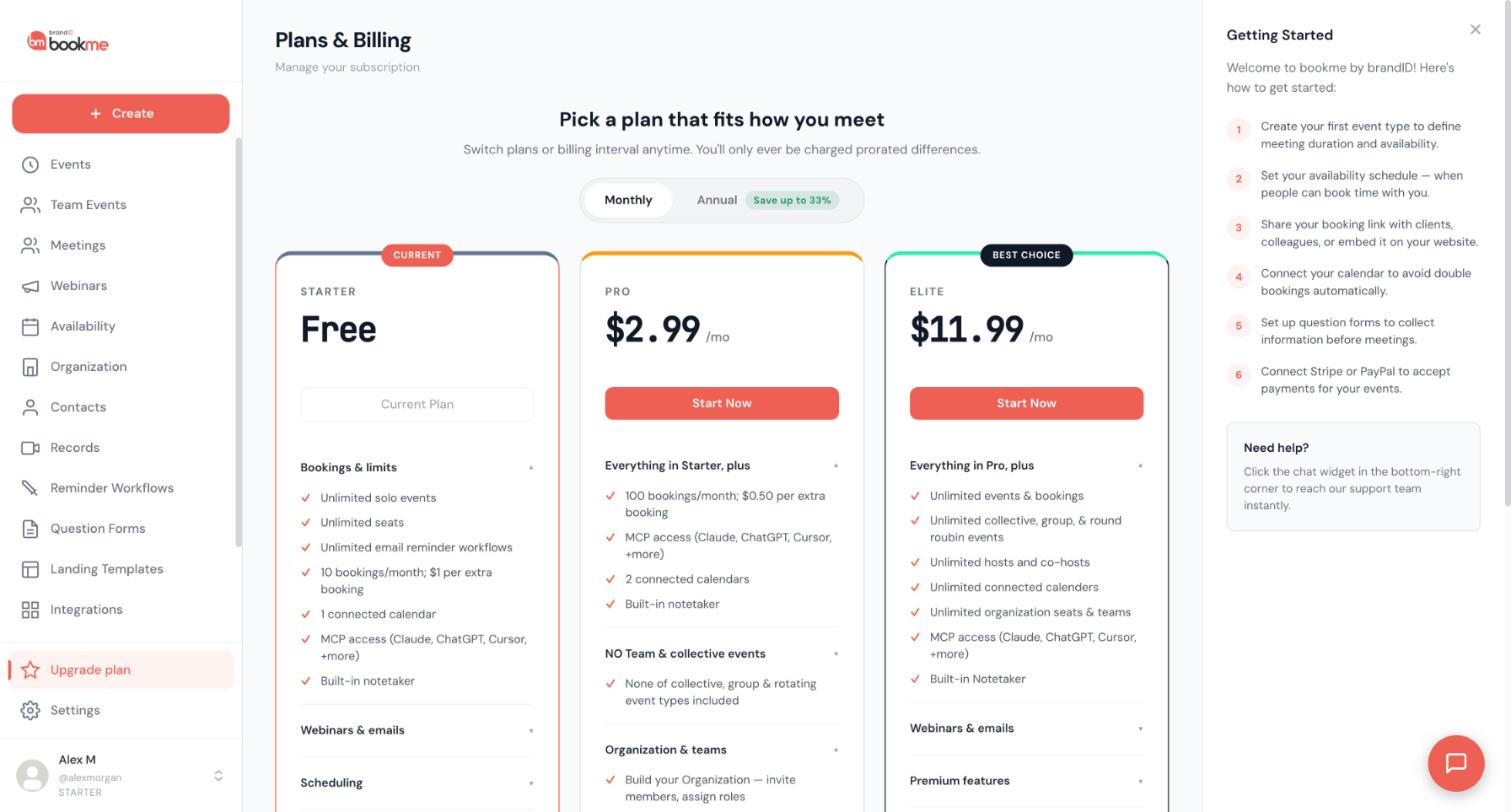
Click Upgrade plan in the sidebar. On each plan card, open the Webinars & emails section to see the same numbers. Use the Monthly and Annual switch at the top to see prices for each billing interval. Put the three cards side by side and read the same section on each, one section at a time, so you compare like with like.
Know what going over the limits means
Each plan card lists a price for extra attendees and for extra emails. These extras cost money, so they are worth knowing before a large send.
Plan around the limits
Before a big webinar, count three things: how many webinars you already have, how many guests you expect, and how many emails you will send to your guests. Compare the totals with your plan and decide whether to upgrade first.
Tips
- After your first send, look at the emails counter on the Webinars page to see how your sends are counted against the month.
- Watch the counters on the Webinars page during a busy month, not only before it.
- Elite is the only plan with unlimited webinars and unlimited attendees per webinar.
If something goes wrong
I downgraded to Starter. Are my extra webinars deleted?
My counters do not match the plan card.
I need more attendees than my plan allows.
Related how-to guides
Still stuck? We’re happy to help.
Create your bookme account, see pricing, or reach out to support directly.




