You design a template once and sell it again and again, with no client emails and no inventory. That is why Canva templates have become one of the simplest ways to earn passive income online, and one of the best digital products to sell for beginners.
Canva has over 240 million monthly users, and a large share of them want done-for-you designs like social kits, planners, and resumes rather than starting from a blank page. That gap is your opportunity.
This guide covers how to sell Canva templates end to end: what sells, how to make them, where to list them, how to price them, and how to promote them. It also shows how to make money on Canva in ways beyond templates, with honest numbers throughout.
Key Takeaways
- Design once, sell forever: A single template can sell to hundreds of buyers, which is what makes it passive income rather than freelance work
- Most sellers earn a few hundred to a few thousand a month: Income scales with the number of quality templates you list and how well you promote them
- Bundles beat one-offs: Buyers pay more for a matching set of 20 to 30 templates than for a single design
- Where you sell decides your margin: Marketplaces bring traffic but take a cut, while your own store keeps more of each sale
Can You Actually Make Money Selling Canva Templates?
The honest version: your first month is unlikely to be huge. Income tracks three things, the number of templates you list, how well they are designed, and how consistently you promote them.
Sellers who treat it seriously and add new templates every month commonly reach four figures a month within a year, spending only 10 to 20 hours a month once the catalog is built. It is a real business, not a get-rich-quick scheme, and the payoff comes from stacking small, repeatable sales.
What Are Canva Templates?
Canva templates are pre-designed, editable layouts you build in Canva and sell as a shareable link. The buyer clicks the link, gets their own copy, and edits the text, colors, and images without touching your original.
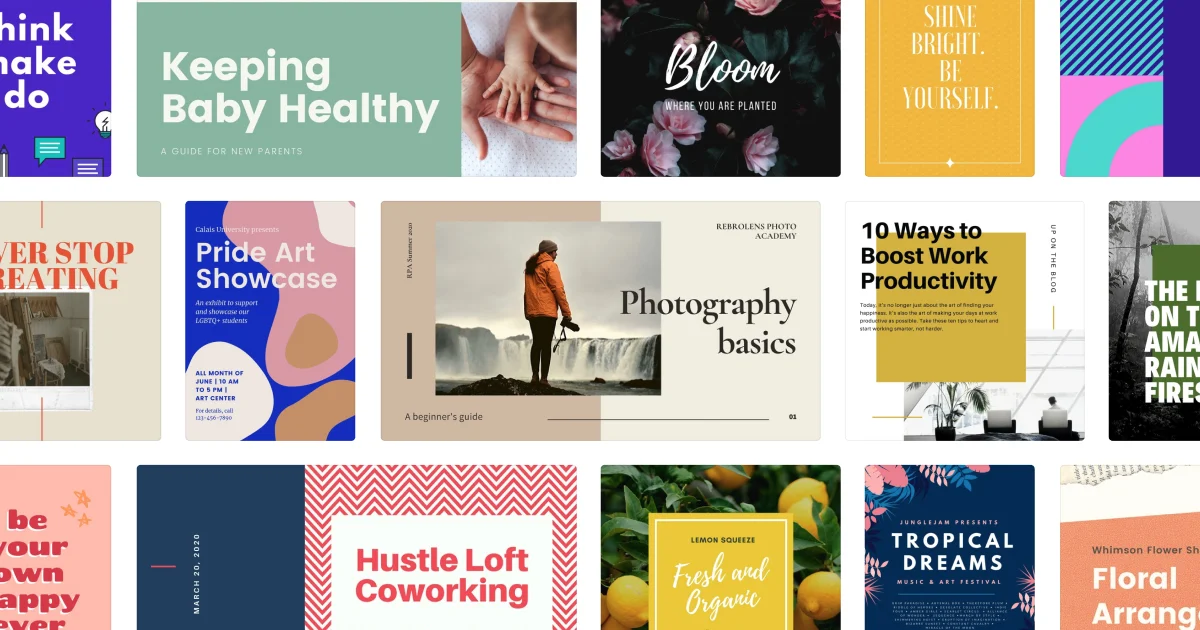
Because they are cheap, instant, and easy to customize, they are a classic low-ticket digital product. Common examples are Instagram post sets, Pinterest pins, resumes, planners, media kits, and ebook layouts.
Who Buys Canva Templates?
The clearest way to pick a niche is to picture the exact person who needs your designs. Strong buyer groups include:
- Bloggers and content creators who need social graphics and pins
- Small business owners, shops, and restaurants that need menus, flyers, and promos
- Coaches, course creators, and educators who need workbooks and slides
- Freelancers and service providers who need media kits, proposals, and price sheets
- Job seekers who want a clean, modern resume and cover letter
- Brides, event planners, and hosts who need invitations and signage
The tighter your niche, the easier you are to find and the more buyers trust that the template was made for them specifically.
What Canva Templates Sell Best?
| Template type | Who it is for | Why it sells |
|---|---|---|
| Instagram and social kits | Creators and small brands | Needed constantly, and buyers want a consistent look |
| Pinterest pin templates | Bloggers and marketers | Pinterest rewards fresh pins, so demand is endless |
| Resume and cover letter sets | Job seekers | High intent, people pay to look professional fast |
| Planners and workbooks | Coaches and students | Printable, reusable, and easy to bundle |
| Media kits and price sheets | Freelancers and influencers | Solve a real business problem, so higher price tolerance |
| Wedding and event suites | Brides and event hosts | Emotional purchase with strong seasonal demand |
| Presentation and pitch decks | Founders and consultants | Save hours of formatting, so buyers pay a premium |
Whatever you pick, sell a matching set rather than a single design. A buyer who gets 25 coordinated Instagram templates is set for months, and you can charge far more than for one.
How to Create Canva Templates to Sell in 7 Steps
You do not need a design degree. Canva's drag-and-drop editor does the heavy lifting, and these seven steps take you from blank canvas to a listing-ready product.
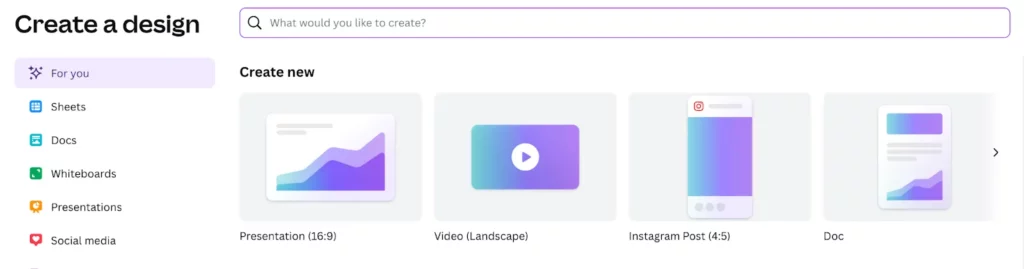
Step 1: Choose Your Template Type and Size
Start from the format your niche actually needs, at the right dimensions: Instagram post 1080x1080px, Pinterest pin 1000x1500px, or an A4 printable at 210x297mm.
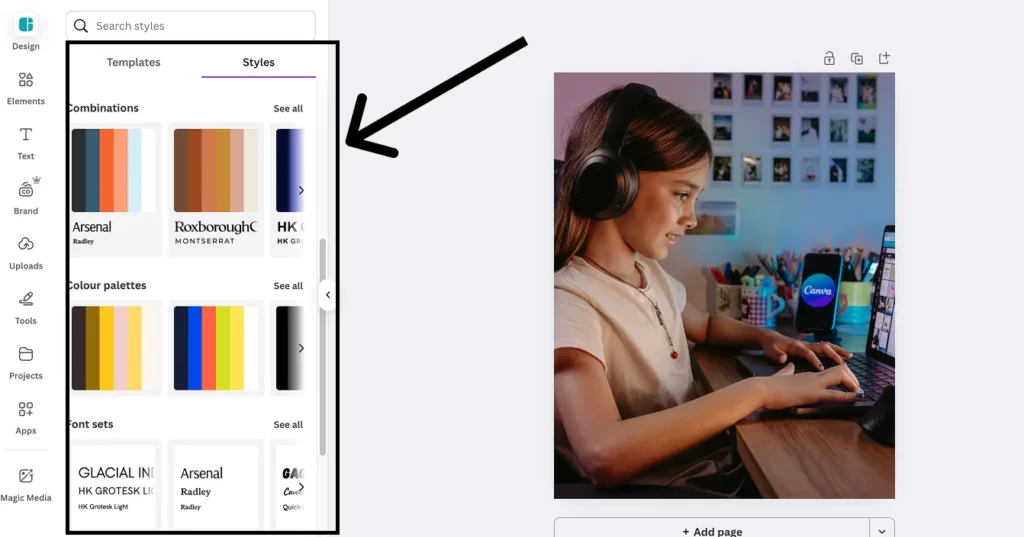
Step 2: Set a Brand Style Guide
Consistency is what makes a set look premium. Pick a color palette that works together, choose two or three fonts for headings, subheadings, and body, and define even spacing.
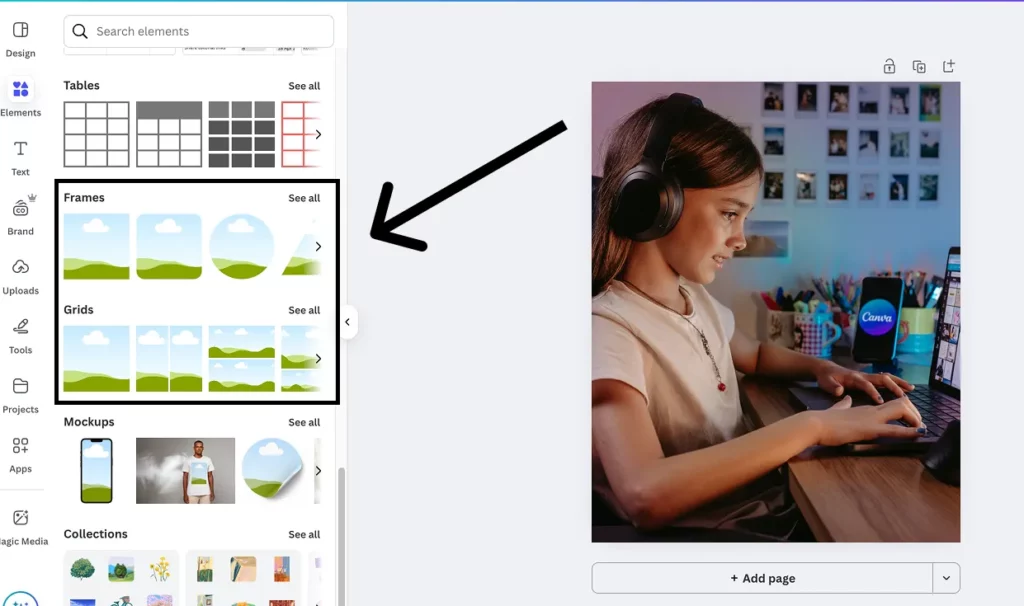
Step 3: Create Your Layout in Canva
Use grids and frames to structure the design, add placeholders for text and images, and keep plenty of white space so the template reads as clean and professional.
Step 4: Use Only Free or Your Own Elements
If your buyers may not have Canva Pro, avoid Pro-only elements. Stick to free icons, shapes, and photos, and upload your own illustrations or textures for originality. AI-generated art is fine too if it follows Canva's terms, which is handy if you also want to sell AI art.
Step 5: Make It Editable for Buyers
Replace real copy with clear prompts like "Add your title here," use generic placeholder images buyers can swap, and group related elements so editing is painless.
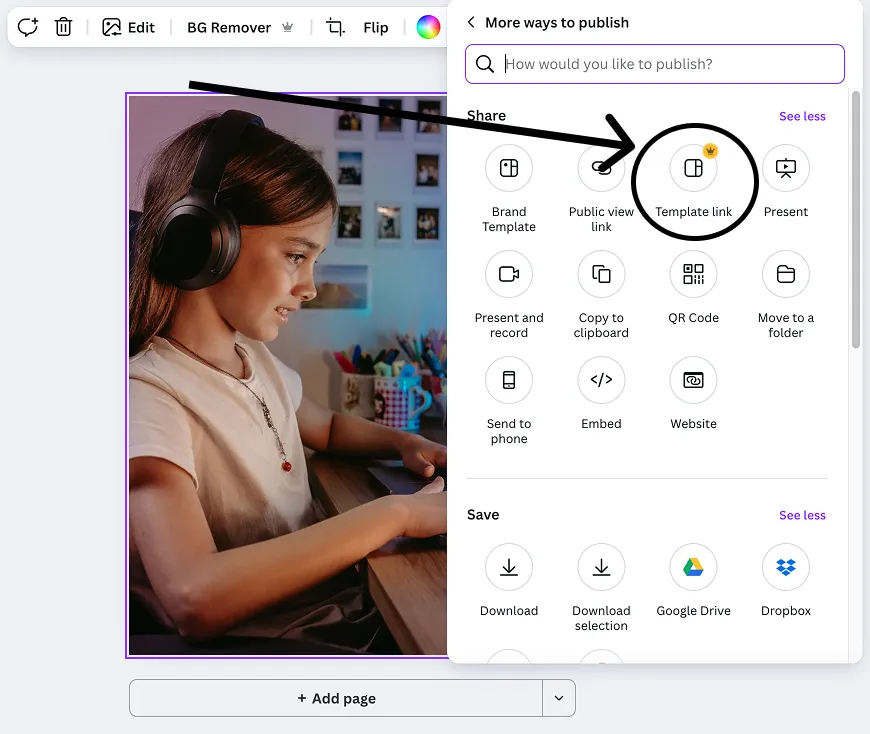
Step 6: Create the Shareable Template Link
In Canva, click Share, open the three-dot menu, choose Template link, and create it. That link, not a regular share link, gives each buyer a fresh copy without touching your master file.
Step 7: Save Mockups and Previews
Buyers cannot see the file before purchase, so previews do the selling. Export clean PNG or JPG images and use Canva or a mockup tool to show the template in real-world context. Make at least a few per product.
Where to Sell Canva Templates
The trade-off is always the same: marketplaces bring traffic but take a cut and bury you in competition, while your own store keeps more of each sale but you drive the visitors. Here is how the main options compare.
| Platform | Best for | Fees and cut | Traffic |
|---|---|---|---|
| brandID | An all-in-one creator store and link in bio | Start free, no marketplace commission | You drive it |
| Canva Creators | Passive royalties inside Canva | Canva sets the royalty | Canva's huge user base |
| Etsy | Built-in buyer traffic | Listing fee plus about 6.5% plus transaction fees | High |
| Gumroad / Sellfy | A quick, simple storefront | Around 10% or flat monthly plans | You drive it |
| Creative Market | Premium, portfolio-style selling | Roughly 30% to 40%, approval required | Curated audience |
A common playbook: list on a marketplace like Etsy for discovery, and run your own store to keep more margin and own the customer relationship. If you want to sell Canva templates on Etsy specifically, focus hard on keyword-rich titles and 10 preview images per listing.
Sell Canva Templates Without Fees Eating Your Margin
Marketplaces are great for discovery, but their fees and 30% to 50% cuts add up fast, and you never own the customer. The fix is to pair that reach with a store you control.
brandID is a free creator store and link in bio where you can sell digital downloads like your Canva template PDFs directly, with no marketplace commission skimming each sale.
- Deliver the template link or PDF automatically on purchase, no manual emails
- Keep your margin: sell direct instead of handing 30% to 50% to a marketplace
- Add subscriptions for a monthly template club, or collect tips on freebies
- Custom domain and clean, brandable pages, plus analytics to see exactly what sells
It also doubles as your link in bio, so every follower on Instagram, TikTok, or Pinterest lands on one page that holds your whole template shop. Run the all-in-one creator store free and layer marketplaces on top for reach.
Start Your Free Store on brandIDHow to Price Your Canva Templates
Pricing too low makes buyers doubt the quality, and pricing too high loses them to a similar shop. The sweet spot comes from homework: check what similar sellers charge on Etsy and Creative Market, then price for your bundle size and quality.
Bundle size is the biggest lever. A 15-template set for $12 and a 40-template set for $29 can both feel fair, because buyers price on how much they get. For the full method, see how to price a product.
How to Promote Your Canva Templates
1. Nail Your Niche and Buyer
Speak to one specific buyer and their problem. A shop clearly built for "wedding photographers" or "food bloggers" converts far better than a generic template store.
2. Go Where Buyers Scroll
Instagram, Pinterest, and TikTok are ideal because templates are visual. Post previews, before-and-after edits, and quick tutorials, and pin your shop link in every bio. Pinterest in particular sends buyers for years.
3. Build an Email List
Offer one free template in exchange for an email, then nurture subscribers with tips and launch discounts. Email consistently outsells social for actual purchases.
4. Optimize Listings for Search
On Etsy and your own store, write keyword-rich titles and descriptions so buyers searching for exactly your template can find it. This is free, high-intent traffic.
5. Consider Light Paid Ads
Once a product sells organically, a small Pinterest or Etsy ad budget can pour fuel on it. Test only after you know a template converts, and knowing how creators get paid across platforms helps you plan the funnel.
Mistakes to Avoid When Selling Canva Templates
- Copying existing templates. Editing a Canva stock design or someone else's work and reselling it breaks the rules and the law. Design from scratch.
- Selling one-offs instead of bundles. Matching sets command higher prices and happier buyers.
- Using Pro-only elements carelessly. Buyers without Canva Pro cannot use them, so favor free elements.
- Weak previews. Buyers judge on mockups alone, so invest in clean, contextual preview images.
- Relying on one platform. List on a marketplace for reach and your own store for margin, and never depend on a single algorithm.
Conclusion
Selling Canva templates is one of the most accessible ways to build passive income: low cost to start, no inventory, and a design that keeps earning long after you make it.
Pick a niche with real buyers, design a strong bundle from scratch, price it in line with the market, and list it where your audience already is. Then add a new template each month and let the catalog compound.
The last piece is infrastructure. Give buyers a clean place to purchase and yourself a dashboard that shows what sells, and your template shop turns into a business that runs while you sleep.
Frequently Asked Questions
How Much Money Can You Make Selling Canva Templates?
It varies with your catalog size, quality, and promotion, but most sellers earn from a few hundred to a few thousand dollars a month, and full-time sellers earn more. Income is largely passive once your templates are listed, since the same design sells repeatedly.
How Do You Sell Canva Templates on Etsy?
Create original templates, save a PDF containing your shareable Canva template link, and list it as a digital download. Write a keyword-rich title and description, add about 10 preview images, and follow Etsy's policies. Etsy brings built-in traffic in exchange for listing and transaction fees.
How Do You Make Money on Canva Without Selling Templates?
You can join the Canva Creators program for royalties, offer freelance Canva design services, teach Canva through courses or YouTube, design other digital products like printables and ebooks, or earn through Canva's affiliate program. Most creators combine a few of these.
Do You Need Canva Pro to Sell Templates?
No. You can start with a free Canva account using only free elements, which also lets buyers without Pro use your templates. Canva Pro at about $15 a month adds brand kits, more fonts, and assets that speed up design, so many sellers upgrade once they are earning.
Can You Sell Templates With Canva Pro Elements?
Yes, but only as a shareable Canva template link, not as a downloadable file. Canva's license allows Pro assets inside templates shared through the template link feature, where the buyer gets an editable copy. Selling Pro elements as direct downloads breaks Canva's terms.
Is It Legal to Sell Canva Templates?
Yes, as long as the designs are genuinely your own and built from scratch. You cannot take a Canva stock template or another seller's design, tweak it, and resell it. Original work made with Canva's free or Pro elements, shared as a template link, is fully allowed.
What Canva Templates Sell Best?
Social media kits, Pinterest pins, resumes, planners and workbooks, media kits, and small-business marketing sets are consistent sellers because they solve a repeated, specific need. Matching bundles outsell single designs because buyers get more for their money.
 Summarize this article with: