
How to set up video meetings (brandID Meet, Google Meet, Zoom)
Choose the video tool for each event type and bookme puts a join link in every booking. brandID Meet needs no setup, Google Meet needs a connected Google Calendar, and Zoom needs a one-time connection.
Before you start
- For Google Meet: a connected Google Calendar (see the calendar guide).
- For Zoom: a Zoom account you can sign in to.
Open Integrations and pick the Video tab
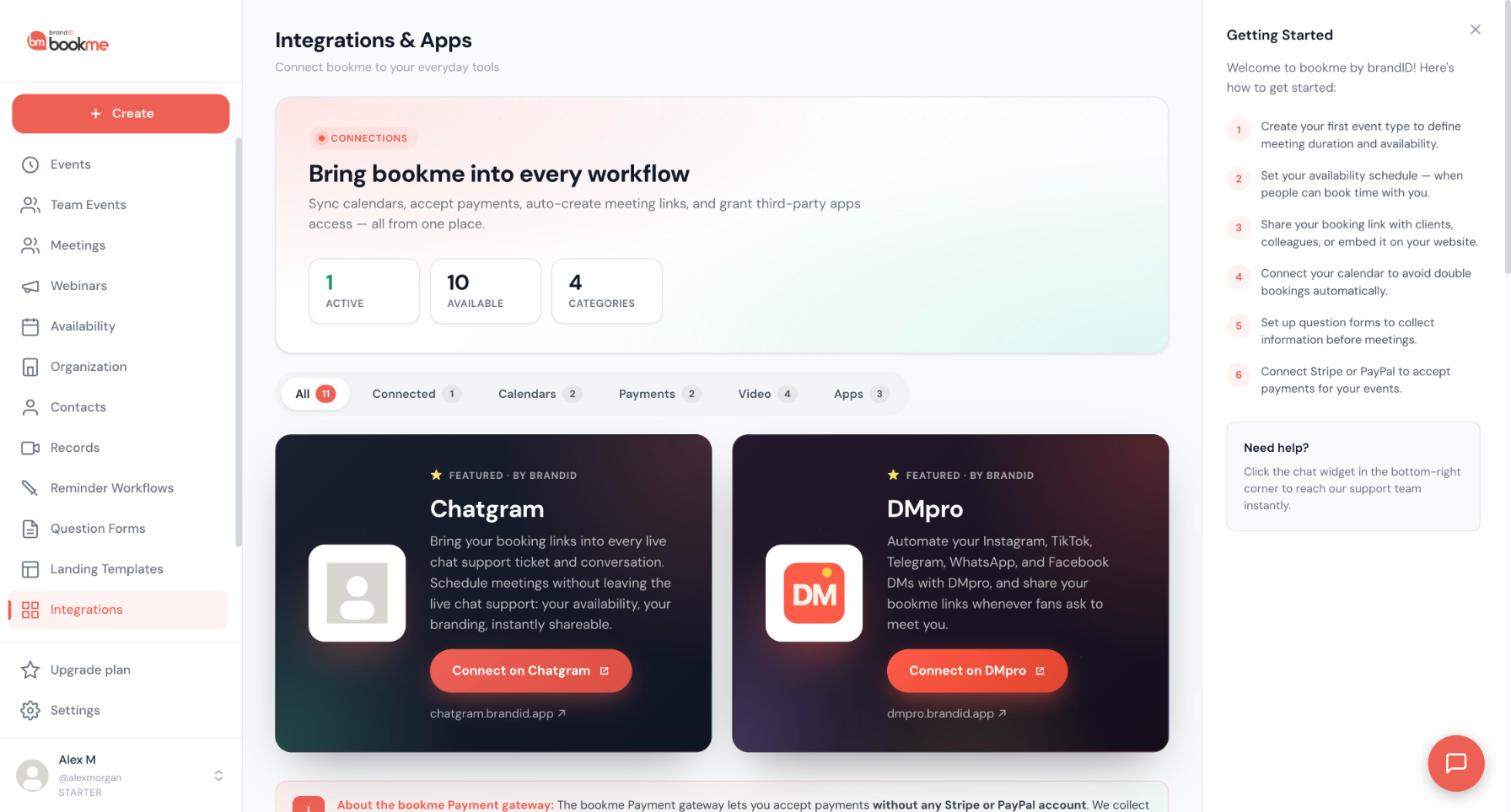
Click Integrations in the sidebar, then the Video filter tab to see the video tools you can connect.
Use brandID Meet with no setup
brandID Meet is built into bookme. There is nothing to connect. Every booking on an event set to brandID Meet gets its own room, and it runs in the browser so your invitee installs nothing. The invitee link goes in their confirmation email and calendar entry. Your host link goes in your new-booking email and in the booking’s details on the Meetings page.
Connect Zoom if you want to use it
Find the Zoom card and click Connect. A Zoom sign-in window opens. Sign in, review what bookme asks for (creating, updating and deleting the meetings it makes, and reading their details), and click Authorize. bookme cannot access your other Zoom meetings.
You can connect one Zoom account per bookme account.
Connect Google Calendar for Google Meet
Google Meet is available once Google Calendar is connected. bookme then creates a Meet link inside the calendar event it writes for each booking. If Google Calendar is not connected, or the connection is broken, the booking gets a brandID Meet room instead so the meeting still has a place to happen.
Set the location on each event type
The video tool is chosen per event type, so each event can use a different one. Open the event and, in the Details step, pick the location: Google Meet, Zoom, brandID Meet, Phone call or In person. Save or publish the event.
A custom link, such as a Microsoft Teams link, is not a location option. You can put your own link in the event description or in a workflow email.
Find the join link on a booking
Open Meetings and click a booking. The details show Join and Copy link for video meetings. The latest link is also in the most recent email and on the calendar entry.
A Zoom meeting is tied to its time. When a booking is rescheduled, bookme creates a new Zoom meeting with a new join link. Tell invitees to use the link in the latest email, not a saved copy. brandID Meet and Google Meet keep the same link on reschedule.
Tips
- Pick the video tool based on your invitee. Choose the one they already use, not only your favourite.
- After connecting Zoom, book a test slot on your own event and check that the booking shows a Zoom link.
- Without a calendar or Zoom connection you can still use brandID Meet for every event.
If something goes wrong
A Zoom event got a brandID Meet link.
Google Meet bookings have a brandID Meet link.
I want to meet on Microsoft Teams.
Related how-to guides
Still stuck? We’re happy to help.
Create your bookme account, see pricing, or reach out to support directly.




