
How to connect ChatGPT to bookme
ChatGPT can work with your bookme account through a custom connector that signs in with OAuth. You pick what it may do, and bookme records every request.
Before you start
- A bookme account (MCP access is listed on Starter, Pro and Elite).
- A paid ChatGPT plan: developer mode under Apps and connectors is available on paid plans.
Copy the bookme address
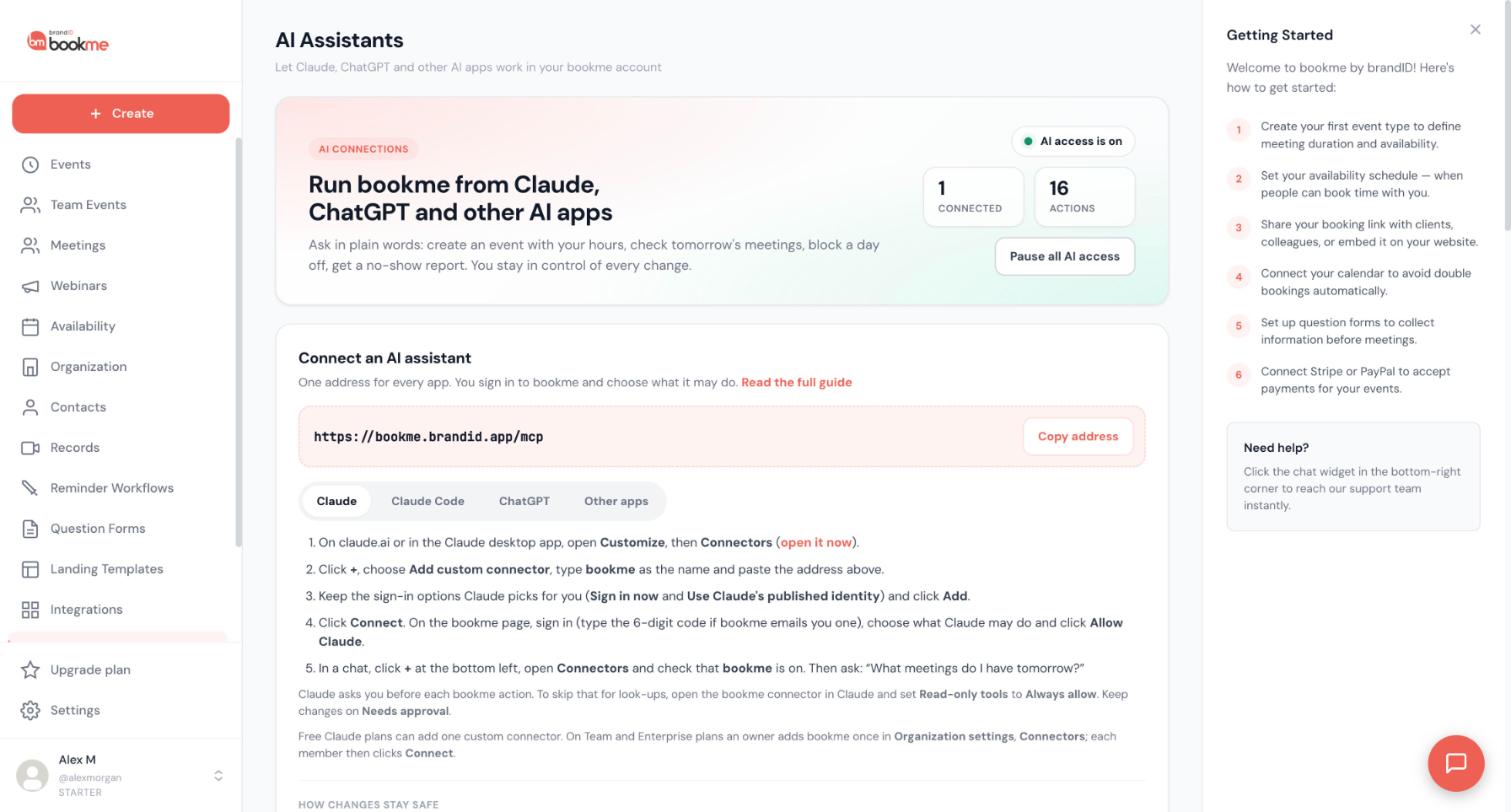
In bookme open AI Assistants and click Copy address. The address is https://bookme.brandid.app/mcp. The ChatGPT tab on the same page shows the ChatGPT version of these steps.
Turn on developer mode in ChatGPT
In ChatGPT open the settings for Apps and connectors and turn on developer mode. This is only offered on paid plans. The exact menu names inside ChatGPT can change, so use its own settings search if you cannot find them.
Create the connector
Create a new connector, give it the name bookme, paste the address and choose OAuth as the sign-in method.
Sign in to bookme and choose access
ChatGPT opens a bookme page. Sign in to bookme there (never to ChatGPT). If your last sign-in is older than 10 minutes, bookme emails you a 6-digit code. Then pick View only, View and manage or Custom (area by area) and allow it.
Start with a look-up
In a ChatGPT chat, make sure the bookme connector is enabled, then ask:
What meetings do I have tomorrow? Only look them up, do not change anything.After that, check AI Assistants in bookme. ChatGPT appears under Connected apps and every request it made is listed in Activity.
Know what stays under your control
ChatGPT works inside the same rules as every other AI app. Changes to your own settings happen right away and appear in Activity, where most can be undone for 30 days. Anything that reaches other people, such as cancelling or moving a meeting, asks you first: the assistant must show exactly what will happen and wait for your yes. High-impact requests, such as emailing a whole webinar list, wait for your approval on the AI Assistants page.
ChatGPT can never change payments, plans, billing, refunds or payouts, your password or sign-in methods, or your connected calendars and apps.
Tips
- bookme recognizes apps such as Claude and ChatGPT. An app it cannot identify is marked Unverified and starts at View only.
- What you share in a chat is also covered by that AI provider’s own terms and privacy policy.
If something goes wrong
I cannot find developer mode.
The connector works but nothing changes in bookme.
Related how-to guides
Still stuck? We’re happy to help.
Create your bookme account, see pricing, or reach out to support directly.




