
How to connect a Telegram bot to DMpro
Create a bot with Telegram’s BotFather, paste its token into DMpro and let your campaigns answer people inside Telegram.
Before you start
- A Telegram account
- About five minutes to create a bot
Create a bot in Telegram
Telegram uses bots instead of a login window. In Telegram, open a chat with @BotFather, send /newbot and follow the prompts to choose a name and a username for your bot. When it finishes, BotFather sends you a bot token, a long string of letters and numbers. Copy it.
Treat the token like a password. Anyone who has it can control your bot. Never post it publicly or send it in a chat, and generate a new one in BotFather if it leaks.
Open Social Accounts
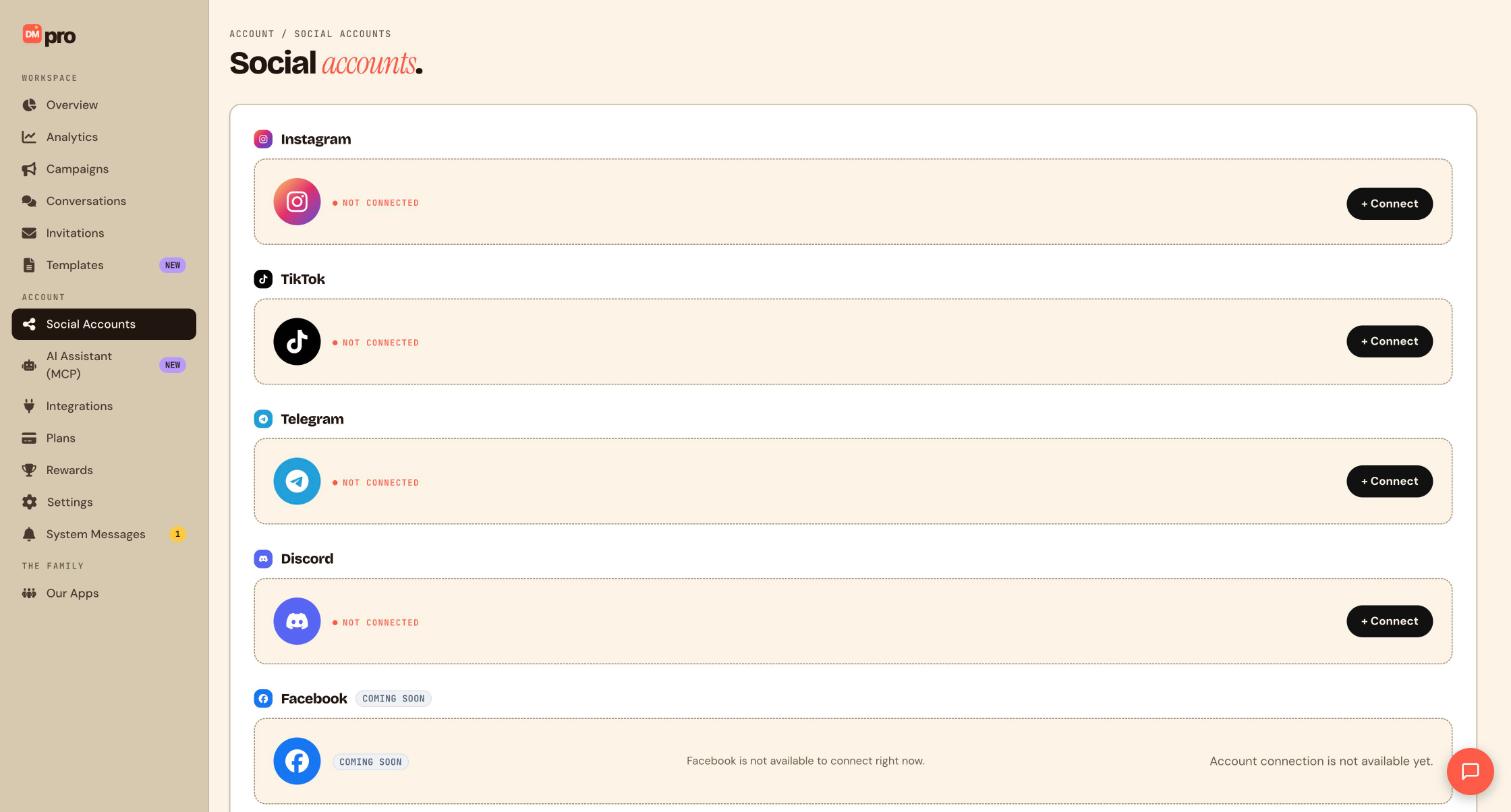
Click Social Accounts in the sidebar. Telegram is the third card and shows NOT CONNECTED until you link a bot.
Click Connect and paste the token
Click + Connect next to Telegram. A window asks for the bot token. Paste the token from BotFather with no spaces before or after it, and confirm. Connecting only links the bot; it does not message anyone.
Let DMpro finish the setup
DMpro registers the webhook for your bot automatically, so you do not have to set anything up in BotFather for the connection to work. When it is done the card shows your bot’s name, for example @YourBot.
Test that the bot answers
A Telegram bot can only message someone who has started it first, so test from your own Telegram account. Open t.me/YourBot?start=test, replacing YourBot with your bot’s username, and tap Start. Once you have built and published a campaign with a Telegram trigger, this link is also how fans start the conversation, and a payload after start= lets you tell sources apart.
Build your first Telegram campaign
Triggers available on Telegram are Message to the bot, /start menu button and Deep link. Pick a template or build a flow, then publish it. Telegram messages can be up to 4,096 characters and support buttons, photos, voice, stickers and more.
Tips
- Give the bot a clear name and a short description in BotFather, so people know what they are talking to.
- Use a different
start=payload for each place you share the link (bio, ad, email) and you can tell where fans came from. - Keep the token in a password manager, not in a document or chat.
If something goes wrong
DMpro says the bot token is invalid.
The token was copied wrongly or has been revoked. In BotFather send /token to get a fresh one for your bot, paste it without spaces, and try again.
The bot is connected but fans get no reply.
Another service may have registered its own webhook on the same bot. Disconnect and reconnect the bot in DMpro so it re-registers, and remove any other webhook through BotFather. Also check that your campaign is published and that the keyword matches.
Fans tap Start and nothing happens.
For a /start menu button trigger, the button labels set in BotFather must match the trigger. Test with t.me/YourBot?start=test and confirm the campaign is published and the bot is connected.
Related how-to guides
Still stuck? We’re happy to help.
Create your DMpro account, see pricing, or reach out to support directly.




