
Linktree Review 2026: Is the Most Popular Link-in-Bio Tool Still Worth It?
Linktree is the name most people think of first when searching for the best link in bio tools. With over 70 million users worldwide, it practically invented the category. But being the most popular option doesn't always mean it's the best one for your needs, especially when newer platforms are offering more features for less money.
In this Linktree review, we take a close look at everything Linktree offers in 2026: its features, pricing, real user feedback, and its drawbacks. By the end, you'll know whether it's the right fit for your business or whether one of its alternatives (also covered in this article) deserves a closer look.
What Is Linktree?
Linktree launched in 2016 with a simple idea: instead of constantly swapping out the one link Instagram gives you, why not point it to a single page that holds all your links at once? That idea resonated with a lot of people, and it still does.
The platform grew quickly because it solved a real frustration. Creators, brands, and businesses no longer had to choose between linking to their website, their latest post, their store, or their social profiles. They could share all of it from one place.
But keeping things simple comes at a cost, and for creators who need more than just a list of links, that cost adds up quickly.
Linktree Overview
At a Glance
- Founded in 2016 by Alex Zaccaria, Anthony Zaccaria, and Nick Humphreys in Australia.
- Its main goal is to simplify sharing content, social profiles, and websites through one link.
- Linktree integrates with platforms like Instagram, Spotify, TikTok, and Shopify.
- Linktree provides mobile-friendly pages optimized for social media traffic.
- It does not offer native custom domains, even on paid plans.
Now we will go through all the features and flaws of this platform in this Linktree review, so you have a better idea of what you will get by choosing it.
Linktree Features
Linktree provides a core set of features that cover basic link-sharing needs. Below are its main features:
Unlimited Links
Using Linktree, you can add an unlimited number of links to your page. This means you can share as many web pages, blogs, products, and social profiles as you want. There is no cap on the number of links you can list and use in other places.
Custom Themes and Layouts
Linktree offers many themes and color options to style your page as you prefer. You can change fonts, button styles, and layouts to match your personal or brand aesthetic.
Social Media Integration
By using Linktree, you can link to social profiles and convert your page into a monetization tool. Linktree allows adding icons that link to your Instagram, TikTok, Twitter, or other social accounts. It can also embed media players for platforms like YouTube or Spotify, letting visitors play your content without leaving the page.
QR Code Generator
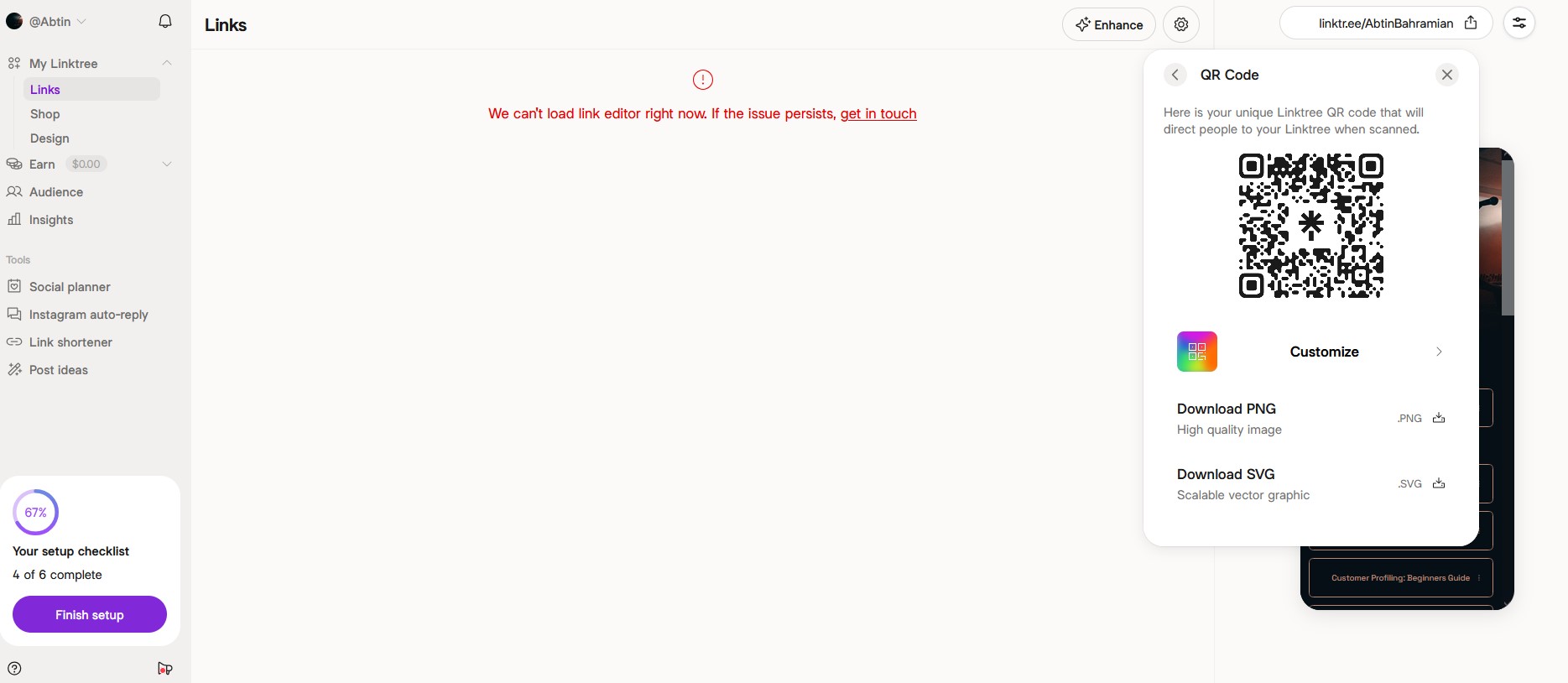
Linktree automatically provides a unique QR code for your page, which you can download and share. Scanning that code will open your Linktree on a mobile device. This lets you include your bio link on printed materials, like business cards and posters, and track scan analytics.
Basic Analytics
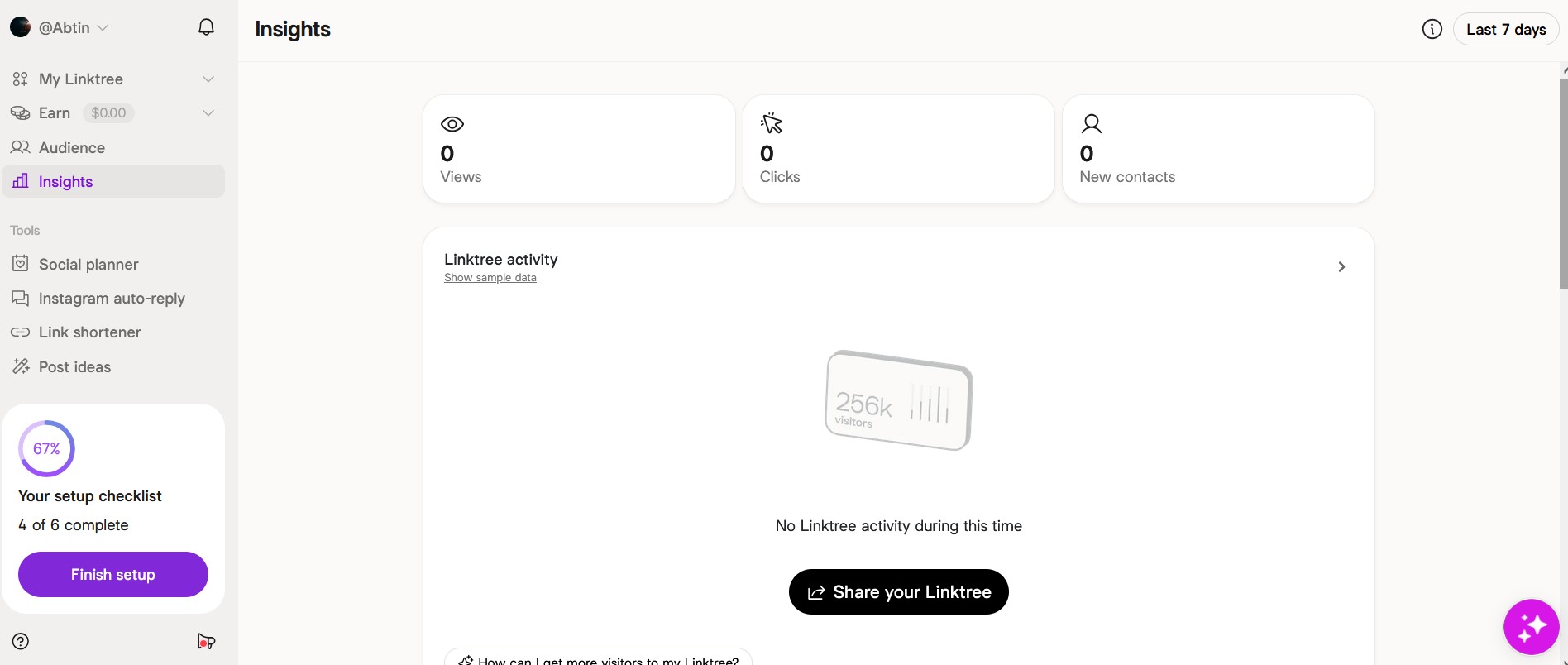
The platform tracks how many clicks each link receives. Basic statistics (click counts, views) are available on both free and paid accounts. However, for more detailed data, including trends, devices, and geographic information, you need to purchase higher plans. This enables you to determine what content most appeals to your target demographic.
Custom Domains
You can connect a custom domain or subdomain on Linktree's Premium plan. For example, you can use links.yourdomain.com instead of linktr.ee/YourName. Custom domains are not available on the free, Starter, or Pro plans.
Linktree Shops & Sponsored Links
Linktree has expanded into monetization with two features worth knowing about.
Linktree Shops lets you build a storefront and earn commission on products from brands like Target, Amazon, Lululemon, and Revolve. It works similarly to an affiliate marketplace; you curate products relevant to your audience and earn every time someone buys through your links.
Linktree's sponsored Links let brands pay you directly for space on your Linktree. These appear with a clear “Sponsored” label and pay you when visitors take an action, like subscribing to a service or completing a purchase through the link. Inspirepreneurmagazine
Digital Products & Courses
Linktree now lets you sell digital products like ebooks, templates, and guides directly from your page, without needing a third-party tool. For courses, Linktree partners with Kajabi, letting you build and sell structured online courses through your Linktree profile.
You can bundle up to 24 files per product with a 100MB per file cap. Payments run through Stripe, and buyers receive an email with download access after purchase.
Linktree Pricing
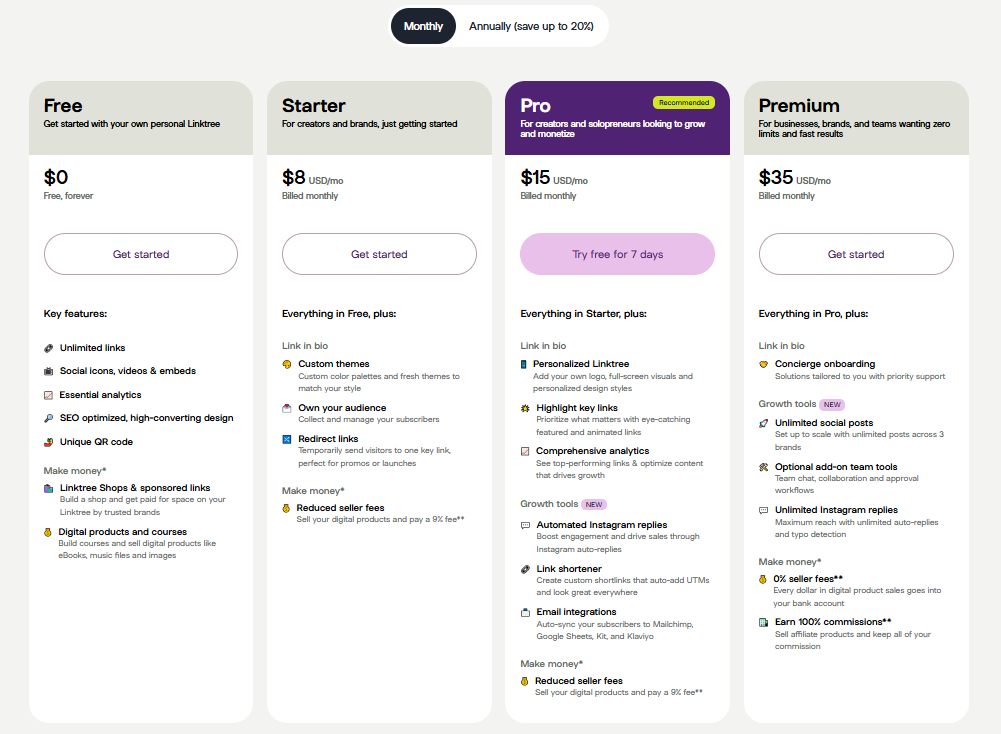
Linktree is a freemium model. There is a free tier and three paid tiers. You can pay monthly or get discounted annual rates. Here are the pricing plans:
- Free Plan: Linktree's free plan allows unlimited links and provides basic functionality. You get some basic analytics, simple themes, a default linktr.ee/username URL, and basic features like social icons and a QR code. Free accounts do not support custom domains, nor do they have many of the advanced growth tools.
- Starter Plan ($8/month): This paid plan includes everything in Free, plus:
- Custom color themes,
- Email subscriber capture,
- Redirect links for promotions,
- Some growth tools, like limited social scheduling.
- Pro Plan ($15/month): In this plan, you can add your logo and full design styles to your page, highlight key links with featured/animated links, and get full analytics. It also unlocks additional automation tools like Instagram autoresponses and a built-in link shortener.
- Premium Plan ($35/month): Premium includes everything in Pro plus:
- Unlimited post scheduling,
- Priority support,
- Collaboration tools,
- Zero platform seller fees.
This tier is typically only for companies or influencers who need a better experience and advanced team features.
Linktree Seller Fees: The Cost Most People Miss
On top of the subscription cost, Linktree charges transaction fees on every digital product sale: 12% on the Free plan, 9% on Starter and Pro, and 0% on Premium. Standard Stripe processing fees of approximately 2.9% + $0.30 per transaction apply on top of that.
This means the Free plan isn't actually free if you sell anything. Sell a $50 product ten times a month on the Free plan and you've paid $60 to Linktree before Stripe takes its cut.
Linktree Reviews: Customer Feedback
User reviews of Linktree are mixed, and many customers express frustration with its limitations.
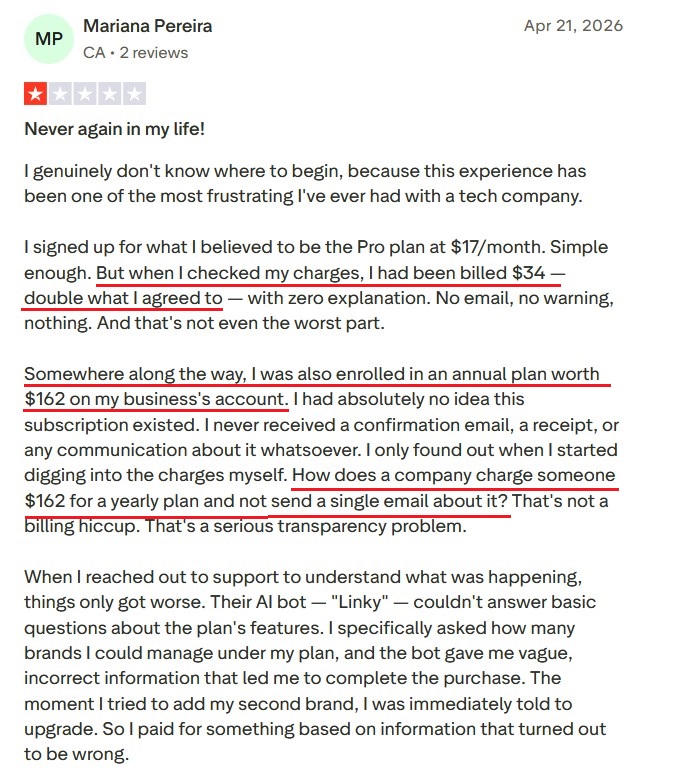
First, we have a detailed negative Linktree review describing a confusing billing experience: Mariana intended to sign up for a $17/month plan but was unexpectedly charged $34 without explanation. They also discovered an unnoticed $162 annual subscription on their account with “no email, no warning, nothing”. When they asked for help, the AI chatbot gave vague answers, and the human agent disappeared mid-chat. Ultimately, the customer canceled and complained of a “serious transparency problem”.
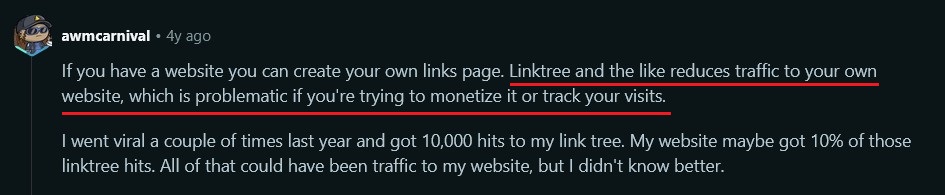
Our next stop is Reddit. In one discussion, a user describes how Linktree can reduce traffic, and it is best to use your own website or other alternatives, which we will discuss later.
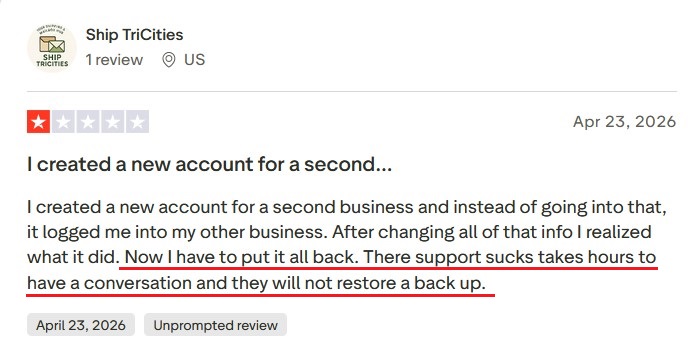
On review sites like Trustpilot, common complaints center on billing issues, the quality of support, and unfulfilled promises. One user just reported being unable to recover their account after a data mix-up, writing that Linktree's “support sucks… they will not restore a backup.”
Linktree Pros and Cons
We summarize the main advantages and drawbacks of Linktree here:
Pros
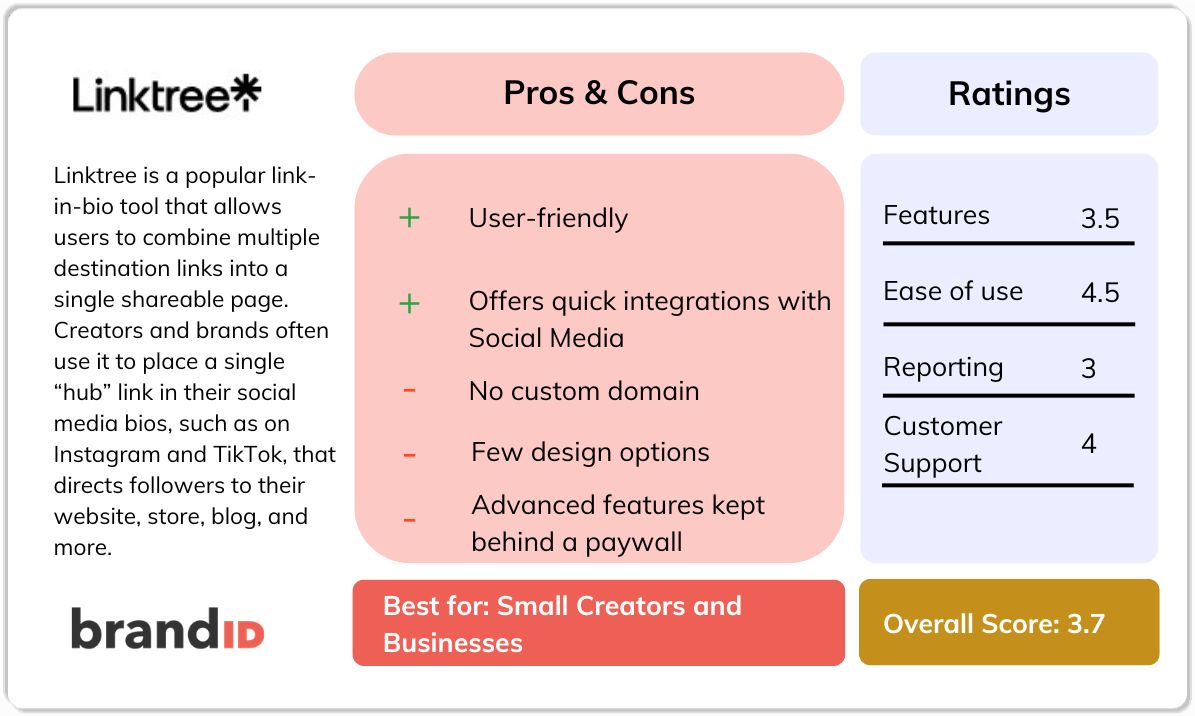
- User-friendly setup with a clean and intuitive interface.
- Unlimited links in their free plan.
- Offers quick integrations with Instagram, Spotify, SoundCloud, Shopify, and more.
- Linktree is well-known and can be used for its familiarity as a trust signal.
- Built-in click tracking analytics without needing external tools.
Cons
- No custom domain, and Linktree forces the linktr.ee/username domain. This is inconvenient for professional branding.
- The free version has very few design options. Even paid plans offer only modest styling flexibility compared to more advanced tools.
- Advanced features like custom domains, extensive widgets, and certain embeds are kept behind a paywall.
- Linktree's pricing is higher than some alternatives, especially since some Linktree competitors offer lifetime plans.
- Customer support issues.
- High hidden fees on sales.
If you read this Linktree review and recognized your own frustrations; the 12% Free-plan seller fee that quietly eats into every sale, the November 2025 price hike that pushed Pro from $9 to $15, the inability to use your own domain on any plan, the locked-behind-paywall logo upload, the billing surprises that fill Trustpilot, you're already thinking about what comes next.
brandID: The Best Linktree Alternative
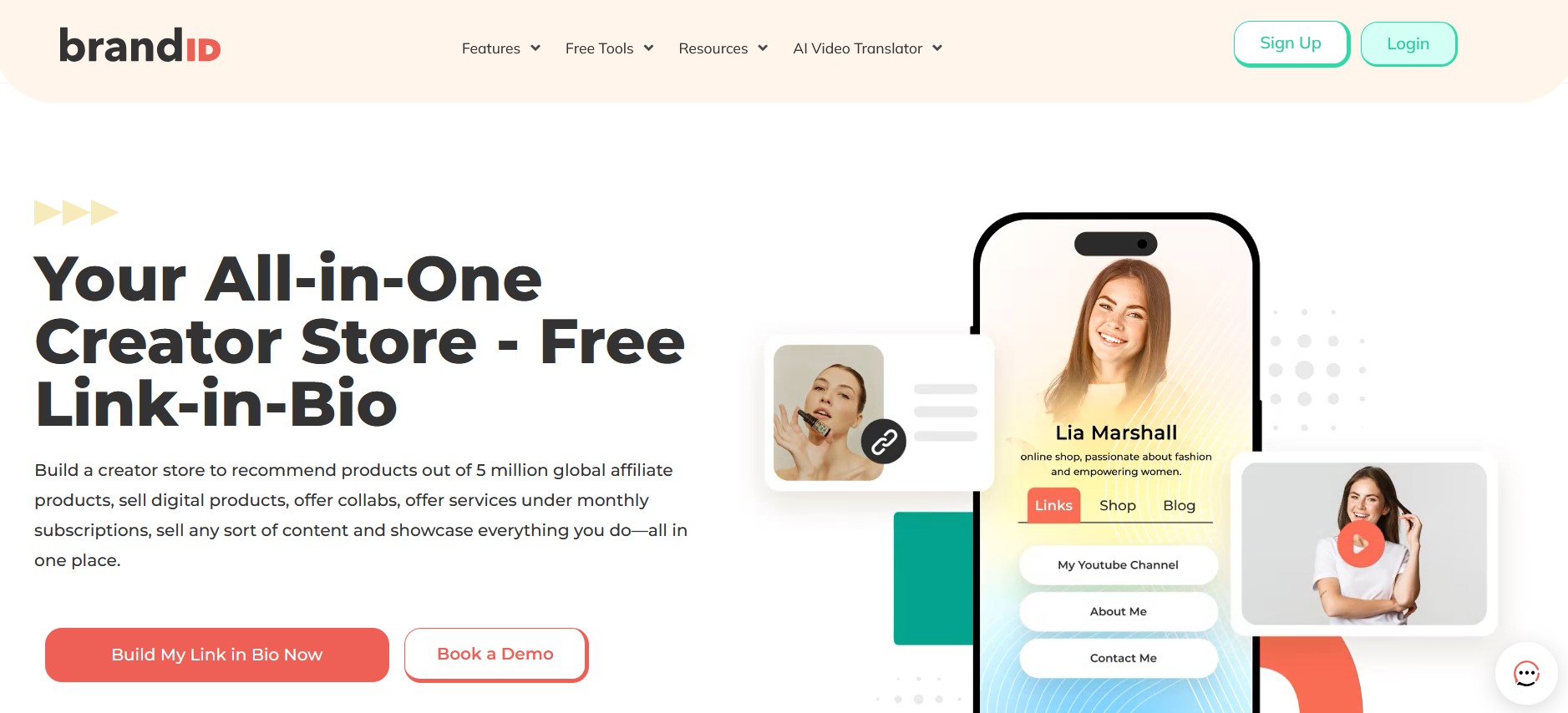
brandID is the platform most creators land on. It's a free, all-in-one creator monetization platform that takes everything Linktree gates behind paid tiers, makes it free, and adds the monetization tools Linktree's free plan was never designed to support.
Where Linktree gives you a list of links, brandID gives you a working creator business: storefront, affiliate marketplace, subscriptions, paid bookings, tips, email, AI video translation, and full design control — all in one place.
Here's how brandID directly fixes each Linktree weakness covered above:
brandID vs Linktree:
1. No 12% seller fee on the free plan
This is the headline difference. Linktree's Free plan charges 12% on every digital product sale, plus standard Stripe processing of 2.9% + $0.30. Sell ten $50 products in a month, and Linktree has taken $60 in platform fees before Stripe touches the transaction. brandID's free plan charges 5% if you connect your own Stripe or PayPal, or 10% if you use brandID's gateway, and that's it.
2. No surprise price hikes
Linktree raised its Pro plan by 67% in November 2025, jumping from $9 to $15 per month with the other tiers following. Older reviews quoting the old price are now misleading. On the other hand, brandID is quite transparent about its pricing and fees.
3. Your branding, your way
Linktree locks logo uploads, full-screen backgrounds, embedded media, custom themes, and design flexibility behind its Starter, Pro, and Premium tiers. brandID puts all of it on the free plan: hundreds of templates, a drag-and-drop builder, full logo and branding control, embedded video and audio, image galleries, and complete typography control.
Free users get the same design power as paying users; there are no “upgrade to unlock” prompts when you try to add your own logo.
4. The monetization features Linktree gates behind tiers, and the ones it doesn't have at all
Linktree's monetization story is patchwork. Linktree Shops and Sponsored Links exist but are US-only in 2026, locking out the rest of the world. Digital products and courses are available but capped at 100MB per file. Subscriptions and proper booking tools aren't natively supported.
brandID is the opposite. Monetization is the core product, not a bolt-on:
- Digital storefront — sell ebooks, courses, templates, downloads with no file-size cliff
- Built-in affiliate marketplace with 5 million+ products from 2,000+ brands, available globally, with commissions up to 65%
- Subscriptions and recurring memberships native to the platform
- Paid bookings and scheduling for coaches, consultants, photographers (Linktree doesn't natively offer this)
- Online tip jar with no caps and no premium tier required
- Digital billboard rentals — rent visual ad spot on your link-in-bio page to brands, a revenue stream that doesn't exist on Linktree
Crucially, none of these are geo-restricted. Creators in Europe, Asia, South America, and Africa get the same monetization stack as US creators. Linktree's US-only feature carve-out is one of the most-cited frustrations in international reviews — brandID simply doesn't have that limitation.
5. A real affiliate marketplace, not a feature stub
Linktree Shops gives you a curated list of brands like Target, Amazon, Lululemon, and Revolve to promote. Useful, but limited to whoever Linktree has partnered with and only available to US creators.
brandID flips the model. As a creator, you get instant access to over 5 million products from 2,000+ brands, with commissions up to 65% on qualifying products. Weekly payouts. No minimum threshold to withdraw — you can pull your first $5 in commissions the same week. If your own products belong in the marketplace for other creators to promote, the support team handles the listing for you.
This isn't a competing “Shops” feature. It's a fundamentally different model: Linktree gives you a small affiliate menu, brandID gives you the affiliate marketplace.
6. Marketing tools built in, not stitched together
Linktree's marketing capability is limited to email capture (Starter+ only), Instagram autoresponses (Pro+ only), and a built-in link shortener. Anything beyond that, you're integrating Mailchimp, ConvertKit, or a separate landing page builder.
brandID includes — on the free plan — built-in email marketing, lead capture forms, an in-platform blog, CRM with promo codes, giveaway tools, and analytics with Google Analytics + Facebook Pixel integration. The result: you can run a complete creator marketing stack from one tool instead of paying for three.
7. AI Video Translator — global reach Linktree can't match
This is a feature Linktree has no equivalent for. brandID's AI video translator dubs your video content into 200+ languages while preserving your voice. For creators selling courses, tutorials, video products, or building international audiences, this single feature opens markets that English-only Linktree pages can't reach. A course creator who would otherwise pay translators thousands per language can serve buyers globally from day one.
Linktree vs brandID
| Feature | Linktree | brandID |
|---|---|---|
| Starting Price | Free | Free |
| Sales Cap | None- 12% fee | None - 5% fee |
| Affiliate Program | Limited | Yes (all plans) |
| Link Management | Yes | Yes |
| Booking & Scheduling | Yes | Yes |
| Link in Bio Page | Yes | Yes |
| Secure Inbox | No | Yes |
| Giveaways | No | Yes |
| Digital Billboard Rentals | No | Yes |
| AI Video Translator | No | Yes |
| Physical Products | No | No |
| VAT & Tax Handling | No | No |
Other Linktree Alternatives
Apart from brandID, many other Linktree alternatives exist – though each has its own trade-offs. Three notable ones are:
1. Lnk.Bio
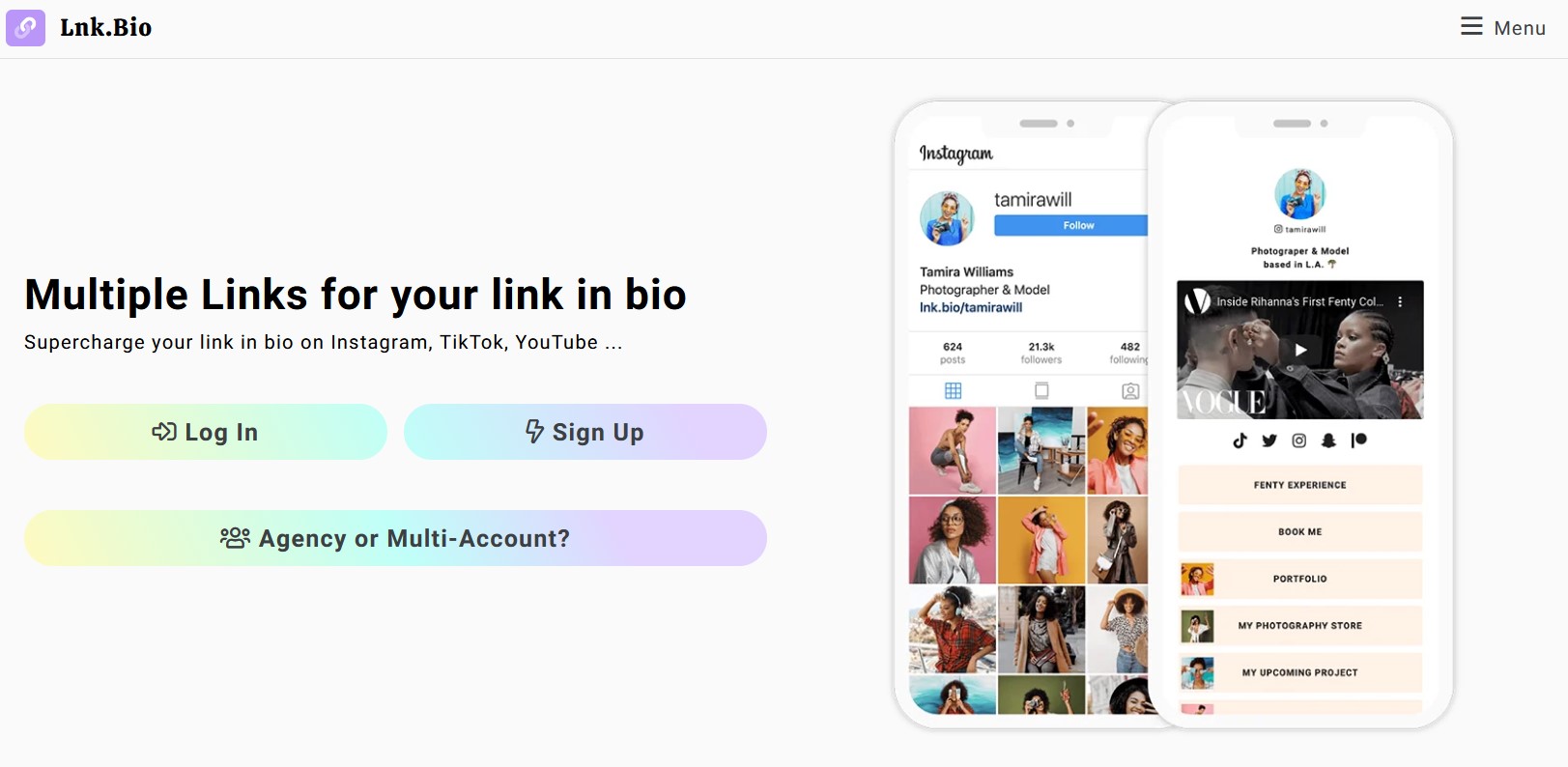
Lnk.Bio is one of the alternatives for Linktree that lets you add unlimited links on its free plan, and offers lifetime pricing ($9.99 or $24.99 one-time) instead of subscriptions.
However, it has a very minimal interface and far fewer features than modern link platforms like brandID. It lacks advanced embeds and commerce tools, and its design is quite basic.
In short, Lnk.Bio may work for someone needing a really cheap link page, but it feels outdated and nearly bare-bones compared to others. Read our full Lnk.Bio review.
2. Solo.to
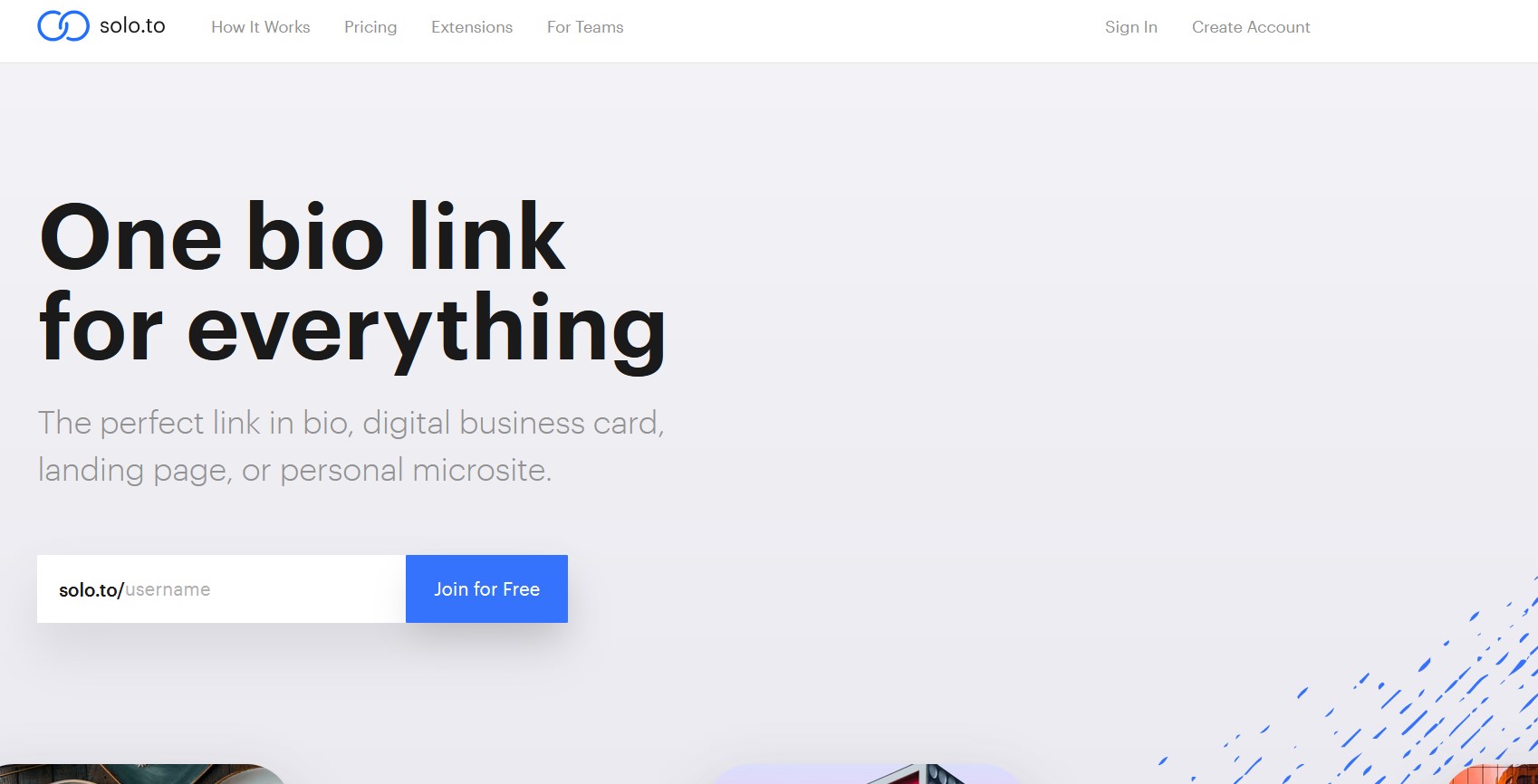
Solo is a more feature-rich Linktree alternative that emphasizes customization and creator tools. It includes payment widgets, tip jars, and detailed analytics built into the platform.
In practice, however, Solo.to has a steeper learning curve and is not as intuitive as Linktree. It also lacks the mainstream familiarity of Linktree, so followers may not recognize it immediately. Essentially, Solo.to might be too complex for casual users.
3. Shorby
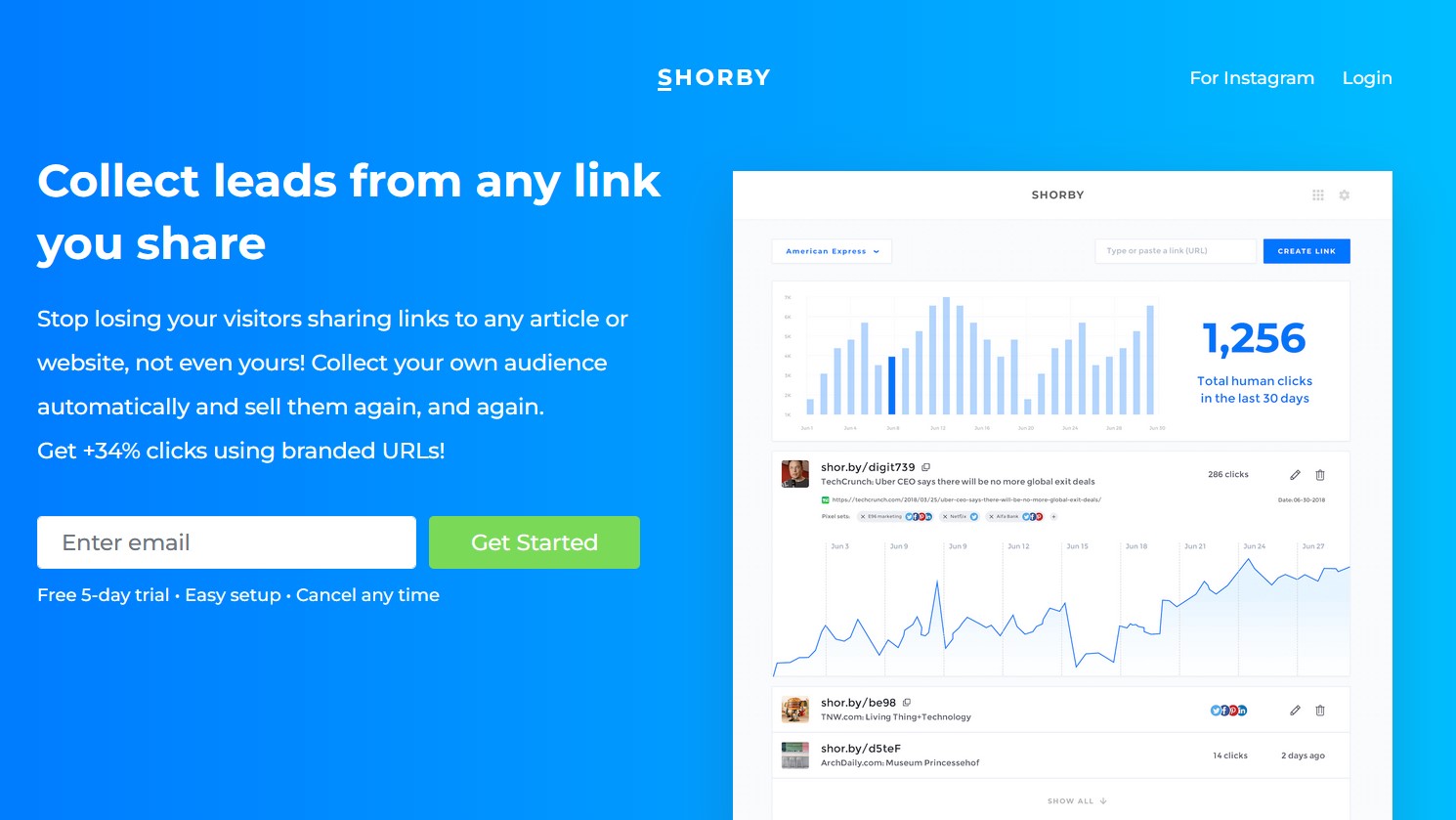
Shorby is often mentioned as a top Linktree alternative. Unlike Linktree, Shorby allows connecting a custom domain on paid plans, giving a professional look.
However, it has its own limitations. For example, Shorby doesn't offer as many page blocks/apps as Linktree, and it cannot process payments or sell products directly on the page.
That means if you want to monetize, you still have to link off-platform. In other words, while Shorby fixes some of Linktree's shortcomings, like a custom URL, it introduces other problems, like fewer integrations and no in-built store.
If you're interested to know more, read our Shorby review.
Conclusion
Linktree popularized the link-in-bio concept and still serves as a simple way to combine multiple links under one profile link. However, newer platforms are raising the bar.
Among these, brandID stands out as the best Linktree alternative, offering a completely free, feature-rich link page that works as a monetization hub. It packs features Linktree doesn't have, such as direct selling and robust branding.
If you are evaluating link-in-bio tools today, the choice depends on your priorities. Make sure to get them right.
FAQs
Ready to try the all-in-one Linktree alternative?
Start with brandID — Free