
How to build a creator list
Group the creators you revealed into named lists, so you can DM a whole list in one campaign. It takes about 5 minutes.
Before you start
- Creators you found in Find Creators (revealing them costs monthly reveals or 3 credits each)
Search and shortlist
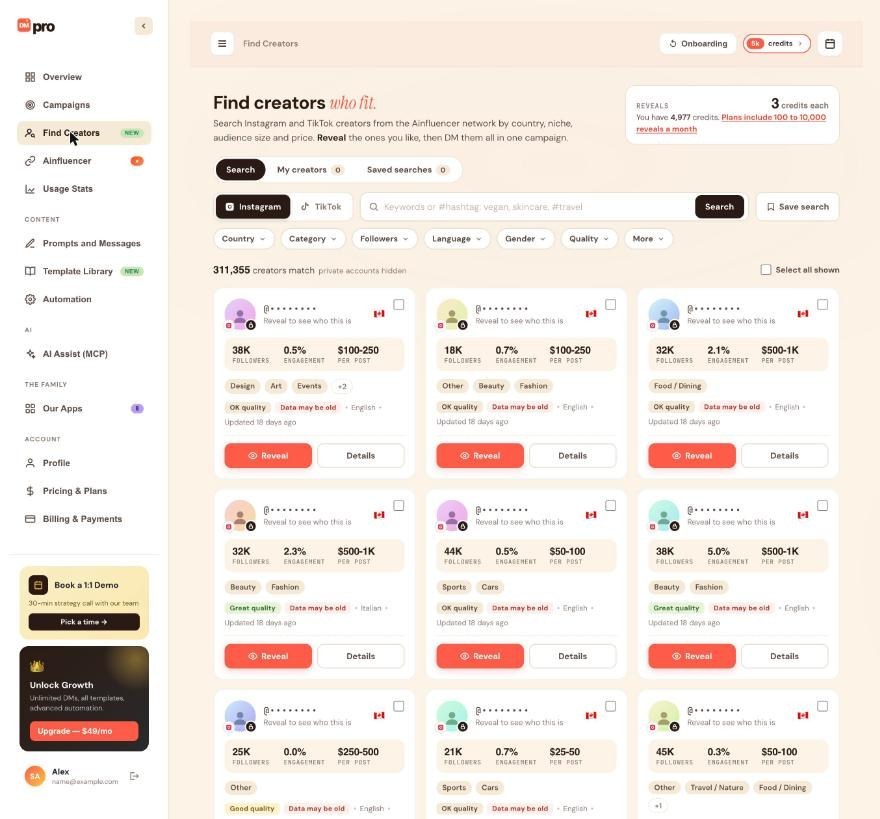
Open Find Creators, run a search and use the filters until the cards fit what you want. Tick the checkbox on the cards you like, or use Select all shown to select the whole page.
Know what a list is
A creator list is a named group of revealed creators. Only creators you have revealed can be added, because a list holds real handles. You can keep up to 500 lists, and a list can hold up to 50,000 creators. List names can be up to 60 characters.
Removing a creator from a list, or deleting a list, never deletes the creator. They stay in My creators.
Reveal and add to a list in one step
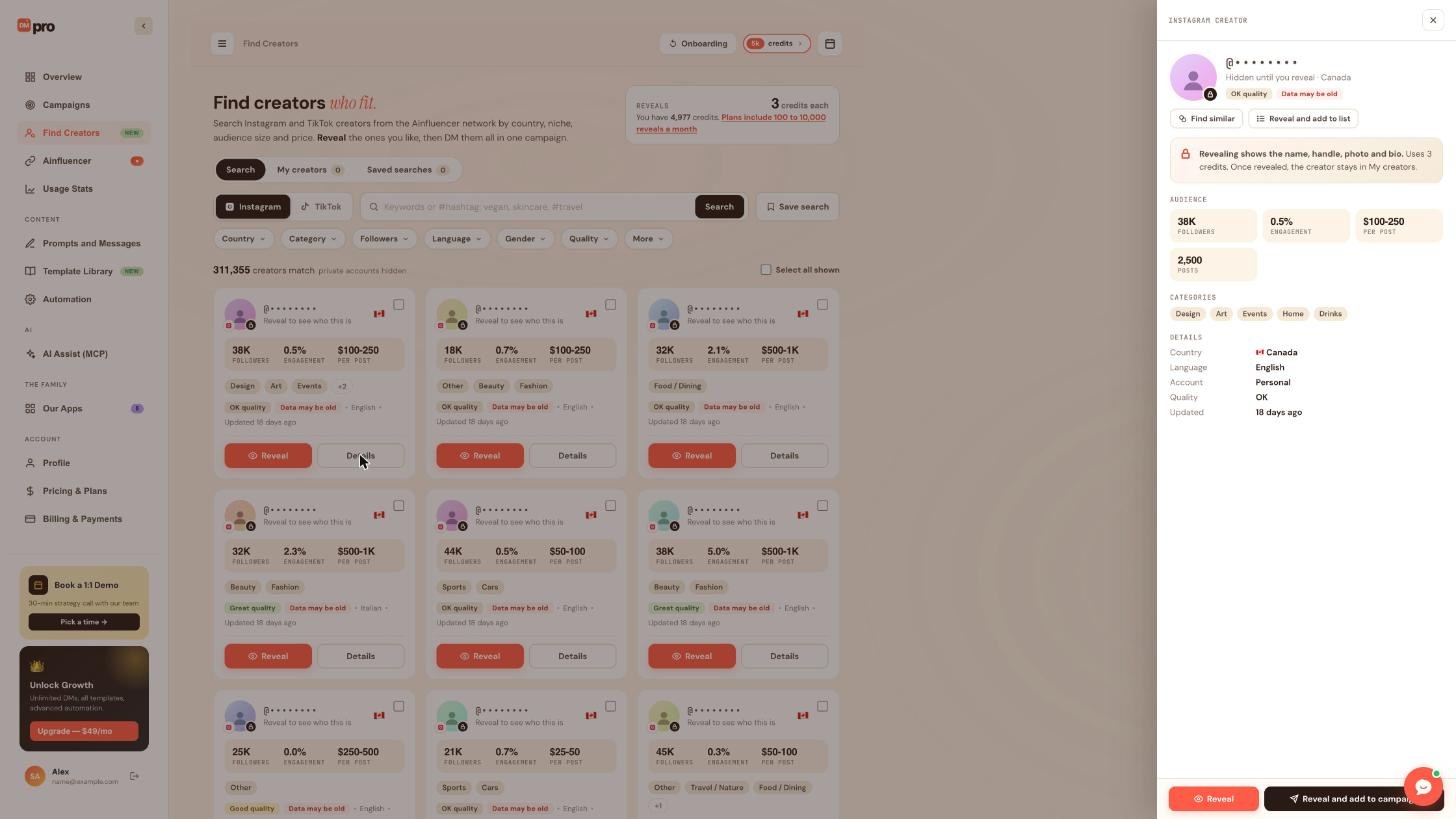
Click Details on a card, then Reveal and add to list at the top of the panel. This reveals the creator and puts them in a list in one go. Choose the list you want, or start a new one with a short name such as Vegan creators CA.
Review My creators
Click the My creators tab. Every creator you have revealed is kept there, whatever list they are in. Use it to check that the right people are in the right list before you send anything.
Manage lists with an AI app (optional)
If you use an AI app through AI Assist (MCP) with access to Find Creators, you can ask it, for example, “Create a creator list called Vegan creators CA and add my revealed creators from Canada to it.” An app can create, rename and delete lists, and add or remove up to 500 creators per request. It only adds creators that are already revealed and tells you how many it left out.
Deleting a list asks you first and cannot be undone. Adding to and removing from lists can be undone from the AI Assist Activity tab.
Tips
- Make one list per outreach theme, for example by niche or country. It keeps your campaigns focused.
- A list can hold creators from both Instagram and TikTok. A campaign uses only the creators on its own platform.
- A creator you already revealed stays revealed, so the same person can be in several lists at no extra cost.
If something goes wrong
I cannot add a creator to my list.
Only revealed creators can be added. Reveal the creator first (or use Reveal and add to list), then add them.
I deleted a list. Are my creators gone?
No. Deleting a list leaves its creators in My creators. The list itself cannot be brought back.
A list is not available in my campaign.
Check the platform. A campaign targets one platform and uses only the list’s creators on that platform.
Related how-to guides
Still stuck? We’re happy to help.
Create your account, or reach out to support.




