
Last spring, one of our account managers published a client’s launch post eighteen hours early: two people were editing the same shared spreadsheet and neither saw the change. The fix, an apology call and a reschedule, cost us a full workday of billable time. That was the morning I stopped trusting off-tool social media calendar tools and started auditing every serious social media calendar our agency could actually put in front of a client. Spreadsheets don’t send calendar invites, it turns out.
For most agencies, the strongest pick is Planable, because it keeps the content calendar and client approvals inside one social media management tool, so a post can’t publish before the right people sign off. The honest nuance: if all you need is bulk queue scheduling across many channels, a lighter scheduler will cost less. The full list below covers seven options and where each fits.
Key Takeaways
- Planable: the top pick when client approvals drive the week, with the calendar and sign-off on one screen. From $33/workspace/mo.
- Loomly: coaches junior social managers with post ideas and optimization tips inside the composer. From $42/mo.
- Sendible: branded, client-facing dashboards that keep multiple accounts cleanly separated. From $29/mo.
- CoSchedule: blog and social on one marketing calendar, priced per user. From $19/user/mo.
- Agorapulse: a unified calendar plus a strong social inbox for engagement-heavy retainers. From $79/mo.
- SocialPilot: white-label client management so your brand, not the vendor’s, faces the client. From about $30/mo.
- Buffer: clean queue scheduling for light rosters. From $5/mo per channel.
- Bottom line: among these social media calendar tools, approval depth beats raw scheduling for agency work, which is why Planable leads.
What I weighted:
- Multi-client and workspace separation, so accounts never bleed into each other
- Approval-workflow depth that maps to how account teams really route work
- Calendar views the team will open every day, not just on reporting Friday
- Clear roles at each step: creator, reviewer, client, publisher
- Client-facing review a non-marketer can use without a call
- Transparent pricing you can quote before signing anyone
Each tool was evaluated for multi-account workflows against current 2026 pricing. Tooling spend is compounding, with the social media management market projected to reach about $171.6 billion by 2033 at a 24.8% CAGR, which is why picking the right calendar now matters. The system is the fix.
Where an Agency’s Social Calendar Actually Breaks
Three places a multi-client operation loses time and trust:
- The calendar lives in five places. A spreadsheet, an email thread, DMs, a design tool, and one strategist’s memory. When the source of truth is plural, your account lead spends Monday reconciling versions instead of shipping posts.
- Approvals happen off the social media content calendar. Sign-offs land as screenshots in chat and buried email replies, so a single client round trip stretches from hours into two full days.
- The wrong-account publish. One post fired to the wrong handle or the wrong week is the near-miss that costs a retainer.
None of this is a discipline problem. Only about 35% of B2B marketers have a repeatable model for producing content at scale, and 45% say they lack one, running ad hoc. What fixes all three is one calendar the entire approval chain works inside.
How Seven Tools Compare
The shortlist at a glance, ranked for multi-account agency work:
| Rank | Tool | Best for | Calendar views | Approvals | Starting price |
|---|---|---|---|---|---|
| 1 | Planable | Agencies running client approvals | Feed, grid, calendar, list | Optional, required, or multi-level | From $33/workspace/mo (billed annually; $39 month-to-month) |
| 2 | Loomly | Coaching junior social managers | Calendar plus post ideas | On all paid tiers | From $42/mo |
| 3 | Sendible | Branded client dashboards | Drag-and-drop calendar | Client approval on Premium+ | From $29/mo |
| 4 | CoSchedule | Blog and social on one timeline | Marketing calendar | Agency tier and up | From $19/user/mo (free tier) |
| 5 | Agorapulse | Engagement and inbox in scope | Unified calendar | Professional and up | From $79/mo |
| 6 | SocialPilot | White-label client management | Calendar plus bulk queue | Standard+ (client on top tiers) | From about $30/mo |
| 7 | Buffer | Light rosters, queue publishing | Queue plus visual calendar | Team plan only | From $5/mo per channel (free plan) |
7 Social Media Calendar Tools, Ranked
Here’s how each handles the single-calendar test, starting with the one most of our accounts landed on.
1. Planable

Planable is the social media management tool where your content calendar and client approvals finally live in the same place.
Best for: agencies running weekly content calendars across several client accounts, where nothing ships until someone on the client side signs off.
Standout feature: the client-facing approval layer sits on the calendar itself: your strategist drafts, your account lead reviews internally, the client approves without touching the copy. Four views (feed, grid, calendar, list), workflows from optional to required to multi-level sequential like team then client, plus real-time comments, annotations, and text suggestions. Its collaboration workflow takes approvals from days over email to same-day in-tool.
Pros:
- Spin up a separate workspace per client so nothing bleeds between accounts.
- Assign roles that let clients approve and comment but never edit the post.
- Publish to nine platforms: Instagram, Facebook, LinkedIn, TikTok, YouTube, X, Pinterest, Google Business Profile, and Threads.
Cons:
- Built for teams, so a solo user gets less out of it than a full agency pod.
- Analytics and the social inbox are paid add-ons at $14 and $9 per workspace per month.
- Not an ads manager; it reports on both paid and organic performance but does not run campaigns.
Pricing: from $33/workspace/mo (billed annually; $39 month-to-month). Pro adds required approval; Enterprise adds multi-level approval.
Honest assessment: if your week includes the phrase “did the client approve this?”, Planable earns the top spot. Across multiple client accounts, keeping the calendar and sign-offs in one place cut our approval-chase emails to near zero. Built for agency teams, not the solo operator, but it fits how agencies actually work.
2. Loomly
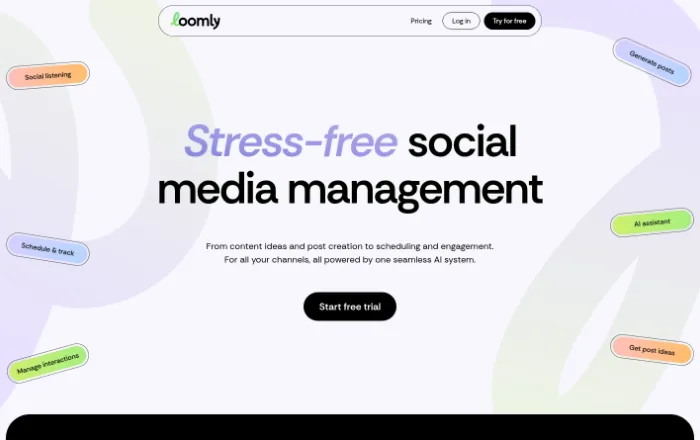
Loomly is a visual-first calendar that coaches the post before it ships, which suits teams still building their content muscle.
Best for: agencies onboarding junior social managers who benefit from prompts and optimization nudges inside the composer.
Standout feature: post ideas and optimization tips sit right inside the calendar, so a coordinator drafting a client’s week gets format reminders and hook suggestions without leaving the view.
Pros:
- Ships approval workflows and roles across every paid tier, not just the top one.
- Surfaces optimization guidance where the work happens.
- Presents a clean calendar that clients can actually read.
Cons:
- Caps user seats tightly per tier, so adding collaborators pushes agencies up the pricing ladder fast.
- Per-account math gets uncomfortable once you pass a handful of clients.
Pricing: from $42/mo on Base, billed annually.
A solid pick if your bottleneck is training people, less so if it’s seat cost.
3. Sendible
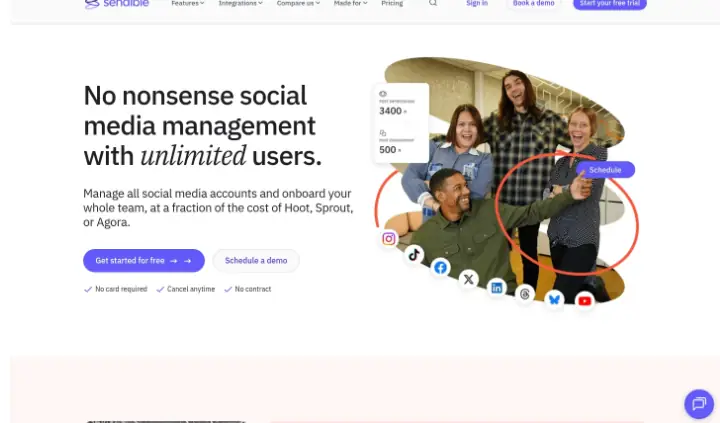
Sendible is built around the multi-client agency, with client-facing dashboards as the organizing idea rather than an afterthought.
Best for: agencies that want clients approving and viewing work inside a branded dashboard instead of over email threads.
Standout feature: Client Connect gives each account its own approval space and reporting view, so the client sees their queue and nothing else. Smart queues and bulk CSV upload let one manager load a month across several brands and route each to the right reviewer.
Pros:
- Separates clients cleanly, keeping approvals and reports from bleeding across accounts.
- Handles bulk and CSV loading well for monthly batch planning.
- Offers genuine client-facing approval, not internal-only sign-off.
Cons:
- Gates client approval and Client Connect to Premium and above.
- Starts single-user on the entry plan, so real agency use begins a tier up.
Pricing: from $29/mo for 1 user.
Priced honestly, but budget for the tier where the client-facing pieces turn on.
4. CoSchedule
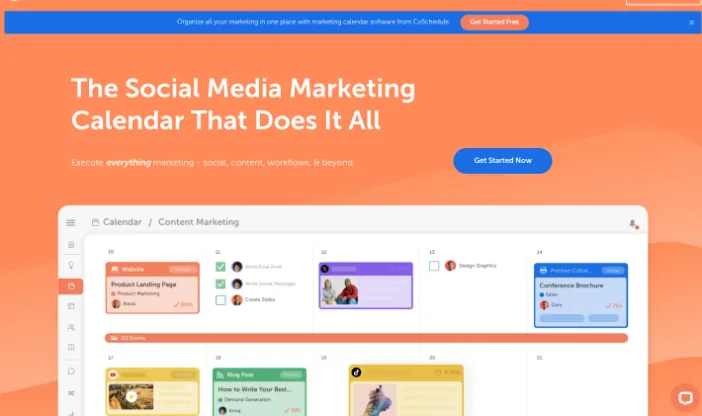
CoSchedule treats social as one lane inside a broader marketing calendar, which matters when clients publish blogs alongside posts.
Best for: agencies running combined content and social retainers that need blog and social on one shared timeline.
Standout feature: the drag-and-drop marketing calendar lets you plot a client’s long-form piece and its supporting social around the same date, so a launch reads as one coordinated push.
Pros:
- Aligns blog and social on one calendar, which few pure social tools do.
- Prices per user, so small pods pay only for the people involved.
- Offers a free single-user tier for testing before committing.
Cons:
- Ships no team approvals on the entry tier, a real gap for client sign-off.
- Charges per user, which climbs as pods grow.
Pricing: from $19/user/mo, with a free Social Calendar tier for 1 user and 15 posts.
Right choice when the retainer is content plus social, wrong one if you need approvals from day one.
5. Agorapulse
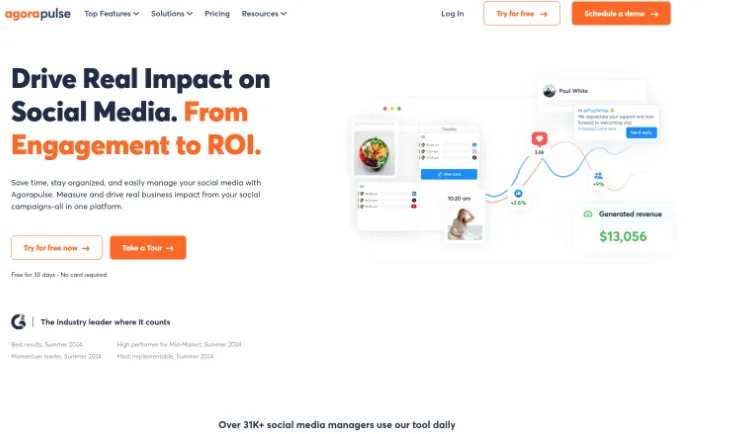
Agorapulse pairs a unified calendar with a genuinely strong social inbox, so planning and community management live under one roof.
Best for: agencies whose retainers include engagement and inbox monitoring, not just scheduled publishing.
Standout feature: the inbox pulls comments, messages, and mentions across a client’s channels into one triage queue, and it sits beside the calendar rather than in a separate tool.
Pros:
- Combines scheduling and a capable inbox, covering two line items in one seat.
- Offers simple approvals on Professional and multi-step on Advanced.
- Handles high-volume engagement without a bolt-on tool.
Cons:
- Excludes approval workflows from the Standard tier entirely.
- Per-seat cost adds up across a full client roster.
Pricing: from $79/mo on Standard.
Worth it if engagement is in scope, but plan to skip Standard the moment a client wants sign-off.
6. SocialPilot

SocialPilot is put together with agency operations in mind, especially the white-label presentation clients notice.
Best for: agencies that want their own brand, not the vendor’s, on every client-facing screen and report.
Standout feature: white-label client management lets you present dashboards and approvals under your agency’s name, so the tool disappears and your service stays front of mind.
Pros:
- Delivers white-label presentation that reinforces your brand, not the platform’s.
- Supports bulk and CSV scheduling suited to loading in volume.
- Keeps client management organized across a wide roster.
Cons:
- Gates client approval and white-label to the two top tiers.
- Entry plans read more like solo-operator territory.
Pricing: from about $30/mo on Essentials.
Strong on white-label, provided you know the features you want sit near the top of the menu.
7. Buffer
Buffer is clean, fast queue-based scheduling with a visual calendar, built for simplicity rather than deep agency governance.
Best for: agencies handling a small set of lightweight accounts that need reliable publishing without heavy approval layers.
Standout feature: the queue model is refreshingly direct: set posting slots per channel, drop content in, and Buffer fills the calendar automatically. A new hire or client can be productive in an afternoon.
Pros:
- Keeps scheduling simple, so onboarding people or clients takes minutes.
- Offers a genuine free plan covering 3 channels for testing or tiny accounts.
- Presents a clean calendar without configuration overhead.
Cons:
- Restricts approvals to the Team plan only.
- Scales awkwardly on per-channel pricing once you manage many accounts.
Pricing: from $5/mo per channel, with a genuine free plan for 3 channels.
A fine tool for light rosters, but the per-channel model works against you as your client list grows.
Honest Assessment: Which Calendar Tool to Pick
Honest assessment: if your agency runs real client approvals, pick Planable. It’s the social media management tool built around sign-off, so a post moves from draft to scheduled in one thread instead of five email chains, and its approval workflow cuts review turnaround from days to hours while catching the wrong-logo, wrong-date errors before a client ever sees them. Of the social media calendar tools here, skip it if your workflow is a lean queue with no client sign-off, where Buffer does the job, or if raw bulk volume across dozens of accounts matters more than approval depth, where SocialPilot fits better. Either way, move one client’s calendar into a proper approval flow this week and measure the difference.
FAQs
What should an agency look for in a social media calendar tool?
Prioritize multi-client workspace separation so accounts never bleed into each other, approval depth that mirrors how your clients actually sign off, calendar views that switch between month, week, and list, and roles per step so a designer, strategist, and client each act at the right moment. Those four decide whether the tool survives real agency volume.
What are the best social media calendars for agencies?
For agencies, tools with agency-grade approvals and structured client review beat pure social media scheduling tools every time, because the bottleneck is sign-off, not posting. Planable is the pick when client approval drives your week. Buffer, CoSchedule, and SocialPilot suit lighter needs, where queue speed or content breadth matters more than layered review.
How far ahead should an agency plan its social media content calendar?
Run a rolling 4 to 6 weeks in your social media content calendar, with a monthly client approval checkpoint that locks the next batch. That horizon keeps your social media planning responsive to trends while giving clients room to review. It matters because more than 1 in 3 social media users, 38.3%, use social platforms for work-related activities, so your audience is planning too.
 Summarize this article with: