Cold email deliverability decides whether your outreach reaches a real person or dies unseen in a spam folder. It rests far more on sender reputation, authentication and list quality than on how clever your subject line reads.
A great offer sent from a burned domain still loses. Getting the plumbing right first is what separates campaigns that book meetings from ones that vanish. If you are still choosing tools, start with dedicated cold email software, then build the deliverability foundation below before your first send.
Key Takeaways
- Reputation runs the show: cold email deliverability depends on sender reputation, SPF DKIM DMARC alignment, list quality and engagement, not on the message alone.
- Delivered is not inboxed: a 98 percent delivery rate can still hide a 60 percent inbox placement rate, so track placement, not acceptance.
- Warm up before you scale: a new domain needs 3 to 6 weeks of email warmup, and you grow by adding mailboxes, not by pushing volume higher.
- 2026 rules raised the floor: Google, Yahoo and Microsoft now require authentication, one-click unsubscribe and a spam rate under 0.1 percent.
- Delivery has a ceiling: when filters block even clean email, contactID reaches web-present targets through their own contact form at close to 100 percent.
What Is Cold Email Deliverability?
Cold email deliverability is the ability of an unsolicited outreach email to reach a recipient’s primary inbox instead of spam or promotions. It measures where your mail lands, not just whether a server accepted it.
Unlike a newsletter to opted-in subscribers, cold email has no prior engagement to lean on. Mailbox providers treat unknown senders with suspicion, so every reputation signal carries extra weight.
Four factors drive the outcome: sender reputation, email authentication, list quality and recipient engagement. Content matters too, but it is the tiebreaker, not the main event. Nail the first three and most messages land. For the wider picture, review cold email fundamentals alongside this deliverability work.
Deliverability vs Delivery Rate vs Inbox Placement
Three metrics sound alike and get mixed up constantly, which hides real problems. Separating them is the first step to knowing whether your outreach actually works.
- Delivery rate: the share of emails a receiving server accepted. A message routed straight to spam still counts as delivered, which makes this number misleading on its own.
- Inbox placement rate (IPR): the share of accepted emails that reached the primary inbox. This is the number that predicts opens and replies.
- Deliverability: the broad practice and health that produce a high inbox placement rate over time, covering reputation, authentication and list quality.
Here is why the gap matters. Say a campaign posts a 98 percent delivery rate, so almost everything was accepted. That looks excellent until a seed test shows only 60 percent of it reached primary inboxes.
Nearly 40 percent sat in spam, invisible to a delivery report. Chasing delivery rate alone rewards the wrong signal. Inbox placement is the metric worth defending.
Why Cold Email Deliverability Got Harder in 2026
Two regulatory waves reset expectations for every sender. What used to be best practice is now a hard requirement, and mailbox providers enforce it automatically.
In February 2024, Google and Yahoo rolled out bulk sender rules demanding authentication, easy unsubscribe and a low spam rate. Senders who ignored them saw mail throttled or filtered overnight.
In May 2025, Microsoft tightened its own floor for high-volume senders into Outlook, Hotmail and Live. Non-compliant bulk mail now gets rejected outright rather than quietly filtered.
Cold email deliverability got harder because the baseline rose for everyone. Weak setups that limped along in 2022 now bounce or land in spam by default. Meeting the bar is table stakes, not an edge.
Google, Yahoo and Microsoft Sender Requirements
Each provider publishes its own thresholds, but the core demands overlap. This table lines them up so you can confirm compliance before a single email goes out.
| Requirement | Google and Yahoo | Microsoft |
|---|---|---|
| Bulk threshold | ~5,000 messages/day to Gmail or Yahoo mailboxes | ~5,000 messages/day to Outlook, Hotmail, Live mailboxes |
| Required authentication | SPF + DKIM + DMARC | SPF + DKIM + DMARC |
| Minimum DMARC policy | p=none, aligned with SPF or DKIM | p=none, aligned with SPF or DKIM |
| One-click unsubscribe | List-Unsubscribe + List-Unsubscribe-Post (RFC 8058), honored within 2 days | List-Unsubscribe + List-Unsubscribe-Post, honored within 2 days |
| Spam-rate ceiling | Keep under 0.1 percent, never reach 0.3 percent | Keep under 0.1 percent |
| Enforcement | Filtering and throttling of non-compliant mail | Rejects non-compliant bulk mail with error 550 5.7.15 |
One nuance worth flagging: the 5,000 per day threshold defines a bulk sender, but the authentication and spam-rate rules apply to everyone. Cold senders rarely hit 5,000 to a single provider, yet a poor spam rate still sinks them.
How Mailbox Providers Decide Where Email Lands
Filtering is not one switch. Gmail, Yahoo and Outlook score every message across several dimensions, then route it to primary, promotions or spam based on the total.
Sender Reputation
Reputation attaches to your sending domain, your IP and each individual mailbox. Providers track how recipients treat your mail over weeks. A clean history buys tolerance, and a spike in complaints erases it fast.
Authentication
SPF, DKIM and DMARC prove you are who you claim to be. Failing them flags spoofing risk and pushes mail toward spam, regardless of how good the content is.
Engagement Signals
Replies are the strongest positive signal a cold email can earn. Opens and forwards help, while deletes without reading, spam complaints and ignored messages pull your reputation down quickly.
Content and Structure
Filters scan for spam-trigger words, heavy links, risky attachments and mismatched sender details. Clean, plain content rarely trips them, but it cannot rescue a weak reputation on its own.
Email Authentication: SPF, DKIM, DMARC and BIMI
Authentication is the non-negotiable base layer. Without it, providers cannot verify your identity, and 2026 rules reject or filter mail that fails. Three records do the core work, and a fourth adds trust.
SPF lists which servers may send for your domain. DKIM signs each message cryptographically so tampering shows. DMARC tells receivers what to do when SPF or DKIM fails, and where to send reports.
Here are example records to model your own DNS on. Swap in your real domain, selector and public key.
A few technical limits trip people up. SPF allows a maximum of 10 DNS lookups, so trim nested includes or the record fails. Use 2048-bit keys for DKIM where your provider supports them, since 1024-bit is now considered weak.
DMARC alignment is the piece many miss. Your visible From domain must align with the domain validated by SPF or DKIM. Without alignment, DMARC fails even when SPF and DKIM individually pass.
DMARC Policy Progression
Move through DMARC in stages, never jumping straight to enforcement:
- p=none: monitor only. Collect reports and confirm legitimate mail passes before you tighten anything.
- p=quarantine: send failing mail to spam. A safe middle step once reports look clean.
- p=reject: block failing mail outright. Full protection against spoofing, and the goal for a mature setup.
BIMI displays your verified logo and, with some providers, a checkmark beside your name. It requires DMARC set to quarantine or reject, plus a VMC or CMC certificate proving trademark ownership. It boosts trust but does nothing until authentication is solid.
How to Warm Up a Cold Email Domain
A brand-new domain has zero reputation, and blasting it with volume looks exactly like spam. Warmup builds trust gradually by sending small, engaged batches that teach providers your mail is wanted.
You warm the domain and each mailbox, not the IP, since cold senders usually sit on shared ESP pools. Real replies during warmup matter more than raw sends, so seed early messages to contacts who will respond.
| Period | Emails per day per mailbox | Focus |
|---|---|---|
| Days 1 to 3 | 5 to 10 | Manual sends to engaged contacts, aim for replies |
| Days 4 to 7 | 10 to 15 | Add a warmup network, keep opening and replying |
| Week 2 | 15 to 25 | Begin light real outreach to warm segments |
| Week 3 | 25 to 35 | Scale steadily, watch inbox placement closely |
| Week 4 and beyond | 30 to 50 steady | Hold per-mailbox volume, add mailboxes to grow |
Full email warmup takes roughly 3 to 6 weeks, and rushing it undoes the point. Once a mailbox is warm, resist the urge to push it past 50 a day. To send more, add mailboxes rather than raising per-mailbox volume.
Sending Infrastructure: Domains, Inboxes and Tracking
Your infrastructure choices protect your main brand and cap the damage if a domain gets flagged. Get this layer right once and every campaign benefits.
- Never send from your primary domain: a spam flag on your main domain can harm normal business email and even hurt search presence.
- Buy secondary lookalike domains: pick close variants such as .co, get, or try versions, and spread sending across several so no single domain carries all the risk.
- Run 2 to 3 inboxes per domain: more than that on one domain looks abusive and raises filtering odds.
- Use a custom tracking domain: set a CNAME on your own subdomain instead of the shared ESP tracking domain, which is often already blacklisted from other senders.
- Forward secondary domains to your main site: a visitor who checks the sending domain should land on your real business, which reinforces legitimacy.
Treat each mailbox as a small, warmed asset. A tidy structure of domains and inboxes is far easier to monitor than one overloaded account, and it keeps a single flag from taking down your whole operation.
List Hygiene and Email Verification
Bounces are the fastest way to wreck a young reputation. A dirty list signals that you scrape or buy contacts, and providers punish that hard. Email verification before every campaign is the cheapest insurance you can buy.
Watch your bounce thresholds closely. Keep hard bounces under 1 percent and total bounces under 2 percent, since anything above 5 percent is danger territory. For cold outreach, aim under 3 percent, and under 1.5 percent is a healthy target.
Verify with a reputable tool such as ZeroBounce, NeverBounce or MillionVerifier right before you send, not weeks ahead. Records decay, and a list verified last month is not clean today. Never buy lists, since bought data is stale, non-consented and often seeded with traps.
Catch-all domains are the tricky case. Between 15 and 28 percent of B2B domains accept any address, so verifiers cannot confirm whether a specific mailbox exists. Send to them sparingly, or split them into a lower-risk segment you watch carefully.
Content and Spam Triggers
Content will not save a bad reputation, but it can sink a good one. Certain words and formats read as spam to filters, so a quick rewrite keeps your message clean. This table shows common triggers and safer swaps.
| Category | Trigger words to avoid | Say instead |
|---|---|---|
| Financial | free, cash, cheap, discount, guarantee | no-cost, budget-friendly, save, offer, proven |
| Urgency | act now, limited time, urgent | when you have a minute, this quarter, worth a look |
| Hype | 100% risk-free, no obligation, amazing | low-risk, no pressure, effective |
| Salesy | click here, buy now, increase sales | see how it works, get started, grow revenue |
Format matters as much as vocabulary. Skip attachments entirely, keep links minimal or zero on first touch, and drop images so your email reads as a plain personal note. Avoid ALL CAPS and strings of exclamation marks, which scream promotion.
One more hazard: spam traps. Pristine traps are addresses never used by a human, recycled traps are old inboxes providers reactivated, and typo traps catch misspelled domains. Hitting any of them tanks your reputation, which is another reason to verify and never buy lists.
Volume, Throttling and Sending Windows
Sending patterns tell providers whether you look human or automated. Bursts of identical mail at machine speed get filtered, while steady, spread-out sending blends in.
- Cap volume per mailbox: stay in the 20 to 50 per day range, with 30 a safe default for cold outreach.
- Space sends out: leave 5 to 15 minute gaps between messages rather than firing them all at once.
- Spread across the day: send during business hours in the recipient’s timezone, not in one early-morning batch.
- Randomize the pattern: vary send times and daily counts slightly so the rhythm looks natural.
- Ramp every new mailbox: each fresh inbox starts low and climbs, just like the original warmup.
- Scale with mailboxes: to reach more people, add warmed inboxes, never raise per-mailbox volume past its safe cap.
Ten mailboxes at 30 a day send 300 clean emails without straining any single reputation. That horizontal model is how serious senders scale while protecting inbox placement.
Monitoring: Blacklists, Reputation and Seed Tests
Deliverability drifts, so you check it rather than assume it. A short monitoring routine catches problems while they are still fixable, before a whole campaign lands in spam.
Watch the major blacklists first. Spamhaus is the most influential DNSBL, and a listing there hurts across many providers. Check your domain and IP with tools like MXToolbox or HetrixTools on a regular schedule.
Run seed tests to check email deliverability before big sends. Services such as GlockApps and MailReach send to a panel of seed inboxes and report exactly where your mail lands across Gmail, Outlook and Yahoo. Google Postmaster Tools adds domain reputation and spam-rate data straight from Gmail.
If you do get listed, fix the root cause first. Delisting before you stop the behavior that caused it just gets you relisted. Once the cause is gone, Spamhaus removal typically takes about 24 to 48 hours.
Cold Email Deliverability Benchmarks
Numbers give you a target and a warning line. These cold email deliverability benchmarks show what healthy looks like and when to pause and fix something.
| Metric | Good | Warning | Bad |
|---|---|---|---|
| Bounce rate | Under 1.5% | 2 to 5% | Over 5% |
| Spam complaint | Under 0.1% | 0.1 to 0.3% | Over 0.3% |
| Open rate | 40 to 60% | 20 to 40% | Under 20% |
| Reply rate | 5 to 10%+ | 2 to 5% | Under 2% |
| Inbox placement | 90%+ | 70 to 90% | Under 70% |
Read these together, not in isolation. A high open rate with a low reply rate points to weak targeting, while a rising spam complaint rate demands an immediate pause. Trends over several sends tell you more than any single campaign.
Why Am I Landing in Spam?
When mail keeps missing the inbox, work through the causes in order of impact. This decision tree moves from the most common culprit to the last resort.
- Is authentication failing? If SPF, DKIM or DMARC does not pass and align, fix that first. Confirm the From domain aligns with SPF or DKIM before anything else.
- Is your bounce rate over 2 percent? Stop and verify the whole list with a fresh check. High bounces signal a dirty list and drag reputation down.
- Are complaints over 0.1 percent? Tighten targeting so only relevant people receive mail, and add an easy opt-out. Irrelevant sends breed complaints.
- Are you on a blacklist? Check Spamhaus and other DNSBLs. Fix the underlying cause, then request delisting, in that order.
- Clean on all of the above but still in spam? Slow down, extend warmup, cut links and images, remove spam-trigger words, and lower per-mailbox volume.
Change one variable at a time and re-run a seed test after each fix. Solving spam placement is a process of elimination, and stacking changes hides which one actually worked.
Pre-Send Cold Email Deliverability Checklist
Run this quick pass before any campaign goes live. Every item maps to a section above, and skipping one is where most cold email deliverability problems begin.
- ✓ SPF, DKIM and DMARC verified and aligned with your From domain.
- ✓ Domain warmed 3 to 6 weeks with steady engagement.
- ✓ List verified and projected bounce under 2 percent.
- ✓ Spam-word scan done on subject and body.
- ✓ One-click unsubscribe present and honored within 2 days.
- ✓ Seed test passed at 80 percent or better inbox placement.
- ✓ Blacklists clear for your domain and IP.
- ✓ Volume caps set at a safe per-mailbox limit.
- ✓ Custom tracking domain live on your own CNAME.
Keep this list beside your sending tool and treat any unchecked box as a reason to hold the send. Two minutes of review beats a week of ruined reputation. These are the email deliverability best practices that compound over time.
When Deliverability Becomes Your Bottleneck: Contact-Form Outreach
Even a flawless setup has a ceiling. Do everything in this playbook and a share of your good email still gets filtered. Roughly one in five to one in six legitimate messages never reaches the inbox, and 2024 to 2025 sender rules keep raising the bar.
Some situations make that ceiling painful. A brand-new or previously burned domain, heavily filtered enterprise targets, or high-value accounts worth a filter-proof touch all leave good outreach stuck in spam despite clean authentication and warmup.
When deliverability is the real bottleneck, a different channel helps. Contact-form outreach delivers your message through the target site’s own contact form, which does not pass through inbound spam filtering. It arrives in a monitored inbox at close to 100 percent.
How contactID Reaches Filtered Targets
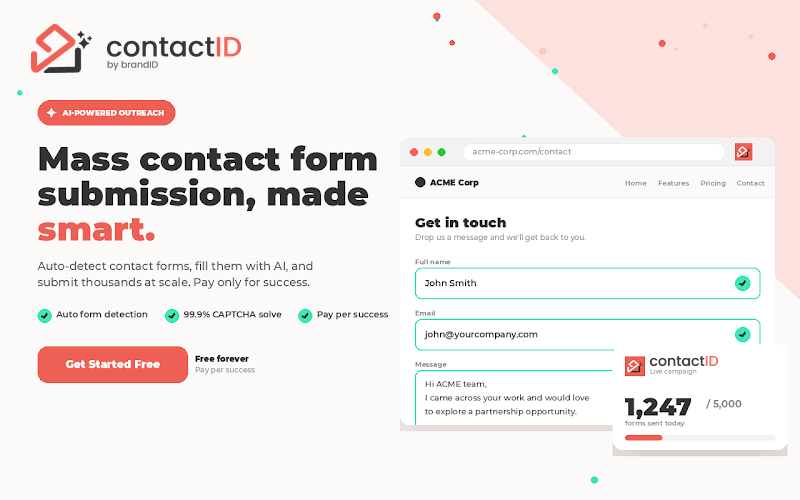
contactID automates that channel. It finds web-present businesses with their website, email and phone by niche, country and city, then sends personalized messages through each site’s contact form using auto form detection and CAPTCHA solving. There is no domain warmup and no SPF, DKIM or DMARC dependency to manage. contactID has a step-by-step guide to sending your first campaign.
Be clear on the limits. Contact forms reach only web-present businesses that have a working form, so it is not a fit for every list. It is not one-to-one inbox email, and close to 100 percent means the message lands where a human reviews submissions, not that replies are guaranteed. When a form requires an answer your Agent lacks, contactID lets you choose what happens, skipping the site or answering neutrally. Treat it as a complement to email, and pair it with contact form marketing tactics for best results.
Used together, the two channels cover each other’s gaps. Email handles personal one-to-one threads, and form outreach reaches targets your email cannot. For a broader toolkit, compare contact form automation tools and fold both into your outbound lead generation plan.
Build a list by niche and location, then let contactID deliver each message through the site’s own form, with no warmup and no bounces. Our detailed contactID review shows how it works step by step.
Try Contact-Form OutreachCold email remains the primary channel for most teams, and pairing it with LinkedIn keeps your pipeline diversified. A quick look at LinkedIn outreach tools and broader B2B email marketing shows where each fits, and clean data from strong B2B data providers feeds all of them.
Bottom Line on Cold Email Deliverability
Cold email deliverability is won before you write a single subject line. Get authentication aligned, warm your domains, keep lists verified and protect your spam rate, and most of your outreach reaches real inboxes.
Treat the checklist and benchmarks as a routine, not a one-time task, since reputation drifts and rules keep tightening. When filters still block clean email on your hardest targets, contactID gives you a filter-proof way to reach web-present businesses through their own contact form.
FAQs
1- What is cold email deliverability?
Cold email deliverability is the ability of an unsolicited outreach email to reach a recipient’s primary inbox instead of spam or promotions.
It depends on sender reputation, authentication, list quality and engagement far more than on message wording. Strong deliverability means your emails consistently land where people actually read them.
2- Why do cold emails go to spam even when authentication is correct?
Authentication proves identity, but it does not build trust on its own. Weak sender reputation, high bounces, low engagement, spam-trigger content or too much volume can still push mail to spam.
Fix the strongest signal first, usually reputation or list quality, then slow your sending and extend warmup before testing again.
3- How many cold emails can I send per day per inbox?
Keep each mailbox in the 20 to 50 per day range, with 30 a safe default for cold outreach on a warmed inbox.
To send more, add mailboxes rather than raising per-mailbox volume. Ten inboxes at 30 a day send 300 clean emails without straining any single reputation.
4- How long does it take to warm up a cold email domain?
Plan for roughly 3 to 6 weeks. Start at 5 to 10 emails a day per mailbox and ramp gradually toward 30 to 50 as engagement holds up.
You warm the domain and each mailbox, not the shared IP, and real replies during warmup matter more than raw send counts.
5- What is a good inbox placement rate?
Aim for 90 percent or higher. A rate of 70 to 90 percent is a warning to investigate, and below 70 percent signals a real deliverability problem.
Measure it with a seed test rather than a delivery report, since delivery counts spam-foldered mail as delivered and hides the gap.
6- What bounce rate is acceptable for cold email?
Keep total bounces under 3 percent for cold outreach, and under 1.5 percent is a healthy target. Hard bounces should stay below 1 percent.
Anything above 5 percent is danger territory that damages reputation fast. Verify your list right before every send to stay in range.
7- What are the Google and Yahoo bulk sender requirements?
Senders of about 5,000 or more messages a day to Gmail or Yahoo must authenticate with SPF, DKIM and DMARC, and set DMARC to at least p=none.
They must also offer one-click unsubscribe honored within 2 days and keep the spam rate under 0.1 percent, never reaching 0.3 percent.
 Summarize this article with: