
How to publish, pause or archive a campaign
Take a campaign live, stop it temporarily, or retire it without losing its flow, and learn how to get warned when DMpro pauses one for you.
Before you start
- A campaign you have built, with a connected account chosen
Check the campaign before it goes live
Open the campaign in the builder and clear every red item in the banner at the top. A campaign needs a trigger, at least one action with content and a connected account. Campaigns created by an AI assistant or saved without an account show Add a social account to start; pick an account before you try to publish.
Publish the campaign
Click Publish campaign. The button reads Publishing… while it saves, and the status changes to Active when it is done. DMpro now listens for the trigger on that account.
Confirm it is live
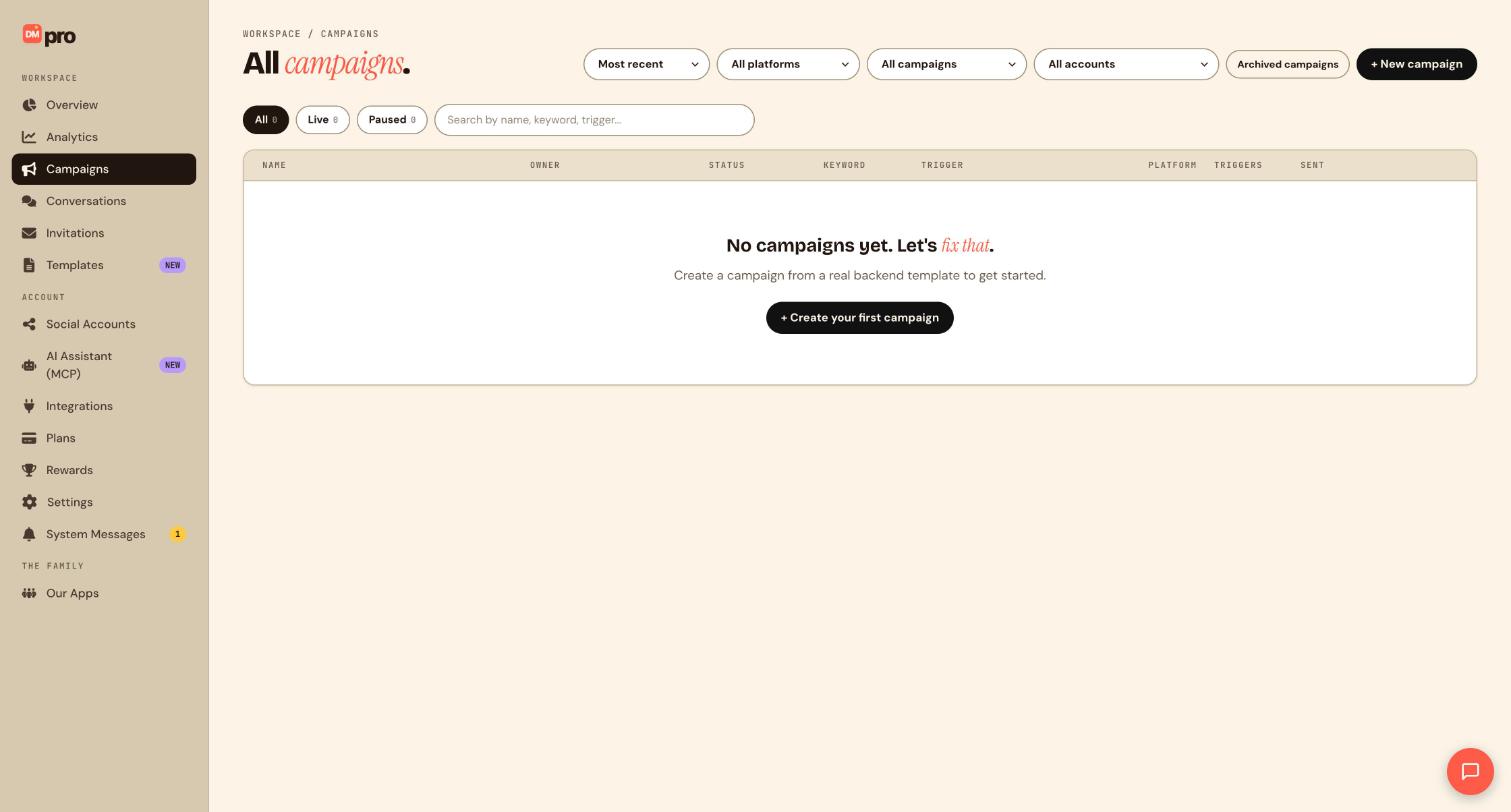
Go to Campaigns. The tabs at the top are All, Live and Paused, each with a count. Your campaign should appear under Live, and its row shows the status, keyword, trigger, platform, how many times it has triggered and how many messages it has sent.
Pause it when you need a break
Open the menu on the campaign’s row and choose Pause. A paused campaign stops reacting to new triggers, but its flow is kept exactly as it was. Pausing is the right move when you spot a typo, run out of stock or want to change a link.
Resume when you are ready
Open the same menu on the paused campaign (find it under the Paused tab) and choose Resume. It goes back to Active and starts matching triggers again.
Archive a campaign you no longer need
Archiving removes a campaign from your active list and stops it matching triggers, but keeps the flow and its history. Prefer it to deleting, because deleting cannot be undone. To see what you archived, click Archived campaigns at the top right of the Campaigns page. A campaign you restore comes back paused, so resume it when you want it live again. A campaign with an end date expires on its own once that date passes.
Turn on alerts for automatic pauses
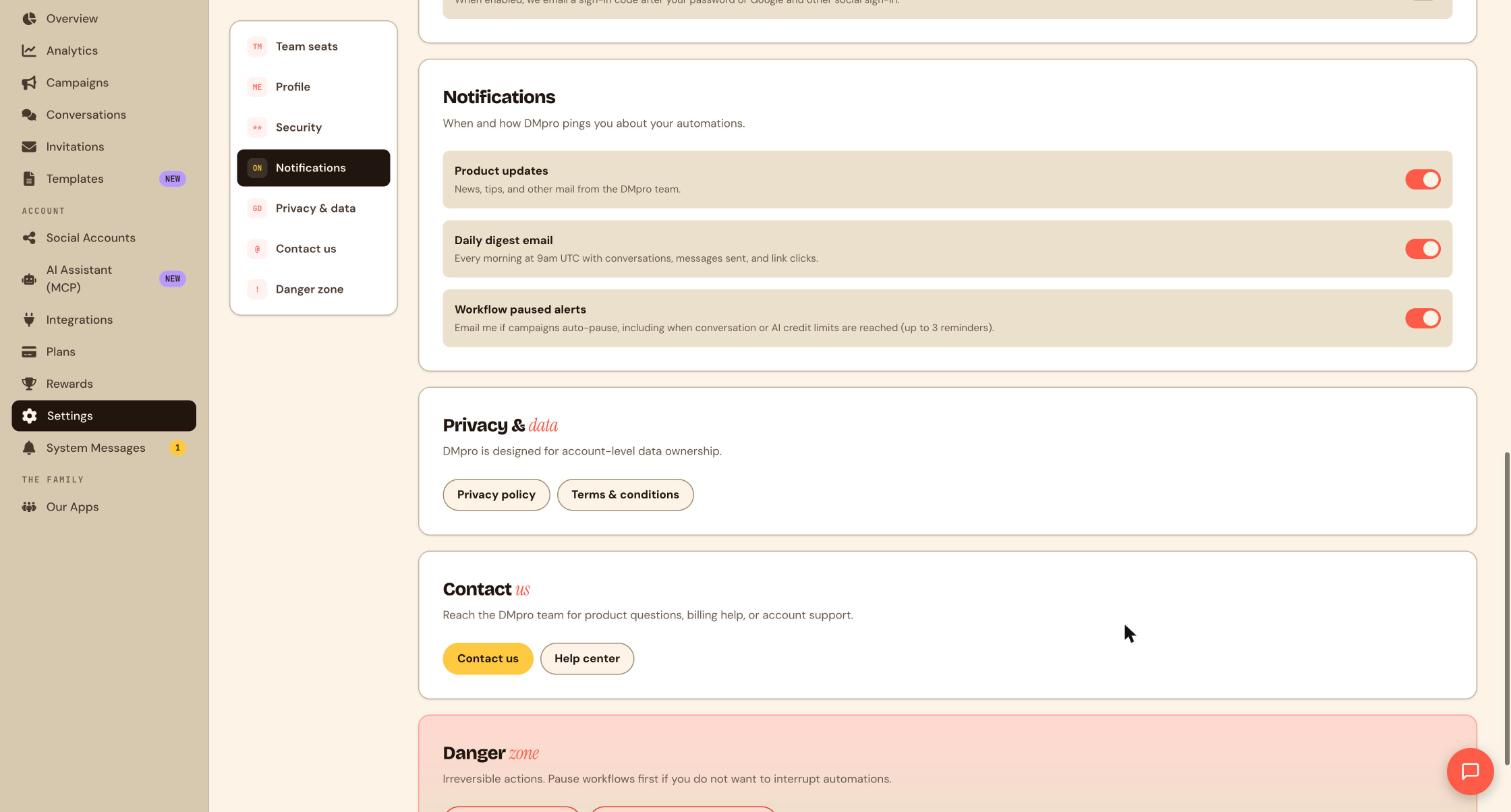
DMpro can pause campaigns for you, for example when a conversation or AI credit limit is reached or when an account is disconnected. Open Settings, then Notifications, and keep Workflow paused alerts switched on. DMpro then emails you if campaigns auto-pause, with up to 3 reminders.
Tips
- After you reconnect an account that dropped out, check Campaigns and resume anything that paused.
- Pause rather than archive when you plan to be back within days.
If something goes wrong
Publish campaign is greyed out.
Read the red items in the validation banner: a missing trigger, an empty action, no connected account, or collaborator invites that are still pending.
My campaign paused by itself.
Usual causes are an expired account connection, a reached AI credit or conversation limit, or a validation problem. Reconnect the account from Social Accounts, then resume the campaign in Campaigns.
Two live campaigns fight over the same keyword.
Pause the extra campaigns and give each live campaign on an account its own keyword or post.
Related how-to guides
Still stuck? We’re happy to help.
Create your DMpro account, see pricing, or reach out to support directly.




